wordpress
45 TopicsWhat's new in Azure App Service at #MSBuild 2026
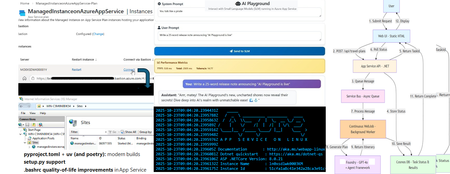
At Microsoft Build 2026, Azure App Service introduced a powerful set of updates designed to help organizations accelerate their journey into AI, without increasing complexity or cost. These innovations focus on one clear business outcome: enabling teams to build, deploy, and scale AI-powered applications and agents faster, more securely, and with greater operational efficiency. A key highlight is the new Easy AI experience, which allows existing web apps to become AI-ready with no rearchitecting required. With capabilities like built-in Model Context Protocol (MCP), developers can instantly expose app functionality as agent-ready endpoints, enabling AI agents to interact with business logic securely and seamlessly. This dramatically reduces development time, allowing teams to move from idea to intelligent application in a fraction of the usual effort. Security and compliance are also strengthened with the general availability of Isolated v4 for Azure App Service Environments, delivering improved performance for customers that need single-tenant isolation and strong data residency guarantees. For enterprises operating in regulated industries, this ensures AI applications meet strict governance requirements without sacrificing scalability or speed. For modernization scenarios, Managed Instance on Azure App Service simplifies the migration of legacy applications, including those with OS-level dependencies. Faster restarts, enhanced diagnostics, and AI-assisted migration workflows help organizations modernize existing systems cost-effectively—avoiding expensive rewrites while unlocking AI capabilities. Recent updates include an AI-assisted approach to migrating legacy IIS applications using a multi-agent workflow powered by MCP. Managed Instance is supported on both Premium v4 and Isolated v4, laying the foundation for a modern compute infrastructure across the board. Operational efficiency is further enhanced through platform and CLI improvements designed for the “agent era.” From structured deployment diagnostics to optimized Python pipelines delivering faster deployments, these updates reduce friction and infrastructure overhead, lowering total cost of ownership. Together, these innovations position Azure App Service as a future-ready platform where businesses can rapidly build intelligent, agent-driven applications securely, efficiently, and at scale. 👉 Learn more in the full announcement: Deep dive into Azure App Service Build 2026 updates1.7KViews0likes0Comments
What's New in Azure App Service at #MSIgnite 2025
Azure App Service introduces a new approach to accelerate application migration and modernization at Microsoft Ignite 2025. Known as Managed Instance on Azure App Service, it enables seamless modernization of classic web apps to the cloud with minimal code changes, especially for apps with custom Windows dependencies. Other major updates include enhanced Aspire support for .NET developers on Azure App Service for Linux, new AI integration features, expanded language/runtime support, and improvements in scaling, networking, and developer experience.1.9KViews0likes0CommentsHow to set up subdirectory Multisite in WordPress on Azure App Service
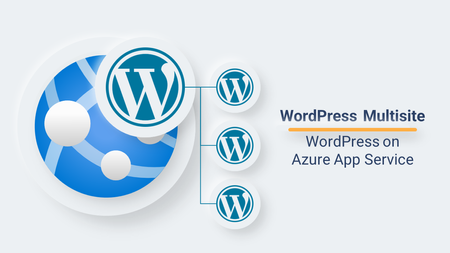
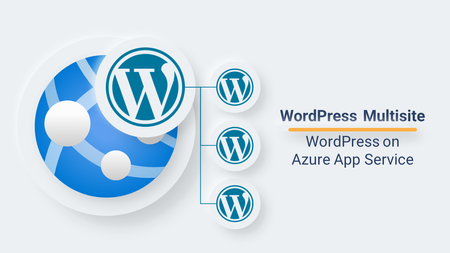
WordPress Multisite is a feature of WordPress that enables you to run and manage multiple WordPress websites using the same WordPress installation. Follow these steps to setup Multisite in your WordPress website on App Service...12KViews1like15Comments
Issue with IndexNow Automatic Submission Indexing ‘noindex’ Pages
I need some help with Bing Webmaster, specifically the IndexNow API and Wordpress IndexNow plugin. I have outlined my issue here: https://github.com/microsoft/indexnow-wordpress-plugin/issues/60. I am either looking to get in contact with the plugin devs or a 3rd party developer to fork the plugin and add the basic feature I need: exclude URLs of a certain path from being submitted to Bing for indexing. Thanks Reed232Views1like2CommentsWhat's New in Azure App Service at #MSBuild 2025
New App Service Premium v4 plan The new App Service Premium v4 (Pv4) plan has entered public preview at Microsoft Build 2025 for both Windows and Linux! This new plan is designed to support today's highly demanding application performance, scale, and budgets. Built on the latest "v6" general-purpose virtual machines and memory-optimized x64 Azure hardware with faster processors and NVMe temporary storage, it provides a noticeable performance uplift over prior generations of App Service Premium plans (over 25% in early testing). The Premium v4 offering includes nine new sizes ranging from P0v4 with a single virtual CPU and 4GB RAM all the way up through P5mv4, with 32 virtual CPUs and 256GB RAM, providing CPU and memory options to meet any business need. App Service Premium v4 plans provide attractive price-performance across the entire performance curve for both Windows and Linux customers. Premium v4 customers using pay-as-you-go (PAYG) on Azure App Service for Windows can expect to save up to 24% compared with prior Premium plans. We plan to provide deeper commitment-based discounts such as reserved instances and savings plan at GA. For more detailed pricing on the various CPU and memory options, see the pricing pages for Windows and Linux as well as the Azure Pricing Calculator. App Service currently has Pv4 deployed in a few regions with more regions being regularly added. For more details on how to configure app service plans with Premium v4 as well as a regularly updated list of regional availability, see the product documentation and start taking advantage of faster performance today! 2-zone Availability Zone support is now generally available With a recently completed platform update in May, customers now enjoy the 99.99% Availability Zone (AZ) SLA when running on only two instances (instead of three)! As part of this update more parts of the App Service footprint have enabled AZ support “in place”, which means many existing app service plans can now also use Availability Zones. Availability Zone configuration for app service plans is also now mutable. This means if an app service plan is running on an AZ-enabled part of the App Service footprint, customers can choose to enable and disable Availability Zone support at any time. Read more about the new Availability Zone options in the announcement article! ARM/CLI surface area for Availability Zone support has also been updated to provide increased visibility into AZ configuration details. The same enhanced visibility is also coming to the Azure Portal in June. With these changes customers can determine if an App Service plan is on an AZ-enabled scale unit, as well as how many zones are available for zone spanning. This allows customers to deploy with either two zones, or three zones (where available), of zone spanning for their App Service plans. For App Service plans that are AZ-enabled, customers will also be able to see the physical zone placement of each AZ enabled App Service plan. Availability Zone support is available on the new Premium v4 plan, and also supported with Premium v2, Premium v3, and the dedicated App Service Environment v3 (Isolated V2 plan). Check out the Availability Zone options for your App Service plans and start getting the benefits of zone resiliency today! .NET Aspire on Azure App Service .NET Aspire support is now available in public preview for App Service on Linux! .NET Aspire developers creating applications have an additional deployment option with App Service as a deployment target. Developers can create multi-app/multi-service .NET Aspire applications locally and deploy them into Azure using the new App Service deployment provider. The App Service and .NET Aspire teams worked together to create an App Service “provider” using .NET Aspire’s new “provider model”. The build provider translates the code-centric view of a .NET Aspire application topology into an Azure deployment mapped onto App Service constructs. The App Service provider supports securely deploying multiple .NET Aspire applications, with observability via the familiar .NET Aspire dashboard coming in the near future. The Getting Started with .NET Aspire on Azure App Service blog has instructions on how to create a .NET Aspire project for deployment onto App Service, as well a link for providing feedback. If you happen to be at Build 2025, drop by our booth or the theatre session “DEM548: How .NET Aspire on App Service enhances modern app development” to see live demonstrations of the App Service support for .NET Aspire! Using App Service to build agentic AI apps The last few months of intelligent app development have seen a frenetic pace of change with the rapid evolution of agents on Azure AI Foundry Agent Service and new agent extensibility options like Model Context Protocol (MCP) opening avenues for integrating existing data sources and APIs into agentic architectures. Here's a quick run-down of useful resources published recently: This article demonstrates hosting a remote MCP server on Azure App Service. The sample is an adaptation of the weather service example from the MCP site. The App Service variation also includes an azd template for easy experimentation via a CLI deployment to App Service! This article walks through integrating a .NET Core implementation of a “To-Do” list API running on App Service with an agent created on Azure AI Foundry Agent Service. It’s a straightforward example demonstrating how developers can bring together the power of AI agents with existing web API investments. Quick start guides for using App Service with Azure Open AI in your language of choice -- Python, Node, .NET, and Java. Using Microsoft Research’s latest 1-bit “super-small” language model, BitNet on App Service. Enhance search queries on text data stored in Azure SQL DB using natural language vector functions and Azure App Service. Includes an accompanying azd example. How to use Azure AI Search hybrid search capabilities from App Service with .NET (Blazor), Java (Spring Boot), Node (Express), or Python (FastAPI). Use GitHub Copilot to compare your application’s bicep against a representative “best practices” bicep definition and then generate the necessary bicep diff. In addition, using Sidecar for App Service on Linux, developers can easily connect Phi SLMs to their applications. Examples using the chat completion endpoint in the SLM sidecar extensions are available in this GitHub repo with code examples for .NET, Node, Python and Java. There are also accompanying docs for .NET, Node, Python (FastAPI) and Java (Spring Boot) which go into more details on using the SLM sidecar extensions. The sidecar extensions capability is also now enabled in the Azure Portal. AI Labs at Microsoft Build For those of you attending Microsoft Build in person, we will have labs for additional hands-on experience using AI with Azure App Service. LAB347: Add AI experiences to existing .NET apps using Sidecar in App Service This lab (first lab occurrence and second lab occurrence - see Exercise 4) covers an e-commerce inventory API (written in .NET) integrated with an agent running on Azure AI Foundry Agent Service. When a customer interacts with the AI agent it automatically invokes the appropriate web APIs to fetch real-time inventory information, add/remove products in a shopping cart, and increment/decrement product inventory. This is a great example of an AI powered agent grounded in a company’s ever changing transactional data. As a fun sidenote, GitHub Copilot was used extensively to build >95% of the sample application as well as to generate the OpenAPI specification that integrates the inventory web API with the AI agent! The same AI-on-App Service lab (Exercise 1) walks developers through integrating a basic Azure OpenAI chat interface into a web application. The lab also demonstrates using a background WebJob on Linux with Azure OpenAI (Exercise 2) to categorize user sentiment for product reviews. The lab also shows (Exercise 3) how to use a small language model (SLM) like Microsoft’s Phi-4 model in a WebJob to perform similar categorization, without the need to call out to an LLM. Although SLMs are not as powerful as LLMs, SLMs are an interesting alternative for integrating AI functionality where either cost, or control over AI data flows, are considerations. Azure SRE Agent for App Service One of the big announcements at Build this year was the Agentic DevOps announcement, which includes the new Azure SRE Agent. Designed to empower Site Reliability Engineers (SRE), the SRE Agent is a new agentic service that can manage Azure application platform services. including App Service, Functions, and Azure Container Apps to name just a few. It provides automatic incident response and mitigation, faster root cause analysis (RCA) of production issues, and continuous monitoring of application health and performance. With SRE Agent, you can use a natural language interface for managing your web applications on Azure App Service. To be an early adopter of the Agentic DevOps revolution, check out the announcement blog and sign-up to join the SRE Agent preview as it starts rolling out! WebJobs for App Service on Linux (GA) WebJobs for App Service on Linux just recently GA’d earlier this month. With this functionality developers can implement the same “infra-glue” style of background jobs that they have enjoyed with App service on Windows. Take a look at the documentationdemonstrating WebJobs support for shell scripts, Python, Java, .NET and Node on Linux! As mentioned earlier, the AI-on-App Service lab at this year’s Build conference has two code examples (see Exercise 2 and Exercise 3) demonstrating Linux WebJobs with Azure OpenAI, as well as a locally connected Phi-4 Small Language Model (SLM) sidecar, to categorize user sentiment for submitted product reviews. These are great examples of creatively using WebJobs to perform background batch-style work with your AI resources. Also keep an eye out for the upcoming WebJobs for Windows Containers GA which is planned “soon” this summer! Language and Framework Updates In addition to the release of .NET Aspire support for App Service, the App Service team has kept busy updating myriad Node, Python, Java/JBoss, .NET and PHP versions. To give an idea of the scope of effort keeping language and framework versions up to date across both Windows and Linux, App Service released more than two dozen language/framework specific updates in the last few weeks prior to Build. That represents the ongoing platform commitment to keeping languages regularly updated without the need for developers to explicitly invest time and effort doing so themselves. Just last month, Strapi support was introduced for App Service on Linux! Strapi is an open source headless Javascript based content management system that provides developers a robust platform for developing and delivering content across a variety of formats. The Azure Marketplace Strapi offering provides customization control, global availability and pre-built integration to essential Azure services like Azure Database for MySQL or PostgreSQL and Azure Email Communication Services. Deep dive on the details of hosting Strapi on App Service in this article. The custom error pages feature for App Service has also been updated just prior to Build. Custom error pages enable developers to customize the response rendered for common HTTP errors (403, 502 and 503) which are returned by the platform. This release includes a new option to always render custom errors regardless of whether the HTTP error was platform generated, or application generated. There will also be an Azure Portal update coming in June with support for the new custom error page features! Looking ahead to summer, stay tuned for the impending arrival of .NET 10 preview bits on App Service across both Windows and Linux! Networking and ASE Updates App Service support for public inbound IPv6 traffic is availablein most regions in public preview, with the service working towards a planned GA of inbound IPv6 support during the summer. Inbound IPv6 is supported for both IPv6-only upstream clients, as well dual-stack scenarios where a web application is reachable over either an IPv4 address or an IPv6 address. As part of an upcoming summer release, App Service will be delivering a public preview of *outbound* IPv6 traffic. For details on using IPv6 on App Service, as well to track all of the upcoming updates, consult this article: Announcing inbound IPv6 support in public preview - Azure App Service. For App Service Environment (ASE) customers, App Service will soon be releasing new support for adding custom Certificate Authorities (CAs) to an ASE. This new support will enable securing inbound TLS traffic using certificates issued by a custom Certificate Authority. Hybrid Connections customers will be happy to see that a new version of the App Service Hybrid Connection Manager (HCM) was just released just a few weeks ago. The new HCM delivers updated UX support for both Linux and Windows customers, enhanced logging and connection testing, and a brand new CLI for scripting and command-line management of Hybrid Connections! You might have missed it, but there was a recent addition to the troubleshooting options on App Service with the new Network Troubleshooter! The Network Troubleshooter offers comprehensive analysis and actionable insights to resolve connectivity failures for both Linux and Windows web apps. It tests connectivity to Azure resources like Storage, Redis, SQL Server, MySQL server, and other apps running on App Service. It diagnoses connectivity problems with Private endpoints, Service endpoints, and Internet-based endpoints, detects NAT gateways, and investigates DNS failures with custom DNS servers. Additionally, it provides actionable recommendations and surfaces any network rules it finds that are blocking connectivity. If you regularly wrestle with connectivity challenges, give the Network Troubleshooter a try! Next Steps Developers can learn more about Azure App Service at Getting Started with Azure App Service. Stay up to date on new features and innovations on Azure App Service via Azure Updates as well as the Azure App Service (@AzAppService) X feed. There is always a steady stream of great deep-dive technical articles about App Service as well as the breadth of developer focused Azure services over on the Apps on Azure blog. And lastly take a look at Azure App Service Community Standups hosted on the Microsoft Azure Developers YouTube channel. The Azure App Service Community Standup series regularly features walkthroughs of new and upcoming features from folks that work directly on the product! Build 2025 Session Reference (Note: all times below are listed in Seattle time - Pacific Daylight Time) (Note: some labs have more than one timeslot spanning multiple days) Innovate, deploy, & optimize your apps without infrastructure hassles https://build.microsoft.com/en-US/sessions/BRK201 Monday, May 19 th 11:15 AM – 12:15 PM Pacific Daylight Time Arch, 705 Pike, Level 6, Room 606 Breakout, Streaming Online and Recorded Session (BRK201) Quickly build, deploy, and scale web apps and APIs globally with App Service https://build.microsoft.com/en-US/sessions/BRK200 Tuesday, May 20 th 11:45 AM – 12:45 PM Pacific Daylight Time Arch, 705 Pike, Level 6, Room 608 Breakout, Streaming Online and Recorded Session (BRK200) Simplifying .NET upgrades with GitHub Copilot https://build.microsoft.com/en-US/sessions/DEM549 Monday, May 19 th 5:05 PM - 5:20 PM Pacific Daylight Time Arch, 705 Pike, Level 4, Hub, Theater B Demo Session – Also Recorded (DEM549) Use Azure SRE Agent to automate tasks and increase site reliability https://build.microsoft.com/en-US/sessions/DEM550 Tuesday, May 20 th 5:10 PM - 5:25 PM Pacific Daylight Time Arch, 705 Pike, Level 4, Hub, Theater A Demo Session – Also Recorded (DEM550) How .NET Aspire on App Service enhances modern app development https://build.microsoft.com/en-US/sessions/DEM548 Wednesday, May 21 st 2:00 PM - 2:15 PM Pacific Daylight Time Arch, 705 Pike, Level 4, Hub, Theater B Demo Session – Also Recorded (DEM548) Add AI experiences to existing .NET apps using Sidecars in App Service [Note: Lab participants will be able to try Phi-4 and Azure AI Foundry Agent service scenarios in this lab.] https://build.microsoft.com/en-US/sessions/LAB347 Monday, May 19 th 4:45 PM - 6:00 PM Pacific Daylight Time Arch, 800 Pike, Level 1, Yakima 1 Hands on Lab – In-Person Only (LAB347) You can also work through the lab with your own Azure subscription! Code is available at https://github.com/Azure-Samples/Build2025-LAB347. Deploy the lab resources using the included resource provisioning template (https://github.com/Azure-Samples/Build2025-LAB347/blob/main/resources/lab347.json). You can deploy the template by searching on “Deploy a custom template” in the Azure Portal, and copying and pasting the template into the “Build your own template in the editor option”! Add AI experiences to existing .NET apps using Sidecars in App Service [Note: Lab participants will be able to try Phi-4 and Azure AI Foundry Agent service scenarios in this lab.] https://build.microsoft.com/en-US/sessions/LAB347-R1 Wednesday, May 21 st 4:30 PM - 5:45 PM Pacific Daylight Time Arch, 800 Pike, Lower Level, Skagit 5 Hands on Lab – In-Person Only (LAB347-R1) You can also work through the lab with your own Azure subscription! Code is available at https://github.com/Azure-Samples/Build2025-LAB347. Deploy the lab resources using the included resource provisioning template (https://github.com/Azure-Samples/Build2025-LAB347/blob/main/resources/lab347.json). You can deploy the template by searching on “Deploy a custom template” in the Azure Portal, and copying and pasting the template into the “Build your own template in the editor option”! Modernizing .NET Applications using Azure Migrate and GitHub Copilot https://build.microsoft.com/en-US/sessions/LAB343 Tuesday, May 20 th 5:15 PM - 6:30 PM Pacific Daylight Time Arch, 800 Pike, Level 1, Yakima 1 Hands on Lab – In-Person Only (LAB343) Modernizing .NET Applications using Azure Migrate and GitHub Copilot https://build.microsoft.com/en-US/sessions/LAB343-R1 Thursday, May 22 nd 10:15 AM – 11:30 AM Pacific Daylight Time Arch, 800 Pike, Level 2, Chelan 2 Hands on Lab – In-Person Only (LAB343-R1)3.8KViews0likes0CommentsHow to Choose the Right Hosting Plan – WordPress on App Service
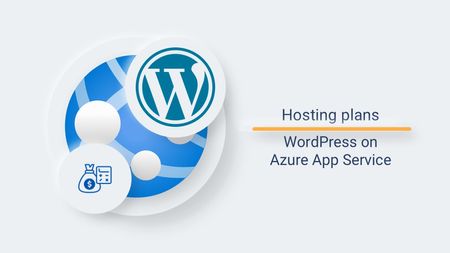
Choosing the right hosting plan for your WordPress site on Azure App Service can feel overwhelming—but it doesn’t have to be. Whether you're just exploring WordPress or launching a high-traffic production site, we’ve created four tailored hosting plans to help you get started quickly and confidently. Let’s walk through how to pick the right plan for your needs. Which Hosting Plan Should You Choose? We’ve simplified the decision-making process with a clear recommendation based on your use case: Use Case Recommended Plan Hobby or exploratory site Free or Basic Small production website Standard High-load production website Premium 💡 Important: Only the Premium plan supports High Availability (HA). This is the only setting that cannot be changed after deployment. If HA is a requirement, start with Premium. Everything else—scaling, storage, CDN, networking, identity, and email—can be added or modified after deployment. Hosting Plan Pricing Breakdown You don’t pay for the hosting plan itself. Instead, you pay for the underlying Azure resources like App Service, MySQL, CDN, Blob Storage, and more. Here’s a breakdown of what each plan includes and the estimated monthly cost (based on US East region): Plan Azure App Service Azure DB for MySQL Total Est. Cost/Month Free F1 Free Tier (60 CPU mins/day, 1 GB RAM) B1ms Free Trial (1 vCore, 2 GB RAM, 32 GB) Free (for eligible subscriptions) Basic B1 (1 vCore, 1.75 GB RAM) – $12.41 B1s (1 vCore, 1 GB RAM) – $6.21 $18.62 Standard P1V2 (1 vCore, 3.5 GB RAM) – $73.73 B2s (2 vCores, 4 GB RAM) – $49.64 $123.37 Premium P1V3 (2 vCores, 8 GB RAM) – $113.15 D2ds_v4 (2 vCores, 16 GB RAM) – $124.83 $237.98 📝 Note: Prices vary by region and subscription type. Reserved instances can offer up to 60% savings. Always check the Azure Pricing Calculator for the most accurate estimates. Learn more: How to estimate pricing for WordPress on App Service | Microsoft Community Hub What Can You Customize After Deployment? Almost everything! Here’s what you can scale or configure post-deployment: Compute & Database: Scale up/down App Service and MySQL Networking: Configure VNET integration Storage: Add Azure Blob Storage Performance: Add Azure CDN or Front Door Security & Identity: Enable Entra ID managed identity Email: Integrate Azure Communication Services Email 📚 Explore the official documentation for step-by-step guides. https://learn.microsoft.com/en-us/azure/app-service/overview-wordpress Final Thoughts Choosing the right plan depends on your goals: Just exploring? Start with Free or Basic. Running a small business site? Go with Standard. Need high availability and performance? Choose Premium from the start. Still unsure? Start small—you can always scale up later (except for High Availability). Support and Feedback We’re here to help! If you need any assistance, feel free to open a support request through the Microsoft Azure portal. New support request - Microsoft Azure For more details about our offering, check out the announcement on the General Availability of WordPress on Azure App Service in the Microsoft Tech Community. Announcing the General Availability of WordPress on Azure App Service - Microsoft Tech Community. We value your feedback and ideas on how we can improve WordPress on Azure App Service. Share your thoughts and suggestions on our Community page Post idea · Community (azure.com) or report any issues on our GitHub repository Issues · Azure/wordpress-linux-appservice (github.com). Alternatively, you can start a conversation with us by emailing wordpressonazure@microsoft.com.723Views0likes1CommentAdd-ins and more – WordPress on App Service
The WordPress on App Service create flow offers a streamlined process to set up your site along with all the necessary Azure resources. Let's learn more about add-ins that can enhance your WordPress experience and help you decide which ones to opt for. Deploying WordPress on App Service is a breeze thanks to the ARM template approach, which ties together Azure applications to ensure a seamless experience for developers. Whether you're a seasoned pro or new to the create flow, this guide will demystify these additional settings and help you make informed choices. Add-ins tab Managed Identity: Say goodbye to managing credentials! Managed Identities provide secure access to Azure resources without storing sensitive credentials. Enabling this option creates a user-assigned managed identity, configured with App Service to access Azure DB for MySQL and storage accounts. You can also configure this manually if you prefer. Learn more Email with Azure Communication Services: Emails are crucial for WordPress functionality, from password resets to admin notifications. Since SMTP is blocked in Azure App Service, Azure Communication Services handle email management seamlessly. You can configure this manually if needed. Learn more Azure CDN: Improve performance and security with Azure Content Delivery Network (CDN). It uses a distributed network of servers to store cached content close to end users, enhancing speed and reliability. Manual configuration is also an option. Learn more Azure Front Door: Like Azure CDN, Azure Front Door accelerates your web application by reducing response times and caching content at edge servers. While CDN is simpler to use, Azure Front Door offers advanced features like WAF and will replace Azure CDN by 2027. You can choose an existing profile or configure it manually. Learn more Azure Blob Storage: Store and access images, videos, and other files with Azure Blob Storage, reducing the load on your web server and improving performance. Learn more Networking tab Virtual Network: Configure IP address ranges, subnets, route tables, gateways, and security settings with Virtual Networks. You can select an existing VNET or create a new one, ensuring enough space for subnets. Deployment tab Staging Slot: Test your changes safely before deploying them to production with a staging site. This reduces the risk of disruptions and is easy to set up during deployment. Learn more High Availability: Available with Premium Hosting plans, High Availability ensures redundancy across availability zones, protecting your service against zone-level failures and ensuring business continuity. This cannot be enabled post-deployment. Learn more Ready to Deploy? The WordPress on App Service create experience simplifies the deployment of Azure resources required for WordPress. For advanced options, consider using the ARM template. Create your WordPress site today! Support and Feedback We’re here to help! If you need any assistance, feel free to open a support request through the Microsoft Azure portal. New support request - Microsoft Azure For more details about our offering, check out the announcement on the General Availability of WordPress on Azure App Service in the Microsoft Tech Community. Announcing the General Availability of WordPress on Azure App Service - Microsoft Tech Community. We value your feedback and ideas on how we can improve WordPress on Azure App Service. Share your thoughts and suggestions on our Community page Post idea · Community (azure.com) or report any issues on our GitHub repository Issues · Azure/wordpress-linux-appservice (github.com). Alternatively, you can start a conversation with us by emailing at wordpressonazure@microsoft.com.854Views2likes0Comments
Understanding 'Always On' vs. Health Check in Azure App Service
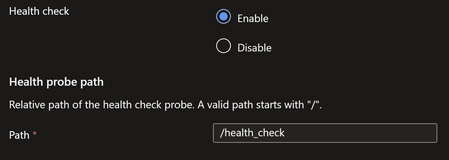
The 'Always On' feature in Azure App Service helps keep your app warm by ensuring it remains running and responsive, even during periods of inactivity with no incoming traffic. As this feature pings to root URI after every 5 minutes. On Other hand Health-check feature helps pinging configured path every minute to monitor the application availability on each instance. What is 'Always On' in Azure App Service? The Always On feature ensures that the host process of your web app stays running continuously. This results in better responsiveness after idle periods since the app doesn’t need to cold boot when a request arrives. How to enable Always On: Navigate to the Azure Portal and open your Web App. Go to Configuration > General Settings. Toggle Always On to On. What is Health Check in Azure App Service? Health check increases your application's availability by rerouting requests away from instance where application is marked unhealthy and replacing instances if they remain unhealthy. How to enable Health-Check: Navigate to the Azure Portal and open your Web App. Under Monitoring, select Health check. Select Enable and provide a valid URL path for your application, such as /health or /api/health. Select Save. So, is it still necessary to enable the 'Always On' feature when Health Check is already pinging your application every minute? -> Yes, please find below explanation for the same. Test App scenario: Health Check enabled (pointing to /health_check path) and Always On disabled. Started the app and sent some user requests. Observations from the Test: After the application starts up, health check pings begin following the end user's request. Please find below table representing Health-check pings following user's request to root URI. Time Bucket URL Status Request Count 2025-03-20 07:00:00.0000000 / 200 6 2025-03-20 07:00:00.0000000 /health_check 200 30 2025-03-20 07:30:00.0000000 /health_check 200 30 Subsequent Health-check pings will continue, even in the absence of user requests. However, after restarting the app and in the absence of any user requests, we observed that Health Check requests were not initiated. This indicates that Health Check does not start automatically unless application is actively running and serving requests. Conclusion: Always On ensures that the app is proactively kept warm by sending root URI pings, even post-restart. The health-check feature is useful for monitoring application availability when the application is active. However, after a restart, if the application isn't active due to a lack of requests, Health-check pings won't initiate. Therefore, it is highly recommended to enable Always On, particularly for applications that need continuous availability and to avoid application process unload events. Recommendation: Enable Always On alongside Health Check to ensure optimal performance and reliability.5.6KViews2likes0Comments