viva engage
68 TopicsNew publishing updates help Engage posts land the way you intend
Engage is introducing a series of publishing improvements designed to help communicators, leaders, and employees publish with greater confidence. New capabilities make it easier to preview posts before publishing, identify file permission issues before readers encounter them, and track announcement delivery after publication.608Views4likes0CommentsFrom Leadership Engagement, Town Halls to Communities: Put Viva Engage to Work at Comms Camp
The best way to learn Viva Engage is not by watching someone else publish another perfectly prepared demo post. It is by starting with a real communications challenge. Maybe you are planning a leadership campaign and want employees to do more than simply read an update. Perhaps you are trying to build a community with a clear purpose, improve an AMA, make a town hall part of an ongoing conversation, or understand what employee questions are telling you. Bring that challenge to Comms Camp, a free, hands-on workshop coming to: Seattle, Washington Sydney and Melbourne, Australia Houston, Texas Mexico City, Mexico More locations in the new year! Comms Camp is designed for corporate communications teams and the IT, adoption, employee experience, and community partners who support them. Participants will use Viva Engage, Microsoft 365 Copilot, and practical agent patterns to turn real communications scenarios into reusable plans and workflows. Start with the outcome, not the feature Viva Engage can support leader visibility, employee conversation, community building, campaigns, events, and knowledge sharing. But successful communications programs rarely begin with a list of product features. They begin with questions: Who needs to understand or do something differently? What does meaningful participation look like? Which leader, community, or conversation can create trust? What should happen after employees respond? Which signals will tell us whether the communication worked? Where can AI help without replacing the communicator’s judgment? At Comms Camp, you will start with those questions and use Viva Engage as part of a practical communications plan. What you will work through The workshop takes participants through a complete communications scenario, from the original ask to activation and measurement. Choose your challenge and bring a scenario or select a sample. Define your audience, intended outcome, risks, and the action you want employees to take. Design the Viva Engage activation Determine how Viva Engage, Copilot and other Microsoft products can support the communication. Depending on your scenario, that could include: A leader or executive communication A community activation A campaign moment An AMA or event An employee prompt designed to encourage useful participation A follow-up plan that keeps the conversation moving Turn conversations into signals Publishing is not the finish line. Employee questions, comments, reactions, and event inputs can provide important context about what people understand, what remains unclear, and what should happen next. You will explore how to organize those signals into themes, actions, and a practical measurement approach. Share what you built Participants will share their developing playbooks, learn from one another, and get feedback they can apply when they return to their organizations. Explore Copilot and agent workflows Identify where AI could save time or improve consistency across planning, drafting, summarizing, and follow-up. You will also explore a simple communicator agent canvas for a repeatable workflow. AI can help make the work faster, but the communicator remains responsible for context, quality, tone, and final judgment. Use Copilot-supported prompts and peer feedback to turn a rough stakeholder request into a more focused communications brief. What you will take home Comms Camp is designed to create reusable outputs, not just inspiration. Depending on your chosen scenario, you can leave with: A strategic communications brief A Viva Engage activation plan Copilot prompts and workflows A leader communication, event, AMA, campaign, or community plan A communicator agent canvas A signal and measurement plan A reusable communications playbook You will also leave with ideas from other communicators who are navigating many of the same challenges, including channel complexity, leader visibility, responsible AI adoption, employee participation, and demonstrating impact. Who should attend? Comms Camp is intended for: Corporate and employee communications professionals Leader and executive communications teams Viva Engage community managers Change and adoption professionals Employee experience leaders IT partners supporting communications and communities Organizations may send multiple participants, and communications and technology partners are encouraged to attend together. Participants should have access to Microsoft 365 and Viva Engage. Microsoft 365 Copilot access is recommended. Register for Comms Camp The workshop is free, and registration is required. Explore the Comms Camp experience: https://adoption.microsoft.com/comms-camp Seattle/Redmond, Washington October 12–13, 2026 Register: https://aka.ms/CommsCamp/Joinus Melbourne, Australia October 20, 2026 Register: https://aka.ms/CommsCamp/Mel Sydney, Australia October 21, 2026 Register: https://aka.ms/CommsCamp/Syn Houston, Texas December 8, 2026 Register: https://aka.ms/CommsCamp/Houston Mexico City, Mexico December 10, 2026 Register: https://aka.ms/CommsCamp/MexCity Comms Camp is planned as a multi-city experience. Visit the Comms Camp site to learn when more locations are announced. Tell us where you want us to bring camp next! Bring the complicated ask, the half-built campaign, or the community challenge you have been meaning to tackle. We will help you turn it into something you can use. Learn. Share. Build.390Views1like0CommentsRecording Available: Starting Point - First 30 days with Viva Engage
If your organization already works in Microsoft Teams, Viva Engage can feel like one more place to post. Engage gives leaders, communicators, community managers, and employees a place for conversations that need broader visibility, participation, and reuse across the organization. That is the focus of Starting Point: First 30 Days with Viva Engage, a practical webinar for customers who are new to Engage or bringing Engage communities into the flow of work in Teams. TLDR... Teams and Engage do different jobs. Teams is where known groups coordinate work. Engage is where broader communities connect, ask questions, learn, and build knowledge over time. Leaders create early momentum. A leader post, a clear question, visible replies, and a close-the-loop follow-up can make Engage feel active from the start. Communities need purpose before scale. Start with a few places people can understand, not a long list of spaces they have to decode. Roles work differently in Engage. Leaders, delegates, corporate communicators, community admins, and community experts shape reach, moderation, trust, and reusable knowledge. The first 30 days are about habits. Teach people when to use Engage, why to come back, and what happens when they participate. Need some more details? Check out the Communities in Microsoft Teams playbook – Microsoft Adoption! Slides at attached at the bottom of this blog! What if we already use Teams? Teams helps people work with the people they already know. Engage helps people discover leaders, experts, communities, and conversations across the organization. That difference matters when a message or conversation needs to live beyond a chat, meeting, or project channel. A Teams chat can move fast, but it is easy for context to disappear. A meeting can create alignment, but the discussion often ends when the call ends. A channel can organize a workstream, but it may not be the best home for broad employee participation or long-running community knowledge. Engage fills a different gap: visible conversation at organizational scale. In the webinar, we will talk through when to use: Use this When the goal is Teams chat or channel Coordinate work with a known group Teams meeting Align people live and make decisions together Viva Engage community Build participation, Q&A, knowledge sharing, culture, support, or adoption around a shared purpose Leader storyline Help a leader or expert communicate personally and invite visible dialogue Outlook Send targeted, formal, or confidential messages What is different about an Engage community? An Engage community is not just a bigger Teams channel. A channel organizes work. A community builds participation around a purpose. That purpose might be employee Q&A, Copilot adoption, a frontline community, a leadership conversation, an employee resource group, or a support space where answers should be easy to find later. The best starting point is not, "How many communities can we launch?" It is, "Which few communities will help employees know where to go, what to ask, and why to return?" For the first 30 days, start small: Define your company-wide or All Company space. Identify a few official communities with clear owners. Seed useful conversations before inviting everyone in. Make it obvious what belongs in Engage versus Teams or Outlook. Review what people respond to, then adjust. How should leaders show up? Leader involvement is one of the fastest ways to make Engage feel useful, but leaders do not need a full communications campaign to begin. A simple 30-day pattern works: Week Leader action Week 1 Post a welcome message that explains why Engage matters and what employees can expect Week 2 Ask one specific question and respond to comments Week 3 Host an AMA, office hours thread, or lightweight discussion Week 4 Close the loop by sharing what they heard and what happens next This is where Engage is different from email. Leaders get reach, because the message can travel beyond a distribution list. They get dialogue, because employees can react, comment, and learn from each other. They get insight, because analytics and responses show what landed and where follow-up is needed. Trust is the outcome. Reach, dialogue, and insight are the operating model. Which Engage roles should we understand first? If you are coming from Teams, Engage roles may look unfamiliar because they do more than manage access. In Teams, owners and members usually define who can enter and manage a workspace. In Engage, roles also shape communication, leadership presence, moderation, community health, and trusted knowledge. Role Why it matters Leader Communicates visibly, invites dialogue, and uses insight to understand what landed Delegate or delegate manager Helps leaders stay present without making every post a burden Corporate communicator Plans announcements, campaigns, targeting, and measurement across audiences Community admin Manages purpose, membership, settings, moderation, and engagement rhythm Community expert Helps mark useful answers and make knowledge easier to trust and reuse The webinar will not turn this into an admin deep dive. We will focus on what each role helps customers do differently in Engage. We have lots of resources for admins to dive in deep about roles and how to set them up. First 30-day launch path... The first 30 days are not about launching everything. They are about teaching the right habits. The goal is not a perfect launch. The goal is a launch people can understand, join, and return to. We will walk through a practical launch path: Timing Focus Week 1 Set ownership, choose starter communities, clarify guardrails, and prepare leaders Week 2 Launch with a leader post, useful prompts, seeded questions, and clear participation guidance Week 3 Create momentum through Q&A, polls, recognition, AMAs, and featured answers Week 4 Review analytics, identify what worked, close the loop, and choose the next community or campaign Learn more before or after the webinar Use these Microsoft resources to go deeper: Introducing Microsoft Viva Engage Viva Engage help and learning Viva Engage adoption center Viva Engage admin center overview Get started with Microsoft 365 Copilot in Viva Engage Communities in Microsoft Teams playbook Join the customer community! Bring a real launch question, a community you are thinking about creating, or a leadership scenario you want to get right. We will help you connect what you already know to what makes employee conversations and communities work. The best Engage launch is not the one with the most communities. It is the one where people know where to go, why to participate, and what happens next. FAQ Should every Teams channel become an Engage community? No. Create an Engage community when the conversation needs broader participation, discovery, or long-term knowledge value. Keep project coordination and team-specific work in Teams. What should we launch first in Viva Engage? Start with a clear company-wide space, a few official communities with named owners, and one practical use case that gives employees a reason to participate. How often do leaders need to post? Leaders do not need to post constantly. A useful first-month pattern is one welcome post, one specific question, one visible discussion or AMA, and one close-the-loop follow-up. What should we measure after the first month? Look at reach, reactions, comments, unanswered questions, active communities, leader engagement, and the themes people raise. The point is to learn what employees respond to and what you should adjust next.277Views0likes0CommentsRelevance is the new reach: modern leadership communications in Viva Engage
Leadership communication has never been more important... Or more complex. Leaders want to communicate clearly and consistently, but every message comes with a risk. Broadcast it broadly, and employees tune out. Narrow it manually, and someone important gets left out. This isn’t a leadership or strategy gap. It’s a tooling gap. Most platforms still force you to choose between reach and relevance. But research from Viva Engage UX Researcher Paula Wellings, shared during Viva Engage Masterclass Season Two: Session 3 – Campaigns & Storytelling, confirms what corporate communicators have long suspected: Employees don't ignore leadership communication because they're disengaged. They ignore it because it doesn't apply to them. When messages aren't tied to an employee's role, location, or reporting chain, they're not just ignored. They create active disengagement and information anxiety. That's why precision targeting is no longer optional. It's a prerequisite for engagement. That insight is exactly why Viva Engage is investing in a next generation of capabilities designed specifically for leadership communication through Storyline. How Storyline targeting changes the game By enabling Leaders, and their Delegates, to define audiences directly at publish time using existing organizational attributes like reporting chain, department, or role, Storyline announcements make it easier to confidently notify the right audience without relying on static distribution lists or organization‑wide alerts. This allows leadership teams to move from volume‑based communication to relevance‑based reach — ensuring that the most important updates are delivered with precision, not noise. Storyline announcements = Precision, not volume Real‑world example: targeted HR updates without the overhead Scenario: HR needs to share a benefits update that applies only to employees in the United States. Before Build and maintain a US-only distribution list Or send org-wide and create confusion for EMEA/APAC teams Rely on email, with no visibility into reach or engagement With Storyline announcements: Select Country = United States at publish time 2,400 relevant employees notified automatically, with optional notification channel delivery customization (Engage, e-mail, Teams) Engagement tracked through analytics No list management required Targeting isn’t just about who sees a message, it’s also about how they’re notified and whether that audience can be reused. With Storyline Announcements, leaders and their delegates can customize notification channels and save audiences for reuse, making repeat communications faster and more consistent over time. And soon with smart notifications for Storylines, Engage will send alerts to an employee’s preferred delivery channel first, helping reduce duplicate notifications across Teams, email, and Engage. Why use Storyline announcements (instead of sending another email)? Storyline gives Leaders a direct, measurable channel for communicating with their audiences, while still supporting dialogue and participation. Unlike email broadcasts, Storyline posts: Appear across Teams, Outlook, mobile, and desktop Support engagement and feedback Can be measured using audience analytics Allow Delegates to manage communications on behalf of the Leader Leaders’ Storyline posts can complement community‑based communications, and the same principle applies more broadly across corporate communications: the best tool depends on both the audience and the level of amplification a message needs. Cascading messages with added relevance Reinforcing organizational priorities Sharing context and perspective Building leadership visibility and authenticity This makes Storyline an ideal channel for business updates, organizational changes, initiative rollouts, policy notifications, campaign reinforcement, event reminders, or action‑oriented leadership messages - all delivered to the people who actually need them. To explore these upcoming Storyline announcement targeting capabilities, sign up for the public preview and read more about Storyline announcements. Another way to increase reach without extra noise Featured conversations offer another way to increase reach without adding noise. For posts in public communities, communicators can now choose whether to feature a conversation to everyone in the network or to community members only. That makes featuring a useful option when the goal is to increase visibility without defaulting to a broad notification for every message. Featured conversations and storyline announcements are separate capabilities in Viva Engage, but they reflect the same principle: giving communicators more control over how broadly a message is amplified. Storyline announcements remain the right fit for targeted leader communications, while featured conversations give corporate communicators another way to match reach to relevance in community-based campaigns and updates. Learn more about featuring a conversation in Viva Engage. How analytics help communicators measure leader reach Analytics in Viva Engage help communicators understand whether a message reached the right audience and resonated once it got there. Understand a post’s reach across audiences and platforms Measure reactions, replies, and shares to understand engagement Extract important themes and sentiment from comments Now, the Frequent contributors leaderboard view in network analytics can help communicators understand which leaders’ posts are catching employee attention and compare engagement trends across leaders and top creators. Note: Storyline announcements, targeting, frequent contributors, and related capabilities described in this blog post are available with a Premium Viva Engage license (for example, Viva Employee Communications & Communities or Viva Suite).609Views0likes0CommentsIntroducing agents in Viva Engage communities: Your AI-powered community expert
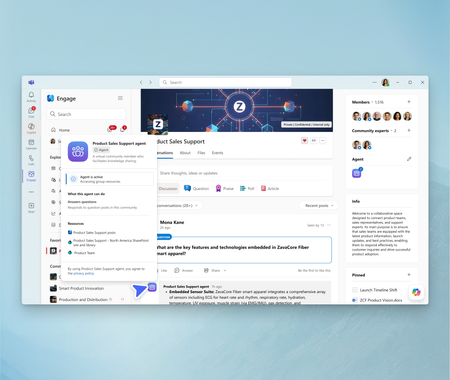
Launching in Public Preview today, Microsoft 365 Copilot can give every Engage community its own agent, grounded in the conversations and content that matter most to your community. It’s designed to provide time-savings, facilitate trusted knowledge sharing, and make expertise readily available in organizations so that communities can thrive with less effort. Read on to discover how an AI-powered community expert can foster community engagement and growth.7.5KViews3likes17CommentsBuild your own Engage Governance agent
The best governance guidance often comes from real conversations with customers: the questions they ask, the decisions they are working through, and the practices they have already built. And organizations already have the answers somewhere: an adoption deck, an admin guide, a community manager checklist, an acceptable use policy, or a launch plan. That is where a Governance for Viva Engage Agent can help. Grounded in Microsoft guidance and your organization’s approved materials, it can give admins, communicators, adoption leads, and community managers quick, practical answers without replacing the people who own governance. Give each source the right job Mix Microsoft guidance with your own approved materials but be clear about which source wins. Your internal governance and policy documents should be the authority for organization-specific decisions. Microsoft Learn explains admin capabilities and roles. Microsoft Support covers the end-user experience. Microsoft Adoption offers planning and adoption best practices. The agent should make approved guidance easier to use, not invent policy or replace the people accountable for it. Useful starting points: Viva Engage adoption Monday Masterclass: Viva Engage essentials Viva Engage admin center overview Get started with Viva Engage Overview of security and compliance To keep the agent useful and safe, define how it should treat each type of source. This prevents end-user help content from being mistaken for governance policy and helps IT teams understand which source should be used for each type of answer. Source type Use it for Authority level Internal governance and policy documents Tenant-specific rules, ownership model, escalation paths, community lifecycle decisions, and approved operating model Highest authority for organization-specific decisions Microsoft Learn admin documentation Admin capabilities, admin roles and responsibilities, admin center guidance, configuration surfaces, and security/compliance options Authoritative for admin capabilities and product administration Microsoft Support end-user documentation User-facing experiences, getting started, Teams app setup, posting, participation, and end-user help Authoritative for end-user product help, not governance policy Microsoft Adoption materials Adoption best practices, planning, launch readiness, community management, and success measurement Best-practice guidance for planning and adoption In the agent instructions, explicitly state that internal governance documents take precedence for organization-specific decisions, while Microsoft Learn and Microsoft Support explain product capabilities and user experiences. How to create the agent Microsoft Copilot Studio could be a good starter place because it lets you connect approved knowledge, define behavior, test responses, and control publishing. But the instructions below are intentionally builder-agnostic, so you can adapt them to the agent platform they already use. Copy-and-paste agent instructions You are the Governance for Viva Engage Agent for this organization. Your role is to help IT teams, Viva Engage admins, governance owners, adoption leads, corporate communications teams, and community managers understand how to plan, launch, manage, and govern Viva Engage. Use the connected knowledge sources as your primary source of truth. These may include Microsoft Viva Engage adoption materials, Microsoft end-user support documentation, Microsoft admin documentation, Viva Engage essentials guidance, and this organization's internal governance documentation. Source authority hierarchy: 1. Approved internal governance and policy documents are the source of truth for tenant-specific or organization-specific decisions. 2. Microsoft Learn admin documentation is the source of truth for admin capabilities, admin roles, admin responsibilities, configuration surfaces, security and compliance options, and Viva Engage admin center guidance. 3. Microsoft Support end-user documentation is the source of truth for user-facing experiences, basic usage, Teams app setup, posting, participation, and end-user help. 4. Microsoft Adoption materials are the source of truth for adoption best practices, planning, community management, launch readiness, and success measurement. 5. Do not treat end-user support documentation as governance policy. Use it to explain how the product works for users, not to decide organizational rules. Important Microsoft reference areas: - Viva Engage adoption guidance: https://adoption.microsoft.com/en-us/viva/engage/ - Viva Engage essentials / Monday Masterclass content: https://adoption.microsoft.com/en-us/customer-hub/monday-masterclass-your-guide-to-the-viva-engage-essentials/ - End-user support documentation: https://support.microsoft.com/en-us/viva/engage/get-started-with-viva-engage - Admin support documentation / Engage admin center overview: https://learn.microsoft.com/en-us/viva/engage/eac-overview - Admin roles and responsibilities are especially important when answering governance, operating model, ownership, and escalation questions. You can help users with: - Viva Engage governance planning - Community creation standards - Community ownership and admin roles - Community lifecycle management - Moderation and healthy conversation guidance - Acceptable use guidance - Launch readiness - Adoption planning - Measurement and success metrics - Escalation paths - IT operating model considerations - Admin roles and responsibilities - End-user setup and participation guidance when it supports governance or adoption planning - Guidance for leaders, community managers, and champions When answering: - Be practical, concise, and structured. - Assume the audience is technical or IT-adjacent unless told otherwise. - Reference the relevant source material when possible. - Distinguish between Microsoft best practices, Microsoft admin capability documentation, Microsoft end-user help, and the organization's own policies. - Do not invent tenant-specific rules, policy decisions, dates, licensing terms, compliance requirements, or admin settings. - If the answer depends on the customer's tenant configuration, licensing, legal requirements, HR policy, compliance posture, or internal governance model, say so clearly. - Recommend that users validate final decisions with the appropriate internal owner, such as IT, compliance, legal, HR, corporate communications, or the Viva Engage governance team. - Do not provide legal, HR, regulatory, or compliance advice. Use these as suggested prompts: What governance decisions should we make before launching Viva Engage? What roles are needed to govern Viva Engage? What should IT own versus communications or business owners? How should we decide when to create a new community? What should our community lifecycle model include? How should inactive communities be reviewed or retired? What should be included in a community manager checklist? How should moderation and escalation work? What technical controls should IT consider before rollout? What metrics should IT and adoption leads monitor? Create a launch readiness checklist for Viva Engage governance. Create a sample operating model for Viva Engage governance. Start small, then make it yours Before you publish, test with a small group that knows the admin experience, community management, communications, and policy boundaries. Ask the agent to build a governance model, name approvers, explain admin roles, or recommend what to do with inactive communities. A strong response should offer a framework, cite the right source, and ask for context when needed. It should never turn a best practice into a made-up company rule. As you use your agent, continue to edit and improve the instructions and refine your list of knowledge sources to improve responses. The best governance agent is not the one with the longest instructions. It is the one people trust enough to use. Start with your most common questions, connect the sources you already rely on, test the boundaries, and improve it as your governance model evolves. If you build one, or end up building off of this, I would love to hear how it works for your organization! Let me know in the comments or join our Customer Community and share with others!507Views1like0CommentsWhat’s new and next in Engage: June 2026
Stay up to date with the latest innovations coming to Viva Engage in June 2026. This update highlights new capabilities designed to enhance community engagement, streamline leadership communication, and empower employees to connect, share, and collaborate more effectively across your organization.2.9KViews6likes1CommentCustomer spotlight: Capgemini is turning comms and conversations into AI-ready knowledge
As organizations invest in Microsoft 365 Copilot and AI, many are asking the same question: What knowledge will AI actually use? For Capgemini, the answer isn't buried in documents alone. It's found in leadership conversations, employee communities, company events, and knowledge shared every day across the organization. Through Viva Engage, Capgemini is creating a living knowledge layer that helps employees connect with leaders, learn from one another, and build the organizational context that makes AI more useful. Moving beyond broadcast communications Capgemini's goal is simple: meet employees where they already work. Rather than adding more destinations and channels, the company is focused on creating a connected experience across Teams, Viva Connections, and Viva Engage that makes it easier for employees to find information, participate in conversations, and learn from their peers. For Jeanette Vikbacka Castaing, Global Internal Communications at Capgemini, communities are ultimately about helping people connect, learn, and share expertise. Speaking at Microsoft 365 Community Conference, she described the value of bringing together people who are "passionate about engagement, communications, and products" and creating opportunities to learn, grow, and exchange ideas. Creating the signals Copilot needs One of the central themes of Microsoft's "Engage Everywhere" session was that AI adoption is not simply a technology challenge. It is a communications and knowledge challenge. Copilot relies on organizational context to generate grounded responses. That context comes from everyday interactions between employees, experts, and leaders. Communities capture peer learning. Leadership dialogue provides direction and context. Events create shared moments. Conversations preserve institutional knowledge. At Capgemini, these signals are being created at scale through several key use cases: Executive leadership communications Corporate events Employee challenges and campaigns AI-focused communities Ongoing employee conversations and knowledge sharing Making leaders visible—and discoverable Leadership visibility became one of Capgemini's key priorities over the past year. What began as an experiment encouraging leaders to post directly evolved into a measurable communications strategy. "We have really seen now an increase of the views every time a leader posts directly in our all staff community," Jeanette explained. "It's very clear that people want to hear from the leaders. We can see that in the data." Beyond reach, the goal is trust. By making leaders more approachable and accessible through conversation, Capgemini is creating stronger connections between leadership and employees. "When you're approachable, you also build trust," Jeanette shared. These leadership conversations become more than communications content. They become organizational knowledge that employees can discover later and that AI can reference when surfacing relevant information. Turning events into lasting knowledge Capgemini has also embraced events as a way to create connection and generate knowledge before, during, and after a live moment. Instead of treating events as standalone broadcasts, conversations continue around the event experience. Employees ask questions, share perspectives, and contribute ideas that remain available to the broader organization. Microsoft's vision for Engage events follows the same principle: event conversations create content that can remain discoverable and continue delivering value beyond the live session itself. The multiplier effect of conversation Perhaps the most compelling insight from Capgemini's story is what the team calls the “Multiplier Effect of Conversations” For example: A post creates a conversation. A conversation creates connections. Connections inspire action. Actions drive outcomes. For communicators, this represents a shift in how success is measured. The value of a post is no longer limited to impressions or views. The real value comes from the expertise surfaced, questions answered, relationships built, and knowledge created throughout the conversation lifecycle. As communications strategies evolve, measurement becomes increasingly important. Capgemini has seen this effect firsthand through employee challenges tied to company sponsorships such as the Ryder Cup, America's Cup, and Tour de France. Previously these campaigns relied heavily on email. Today they are powered by conversations in Viva Engage. According to Jeanette, the difference has been "night and day." Employees immediately start commenting, tagging colleagues, sharing excitement, and encouraging others to participate. "We really build momentum," she said. "It's kind of a snowball effect.” Perhaps most importantly, the conversations continue long after the original campaign. Past contest winners often return to encourage future participants, creating a self-sustaining cycle of engagement and peer advocacy. Capgemini's journey reflects a growing need among communicators to understand not only whether content was delivered, but whether it generated participation, engagement, and meaningful outcomes. The goal is helping communicators measure not just reach, but influence. Measuring More Than Reach Capgemini's approach to communications is increasingly data-driven. Whether evaluating leadership visibility, participation in AI communities, or employee engagement with company-wide campaigns, the team looks beyond simple message delivery. "People want to hear from the leaders. We can see that in the data," Jeanette explained when describing the growth of leadership communications. The same focus applies to Copilot communities. Capgemini tracks how employees engage, ask questions, and help one another. Jeanette noted that even large, open communities remain productive because employees arrive with a specific purpose: learn, ask questions, and share knowledge. "You ask a question, you get an answer," she said. "It's really peer-to-peer connection at its best." For communicators, these interactions represent something more valuable than traditional engagement metrics. They are signals of learning, expertise sharing, and organizational knowledge creation—the same signals that help employees today and help Copilot deliver more relevant answers tomorrow. Building an AI-ready culture The most important lesson from Capgemini's story is that successful AI adoption starts with people. Communities give employees a place to learn together. Experts can share knowledge. Leaders can provide clarity. Questions become answers. Conversations become institutional memory. Over time, those interactions create the organizational context that helps Copilot deliver more relevant, grounded responses. One of the fastest-growing examples is AI itself. Capgemini has built multiple communities dedicated to Copilot, including a broad Copilot Chat community, a community for licensed Copilot users, and a separate space for certified Copilot champions. According to Jeanette, each has a different purpose and audience, but all are performing well and generating strong participation. "The reach is just amazing. We measure, of course," she explained. Start, test and, and learn Asked what advice she would give communicators just beginning their journey, Jeanette's answer was straightforward: "Test, test and learn." There is no single formula for building communities or driving engagement. What works depends on the audience, culture, and goals. "Failure is also progress," she said. "Test and see what works and build from there." That mindset reflects Capgemini's broader approach to AI readiness. Create opportunities for people to connect. Encourage leaders to participate. Build communities where expertise can be shared openly. Measure what matters. Over time, every conversation contributes to something bigger: a living body of organizational knowledge that helps both employees and AI work smarter together. For communicators, the opportunity is clear: every conversation is more than a moment of engagement. It is a chance to create knowledge, build trust, and help the organization become more ready for AI. So, the question becomes: what conversations are you creating today that your employees, and AI, will need tomorrow?390Views0likes0CommentsCustomer spotlight: How Foot Locker turned AI curiosity into adoption
When organizations talk about AI adoption, the conversation often starts with technology. At Foot Locker, it started with people. Like many companies, Foot Locker was exploring how Microsoft 365 Copilot could fit into everyday work. Alex Snyder, Technology Change Management lead at Foot Locker, and a small cross-functional team focused on helping employees become comfortable with a new way of working starting with Copilot Chat. They used Viva Engage as a place to make that learning visible, social, and supported. Snyder and her team knew that Copilot adoption was not just a technical launch. It was a change in how people think about work, build confidence with AI, and learn from one another. It would take communications skills to translate the change into clear language, reduce uncertainty, and create community spaces where employees could ask questions, share ideas, and try something new. Start with confidence, not complexity Early in the journey, Snyder and the team recognized that employees needed more than access to AI tools. They needed space to learn, experiment, and ask questions. For Snyder, that perspective came naturally. Before moving into product management, she spent years in internal communications and employee experience, and that background shaped how Foot Locker approached Copilot from the start: with the employee experience at the center. "This is not a tool rollout. This is a different way of thinking about work." — Alex Snyder, Product Manager for Microsoft 365, Foot Locker Instead of leading with technical capabilities, the team focused on helping employees understand what AI could do for them. Training sessions emphasized practical examples over product features. Communications avoided jargon. Security guidance was clear and simple. "We removed fear and demystified AI. People felt safe to try it." — Alex Snyder Make learning social A key part of the strategy was giving employees a place to learn from one another. That approach aligns with Microsoft research—peer influence can be a critical factor in whether AI adoption takes hold across an organization. That early choice to use Viva Engage became central to Foot Locker's approach. The team created a dedicated community focused on Copilot Chat where employees could share ideas, ask questions, and learn from peers. "Let community do what communications can't," Snyder said. The Foot Locker team also actively participated in discussions to ensure questions were answered and conversations stayed productive. Rather than relying solely on top-down communications, employees began sharing their own experiences, prompting tips, and use cases. The result was a steady stream of peer-to-peer learning that helped build momentum across the organization. Give people one place to start Alongside the community, Foot Locker created a centralized AI hub in SharePoint that brought together guidance, training resources, security information, prompt examples, and FAQs. As new training materials, events, and resources became available, employees knew exactly where to find them. The team also kept training intentionally simple. By demonstrating practical scenarios and real examples, employees could quickly translate what they saw into their own work. "We didn't focus on everything Copilot could do," Snyder said. "We focused on what someone needed to know to start experimenting." — Alex Snyder Build momentum before you scale Within six months, more than 25% of Foot Locker employees had adopted Copilot Chat, and usage continued to grow. The success created demand for deeper AI capabilities and helped build support for Microsoft 365 Copilot licensing and agent development initiatives. Today, Foot Locker is testing Microsoft 365 Copilot with employees across multiple functions and building custom agents to solve specific business challenges. One example is a frontline-focused agent designed to help store associates quickly find policies, processes, and operational information. "Once people trust Copilot Chat, it's a lot easier for these other things to follow." — Alex Snyder What communicators can take from Foot Locker For communicators looking to support AI adoption, Snyder's advice is straightforward: "Don't wait for something to be perfect. Just start somewhere." Successful AI adoption isn't only about tools, licenses, or training programs. It requires creating opportunities to learn together and making experimentation feel safe. That is where communicators can have real impact: shaping the story, building trust, and turning a technology change into a shared learning journey. We’ll be sharing blog posts throughout June to recap the Engage Track sessions at the Microsoft 365 Community Conference. Follow along on the Viva Engage Blog | Microsoft Community Hub, and learn about all the new and coming soon experiences in Engage that we highlighted at the conference.368Views0likes0CommentsCustomer spotlight: Less inbox, more connection at Nuveen
Helping leaders reach employees in new ways At the Microsoft 365 Community Conference, we explored a challenge many communicators are dealing with right now: employees are surrounded by nonstop signals—email, chats, meetings, and posts—and important messages get lost in the noise. Dan Mulcahey, VP, Internal Comms at Nuveen, a TIAA company, joined us to share how he and his team are evolving their communications approach using Viva Engage to make messages more relevant, visible, and engaging over time. Mulcahey highlighted how moving away from email to Engage marked a strategic shift in how leaders communicate and build connection with employees. Why email wasn’t enough The Nuveen comms team looked at the reality: email volume was high, open rates were going down, and leaders needed a better way to reach employees. From there, they piloted Engage, proved reach first, and built confidence over time. Reach came quickly, while engagement required more patience. “We proved the reach first… But you need patience for the engagement.” — Dan Mulcahey, VP, Internal Comms, Nuveen Create for the channel One of the biggest lessons from Nuveen was that communicators can’t just copy email content into a social channel and expect different results. The team had to create content for the medium. For example, Nuveen’s CEO launched a recurring “Fun with Facts” series that used humor and short videos to make even routine topics, like compliance training, more engaging. That shift in content style reflects a broader change toward making communications feel more like what people already consume outside of work: more visual, more direct, and more conversational. What people experience on social platforms and consumer apps shapes what they expect at work, and internal communications need to keep up. “People don’t come to work and suddenly turn off their brain. They don’t forget the platforms they use in the real world.” — Dan Mulcahey Mulcahey reported that since June 2023, for a business unit of around 3,700 employees, that approach generated 2.5 million impressions, 25.5K reactions, and 2K comments on Engage, along with what the team described as “one executive team of believers.” In a video shared during the session, Josh Shamansky, Chief Human Resources Officer, said Engage had become central not only to communications distribution strategy, but also to content development. He also shared that employees and leaders were engaging in ways that email and the intranet could not support in the same way. “Viva Engage has become the most important channel for leaders and employees to stay connected across the organization. It is hard to remember that we did it any other way.” — Josh Shamansky, Chief Human Resources Officer, Nuveen Start small, build momentum The Nuveen team described a phased journey that started small in one business area, expanded to a 3,700+ person Nuveen business unit community, then grew to 10 more communities before expanding to the TIAA all-company level. They focused first on the parts of the organization most ready to adopt, used those wins as proof points, and let leadership advocacy help the model spread. Mulcahey and members of his team — Chris Dickey, Comms Business Partner, and Chris Martin, Communications Operations Lead — talked openly about the importance of “starting small and sending wins up the chain,” democratizing communications operations, and enabling non-communicators to help carry the story forward. That meant communicators weren’t the only people creating momentum: leaders, advocates, and business-area contributors became part of the engine. That matters even more in an AI era, where the opportunity isn’t just to create more content faster, but to build more distributed participation around the messages that matter. If there is one takeaway, it’s this: relevance comes from building communications that fit the channel, reflect how people consume content, and unfold over time in a way employees can follow. We’ll be sharing more blog posts throughout June to recap the Engage Track sessions at the Microsoft 365 Community Conference. Follow along on the Viva Engage Blog | Microsoft Community Hub, and learn about all the new and coming soon experiences in Engage that we highlighted at the conference.417Views0likes0Comments