user adoption
509 TopicsAdoption idea: start Copilot Notebooks with one notebook per customer account (sales team example)
I'm a PM on Copilot Notebooks at Microsoft. One pattern we've seen work with sales teams is to start narrow: one notebook per customer account, with the account's CRM notes, decks and emails added as references, shared with the account team. Meeting prep, the team's input and meeting follow-ups (via Capture in OneNote) then all live in one place. Why it works well as a first notebook: It has a clear, ongoing purpose, so people come back to it every week. The content already exists (CRM notes, decks, emails), so nobody starts from a blank page. The whole account team benefits, so sharing it feels natural. Here's a two-minute story of what that looks like: https://youtu.be/Al2VddNfC-o (The story and companies are fictional, inspired by real workflows; some features may be in preview; illustrations and narration were made with AI tools.) Question for champions: when you roll out Copilot Notebooks, what do you recommend as someone's first notebook: per project, per customer or per team? Getting started with Copilot Notebooks: https://support.microsoft.com/en-us/microsoft-365-copilot/get-started-with-microsoft-365-copilot-notebooks157Views1like0Comments
Excel Nested Arrays: Find the Nesting Depth of Uniform and Ragged Arrays ARRDEPTH() & ISRAGGED()
Hey everyone! I’ve been diving deep into Excel’s new nested arrays features lately, and I absolutely love the flexibility they bring to data structuring. However, managing them can get a bit tricky, so I figured I’d build some specialized tools to handle them seamlessly. Public Interfaces & Arguments =ISRAGGED(array) Argument Description Default Behavior array Target nested structure to validate. Required =ARRDEPTH(array, [is_ragged]) Argument Description Default Behavior array Target nested structure to measure. Required [is_ragged] TRUE: Scans all branches for the deepest path. FALSE: Speed test on the first path only. FALSE (Omitted) TL;DR (What makes it tick): Function Name Type What It Does ARRDEPTH Public UI Returns nesting depth. Supports deep checking or fast linear testing. ISRAGGED Public UI Structural validator. Returns TRUE if array branches have uneven nesting. ANALYZE_NESTING Hidden Core Engine Multi-process recursive parser that tracks tree structure geometries. LINEARDEPTH Hidden Utility High-speed depth checker that evaluates the first element path exclusively. You can get both functions from my GitHub Gist: https://gist.github.com/Medohh2120/9cdf939036942c9672c57ccd6de696d3551Views1like9Comments
Power BI and Fabric team ownership in extended engineering models
When an internal BI team already owns Power BI and additional engineers support Fabric development, how do you divide responsibilities? For example, should the extended team own data pipelines and notebooks while the internal team owns semantic models and reports, or is it cleaner to assign ownership by project? We have encountered this at Datatobiz when implementation work moves into ongoing development and support. Thoughts?215Views0likes1Comment
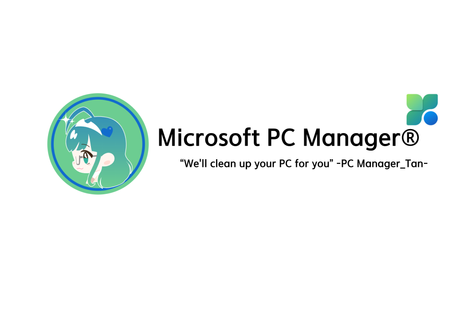
I designed an OS-tan mascot for Microsoft PC Manager! (PC Manager-tan)
Hello! I’m a huge fan of Windows 11 and a daily user of Microsoft PC Manager. Since the app is so incredibly light and useful, I thought it would be fun to give it a face. So, I designed an "OS-tan" style mascot character for it: "PC Manager-tan"! I wanted to share my concept art and ideas with the community. Here are some of her design details: [Design Inspiration & Colors]--------------------------------------------------------------------------------------------------------------- Signature Colors: The green and blue color scheme is heavily inspired by the official Microsoft PC Manager logo. Hair Details: She has a blue 'ahoge' (cowlick) and a blue heart hairpin to represent the distinct dots in the app's logo. Outfit: A Full-Body Style energetic cleaning assistant wearing a cozy cable-knit sweater, a green plaid skirt, and round glasses. Slogan: "We'll clean up your PC for you" [Her Equipment & Skills]-------------------------------------------------------------------------------------------------------------------- Digital Broom (Boost): Her main tool. With one click, she aggressively sweeps away unnecessary RAM usage and temporary files. Sandbox Claw Glove (Security): A mechanical claw she uses to safely catch malware and inspect system health. AI Utility Bag: A handy bag filled with all the convenient AI tools she needs to assist the user. I had a lot of fun making this, and I hope you guys like her! What do you think? It would be amazing if the MS dev team actually saw this! 😂231Views0likes0CommentsHow we’re using Microsoft 365 to reduce merchant QBR prep from hours to minutes
Hi Champions, I wanted to share a practical adoption pattern we have been working on for account teams that prepare recurring customer or merchant business reviews. One workflow we kept seeing was quarterly business review prep: an account manager starts with a CSV or TSV export, then manually rebuilds similar scorecards, summaries, PowerPoint slides, and follow-up notes for many accounts. It is important work, but a lot of the prep is repetitive. We built https://marketplace.microsoft.com/en-us/product/WA200010195as a Microsoft 365 agent to explore how much of that workflow can stay inside the tools business users already use. The current workflow is: - Start from a merchant performance export in CSV or TSV format, either from OneDrive or pasted directly in chat. - Generate executive QBR scorecards for one merchant or multiple merchant accounts in a batch. - Include payments-oriented metrics such as transaction volume, authorization rate, top decline reason, chargeback rate, interchange downgrade, and loyalty spend lift. - Create a PowerPoint scorecard for each account. - Organize the run in OneDrive with an index, per-account status, and an optional ZIP bundle. - Draft a follow-up email that the user can review and send from Outlook. The adoption lesson for us has been that Copilot and agents land best when the workflow is narrow, familiar, and already painful. “Prepare this quarter’s account reviews from the export I already have” is much easier for business users to understand than a broad AI promise. I would be interested to hear how other Champions are approaching similar recurring review workflows. Are your teams using Microsoft 365 Copilot or agents for business-review prep, customer success workflows, sales/account planning, or operational reporting? For anyone curious, the app is listed on Microsoft Marketplace here: https://marketplace.microsoft.com/en-us/product/WA200010195.272Views0likes0Comments
GLSU Excel add-in fails to load after Office update from Version 2607 to 2608
Our Excel add-in, Process Runner GLSU , fails to load after Microsoft Office updates from Version 2607 to Version 2608. This started August 17, 2026 and is actively growing in scope. Error messages: Excel: Cannot run the macro 'onLoad' VBA: System Error &H80004005 (-2147467259). Unspecified error VBA: Compile error in hidden module: ThisWorkbook Has anyone encountered similar issue with their own custom add-on. If yes, any pointers to fix it. We are seeking help on priority. Thanks, Vrushali Pawale, Sr. Manager, Insightsoftware.1.1KViews0likes1CommentCopilot Chat Adoption Feedback : Model Selection Governance and Prompt Library Reusability ?
Hello, As part of several Microsoft Copilot adoption projects that I am currently leading across different organizations, two questions frequently come up from both users and administrators. The first concerns the ability to lock or enforce a specific model in Copilot Chat for certain use cases. Several customers would like to guide users toward a particular model when working on specific scenarios (Opus for example) that require a certain level of reasoning, behavior, or response quality. To date, I have not found any official documentation or roadmap information indicating whether this capability is planned. The second concerns the Prompt Gallery / Prompt Library. Saved prompts are very useful for starting a conversation, but they do not appear to be reusable directly within an ongoing conversation. In several business scenarios, users would like to chain multiple approved prompts within the same conversation in order to preserve context while applying different working methods, analysis steps, or processes. Are there any planned developments regarding these two topics? The ability to lock or enforce a specific model in Copilot Chat. The ability to use prompts from the Prompt Gallery / Prompt Library during an already active conversation. I have not found any official information on these topics in Microsoft Learn documentation or in the Microsoft 365 roadmap. However, these capabilities seem likely to facilitate user adoption and help standardize usage patterns across organizations.671Views3likes2CommentsPlanner Template (.plat) Files
I've been testing the new Planner capability that allows you to publish a Basic Plan as a template. After publishing a plan as a template, I can see that Planner creates a .plat file in the SharePoint site associated with the Team (under the General channel document library). I also found the Microsoft documentation explaining that Planner templates are stored as .plat files in SharePoint. While experimenting with this feature, I started looking at governance and reuse scenarios and found several areas that don't seem to be clearly documented. I'm curious to know if anyone has explored these scenarios in more depth: How can a Planner template stored as a .plat file actually be reused outside of the standard Planner experience? Can a .plat file be moved to another Team / Microsoft 365 Group while remaining usable as a Planner template? Is it possible to build an organization-wide library or catalog of Planner templates using .plat files? Microsoft documentation mentions that .plat files can be edited outside of Planner, but I haven't found any documentation describing the format, supported tools, or editing procedure. Has anyone successfully modified a .plat file manually? I'm interested in both documented guidance and real-world experience from anyone who has tested these scenarios.434Views0likes1CommentCustom Template Creation from Premium Plan
I have been excitedly waiting for the custom template feature to roll out. My PMO group heavily utilizes Premium Plans only because of the need to have Dependencies tracked. I'm unable to create a template from a premium plan- basic only- which does not have the features that my team needs to use in Planner. Is there an estimated rollout date for custom template creation from Premium Plans?742Views3likes3Comments