update
212 Topics
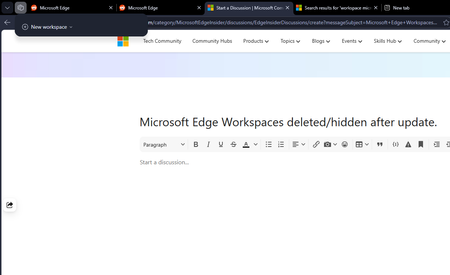
Microsoft Edge Workspaces deleted/hidden after update.
All my workspaces in Edge are hidden and/or are deleted. I updated my windows yesterday night (the restart also updated Edge which was pending) and noticed this issue this morning. I had 10+ workspaces and none of them are here to be found. Tried restarting the browser but no luck there.305Views0likes2Comments
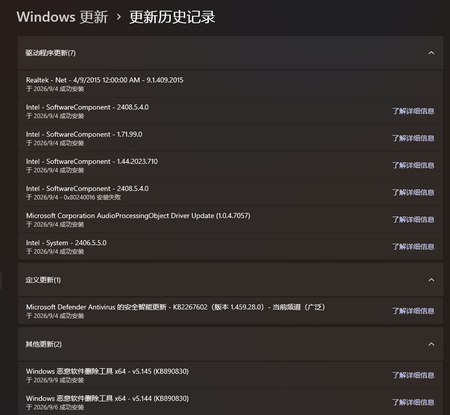
No matter what I try, Windows Update always says that my PC is up to date.
After installing Windows 11 Insider Experimental (Future Platforms) Preview Build 29639.1000.rs using an ISO, I registered for the Windows Insider Program and signed in with my Insider account. I also submitted a bug report. Later, after an engineer informed me that the bug had been fixed, I tried to check for updates so that I could receive the build containing the fix. However, Windows Update consistently reported that my device was up to date, regardless of how many times I checked for updates. I later learned that Build 29667.1000 appeared to have been released, but my system still did not receive the update. My Windows Insider settings also appear to be unavailable or unselectable. Could this be related to why my device is not receiving newer Insider builds? If I want to receive the update containing the mouse cursor flickering fix and upgrade to Build 29667.1000, what should I do? Is there a way to restore or reconfigure my Windows Insider settings so that my device can receive the appropriate Insider builds through Windows Update? And my Windows Insider settings also seem to be unavailable / unselectable. Could this be related to why I am unable to receive updates? If I want to receive the update that contains the mouse cursor flickering fix and upgrade to Build 29667.1000, what should I do?Solved241Views0likes1Comment
Workload Orchestration in the Azure portal is now available: Deploy in minutes, scale with ease
Edge deployments rarely stay simple for long. What begins as an application running on a single Kubernetes cluster can quickly expand across stores, factories, branches, or other distributed locations, each having different configuration needs. That is exactly where workload orchestration for Azure Arc comes in. Workload orchestration helps teams manage that complexity by providing a centralized approach to consistently define, configure, and deploy applications across distributed cloud, on-premises, and edge environments, all while catering to custom configuration needs of individual sites and deployment targets. See the experience in action Evaluating a new deployment approach often starts slowly: study the documentation, package an application, complete the setup, and only then decide whether it fits. The Azure portal reverses that order with its jumpstart onboarding experience. Bring your Azure Arc-enabled Kubernetes cluster and deploy a pre-packaged application in minutes. Whether you are validating a proof of concept or introducing the product to your broader team, the new portal onboarding experience turns the end-to-end workflow into something you can quickly try on your own cluster. Scale from first deployment to production Once you have validated the first deployment, you can evolve the same approach for production. Onboard your infrastructure into workload orchestration, organize your deployment sites into hierarchies, and define shared configurations for all deployments – all without leaving the portal. This lets you expand from one cluster to a distributed fleet while retaining centralized governance, repeatability, and site-level flexibility. Ready to try it? Try now by deploying your first application with workload orchestration in the Azure portal. Explore the product documentation for the complete set of capabilities.468Views0likes0Comments
Win 10/11 file history is malfunctioning after an update why has not Microsoft fixed this issue yet?
Hello, I would like to ask whether other Windows 10/11 users have experienced the same File History problem. I also hope the Microsoft technical team can seriously investigate this issue. My laptop is running Windows 11 25H2. Before installing KB5101684, File History had always worked normally. In Control Panel → All Control Panel Items → File History, the backup time would update normally whenever files were backed up to my D: drive. Around July 28–29, 2026, at approximately 10:00 AM, before KB5101684 was installed, File History was still working normally. I want to make this very clear: I did not manually change my File History settings, delete Event Viewer entries, or modify or delete relevant registry settings. The problem started after KB5101684 was installed. I have already confirmed the following: File History is still enabled. The D: drive is working normally and can be accessed without any problems. After selecting Control Panel → All Control Panel Items → File History → Run now, files are indeed written to: D:\FileHistory\user\LAPTOP-GJTRIQFJ\Data\C\Users\user However, the "Last backup" time displayed by File History does not update correctly. Even after modifying a document, confirming that it was successfully saved, and then clicking Run now, the latest backup time and file versions do not update as expected. Under File Properties → Previous Versions, it still says: "There are no previous versions available." I also noticed that every time a backup runs, folders such as Desktop and Favorites under the FileHistory folder on the D: drive continue to have their modification dates changed, even when their contents have not actually been modified. What makes this even more concerning is that my Windows 10 22H2 desktop computer also started experiencing File History synchronization problems after installing KB5120249. In other words: Windows 11 25H2 → KB5101684 → File History problem Windows 10 22H2 → KB5120249 → File History problem This makes me seriously concerned that these problems may be related to a recent Windows Update change or regression affecting File History. To be honest, I am extremely frustrated with Microsoft. The problem is not simply that Windows has a bug. Any large operating system can have bugs. The real problem is that users have reported the issue, provided detailed testing results, identified the Windows versions and specific KB updates involved, provided the actual File History paths, and spent considerable time troubleshooting, yet it is already August and there still does not appear to be a clear official confirmation from Microsoft regarding whether these issues are related to KB5101684 or KB5120249. Users should not have to repeatedly troubleshoot the same problem without receiving a clear explanation or effective solution. I would like the Microsoft technical team to seriously investigate the following: Could KB5101684 be causing File History backup timestamps or version information to behave incorrectly on Windows 11 25H2? Could KB5120249 be causing similar File History problems on Windows 10 22H2? Why are files actually being written to the FileHistory directory while the "Last backup" time does not update correctly? Why does "Previous Versions" continue to report that no previous versions are available? Why do folders such as Desktop and Favorites have their modification dates changed during backup even when their contents have not been modified? Could this be a File History regression introduced by a recent Windows Update? Please do not simply ask users to repeatedly reset File History, reselect the backup drive, or recreate the File History configuration without investigating the underlying cause. Microsoft needs to determine what is actually happening. I would also like to ask other Windows 10/11 users who have experienced similar File History problems to leave a comment with the following information: Windows version KB update number Date when the problem started Whether the backup location is a local drive or network drive Whether the "Last backup" time is incorrect Whether "Previous Versions" is unavailable Whether files are still being written to the FileHistory folder Please also consider sharing this post or bringing it to the attention of other Windows users and the Microsoft technical team. The more independent cases Microsoft can compare, the easier it should be to determine whether this is a common problem. I am not asking Microsoft to guarantee that Windows will never have bugs. I am asking Microsoft to properly investigate problems that users have clearly reported, provide an explanation, and deliver an actual fix when appropriate. This issue has now continued into August, and I am extremely disappointed with the way the File History problem has been handled so far. Microsoft, please do not ignore this issue. Please investigate it seriously and provide users with a clear response and an actual solution. Thank you.1.9KViews3likes10CommentsPlease confirm the KB5101684 File History issue and release a fix in the August security update.
To the Microsoft technical team These are my questions below; please read them carefully. https://learn.microsoft.com/en-au/answers/questions/5963185/update-kb5101684-bug https://learn.microsoft.com/en-au/answers/questions/5963921/windows-11-file-history-version-timestamps-not-upd https://techcommunity.microsoft.com/discussions/windowsinsiderprogram/windows-11-to-kb5101684-file-history-bug/4542374/replies/4543006 KB5101684 issue: I'm wondering if other users are experiencing the same issue. I suggest trying File History: Control Panel → All Console Items → File History → Execute Now. Files and pictures can be backed up to the D drive, but after enabling "File History" and clicking "Execute Now," the backup time still shows the current date and cannot be synchronized. Also, File → Contents → Previous Versions it says: "No previous version available." It's been 10 days, and Microsoft hasn't confirmed anything about File History. I sincerely hope Microsoft will release a security patch in August to fix this problem. Please. Otherwise, I'll be very frustrated.845Views1like2CommentsPlan for Upcoming Changes to Extended Security Updates on Azure Local
Beginning April 1 2026, Microsoft introduced a consistent pricing model for Extended Security Updates (ESU) for SQL Server and Windows products, including SQL Server 2016, Windows 10 Enterprise LTSB 2016 and Windows Server 2016. This update aims to simplify the Extended Security Update pricing so that customers pay the same list price for ESUs regardless of deployment location (Azure, on-premises, or other public clouds) or purchasing channel (Microsoft Customer Agreement, Enterprise agreements, Cloud Solution Provider program, or other licensing programs). ESUs on Azure Local This pricing change affects any new Extended Security Update offerings starting on or after April 1, 2026, including Windows 10 Enterprise LTSB 2016 (reaching end of support October 13, 2026) and Windows Server 2016 (reaching end of support January 12, 2027). Existing ESU offerings, including Windows Server 2012 or Windows 10 version 22H2, are not affected by this pricing change. This means that customers who already leverage ESUs will continue to have them available on Azure Local at no cost through Azure Verification for VMs. Next Steps As products reach end of support, it is recommended to upgrade your servers to the latest release available. For customers needing to remain on older versions after the end of support date has passed, further guidance on pricing and availability of ESUs will be shared in the coming months. Keep an eye on Extended Security Updates on Azure Local for more details. For More Information Microsoft Services: Pricing Consistency Update | Microsoft Licensing Resources Plan for Windows Server 2016 and Windows 10 2016 LTSB end of support - Windows IT Pro Blog1.1KViews0likes0Comments
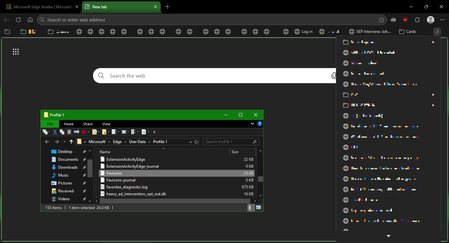
Favicons for bookmarks broken since Edge v149 update
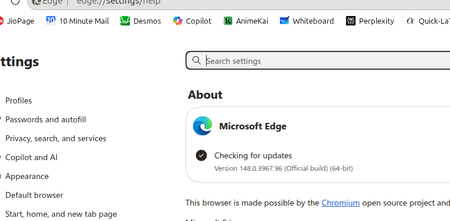
I've recently had Edge update to the v149.0.4022.52 stable-channel releases, and ALL my bookmarks now have no favicons. When I visit any webpage, Edge successfully loads the favicon for the tab of that website. But when I visit a bookmark, the favicon doesn't get updated after it has loaded for the site. And new bookmarks I add also don't show a favicon. If I go into my Edge profile-folder (which can found via edge://profile-internals/ , clicking the heading, then looking next to "Profile Path"), then it is still creating the "Favicon" and "Favicons-journal" files, but I assume isn't populating them with anything? I've tried deleting both files, restarting my PC, but even after Edge recreates them, no bookmarks are gaining any favicons. Is anyone else getting this issue...? OS: Windows 10 Home 22H2 x64 (OS Build: 19045.7291 : May 2026 ESU)Solved4.2KViews4likes23Comments