threat protection
396 Topics
Bitlocker TPM+PIN - Safety only when TPM is safe?
Hello, i habe read the microsoft docs about Bitlocker on Windows 11. At the moment i understand, that the feature TPM+PIN ask for a PIN at startup. From the PIN Bitlocker creates a SHA-256 Hash and use only 160Bit for Authentication with the TPM. Are the PCR Register and the PIN is correct, the TPM give Bitlocker the Authenticationcode free and Bitlocker can unecrypt der Disk. The safety of this require the safety from the TPM. Is the safety of the TPM compromised, than Bitlocker is unsafe, too. Knowledge of the PIN can be unnecessary. Why Bitlocker don’t use the 96bit from the Hash, strechted the 96 Bit with a salt (saved on the unencrypted disk space), use a cryptographic safe hash function (e.g. Argon2id) and use this hash XOR with the TPM set free Authenticationcode as key for the master key? Steps: PIN from user -> SHA-256 -> 160 bit for TPM S1 and 96Bit for the second half of the master key. -> Argon2id( 96bit ) S2 -> S1 XOR S2 -> Master key. Pro: If someone can crack the TPM the attacker has only the half of the Masterkey. Cons: little more calculation steps. This make the safety better, because it need knowledge and hardware security. What do you think about it? Sincerely yours, ElGuy
One SOC, Many Tenants: Centralizing Microsoft Sentinel with Azure Lighthouse
Most large organizations don’t live in a single Microsoft Entra ID tenant. Acquisitions, regulatory separation, sovereignty mandates, and mission boundaries all multiply tenants over time. For a security operations team, that sprawl creates one hard question: how do you run a single security operations center (SOC) with one pane of glass, without copying every tenant’s logs into a central bucket and inheriting the compliance risk that comes with it? Azure Lighthouse provides delegated resource management for this scenario. It lets authorized operators in a central hub tenant work with scoped resources in spoke tenants from their own tenant. Paired with Microsoft Sentinel, it supports cross-tenant visibility while source logs remain stored in each spoke workspace. Group-based RBAC and Privileged Identity Management (PIM) can help govern privileged access. This practical blueprint applies least privilege to that pattern: one Sentinel deployment in the hub, delegated read access to the Log Analytics workspaces in each spoke, and RBAC and PIM controls that support auditability. The delegation is scoped to the workspaces the SOC needs. Before you begin: prerequisites Gather the identifiers and identity groups below before you touch any tenant. The consistency you establish here is what makes the per-spoke procedure repeatable across an entire estate. Collect tenant and workspace identifiers Hub CSOC tenant ID and hub Sentinel workspace resource ID. For each spoke: tenant ID, subscription ID, workspace resource group, and workspace resource ID. Create hub security groups in Microsoft Entra ID SOC-Readers, the required core query-access group. SOC-Responders, an optional group for response-specific actions. SOC-Admins, an optional and tightly controlled group. Define the minimum RBAC baseline Assign Log Analytics Reader to SOC-Readers at the spoke workspace or resource-group scope. Add elevated roles only when a documented use case requires them. Register the required resource providers Lighthouse and Sentinel both depend on resource providers being registered before delegation will work. In every spoke subscription, register Microsoft.ManagedServices so the delegation can be created. And because Sentinel lives only in the hub, register Microsoft.SecurityInsights and Microsoft.OperationalInsights on at least one subscription in the hub tenant. That last step is easy to overlook, and skipping it quietly blocks cross-tenant operations. What you’ll find here The architecture, and why data residency makes hub-and-spoke the right call. Prerequisites, including the resource providers teams most often forget to register. A repeatable, per-spoke delegation procedure. Validation queries that prove the access path actually works. A complete RBAC assignment matrix and PIM activation policy. Troubleshooting for the errors you’ll actually hit. Why hub-and-spoke for a cross-tenant SOC In this model, Microsoft Sentinel is deployed once, in the hub (CSOC) tenant. Each spoke tenant keeps its own Log Analytics workspace, where its logs are collected and retained. Azure Lighthouse connects the two: the spoke delegates scoped access to the hub, and authorized hub analysts query spoke workspaces from their own tenant. The source logs remain stored in the spoke workspace, while query results are returned across tenant boundaries to authorized users and services. Figure 1. The hub runs Sentinel and queries each spoke’s Log Analytics workspace through a scoped Azure Lighthouse delegation; logs never leave the spoke tenant. That separation is the entire point, and it lines up with the advantages Microsoft calls out for centralized cross-tenant management: Workspace ownership and source-log storage remain with each spoke tenant. Source telemetry remains stored in the configured spoke workspace and region, subject to the service configuration and authorized query access. Separate workspaces help maintain tenant isolation between spokes. Cross-tenant detection and hunting can query spoke workspaces without centralizing the underlying source logs; authorized query results are returned across tenant boundaries. Ingestion and retention costs are billed to the tenant that generates the data, not to the hub. What this runbook delivers The objective is a centralized CSOC with scoped, governed access across spoke tenants from a single Sentinel instance. Hub SOC teams query spoke Log Analytics workspaces through delegation, run cross-tenant analytics, and create and manage incidents centrally, while spoke logs stay in spoke workspaces and tenant isolation is preserved. Just as important is how that access is granted. The target state is least-privilege by construction: RBAC assignments carry only the permissions the SOC needs, privileged roles are PIM-governed rather than standing, and every delegation is scoped to the specific resources in play. When the build is complete, the operating model is both active and auditable. Configuring the delegation (per spoke tenant) Repeat the three steps below for each spoke. For fleets larger than a handful of tenants, capture the same authorization in an Azure Lighthouse ARM template and deploy it per spoke, so the scope and role assignments stay identical across the estate. Step 1: Register the provider in the spoke subscription Register Microsoft.ManagedServices in the spoke subscription. Confirm the provider registration state is Registered before continuing. Step 2: Create the Lighthouse delegation from spoke to hub Open Azure Lighthouse in the spoke tenant. Create a delegation, or offer, and set the managing tenant to the hub CSOC tenant ID. Add an authorization with the principal set to the hub SOC-Readers group and the role set to Log Analytics Reader. Set the scope to the workspace resource group (preferred) or to the individual workspace. Prefer group-based assignments and avoid direct user assignments. Step 3: Repeat across all spoke tenants Apply the same pattern and naming convention every time. Document any scope or role exceptions for security review. Validating the delegation Three checks confirm the delegation is wired correctly: visibility, query access, and incident generation. Run them in order, because each one depends on the check before it. Figure 2. The three validation checks run in sequence — visibility, then cross-tenant query, then incident generation — each building on the one before. Confirm delegated visibility From the hub context, verify that each spoke appears under Azure Lighthouse delegated resources. Confirm that the expected principals and scopes are listed. Run a cross-tenant query from hub Sentinel Run a simple take query to verify that the access path resolves. Run a data query against a known active table to confirm you can see ingestion. Confirm the access path resolves: workspace("/subscriptions/<spoke-sub-id>/resourceGroups/<spoke-rg>/providers/Microsoft.OperationalInsights/workspaces/<spoke-ws>") | take 1 Check that a known table is receiving data: workspace("/subscriptions/<spoke-sub-id>/resourceGroups/<spoke-rg>/providers/Microsoft.OperationalInsights/workspaces/<spoke-ws>").Heartbeat | where TimeGenerated > ago(24h) | summarize Events = count() Verify incident generation in hub Sentinel Create a temporary scheduled analytics rule that uses cross-tenant query logic. Trigger the test condition and confirm that the incident is created in the hub. Standardizing new-spoke onboarding Turn the procedure into a checklist so every new spoke is onboarded the same way and nothing slips. Resource provider registered. Delegation deployed with the hub as managing tenant. Roles assigned to hub SOC groups. Cross-tenant query test passed. Hub incident-generation test passed. Access-review owner assigned. Security and governance Delegation connects the hub to scoped spoke resources; governance helps control that access. Three controls do most of the work. Enforce privileged identity controls Make privileged groups PIM-eligible rather than permanently assigned. Require MFA, approval, justification, and time-bound activation. Maintain separation of duties Keep SOC monitoring, content engineering, and platform administration in separate roles. Review delegated access on a recurring governance cadence. Manage exceptions with formal controls Document every elevated-access and broad-scope delegation exception. Require security-architecture approval for any non-standard scope. Role and RBAC assignment matrix The tables below translate those principles into concrete assignments: first the hub-local roles, then the delegated spoke roles, and finally the PIM activation policy that governs both. Hub (CSOC) tenant: local assignments Spoke (service) tenant: delegated via Azure Lighthouse PIM activation requirements Key design rules Minimum privilege governs spoke delegation. Log Analytics Reader covers every cross-tenant detection and query operation, so Owner and broad Contributor at subscription scope have no place in a SOC delegation. Sentinel Responder in a spoke is rarely needed. It matters only when analysts must acknowledge, close, or act on spoke-level resources directly, and in a hub-only Sentinel model spoke incidents don’t exist, so the role usually isn’t required. Separation of duties is strict. Content engineers don’t get responder rights, responders don’t get content-deployment rights, and platform admins sit apart from both monitoring and detection engineering. Routine privileged roles are eligible and time-bound. SOC responders, hunters, content engineers, and platform admins use PIM rather than permanent assignment. Emergency-access accounts are the exception and should follow Microsoft Entra emergency-access guidance, including monitoring and regular validation. Troubleshooting common issues Most problems fall into three buckets, and each has a short diagnostic path. Design notes and what’s next By default, Sentinel stays enabled in the hub only, unless a spoke-specific requirement is approved. Spoke tenants remain data-source focused and don’t generate local Sentinel incidents; detection, incident management, and automation all live in hub Sentinel, giving you one place to build content and one place to respond. A centralized SOC does not require centralizing every source workspace. With scoped Azure Lighthouse delegation and PIM-governed access, a CSOC can query a multitenant estate while source logs remain stored in their spoke workspaces. Further reading Manage Microsoft Sentinel workspaces at scale (Azure Lighthouse) Manage multiple tenants in Microsoft Sentinel as an MSSP Extend Microsoft Sentinel across workspaces and tenantsMCP safety & evaluation with the Agent 365 CLI & Agent Governance Toolkit
Co Author: JiteshThakur AI agents are useful because they can act. They call tools, query databases, send messages, and hand work to other agents. That same freedom creates a problem: access control can tell you which service an agent may reach, but it does not always tell you whether a particular action is sensible, safe, or permitted. MCP is how most agents now act. Two Control Points: This post examines two control points that address different parts of the MCP lifecycle. Agent 365 CLI evaluates the MCP server before an agent uses it. Agent Governance Toolkit (AGT) governs sensitive tool calls while the agent runs. One improves what the agent sees. The other governs what the agent does. The Agent 365 CLI is a cross-platform command-line tool for Agent 365 applications on Azure. Its evaluation command examines MCP tool definitions and scores their quality. AGT evaluates actions against policy and records each decision. Together, these tools support a practical model: evaluate the server first, then provide proper scaffolding for the developer to test this in a dry run. Agent 365 CLI: Score an MCP server from the command line: The Agent 365 CLI can evaluate an MCP server against research-based practices for production readiness. The result is more useful than a simple pass or fail. The evaluation gives you: A score for each tool name, description, and parameter schema; A prioritized list of improvements; An overall maturity score for the server; and Local output that you can use early in development. This report turns a vague question, "Is this MCP server ready?", into a concrete list of work. The evaluate command a365 develop-mcp evaluate --server-url <server-url> [--auth-token <auth-token>] [options] The command reads the tool schemas from the server. It then produces guidance for names, descriptions, parameters, and schema structure. A local coding-agent CLI scores the semantic checks. You can use GitHub Copilot CLI or Claude Code under your account and AI subscription. The command does not send tool-schema data to Microsoft. Prerequisites: Install the following software: Agent 365 CLI; Node.js 18 or later for GitHub Copilot CLI; and A supported coding-agent CLI for semantic scoring. For example, install GitHub Copilot CLI with this command: powershell npm install -g @github/copilot This bring-your-own-LLM model keeps the scoring step in your local development environment. It is useful when model calls must remain inside an approved deployment. How the evaluation works The command runs a five-step pipeline and logs progress as it goes. Fig 1: MCP Evaluation using Agent 365 Cli Connect to the MCP server and collect its tool schemas. Generate an evaluation checklist in the output directory. Score the semantic checks with the selected coding agent. Calculate the maturity level and action priorities. Write the JSON and HTML reports. The evaluation contains two types of checks: Deterministic checks use exact rules in the CLI. For example, a tool name cannot be empty. Semantic checks use a coding agent to score clarity and meaning. Each result includes a reason for the score. Examples Set the authentication token in an environment variable. Then evaluate an authenticated server and write the artifacts to a subfolder. powershell $env:A365_MCP_AUTH_TOKEN = "<bearer-token>" a365 develop-mcp evaluate --server-url "https://my-mcp-server.contoso.com/mcp" --output-dir "./eval" Use a specific scoring engine with the `--eval-engine` option: powershell a365 develop-mcp evaluate --server-url "http://localhost:5000/mcp" --eval-engine claude-code Scenario: Evaluate a malicious MCP server For this demonstration, we hosted a deliberately malicious MCP server at `http://127.0.0.1:8124/`. It exposes tools that demonstrate tool poisoning, credential leakage, prompt injection, schema mismatch, sandbox escape, and other attacks. The server is intentionally unsafe and is for demonstration only. Fig 2: Setting up a test MCP server for evaluation We ran the evaluation in two steps. First, we generated the checklist without automatic semantic scoring: a365 develop-mcp evaluate --server-url "http://127.0.0.1:8124/" --eval-engine none Fig 3: Agent365CLI MCP Evaluation The command wrote the checklist and a semantic-evaluation prompt to the output directory. It also displayed the next steps. Second, we gave the prompt and checklist to a coding agent. The agent completed each unscored semantic check with a Boolean score and a short reason. After we saved the completed checklist, we ran the command again to generate the report: a365 develop-mcp evaluate --server-url "http://127.0.0.1:8124/" --output-dir "C:\temp\MaliciousMCP" Fig 4: Creating the report with Agent365 CLI MCP Evaluate command Understanding the evaluation report Open `<server-name>_eval_report.html` from the output directory. The report contains: The overall score from 0 to 100; The maturity level from 0 to 4; Scores for each tool and quality category; and A prioritized action list for the next maturity level. Fig 5: MCP Evaluation Report In our demonstration, the server scored 86.0 and reached Level 3: Optimized for AI. That strong overall score did not mean that every tool was safe or clear. The report found 58 action items, including one critical item and 33 high-priority items. That contrast matters. A server can have valid schemas and consistent names while still exposing misleading or dangerous tools. Fig 6: MCP Evaluation Report - Tool-By-Tool Detail What to look for Read the per-tool results before the overall score. A single weak tool can create more risk than the server average suggests. Focus on these report sections: Tool names: Can an agent select the correct tool from its name? Tool descriptions: Does each description explain the purpose and correct use? Parameter names: Do the names identify the data that the tool requires? Parameter descriptions: Do they explain the format, type, and constraints? Schema structure: Are the schemas valid and processable? Action items: Which changes have the highest effect on tool selection and use? The command processes static tool schemas from `tools/list`. It does not process runtime payloads, end-user data, or personal data. The command keeps the `--auth-token` value in memory. It sends the value only in the HTTP `Authorization` header. It does not write the token to disk or give it to the coding agent. AGT: Put governance in the execution path: Microsoft's open-source Agent Governance Toolkit (AGT) evaluates an action before execution. It adds identity and policy context, records the decision, and can send risky work for approval. This can be used by developers during the build time for dynamic evaluation of the MCP server. AGT lets developers put part of that intent into the execution path. Remote tools still need secure implementations, sandboxes need hard boundaries, and audit records need appropriate storage and access controls. You do not need to replace your agent framework to use it. What sits in the decision path? AGT wraps the tools that an agent already uses. You can start to govern a tool with two lines of Python: python from agentmesh.governance import govern safe_tool = govern(my_tool, policy="policy.yaml") On each call, `safe_tool` evaluates the configured policy. An allowed action reaches the original tool. A denied action raises `GovernanceDenied` and creates a decision record. This wrapper model reduces the cost of adoption. Teams can add governance to an existing agent stack without rebuilding it. AGT supports Python, TypeScript, .NET, Rust, and Go. Its documented integrations include popular agent frameworks, MCP, and A2A. Teams can also adopt AGT in stages. A team can begin with policy checks and audit records. It can add identity, approvals, sandboxing, and operational controls as risk increases. Each control answers a different question: Policy: Is this action allowed? Identity and trust: Which agent made the request? Runtime controls: What limits apply to execution? Audit evidence: Why did AGT allow or deny the action? A low-risk assistant can need only a deny rule and basic logging. An agent that moves money or changes production systems needs stronger controls. Fig 7: AGT Architecture Scenario: Govern the same malicious MCP server For this scenario demonstration, we used AGT Python packages as an MCP gateway. The gateway sat between an agent and the same malicious server from the earlier evaluation. This setup let us examine both control points against one target. The Agent 365 CLI examined the server's static tool definitions. The AGT gateway examined real requests and responses for the developer during its testing. Fig 8: AGT findings at runtime In the policy interface, a developer can edit runtime limits and detection rules. The developer can also validate the policy against sample tool metadata, save a revision, and activate it with a recorded reason. Fig 9: AGT control coverage The control-coverage view shows which AGT capabilities are active in the gateway. It also links each capability to package checks and end-to-end evidence. In our demonstration, we included the following controls: Tool metadata poisoning detection; Tool change and rug-pull detection; Dangerous argument blocking; Tool-response content scanning; Per-client tool-call budgets; and A redacted decision audit trail. You can build your detection & input security by reading more about it here. The gateway detected malicious content. For one blocked `tools/list` request, it recorded the findings. The important result was not only that AGT blocked the request. It also preserved the matched evidence, affected tool locations, policy modes, and request context. Fig 10: Example detection via AGT The dashboard then summarized block-mode findings, leading risk drivers, and tools that required review. This evidence can help a team prioritize policy changes and investigate repeated attacks. Fig 11: Sample AGT metrics AGT does not require this UI, gateway, or architecture. Its structured decisions can feed an admin console, SIEM, incident workflow, or approval queue. AGT also includes an Agent Compliance package with mappings for OWASP and other controls. These mappings give developers and governance teams a common record of applied controls. Teams do not need to reconstruct the agent's behavior after an incident. Check Compliance - Agent Governance Toolkit for more information. Conclusion: MCP safety needs controls before and during execution. The Agent 365 CLI improves the MCP interface before deployment. It exposes unclear tool definitions, scores server maturity, and turns quality gaps into prioritized work. While AGT is implemented at the build phase, it provides developers the ability to test policy, identity, execution context & preserve evidence for allowed or denied decisions. Neither tool replaces secure server code, strong sandbox boundaries, or protected audit storage. Instead, they make those controls easier to evaluate and explain. Start with one MCP server and one consequential tool call. Evaluate the server with the Agent 365 CLI. Then put an AGT policy around the action that carries the most risk. While these controls help secure the build phase of an agent, once agents move into production, runtime controls become essential. Agent365 provides those controls at runtime. With thanks to Ashik Kuppil for his inputs and collaboration on this post.Closing the loop on container security: From code to runtime in the AI era
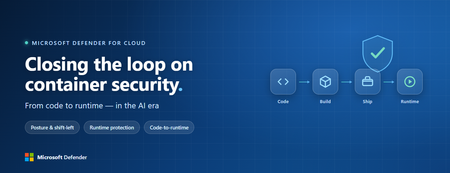
Containers are the backbone of modern cloud-native apps — and increasingly, the infrastructure powering AI, from AI assistants to a new wave of intelligent agents. They also blur the line between build, deploy, and runtime: a single code change can become a running workload in minutes. A misconfiguration committed in the morning can be deployed in minutes and exploited before noon. At that speed, container security can no longer be a point-in-time check, it has to work as one continuous loop. The numbers back this up. For the first time, 31% of breaches now begin with an attacker exploiting a software vulnerability — overtaking stolen credentials as the most common way in — and 15% of attack techniques are now accelerated by generative AI, with adversaries using it to find gaps and write malware faster at every stage. Source: Verizon 2026 Data Breach Investigations Report (incidents Nov 2024–Oct 2025). Over the last few quarters, Microsoft Defender for Cloud has been evolving to offer you this continuous security, end to end. Explore container security’s new capabilities across posture, shift-left, runtime, multicloud coverage, and operations. Collectively they form a more comprehensive approach to container security — one that offers security right during developing a code to a running pod across Azure, AWS, and GCP. There is a second reason why container security matters more in 2026: containers are increasingly where AI runs. Many AI workloads — from model-serving APIs to retrieval systems and intelligent agents — now live as pods on AKS, EKS, and GKE (the managed Kubernetes services from Azure, AWS, and Google), often connected to some of an organization’s most sensitive models and data. As those crown jewels move into the cluster, the same posture, code‑to‑runtime, and runtime protections described in this post extend to AI workloads. The contest is increasingly AI against AI: attackers use it to find and reach the cluster faster, while defenders use it to push back — surfacing the risks that matter most and turning runtime findings into AI‑assisted code fixes. One platform, code to runtime A container finding is not treated as an isolated issue; it is connected to the identity it runs under, the registry and code repository it came from, and the cluster where it is running - all unified under one Microsoft Defender platform. Container posture and shift-left security are now redesigned for least vulnerabilities in production Conventional container security posture offered challenges to scale: a single grouped recommendation could stack thousands of findings under one bucket, making ownership, exemptions, and risk scoring too coarse to act on. That experience is now evolved. We have rebuilt the experience so that each finding is its own recommendation — per software, per image, per container. If two CVEs in the same image belong to two different teams, they can now be triaged, exempted, and reported separately. The grouped recommendations are deprecated and will be removed on July 30, 2026, We suggest updating any automation, export rules, and ServiceNow integrations to target the new per-finding recommendations before that date. That per-finding precision becomes even more powerful once you connect each finding to its source code and to the runtime resources it impacts. Defender for Cloud — part of Microsoft Defender suite — connects this code-to-runtime chain end-to-end. For example, an image built through Azure DevOps or GitHub, pushed to ACR, ECR, Google Artifact Registry, Docker Hub, or JFrog, and pulled by AKS, EKS, or GKE is one continuous evidence chain — traceable from a running container back to the pull request (PR) and line of code that introduced the risk. With GitHub Advanced Security integrated (GA), secrets, code, and dependency findings join the same attack story. The developer-first Defender for Cloud CLI runs the same scanner locally or in any CI/CD pipeline, with consistent exit codes for gating. In this diagram, you can see how we have embedded container security at every stage of the software development lifecycle (SDLC), not just the endpoints. At Code, GitHub Advanced Security and the Defender for Cloud CLI catch secrets, vulnerable dependencies, and insecure code before commit. At Build, the same scanner runs as a CI/CD gate — in GitHub Actions, Azure DevOps, Jenkins, or Bitbucket — failing the pipeline on critical findings. At Ship, registry scanning and Gated Deployment block risky or misconfigured images at the cluster door. And at Runtime, the sensor enforces anti-malware and binary-drift policy on the live workload. No stage is left as a blind spot, and a finding can be traced forward to the running pod or backward to the developer who introduced it. Visibility without enforcement only creates backlog. Gated Deployment — a Kubernetes admission controller — uses the same vulnerability signal, you trust, to block risky images at the cluster level. It supports phased rollout (audit, then deny), targets rules by cluster, namespace, pod, image, or label, and runs across AKS (including AKS Automatic), EKS, and GKE. A newer extension gates on Kubernetes misconfigurations too. Posture practitioners also get KSPM at container granularity — Kubernetes security posture management, available through both Defender for Containers and Defender CSPM — and, on Azure, a new actionable recommendation, Upgrade Azure Kubernetes Service Version (preview), that helps you remediate vulnerabilities in AKS-managed system pods. Coverage that matches containers’ evolution Historically, many container security programs concentrated on managed Kubernetes clusters in AKS, EKS, and GKE. The 2026 reality is broader: a growing share of production runs on serverless container platforms that abstract the cluster away, many sensitive workloads sit behind private, network-isolated clusters, and platform teams increasingly standardize on hardened or distroless base images. The surfaces that were blind spots are now part of the same posture graph as everything else. Serverless compute posture is now generally available across AWS Lambda, Azure Functions, and Web Apps, while Serverless containers posture (preview) takes the same idea to Azure Container Apps, ACI, and AWS Fargate. Together, they bring more of today’s cloud-native production footprint into the same posture graph. Coverage also improves where platform teams are standardizing on locked-down environments. The long-standing gap around private EKS and GKE clusters is closed, bringing some of the hardest-to-reach environments into the same security model. Scanning now works on hardened images from Docker Hardened or Minimus, and runtime protection supports BottleRocket on EKS — with the full feature set also available in Azure Government, which matters for teams running regulated workloads. Runtime threat protection that prevents, not just detects Posture closes the door on attackers; runtime threat protection guards the room if they still succeed. The key shift is that the Defender for Containers sensor now adds prevention on top of detection. The goal is simple: stop malicious code before it runs. Anti-malware detection and prevention (GA) scans container workloads and Kubernetes nodes and, based on the policies you define, blocks malicious execution instead of only alerting. Those alerts then flow into Microsoft Defender XDR’s unified incident model. The second is binary drift detection and prevention (preview). Containers are meant to be immutable. When a process starts from a binary that was not part of the original image, that is drift — and one of the highest-signal indicators of compromise in cloud-native workloads. Defender detects drifts and, with policy enabled, can now also block the drifted process before it executes. Anti-malware and Drift policies can be scoped by cloud, cluster, namespace, image, or label, with allow-lists for legitimate cases. Anti-malware policies can alert, block, or ignore — scoped to clusters, namespaces, pods, labels, or images. Rounding out runtime protection, DNS-based threat detection (GA) catches command-and-control beaconing, DGA traffic, and exfiltration over DNS. A unified approach to container security Step back, and the bigger picture is simple. The same platform that secured your VMs and identities now extends across AKS, EKS, GKE, private clusters, serverless containers, and serverless compute. The same Code-to-Runtime chain that once tied Infrastructure as Code (IaC) findings to running infrastructure now connects Dockerfile commits — through CI/CD and any major registry — to the running pod. Admission control turns posture findings into prevention at deploy time, and runtime protection actively blocks. That is a continuous container security loop living inside Microsoft Defender — not a checklist bolted onto Kubernetes. And it rebalances the fight: as attackers use AI to find and exploit gaps faster, the durable answer is security teams using AI of their own — protecting and triaging at machine speed. If you’ve already enabled container security with Microsoft, the clearest next step is to strengthen the core lifecycle stages first: Code + build: connect GitHub Advanced Security and integrate the Defender for Cloud CLI into your pipelines so findings are caught early and CI/CD gates can fail builds before an image is pushed. Ship: stand up Gated Deployment in audit mode on a non-production cluster, tune it, then flip to deny; extend it to Kubernetes misconfigurations. Run: enable the Defender for Containers sensor, extend it to private EKS and GKE clusters, then tune anti-malware and binary-drift rules in Block mode — starting with your crown-jewel namespaces. Extend protection: turn on serverless compute posture for Lambda, Functions, and Web Apps, and enable serverless container posture for Container Apps, ACI, or Fargate.1.3KViews3likes2CommentsAutomating Daily MDE Compliance Monitoring Across Azure VMs
The Problem We’re Solving Most security teams have no automated way to know when a VM silently falls out of MDE coverage, whether because the agent stopped, the VM was newly provisioned without onboarding, or the device stopped reporting. This Logic App closes that gap and puts the right information in front of the right people every day. Disclaimer: This solution is designed for Azure Virtual Machines only. For non-Azure VMs onboarded to Microsoft Defender for Endpoint through Azure Arc, a separate companion blog will be published soon to cover that scenario. What changes once you deploy this Challenge Without This Logic App How This Logic App Helps Security gaps go undetected for days or weeks Any VM that is not onboarded or has stopped reporting is caught within 24 hours of the daily run No automated owner notification The VM's ServerOwner tag is read automatically, and the owner is emailed directly with full compliance details VMs with no owner fall through the cracks Flagged explicitly in the IT summary report with instructions for how to assign the tag Manual compliance reporting is time-consuming Full CSV report auto-attached to every daily IT summary; no manual extraction needed Agents silently stop reporting after onboarding Detects "Onboarded, Not Reporting" as a distinct status, separate from "Not Onboarded" Large multi-subscription environments are hard to cover Paginated queries across all enabled subscriptions; every running VM is checked Compliance States Detected Compliance Status Priority What It Means Not Onboarded P2, High The VM is running in Azure but has never appeared in MDE. There is zero security telemetry for this machine. Onboarded, Not Reporting P3, Medium The VM was previously enrolled but has not checked in within the configured window. The MDE agent may be stopped or the VM may have lost network connectivity to MDE. Compliant No alert VM is onboarded and checked in within the required time window. It is excluded from all notifications. Running VMs Only: This workflow queries Azure Resource Graph with a filter of powerState == "VM running". Deallocated, stopped, and powered-off VMs are intentionally excluded — they are not expected to report to MDE while offline. Only machines that are turned on are evaluated. Workflow Architecture The workflow runs as a sequential daily pipeline. All Azure VM data and MDE device data are collected into memory first, then each VM is evaluated in a single For Each loop. Execution Pipeline Recurrence trigger fires daily at 08:00 IST. CONFIG compose action reads MDE_LASTSEEN_HOURS (default 24). This defines the compliance window: how recently a VM must have reported to MDE to be considered Compliant. Init-varITTeamEmail and Init-varSenderEmail load the configurable email addresses used for sending and receiving notifications. Get-AllSubscriptions calls the Azure Management API to discover all subscriptions in the tenant. ForEach-Subscription runs a paginated Azure Resource Graph query per enabled subscription, collecting all running VMs along with Private IP, OS Type, Location, ServerOwner tag, and VM UUID. Init-MDEVariables then Paginate-MDEDevices call the MDE Security Center API in pages of 10,000 to load every enrolled device into the AllMDEDevices array. ForEach-AzureVM looks each Azure VM up in AllMDEDevices and determines compliance status and priority. Non-compliant handling builds HTML and CSV rows. If the VM has a ServerOwner tag, a compliance alert email goes to the owner with the IT Team CC'd. If there's no owner, the VM is appended to NoOwnerList. IT Summary email is sent once all VMs are processed. If any non-compliant VMs were found, the consolidated IT report is sent with the CSV attachment. Otherwise an All Clear email is sent. How Azure VM Data is Matched to MDE Data Each Azure VM is matched against the MDE device list using a two-level strategy. Both checks run for every VM on every run. Match Method How It Works Primary: Azure VM ID Compares azureVmId from the MDE device record (lowercase) against the VmId captured from Azure Resource Graph (lowercase). Immune to hostname changes; this is the preferred match. Fallback: Hostname + IP Checks that MDE computerDnsName starts with the Azure VM name (case-insensitive) AND lastIpAddress matches the Azure Private IP. Both conditions must be true. Not Found A synthetic MDE record with onboardingStatus: "NotFound" is created. The VM is treated as Not Onboarded and a P2 High alert is raised. Pagination Design The workflow handles large environments through two independent pagination mechanisms that run before any compliance evaluation begins. Data Source Page Size Mechanism Azure Resource Graph 1,000 VMs per page Uses $skipToken from the response. The Until loop re-queries with the token until no token is returned (last page). Variables VMSkipToken and VMFetchComplete manage loop state per subscription. Supports up to 50,000 VMs (50 pages). MDE Security Center API 10,000 devices per page Uses the $skip offset parameter. MDESkip is incremented by 10,000 each iteration. The loop stops when a page returns fewer than 10,000 records. Supports up to 500,000 MDE devices (50 pages × 10,000). Prerequisites Azure Resources Resource Requirement Notes Azure Logic App Standard plan, Stateful workflow Consumption plan also supported Managed Identity System-assigned on the Logic App Enable under Logic App > Identity Sender mailbox (varSenderEmail) Licensed Microsoft 365 account Emails are sent FROM this address IT Team email (varITTeamEmail) Valid email address or distribution list Receives all reports; CC'd on owner alerts Azure VMs Running, with ServerOwner tag (recommended) Tag value must be a valid email address MDE licensing Microsoft Defender for Endpoint P1 or P2 Tenant must be enrolled in MDE The ServerOwner Tag Server owner notifications rely on a VM-level Azure tag. Without it, the VM is included in the IT summary, but no individual alert is sent to an owner. Tag Name Expected Value Effect ServerOwner Valid email, e.g. john@yourcompany.com Compliance alert sent TO this address; IT Team CC'd If the tag is missing or empty, the VM is flagged in the Action Required: No Owner Tag Found section of the IT summary email, with step-by-step instructions for tagging it in the Azure Portal. Required Permissions & Why The Logic App's Managed Identity must be granted three API permissions. These are Application permissions that cannot be assigned through the Azure Portal UI, so the PowerShell script in Section 4.3 must be used. Admin consent is required. Permission Summary Permission API / Service AppId Why It Is Required user_impersonation Azure Management 797f4846-ba00-4fd7-ba43-dac1f8f63013 Allows the Managed Identity to call the Azure Resource Graph API to query VM inventory across all subscriptions. Without this, the workflow cannot discover VMs. WindowsDefenderATP.Read.All MDE Security Center fc780465-2017-40d4-a0c5-307022471b92 Allows reading all device records from the MDE API (/api/machines). This returns onboarding status, last seen time, and health status — the core compliance data. Mail.Send Microsoft Graph 00000003-0000-0000-c000-000000000000 Allows sending emails via the Graph /sendMail endpoint on behalf of the varSenderEmail mailbox. Without this, no alerts or reports can be sent. Important: The Azure Management and MDE permissions belong to separate service principals — they are NOT part of Microsoft Graph. Each permission must be assigned to its own service principal using the AppId shown above. The script in Section 4.2 handles this correctly. Where to find the required values Parameter Where to find it in Azure Portal $tenantID Azure Portal > Microsoft Entra ID > Overview > Tenant ID $managedIdentityObjectId Logic App > Settings > Identity > System assigned tab > Object (principal) ID Permission Assignment Script Run this in Azure Cloud Shell or any terminal with the Microsoft.Graph PowerShell module installed. Update $tenantID and $managedIdentityObjectId before running. # PowerShell # ── Update these two values before running ─────────────────────────── $tenantID = "<tenantID>" # Your Tenant ID $managedIdentityObjectId = "<objectID>" # MI Object ID # Install Microsoft.Graph if not already present if (!(Get-Module -ListAvailable -Name Microsoft.Graph)) { Install-Module -Name Microsoft.Graph -Scope CurrentUser -Force } # Connect to Microsoft Graph Connect-MgGraph -TenantId $tenantID ` -Scopes "AppRoleAssignment.ReadWrite.All","Application.Read.All" # MDE Compliance Logic App needs 3 permissions across 3 different service principals $permissions = @( @{ Permission="user_impersonation"; AppId="797f4846-ba00-4fd7-ba43-dac1f8f63013" }, @{ Permission="WindowsDefenderATP.Read.All"; AppId="fc780465-2017-40d4-a0c5-307022471b92" }, @{ Permission="Mail.Send"; AppId="00000003-0000-0000-c000-000000000000" } ) foreach ($entry in $permissions) { $sp = Get-MgServicePrincipal -Filter "AppId eq '$($entry.AppId)'" $appRole = $sp.AppRoles | Where-Object { $_.Value -eq $entry.Permission } if ($appRole -ne $null) { New-MgServicePrincipalAppRoleAssignment ` -ServicePrincipalId $sp.Id ` -PrincipalId $managedIdentityObjectId ` -ResourceId $sp.Id ` -AppRoleId $appRole.Id Write-Host "Assigned: $($entry.Permission)" -ForegroundColor Green } else { Write-Host "Not found: $($entry.Permission)" -ForegroundColor Yellow } } Write-Host "All permissions assigned." -ForegroundColor Green Verify Permissions Assigned # PowerShell # Run after the assignment script to verify all 3 permissions are present Get-MgServicePrincipalAppRoleAssignment ` -ServicePrincipalId $managedIdentityObjectId | Select-Object AppRoleId, PrincipalDisplayName | Format-Table -AutoSize Note: You should see three assignment rows in the output — one for each permission. If any are missing, re-run the assignment script. An error saying the assignment already exists is normal and can be safely ignored. Creating the Logic App Create the resource Azure Portal > search Logic Apps > + Create. Select your Subscription and Resource Group. Logic App name: la-mde-compliance-monitor. Plan type: Standard > Windows > select or create a Hosting Plan > Review + Create > Create. Once deployed, click Go to resource. Enable System-assigned Managed Identity Open the Logic App > left menu: Settings > Identity. On the System assigned tab, toggle Status to On. Click Save > Yes on the confirmation dialog. The Object (principal) ID appears. Copy this value for the PowerShell script. Run the Permissions Assignment script to assign all three permissions to this identity. Why Managed Identity: A System-assigned Managed Identity is automatically scoped to this Logic App and deleted when the Logic App is deleted. It authenticates to Azure Management API, MDE API, and Microsoft Graph without any stored passwords or client secrets. Create the workflow and import the JSON Logic App > left menu: Workflows > + Add. Workflow name: MDEComplianceMonitor. State type: Stateful. Click Create. Click the workflow name > left menu: Code. Press Ctrl + A > Delete to clear the editor completely. Paste the complete workflow JSON from the companion file (see Appendix A). Click Save. It should succeed with no validation errors. Important: Always use Stateful. Stateless workflows do not support run history, have a 5-minute timeout, and do not retain intermediate state — all of which are required by this workflow's pagination loops. Configuration: What You Can Change After importing the JSON, update only the values described below. Everything else runs automatically. Email Address Variables Variable Description Where to Update varITTeamEmail The IT Team email address. All IT Summary reports are sent TO this address. All per-VM owner emails CC this address. 3000 varSenderEmail The Microsoft 365 licensed account that emails are sent FROM via Graph API. Must have Mail.Send permission granted to the Managed Identity. 3000 Compliance look-up window: MDE_LASTSEEN_HOURS This setting in the CONFIG compose action defines how recently a VM must have reported to MDE to count as Compliant. Default is 24 hours. Value Behaviour 24 (default) Compliant if the VM checked in with MDE within the last 24 hours. Recommended starting point. 12 Stricter check; suitable for high-security environments requiring near-real-time coverage. 48 More relaxed; suitable for environments with scheduled maintenance windows or intermittent connectivity. Running VMs Only The Azure Resource Graph query includes a filter for powerState == "VM running". This means: Deallocated VMs are excluded (not expected to report to MDE while offline). Stopped (allocated) VMs are excluded. Newly started VMs are included and checked on the next daily run. To Change the Filter: To change the power state filter, locate the "query" string inside the Build-VMQuery-Paged action and modify the | where powerState == clause. For example, removing the filter entirely will check all VMs regardless of state. Sample Email Notifications The screenshots below show actual emails generated by this workflow. All sensitive data (email addresses, VM names, subscription IDs, IP addresses) has been redacted. Per-VM owner alert Sent to the server owner (ServerOwner tag) when their VM is non-compliant. The IT Team is CC'd. The email contains full server details, compliance status, priority, last MDE check-in time, and resolution SLA. Note: If no ServerOwner tag is set the VM is skipped here and included in the "No Owner Tag Found" section of the IT summary instead. IT Team Daily Summary Report Sent once per day to the IT Team after all owner emails are dispatched. Shows up to 20 VMs inline with a full CSV attachment containing the complete list, plus a dedicated section for VMs with no owner tag. Note: The CSV attachment always contains the complete list of all non-compliant VMs regardless of count. The inline HTML table is limited to 20 rows to keep the email size manageable. All Compliant VMs: If all VMs are compliant, you’ll see email like this: Post-Deployment Checklist Before you leave the workflow running unattended, walk through this checklist once. # Item 1 Logic App resource created (Standard plan, Stateful workflow) 2 System-assigned Managed Identity enabled; Object ID copied 3 PowerShell script run; user_impersonation, WindowsDefenderATP.Read.All, and Mail.Send assigned 4 Permissions verified using Get-MgServicePrincipalAppRoleAssignment (3 rows expected) 5 Workflow JSON pasted into Code view; saved without validation errors 6 varITTeamEmail updated to your IT security team or distribution list address 7 varSenderEmail updated to a licensed Microsoft 365 mailbox 8 MDE_LASTSEEN_HOURS reviewed (default 24, adjust if needed) 9 At least one Azure VM has the ServerOwner tag set with a valid email 10 Manual run triggered: Logic App > Overview > Run Trigger > Run 11 Run history shows Succeeded; no 401 or 403 errors on any HTTP action 12 IT Team received the daily summary email with CSV attachment 13 Server owner received a per-VM alert with the IT Team CC'd 14 Recurrence trigger confirmed running daily at 08:00 IST Wrapping Up What I love about this is how much it accomplishes with so little: a Logic App, a Managed Identity, and three permissions. No connectors, no secrets to rotate, no third-party services. Yet every morning, your security team starts the day knowing exactly which VMs are out of MDE coverage and which owners have already been notified. If you adopt this pattern, here are a few natural next steps to consider: Hook into Microsoft Sentinel by writing non-compliant VMs to a custom table for trend analysis. Auto-create ServiceNow or Jira tickets for VMs that remain non-compliant for more than 48 hours. Extend the match logic to include Arc-enabled servers, not just Azure VMs. Add a Teams adaptive card notification alongside email for faster response. I'd love to hear how you're solving MDE coverage gaps in your environment. Appendix A: Workflow JSON The complete Logic App workflow definition is provided below. To import it: open the Logic App in Azure Portal, navigate to the workflow, click Code view, press Ctrl + A to clear the existing content, paste the entire JSON, then click Save. { "definition": { "$schema": "https://schema.management.azure.com/providers/Microsoft.Logic/schemas/2016-06-01/workflowdefinition.json#", "contentVersion": "1.0.0.0", "triggers": { "Recurrence": { "recurrence": { "frequency": "Day", "interval": 1, "schedule": { "hours": [ "8" ], "minutes": [ 0 ] }, "timeZone": "India Standard Time" }, "evaluatedRecurrence": { "frequency": "Day", "interval": 1, "schedule": { "hours": [ "8" ], "minutes": [ 0 ] }, "timeZone": "India Standard Time" }, "type": "Recurrence" } }, "actions": { "CONFIG": { "runAfter": {}, "type": "Compose", "inputs": { "MDE_LASTSEEN_HOURS": 24 } }, "Set-ExcludedSubscriptions": { "runAfter": { "CONFIG": [ "Succeeded" ] }, "type": "Compose", "inputs": [] }, "Init-varITTeamEmail": { "runAfter": { "Set-ExcludedSubscriptions": [ "Succeeded" ] }, "type": "InitializeVariable", "inputs": { "variables": [ { "name": "varITTeamEmail", "type": "string", "value": "admin@contoso.onmicrosoft.com" } ] } }, "Init-varSenderEmail": { "runAfter": { "Init-varITTeamEmail": [ "Succeeded" ] }, "type": "InitializeVariable", "inputs": { "variables": [ { "name": "varSenderEmail", "type": "string", "value": "admin@contoso.onmicrosoft.com" } ] } }, "Get-AllSubscriptions": { "runAfter": { "Init-varSenderEmail": [ "Succeeded" ] }, "type": "Http", "inputs": { "uri": "https://management.azure.com/subscriptions?api-version=2022-12-01", "method": "GET", "headers": { "Content-Type": "application/json" }, "authentication": { "type": "ManagedServiceIdentity", "audience": "https://management.azure.com" }, "retryPolicy": { "type": "fixed", "count": 3, "interval": "PT60S" } } }, "Parse-AllSubscriptions": { "runAfter": { "Get-AllSubscriptions": [ "Succeeded" ] }, "type": "ParseJson", "inputs": { "content": "@body('Get-AllSubscriptions')", "schema": { "type": "object", "properties": { "value": { "type": "array", "items": { "type": "object", "properties": { "subscriptionId": { "type": "string" }, "displayName": { "type": "string" }, "state": { "type": "string" } } } } } } } }, "Init-AllVMs": { "runAfter": { "Parse-AllSubscriptions": [ "Succeeded" ] }, "type": "InitializeVariable", "inputs": { "variables": [ { "name": "AllVMs", "type": "array", "value": [] }, { "name": "VMSkipToken", "type": "string", "value": "INIT" }, { "name": "VMFetchComplete", "type": "boolean", "value": false } ] } }, "ForEach-Subscription": { "foreach": "@body('Parse-AllSubscriptions')?['value']", "actions": { "Check-SubscriptionEnabled": { "actions": { "Reset-VMSkipToken": { "type": "SetVariable", "inputs": { "name": "VMSkipToken", "value": "INIT" } }, "Reset-VMFetchComplete": { "runAfter": { "Reset-VMSkipToken": [ "Succeeded" ] }, "type": "SetVariable", "inputs": { "name": "VMFetchComplete", "value": false } }, "Until": { "actions": { "Build-VMQuery-Paged": { "type": "Compose", "inputs": { "subscriptions": [ "@{items('ForEach-Subscription')?['subscriptionId']}" ], "query": "Resources | where type == 'microsoft.compute/virtualmachines' | extend VMName = tostring(name), ResourceGroup = tostring(resourceGroup), Location = tostring(location), OSType = tostring(properties.storageProfile.osDisk.osType), VMSize = tostring(properties.hardwareProfile.vmSize), ServerOwner = tostring(tags.ServerOwner), Environment = tostring(tags.Environment), SubscriptionId = tostring(subscriptionId), nicId = tolower(tostring(properties.networkProfile.networkInterfaces[0].id)), VmId = tolower(tostring(properties.vmId)) | join kind=leftouter (Resources | where type == 'microsoft.network/networkinterfaces' | extend privateIP = tostring(properties.ipConfigurations[0].properties.privateIPAddress) | project nicId = tolower(id), privateIP) on nicId | join kind=leftouter (Resources | where type == 'microsoft.compute/virtualmachines' | extend powerState = tostring(properties.extended.instanceView.powerState.displayStatus) | project id, powerState) on id | where powerState == 'VM running' | project VMName, ResourceGroup, Location, OSType, VMSize, ServerOwner, Environment = 'Azure', SubscriptionId, PrivateIP = privateIP, VmId, CloudEnvironment = 'Azure'", "options": { "$skipToken": "@if(equals(variables('VMSkipToken'), 'INIT'), '', variables('VMSkipToken'))" }, "$top": 1000 } }, "Get-VMs-Paged": { "runAfter": { "Build-VMQuery-Paged": [ "Succeeded" ] }, "type": "Http", "inputs": { "uri": "https://management.azure.com/providers/Microsoft.ResourceGraph/resources?api-version=2021-03-01", "method": "POST", "headers": { "Content-Type": "application/json" }, "body": "@outputs('Build-VMQuery-Paged')", "authentication": { "type": "ManagedServiceIdentity", "audience": "https://management.azure.com" } }, "runtimeConfiguration": { "contentTransfer": { "transferMode": "Chunked" } } }, "ForEach-VM-Result-Paged": { "foreach": "@body('Get-VMs-Paged')?['data']", "actions": { "Append-SingleVM-Paged": { "type": "AppendToArrayVariable", "inputs": { "name": "AllVMs", "value": "@items('ForEach-VM-Result-Paged')" } } }, "runAfter": { "Get-VMs-Paged": [ "Succeeded" ] }, "type": "Foreach" }, "Check-VMSkipToken": { "actions": { "Set-VMFetchComplete": { "type": "SetVariable", "inputs": { "name": "VMFetchComplete", "value": true } } }, "runAfter": { "ForEach-VM-Result-Paged": [ "Succeeded" ] }, "else": { "actions": { "Set-VMSkipToken": { "type": "SetVariable", "inputs": { "name": "VMSkipToken", "value": "@body('Get-VMs-Paged')?['$skipToken']" } } } }, "expression": { "or": [ { "equals": [ "@string(body('Get-VMs-Paged')?['$skipToken'])", "" ] } ] }, "type": "If" } }, "runAfter": { "Reset-VMFetchComplete": [ "Succeeded" ] }, "expression": "@equals(variables('VMFetchComplete'), true)", "limit": { "count": 50, "timeout": "PT1H" }, "type": "Until" } }, "else": { "actions": {} }, "expression": { "and": [ { "equals": [ "@items('ForEach-Subscription')?['state']", "Enabled" ] } ] }, "type": "If" } }, "runAfter": { "Init-AllVMs": [ "Succeeded" ] }, "type": "Foreach" }, "Init-MDEVariables": { "runAfter": { "ForEach-Subscription": [ "Succeeded" ] }, "type": "InitializeVariable", "inputs": { "variables": [ { "name": "AllMDEDevices", "type": "array" }, { "name": "MDESkip", "type": "integer", "value": 0 }, { "name": "MDEFetchComplete", "type": "boolean", "value": false } ] } }, "Paginate-MDEDevices": { "actions": { "Get-MDEDevices-Page": { "type": "Http", "inputs": { "uri": "https://api.securitycenter.microsoft.com/api/machines?$select=computerDnsName,id,osPlatform,lastSeen,onboardingStatus,healthStatus,lastIpAddress&$top=10000&$skip=@{variables('MDESkip')}", "method": "GET", "headers": { "Content-Type": "application/json" }, "authentication": { "type": "ManagedServiceIdentity", "audience": "https://api.securitycenter.microsoft.com" }, "retryPolicy": { "type": "fixed", "count": 3, "interval": "PT60S" } }, "runtimeConfiguration": { "contentTransfer": { "transferMode": "Chunked" } } }, "Parse-MDEPage": { "runAfter": { "Get-MDEDevices-Page": [ "Succeeded" ] }, "type": "ParseJson", "inputs": { "content": "@body('Get-MDEDevices-Page')", "schema": { "type": "object", "properties": { "value": { "type": "array", "items": { "type": "object", "properties": { "computerDnsName": { "type": [ "string", "null" ] }, "id": { "type": [ "string", "null" ] }, "osPlatform": { "type": [ "string", "null" ] }, "lastSeen": { "type": [ "string", "null" ] }, "onboardingStatus": { "type": [ "string", "null" ] }, "healthStatus": { "type": [ "string", "null" ] }, "lastIpAddress": { "type": [ "string", "null" ] }, "azureVmId": { "type": [ "string", "null" ] } } } } } } } }, "Append-MDEPage-ToArray": { "foreach": "@body('Parse-MDEPage')?['value']", "actions": { "Append-SingleMDEDevice": { "type": "AppendToArrayVariable", "inputs": { "name": "AllMDEDevices", "value": "@items('Append-MDEPage-ToArray')" } } }, "runAfter": { "Parse-MDEPage": [ "Succeeded" ] }, "type": "Foreach" }, "Check-PageSize": { "actions": { "Set-FetchComplete-True": { "type": "SetVariable", "inputs": { "name": "MDEFetchComplete", "value": true } } }, "runAfter": { "Append-MDEPage-ToArray": [ "Succeeded" ] }, "else": { "actions": { "Increment-MDESkip": { "type": "IncrementVariable", "inputs": { "name": "MDESkip", "value": 10000 } } } }, "expression": { "and": [ { "less": [ "@length(body('Parse-MDEPage')?['value'])", 10000 ] } ] }, "type": "If" } }, "runAfter": { "Init-MDEVariables": [ "Succeeded" ] }, "expression": "@equals(variables('MDEFetchComplete'), true)", "limit": { "count": 50, "timeout": "PT1H" }, "type": "Until" }, "Init-Variables": { "runAfter": { "Paginate-MDEDevices": [ "Succeeded" ] }, "type": "InitializeVariable", "inputs": { "variables": [ { "name": "EmailsSent", "type": "array", "value": [] }, { "name": "NoOwnerList", "type": "array", "value": [] }, { "name": "NonCompliantList", "type": "array", "value": [] }, { "name": "SummaryStats", "type": "object", "value": { "TotalNonCompliant": 0, "P1Critical": 0, "P2High": 0, "P3Medium": 0, "P4Low": 0, "EmailsSent": 0, "NoOwnerFound": 0 } }, { "name": "HTMLRows", "type": "string" }, { "name": "NonCompliantCount", "type": "integer", "value": 0 }, { "name": "CSVRows", "type": "string", "value": "@{concat('\"VM Name\",\"Private IP\",\"OS Type\",\"Location\",\"Server Owner\",\"MDE Status\",\"Last Seen\",\"Priority\",\"Action Taken\",\"Subscription ID\"', decodeUriComponent('%0A'))}" }, { "name": "HTMLRowCount", "type": "integer", "value": 0 } ] } }, "ForEach-AzureVM": { "foreach": "@variables('AllVMs')", "actions": { "Find-VMInMDE-Filter": { "type": "Query", "inputs": { "from": "@variables('AllMDEDevices')", "where": "@or(and(not(equals(item()?['azureVmId'], null)), not(equals(item()?['azureVmId'], '')), equals(toLower(item()?['azureVmId']), toLower(items('ForEach-AzureVM')?['VmId']))), and(or(equals(item()?['azureVmId'], null), equals(item()?['azureVmId'], '')), startsWith(toLower(item()?['computerDnsName']), toLower(items('ForEach-AzureVM')?['VMName'])), equals(item()?['lastIpAddress'], items('ForEach-AzureVM')?['PrivateIP'])))" } }, "Find-VMInMDE": { "runAfter": { "Find-VMInMDE-Filter": [ "Succeeded" ] }, "type": "Compose", "inputs": "@if(greater(length(body('Find-VMInMDE-Filter')), 0), first(body('Find-VMInMDE-Filter')), json('{\"computerDnsName\":\"NOT_FOUND\",\"onboardingStatus\":\"NotFound\",\"lastSeen\":\"1900-01-01T00:00:00Z\",\"lastIpAddress\":\"N/A\",\"healthStatus\":\"Unknown\"}'))" }, "Get-ComplianceStatus": { "runAfter": { "Find-VMInMDE": [ "Succeeded" ] }, "type": "Compose", "inputs": "@if(equals(outputs('Find-VMInMDE')?['computerDnsName'], 'NOT_FOUND'), 'Not Onboarded', if(equals(outputs('Find-VMInMDE')?['onboardingStatus'], 'Onboarded'), if(greater(outputs('Find-VMInMDE')?['lastSeen'], addHours(utcNow(), mul(-1, outputs('CONFIG')?['MDE_LASTSEEN_HOURS']))), 'Compliant', 'Onboarded - Not Reporting'), 'Not Onboarded'))" }, "Get-Priority": { "runAfter": { "Get-ComplianceStatus": [ "Succeeded" ] }, "type": "Compose", "inputs": "@if(equals(outputs('Get-ComplianceStatus'), 'Not Onboarded'), 'P2 - High', if(equals(outputs('Get-ComplianceStatus'), 'Onboarded - Not Reporting'), 'P3 - Medium', if(equals(outputs('Get-ComplianceStatus'), 'Compliant'), 'Compliant', 'P4 - Low')))" }, "Is-NonCompliant": { "actions": { "Append-CSVRows": { "type": "AppendToStringVariable", "inputs": { "name": "CSVRows", "value": "\"@{items('ForEach-AzureVM')?['VMName']}\",\"@{if(equals(items('ForEach-AzureVM')?['PrivateIP'], ''), 'N/A', items('ForEach-AzureVM')?['PrivateIP'])}\",\"@{items('ForEach-AzureVM')?['OSType']}\",\"@{items('ForEach-AzureVM')?['Location']}\",\"@{if(equals(items('ForEach-AzureVM')?['ServerOwner'], ''), 'No Owner Tag', items('ForEach-AzureVM')?['ServerOwner'])}\",\"@{outputs('Get-ComplianceStatus')}\",\"@{if(equals(outputs('Find-VMInMDE')?['onboardingStatus'], 'Onboarded'), if(equals(outputs('Find-VMInMDE')?['lastSeen'], '1900-01-01T00:00:00Z'), 'Never', concat(convertTimeZone(outputs('Find-VMInMDE')?['lastSeen'], 'UTC', 'India Standard Time', 'dd-MM-yyyy HH:mm:ss'), ' (', string(div(sub(ticks(utcNow()), ticks(outputs('Find-VMInMDE')?['lastSeen'])), 864000000000)), ' days ago)')), concat(outputs('Find-VMInMDE')?['onboardingStatus'], ' - Last Seen: ', convertTimeZone(outputs('Find-VMInMDE')?['lastSeen'], 'UTC', 'India Standard Time', 'dd-MM-yyyy HH:mm:ss')))}\",\"@{outputs('Get-Priority')}\",\"@{if(equals(items('ForEach-AzureVM')?['ServerOwner'], ''), 'IT Team Notified', 'Email sent to Server Owner')}\",\"@{items('ForEach-AzureVM')?['SubscriptionId']}\"@{decodeUriComponent('%0A')}" } }, "Check-HTMLRowCount": { "actions": { "Append-HTMLRows": { "type": "AppendToStringVariable", "inputs": { "name": "HTMLRows", "value": "<tr><td style=\"padding:8px 10px;border:1px solid #ddd;font-weight:600;\">@{items('ForEach-AzureVM')?['VMName']}</td><td style=\"padding:8px 10px;border:1px solid #ddd;word-wrap:break-word;\">@{if(equals(items('ForEach-AzureVM')?['PrivateIP'], ''), 'N/A', items('ForEach-AzureVM')?['PrivateIP'])}</td><td style=\"padding:8px 10px;border:1px solid #ddd;word-wrap:break-word;\">@{items('ForEach-AzureVM')?['OSType']}</td><td style=\"padding:8px 10px;border:1px solid #ddd;word-wrap:break-word;\">@{items('ForEach-AzureVM')?['Location']}</td><td style=\"padding:8px 10px;border:1px solid #ddd;word-wrap:break-word;\">@{if(equals(items('ForEach-AzureVM')?['ServerOwner'], ''), 'No Owner Tag', items('ForEach-AzureVM')?['ServerOwner'])}</td><td style=\"padding:8px 10px;border:1px solid #ddd;color:#c80000;\">@{outputs('Get-ComplianceStatus')}</td><td style=\"padding:8px 10px;border:1px solid #ddd;word-wrap:break-word;\">@{if(equals(outputs('Find-VMInMDE')?['onboardingStatus'], 'Onboarded'), if(equals(outputs('Find-VMInMDE')?['lastSeen'], '1900-01-01T00:00:00Z'), 'Never', concat(convertTimeZone(outputs('Find-VMInMDE')?['lastSeen'], 'UTC', 'India Standard Time', 'dd-MM-yyyy HH:mm:ss'), ' (', string(div(sub(ticks(utcNow()), ticks(outputs('Find-VMInMDE')?['lastSeen'])), 864000000000)), ' days ago)')), concat(outputs('Find-VMInMDE')?['onboardingStatus'], ' - Last Seen: ', convertTimeZone(outputs('Find-VMInMDE')?['lastSeen'], 'UTC', 'India Standard Time', 'dd-MM-yyyy HH:mm:ss')))}</td><td style=\"padding:8px 10px;border:1px solid #ddd;word-wrap:break-word;\">@{outputs('Get-Priority')}</td><td style=\"padding:8px 10px;border:1px solid #ddd;word-wrap:break-word;\">@{if(equals(items('ForEach-AzureVM')?['ServerOwner'], ''), 'IT Team Notified', 'Email sent to Server Owner')}</td><td style=\"padding:8px 10px;border:1px solid #ddd;word-break:break-all;\">@{items('ForEach-AzureVM')?['SubscriptionId']}</td></tr>" } }, "Increment-HTMLRowCount": { "runAfter": { "Append-HTMLRows": [ "Succeeded" ] }, "type": "IncrementVariable", "inputs": { "name": "HTMLRowCount", "value": 1 } } }, "runAfter": { "Append-CSVRows": [ "Succeeded" ] }, "else": { "actions": {} }, "expression": { "and": [ { "less": [ "@variables('HTMLRowCount')", 20 ] } ] }, "type": "If" }, "Increment-NonCompliantCount": { "runAfter": { "Check-HTMLRowCount": [ "Succeeded" ] }, "type": "IncrementVariable", "inputs": { "name": "NonCompliantCount", "value": 1 } }, "Check-ServerOwner": { "actions": { "Send-OwnerEmail": { "type": "Http", "inputs": { "uri": "@{concat('https://graph.microsoft.com/v1.0/users/', encodeURIComponent(variables('varSenderEmail')), '/sendMail')}", "method": "POST", "headers": { "Content-Type": "application/json" }, "body": { "message": { "subject": "[@{outputs('Get-Priority')}] MDE Compliance Alert - @{items('ForEach-AzureVM')?['VMName']}", "body": { "contentType": "HTML", "content": "<html><body style=\"font-family:Segoe UI,Arial,sans-serif;color:#1a1a1a;\"><div style=\"max-width:680px;margin:24px auto;border:1px solid #e0e0e0;border-radius:8px;overflow:hidden;\"><div style=\"background:#c80000;padding:20px 28px;\"><h2 style=\"color:#fff;margin:0;\">MDE Compliance Alert</h2><p style=\"color:#ffcccc;margin:6px 0 0;font-size:13px;\">Priority: @{outputs('Get-Priority')}</p></div><div style=\"padding:28px;\"><p style=\"margin-top:0;font-size:14px;\">Your server <strong>@{items('ForEach-AzureVM')?['VMName']}</strong> has a Microsoft Defender for Endpoint compliance issue requiring immediate attention.</p><table style=\"width:100%;border-collapse:collapse;font-size:14px;\"><thead><tr style=\"background:#f5f5f5;\"><th style=\"text-align:left;padding:10px 14px;border:1px solid #ddd;width:38%;\">Field</th><th style=\"text-align:left;padding:10px 14px;border:1px solid #ddd;word-wrap:break-word;\">Value</th></tr></thead><tbody><tr><td style=\"padding:9px 14px;border:1px solid #ddd;font-weight:600;\">Server Name</td><td style=\"padding:9px 14px;border:1px solid #ddd;word-wrap:break-word;\">@{items('ForEach-AzureVM')?['VMName']}</td></tr><tr style=\"background:#fafafa;\"><td style=\"padding:9px 14px;border:1px solid #ddd;font-weight:600;\">Private IP</td><td style=\"padding:9px 14px;border:1px solid #ddd;word-wrap:break-word;\">@{if(equals(items('ForEach-AzureVM')?['PrivateIP'], ''), 'N/A', items('ForEach-AzureVM')?['PrivateIP'])}</td></tr><tr><td style=\"padding:9px 14px;border:1px solid #ddd;font-weight:600;\">OS Type</td><td style=\"padding:9px 14px;border:1px solid #ddd;word-wrap:break-word;\">@{items('ForEach-AzureVM')?['OSType']}</td></tr><tr style=\"background:#fafafa;\"><td style=\"padding:9px 14px;border:1px solid #ddd;font-weight:600;\">Location</td><td style=\"padding:9px 14px;border:1px solid #ddd;word-wrap:break-word;\">@{items('ForEach-AzureVM')?['Location']}</td></tr><tr><td style=\"padding:9px 14px;border:1px solid #ddd;font-weight:600;\">Compliance Status</td><td style=\"padding:9px 14px;border:1px solid #ddd;color:#c80000;font-weight:700;\">@{outputs('Get-ComplianceStatus')}</td></tr><tr style=\"background:#fafafa;\"><td style=\"padding:9px 14px;border:1px solid #ddd;font-weight:600;\">Priority</td><td style=\"padding:9px 14px;border:1px solid #ddd;font-weight:700;\">@{outputs('Get-Priority')}</td></tr><tr><td style=\"padding:9px 14px;border:1px solid #ddd;font-weight:600;\">MDE Onboarding Status</td><td style=\"padding:9px 14px;border:1px solid #ddd;word-wrap:break-word;\">@{outputs('Find-VMInMDE')?['onboardingStatus']}</td></tr><tr style=\"background:#fafafa;\"><td style=\"padding:9px 14px;border:1px solid #ddd;font-weight:600;\">Last Seen in MDE (IST)</td><td style=\"padding:9px 14px;border:1px solid #ddd;word-wrap:break-word;\">@{if(equals(outputs('Find-VMInMDE')?['lastSeen'], '1900-01-01T00:00:00Z'), 'Never', concat(convertTimeZone(outputs('Find-VMInMDE')?['lastSeen'], 'UTC', 'India Standard Time', 'dd-MM-yyyy HH:mm:ss'), ' (', string(div(sub(ticks(utcNow()), ticks(outputs('Find-VMInMDE')?['lastSeen'])), 864000000000)), ' days ago)'))}</td></tr><tr><td style=\"padding:9px 14px;border:1px solid #ddd;font-weight:600;\">Resource Group</td><td style=\"padding:9px 14px;border:1px solid #ddd;word-wrap:break-word;\">@{items('ForEach-AzureVM')?['ResourceGroup']}</td></tr><tr style=\"background:#fafafa;\"><td style=\"padding:9px 14px;border:1px solid #ddd;font-weight:600;\">Subscription ID</td><td style=\"padding:9px 14px;border:1px solid #ddd;word-break:break-all;\">@{items('ForEach-AzureVM')?['SubscriptionId']}</td></tr></tbody></table><br/><table style=\"width:100%;border-collapse:collapse;\"><tr style=\"background:#fff8e1;\"><td style=\"padding:10px 14px;border:1px solid #ffe082;font-size:13px;\"><strong>Resolution SLA:</strong> P1 Critical - 24hrs | P2 High - 48hrs | P3 Medium - 72hrs</td></tr></table><br/><p style=\"font-size:13px;color:#555;\">For assistance contact IT Security: <a href=\"mailto:@{variables('varITTeamEmail')}\">@{variables('varITTeamEmail')}</a></p></div></div></body></html>" }, "toRecipients": [ { "emailAddress": { "address": "@{items('ForEach-AzureVM')?['ServerOwner']}" } } ], "ccRecipients": [ { "emailAddress": { "address": "@variables('varITTeamEmail')" } } ] }, "saveToSentItems": "true" }, "authentication": { "type": "ManagedServiceIdentity", "audience": "https://graph.microsoft.com" }, "retryPolicy": { "type": "fixed", "count": 2, "interval": "PT60S" } }, "runtimeConfiguration": { "contentTransfer": { "transferMode": "Chunked" } } }, "Append-EmailsSent": { "runAfter": { "Send-OwnerEmail": [ "Succeeded" ] }, "type": "AppendToArrayVariable", "inputs": { "name": "EmailsSent", "value": "@{items('ForEach-AzureVM')?['VMName']} → @{items('ForEach-AzureVM')?['ServerOwner']}" } } }, "runAfter": { "Increment-NonCompliantCount": [ "Succeeded" ] }, "else": { "actions": { "Append-NoOwnerList": { "type": "AppendToArrayVariable", "inputs": { "name": "NoOwnerList", "value": "<tr><td style=\"padding:8px 10px;border:1px solid #ddd;font-weight:600;\">@{items('ForEach-AzureVM')?['VMName']}</td><td style=\"padding:8px 10px;border:1px solid #ddd;word-wrap:break-word;\">@{if(equals(items('ForEach-AzureVM')?['PrivateIP'], ''), 'N/A', items('ForEach-AzureVM')?['PrivateIP'])}</td><td style=\"padding:8px 10px;border:1px solid #ddd;word-wrap:break-word;\">@{outputs('Get-ComplianceStatus')}</td><td style=\"padding:8px 10px;border:1px solid #ddd;font-weight:700;\">@{outputs('Get-Priority')}</td></tr>" } } } }, "expression": { "and": [ { "not": { "equals": [ "@items('ForEach-AzureVM')?['ServerOwner']", "" ] } } ] }, "type": "If" } }, "runAfter": { "Get-Priority": [ "Succeeded" ] }, "else": { "actions": {} }, "expression": { "and": [ { "not": { "equals": [ "@outputs('Get-ComplianceStatus')", "Compliant" ] } } ] }, "type": "If" } }, "runAfter": { "Init-Variables": [ "Succeeded" ] }, "type": "Foreach", "runtimeConfiguration": { "concurrency": { "repetitions": 1 } } }, "Check-AnyNonCompliant": { "actions": { "Send-ITSummaryEmail": { "type": "Http", "inputs": { "uri": "@{concat('https://graph.microsoft.com/v1.0/users/', encodeURIComponent(variables('varSenderEmail')), '/sendMail')}", "method": "POST", "headers": { "Content-Type": "application/json" }, "body": { "message": { "subject": "MDE Compliance Report (Azure Workloads) - @{variables('NonCompliantCount')} Non-Compliant VMs Found", "body": { "contentType": "HTML", "content": "<html><body style=\"font-family:Segoe UI,Arial,sans-serif;color:#1a1a1a;\"><div style=\"max-width:1400px;margin:24px auto;border:1px solid #e0e0e0;border-radius:8px;\"><div style=\"background:#0078d4;padding:20px 28px;\"><h2 style=\"color:#fff;margin:0;\">MDE Compliance Daily Report</h2><p style=\"color:#cce4ff;margin:6px 0 0;font-size:13px;\">Generated: @{convertTimeZone(utcNow(), 'UTC', 'India Standard Time', 'dd-MM-yyyy HH:mm:ss')} IST</p></div><div style=\"padding:28px;\"><table style=\"border-collapse:collapse;font-size:14px;margin-bottom:28px;\"><thead><tr style=\"background:#f0f0f0;\"><th style=\"padding:10px 18px;border:1px solid #ddd;word-wrap:break-word;\">Metric</th><th style=\"padding:10px 18px;border:1px solid #ddd;word-wrap:break-word;\">Value</th></tr></thead><tbody><tr><td style=\"padding:9px 18px;border:1px solid #ddd;word-wrap:break-word;\">Total Non-Compliant VMs</td><td style=\"padding:9px 18px;border:1px solid #ddd;font-weight:700;color:#c80000;\">@{variables('NonCompliantCount')}</td></tr><tr style=\"background:#fafafa;\"><td style=\"padding:9px 18px;border:1px solid #ddd;word-wrap:break-word;\">Server Owners Notified</td><td style=\"padding:9px 18px;border:1px solid #ddd;color:#107c10;font-weight:600;\">@{length(variables('EmailsSent'))}</td></tr><tr><td style=\"padding:9px 18px;border:1px solid #ddd;word-wrap:break-word;\">No Owner Tag</td><td style=\"padding:9px 18px;border:1px solid #ddd;color:#e65100;font-weight:600;\">@{length(variables('NoOwnerList'))}</td></tr></tbody></table><p style=\"background:#fff3cd;border:1px solid #ffc107;padding:10px 14px;border-radius:4px;font-size:13px;margin-bottom:16px;\">This report shows the first <strong>20 non-compliant VMs</strong> only. <strong>Please check the attached CSV file</strong> for the complete list.</p><table style=\"width:100%;table-layout:fixed;border-collapse:collapse;font-size:13px;\"><colgroup><col style=\"width:120px\"><col style=\"width:90px\"><col style=\"width:70px\"><col style=\"width:100px\"><col style=\"width:160px\"><col style=\"width:110px\"><col style=\"width:165px\"><col style=\"width:80px\"><col style=\"width:90px\"><col style=\"width:195px\"></colgroup><thead><tr style=\"background:#0078d4;color:#fff;\"><th style=\"padding:10px 12px;border:1px solid #005a9e;\">VM Name</th><th style=\"padding:10px 12px;border:1px solid #005a9e;\">Private IP</th><th style=\"padding:10px 12px;border:1px solid #005a9e;\">OS Type</th><th style=\"padding:10px 12px;border:1px solid #005a9e;\">Location</th><th style=\"padding:10px 12px;border:1px solid #005a9e;\">Server Owner</th><th style=\"padding:10px 12px;border:1px solid #005a9e;\">MDE Status</th><th style=\"padding:10px 12px;border:1px solid #005a9e;\">Last Seen (IST)</th><th style=\"padding:10px 12px;border:1px solid #005a9e;\">Priority</th><th style=\"padding:10px 12px;border:1px solid #005a9e;\">Action Taken</th><th style=\"padding:10px 12px;border:1px solid #005a9e;\">Subscription ID</th></tr></thead><tbody>@{variables('HTMLRows')}</tbody></table><br/><h3 style=\"border-bottom:2px solid #e65100;padding-bottom:8px;\">Action Required - No Owner Tag Found</h3><div style=\"background:#fff8f0;border:1px solid #ffccbc;padding:16px;border-radius:4px;font-size:13px;margin-bottom:16px;\"><p style=\"margin:0 0 8px 0;\">The following <strong>@{length(variables('NoOwnerList'))}</strong> server(s) have no <strong>ServerOwner</strong> tag assigned.</p><ol style=\"margin:0;padding-left:20px;\"><li style=\"margin-bottom:6px;\">Identify the owner of each server below</li><li style=\"margin-bottom:6px;\">Go to the VM in Azure Portal → Tags → Add tag</li><li style=\"margin-bottom:6px;\"><strong>Tag Name:</strong> ServerOwner | <strong>Tag Value:</strong> owner email address</li><li>Once tagged, the next daily report will automatically notify the owner</li></ol></div><table style=\"width:100%;table-layout:fixed;border-collapse:collapse;font-size:13px;\"><thead><tr style=\"background:#e65100;color:#fff;\"><th style=\"padding:10px 12px;border:1px solid #bf360c;text-align:left;\">VM Name</th><th style=\"padding:10px 12px;border:1px solid #bf360c;text-align:left;\">Private IP</th><th style=\"padding:10px 12px;border:1px solid #bf360c;text-align:left;\">MDE Status</th><th style=\"padding:10px 12px;border:1px solid #bf360c;text-align:left;\">Priority</th></tr></thead><tbody>@{if(equals(length(variables('NoOwnerList')), 0), '<tr><td colspan=\"4\" style=\"padding:12px;text-align:center;\">None - All servers have owner tags assigned</td></tr>', join(variables('NoOwnerList'), ''))}</tbody></table></div></div></body></html>" }, "toRecipients": [ { "emailAddress": { "address": "@variables('varITTeamEmail')" } } ], "attachments": [ { "@@odata.type": "#microsoft.graph.fileAttachment", "name": "@{concat('MDE-Compliance-Report-', convertTimeZone(utcNow(), 'UTC', 'India Standard Time', 'dd-MM-yyyy'), '.csv')}", "contentType": "text/csv", "contentBytes": "@{base64(variables('CSVRows'))}" } ] }, "saveToSentItems": "true" }, "authentication": { "type": "ManagedServiceIdentity", "audience": "https://graph.microsoft.com" } }, "runtimeConfiguration": { "contentTransfer": { "transferMode": "Chunked" } } } }, "runAfter": { "ForEach-AzureVM": [ "Succeeded" ] }, "else": { "actions": { "Send-AllClearEmail": { "type": "Http", "inputs": { "uri": "@{concat('https://graph.microsoft.com/v1.0/users/', encodeURIComponent(variables('varSenderEmail')), '/sendMail')}", "method": "POST", "headers": { "Content-Type": "application/json" }, "body": { "message": { "subject": "[@{convertTimeZone(utcNow(), 'UTC', 'India Standard Time', 'dd-MM-yyyy')}] MDE Compliance Report - All VMs Compliant", "body": { "contentType": "HTML", "content": "<html><body style=\"font-family:Segoe UI,Arial,sans-serif;color:#1a1a1a;\"><div style=\"max-width:600px;margin:24px auto;border:1px solid #e0e0e0;border-radius:8px;overflow:hidden;\"><div style=\"background:#107c10;padding:20px 28px;\"><h2 style=\"color:#fff;margin:0;\">MDE Compliance Report</h2><p style=\"color:#c8e6c9;margin:6px 0 0;font-size:13px;\">Generated: @{convertTimeZone(utcNow(), 'UTC', 'India Standard Time', 'dd-MM-yyyy HH:mm:ss')} IST</p></div><div style=\"padding:28px;text-align:center;\"><h2 style=\"color:#107c10;\">All VMs Compliant</h2><p style=\"font-size:15px;color:#555;\">All Azure Virtual Machines are onboarded to Microsoft Defender for Endpoint and reporting within the required 24-hour window.</p><p style=\"font-size:13px;color:#888;\">No action required. The next report will be sent tomorrow at 08:00 IST.</p></div></div></body></html>" }, "toRecipients": [ { "emailAddress": { "address": "@variables('varITTeamEmail')" } } ] }, "saveToSentItems": "true" }, "authentication": { "type": "ManagedServiceIdentity", "audience": "https://graph.microsoft.com" } }, "runtimeConfiguration": { "contentTransfer": { "transferMode": "Chunked" } } } } }, "expression": { "and": [ { "greater": [ "@variables('NonCompliantCount')", 0 ] } ] }, "type": "If" } }, "parameters": { "$connections": { "type": "Object", "defaultValue": {} } } }, "parameters": { "$connections": { "type": "Object", "value": {} } } }Microsoft Defender for Cloud Customer Newsletter
What's new in Defender for Cloud? Defender for Cloud is now integrated into the Defender portal to bring together cloud security posture management and threat protection in a single experience. Read more about it here. Cloud security reporting in the Defender portal is now in public preview Customers can now create, customize, and share security insights across the organization through Defender portal’s integrated cloud security reporting capabilities. With these reporting capabilities, customers can view built-in reports like CNAPP Executive Summary, create custom reports, export to PDF and more. For more details, please refer to this documentation. Check out other updates from last month here! Check out monthly news for the rest of the MTP suite here! Blog(s) of the month In May, our team published the following blog posts we would like to share: Better together with Azure WAF + Defender for Storage + Defender for Azure SQL Databases Public preview: Expanded coverage and unified management for SQL VA Express Configuration | Microsoft Community Hub Defender for Cloud in the field Check out the two short videos on Defender Portal integration and Start Secure Stay Secure with Defender for Cloud Microsoft Defender for Cloud deeply integrates with Microsoft Defender Start secure and stay secure with Microsoft Defender for Cloud Visit our YouTube page GitHub Community Check out this PS script and CLI to help you enable Defender for API at scale: Onboard to Defender for API at scale Visit our GitHub page Customer journey Discover how other organizations successfully use Microsoft Defender for Cloud to protect their cloud workloads. This month we are featuring Loyens & Loeff, a law and tax firm, that operates in a high complex environment, sought to modernize the digital workplace with Microsoft 365 Copilot, Defender for Cloud and Purview. Join our community! We offer several customer connection programs within our private communities. By signing up, you can help us shape our products through activities such as reviewing product roadmaps, participating in co-design, previewing features, and staying up-to-date with announcements. Sign up at aka.ms/JoinCCP. We greatly value your input on the types of content that enhance your understanding of our security products. Your insights are crucial in guiding the development of our future public content. We aim to deliver material that not only educates but also resonates with your daily security challenges. Whether it’s through in-depth live webinars, real-world case studies, comprehensive best practice guides through blogs, or the latest product updates, we want to ensure our content meets your needs. Please submit your feedback on which of these formats do you find most beneficial and are there any specific topics you’re interested in https://aka.ms/PublicContentFeedback. Note: If you want to stay current with Defender for Cloud and receive updates in your inbox, please consider subscribing to our monthly newsletter: https://aka.ms/MDCNewsSubscribeThe Fileless Paradox: How My 33-Day-Old Research Became Today's Ransomware Reality
33 Days Before BARADAI Emerged 🔴 Before You Read: What Is This Article About? This is the first article I have published on Microsoft Tech Community, and this is not a standard threat report. This is the story of being right before anyone believed it — and of a ransomware family called BARADAI that proved it. On April 5, 2026, I published a technical research article documenting, in detail, a fileless malware architecture that operated entirely in RAM using steganography and Windows Registry persistence. When I shared it on social media, the reactions were immediate and brutal: “A fileless payload cannot be persistent. If it leaves no trace on disk, it cannot survive a reboot.” “This technique is entirely theoretical. No real threat actor would ever use this in production.” “You cannot have persistence without leaving traces. Pick one.” And the most absurd ones: “Stop writing articles with AI.” “This level of technical detail is unrealistic — did AI generate this?” “Forensic artifacts cannot be erased. What kind of technique is this?” At that moment, I could not prove myself. I had a working proof-of-concept. I had built the architecture myself. The technical logic was sound. But I did not yet have a real-world threat actor using it in production. 33 days later, BARADAI appeared. And it used the exact same playbook I had written. This article is the first volume of the “We Saw It Coming” series. In this series, I correlate my independent research with emerging real-world threats, document technical overlaps, and provide actionable detection and defense guidance for Microsoft environments. Right now, I am actively trying to reverse and decrypt BARADAI. I do not yet have a definitive solution. But I am publishing this journey because my goal is to finalize a solution by collecting additional logs and intelligence. 📌 Table of Contents The Moment Nobody Believed 33 Days Later: Meet BARADAI The B-Family: Shared Infrastructure Ecosystem Side-by-Side: Technical Overlap Analysis Deep Dive: The Fileless Paradox — How Both Architectures Work The PAIDMEMES Anomaly: Forensic Residue Inside BARADAI My Technique vs BARADAI: Shared Technical Patterns Microsoft Sentinel Detection Rules (KQL) MITRE ATT&CK Mapping Decryption Research and My Current Approaches Defensive Recommendations Sources and References ------------------------------------------------------------------------------ 1. The Moment Nobody Believed April 5, 2026 — A Research Paper, a Community, and Silence On April 5, 2026, I published a detailed technical research article on Medium titled: “STEGOMALWARE — PNG Persistence Through Steganography and Windows Registry” The article documented a complete attack architecture that I designed and tested from scratch in a controlled laboratory environment. My core thesis was this: A fileless malware strain can achieve persistent, reboot-resilient execution without ever writing a malicious executable to disk — by hiding its payload inside the pixels of a PNG image using LSB steganography and leveraging the Windows Registry for persistence. I demonstrated this by building a keylogger. The architecture had four defining characteristics: Feature 1 — Fileless Execution (RAM-Only) The malicious payload never touches disk as an executable file. Instead, a small, “clean-looking” loader script extracts hidden code from the pixel data of a PNG image and executes it directly in RAM. No .exe, no .py, no .dll on disk. Traditional antivirus file-scanning mechanisms are effectively blind to this. Feature 2 — Registry-Based Persistence Contrary to critics claiming that fileless malware cannot survive reboots, the loader writes itself into the Windows Registry Run key: HKCU\SOFTWARE\Microsoft\Windows\CurrentVersion\Run This means that every time Windows starts, the loader executes again, extracts the payload from the PNG, and runs it back in memory. The malware lives in the Registry — not on disk. Feature 3 — Process Masquerading I compiled the loader under the name svchost.exe and assigned it a Windows service icon. When viewed in Task Manager, it appeared indistinguishable from a legitimate Windows system process. Feature 4 — Self-Repair (Self-Integrity Check) The loader continuously validated both its Registry entry and its file copy. If an antivirus product deleted the file or removed the Registry entry, the loader detected the modification and restored itself during the next execution cycle. Feature 5 — Intelligent Data Collection The keylogger I built automatically embedded collected data into the pixels of a PNG image every 10 characters or every 30 seconds — whichever occurred first. After each cycle, it reset itself, cleared temporary memory artifacts, and initiated a fresh collection loop. This architectural design enabled the malware to remain undetected on a system for months. Because there was no ever-growing log file on disk — the data was continuously transferred into images. ------------------------------------------------------------------------------------------ The Reactions The reactions I received when sharing this research did not surprise me, but they disappointed me. Technical objections: “Fileless malware, by definition, cannot survive reboots. No disk means no persistence.” “Forensic evidence cannot be erased. This makes no technical sense.” “If you are writing to the Registry, then it is not truly fileless.” Personal attacks: “Stop writing with AI.” “If you can perform technical analysis this detailed, why has nobody heard of you before?” “Copied from AI — even the formatting looks AI-generated.” This feedback revealed two things: First, people fundamentally misunderstood the concept of fileless malware — they were confusing “fileless execution” with “leaving absolutely no traces anywhere.” The Registry is not a traditional file in the conventional sense, yet it remains a persistent storage mechanism resilient across reboots. Second, it demonstrated how easily independent researchers are dismissed. Research not published by a major corporation or university was automatically labeled “AI-generated” or “theoretical.” At that moment, I could not prove myself. 33 days later, BARADAI proved me right. ------------------------------------------------------------------------------ 2. 33 Days Later: Meet BARADAI May 5–8, 2026 — A New Threat Surfaces On May 5, 2026, researchers at PCrisk documented a new ransomware sample submitted to VirusTtl. On the same day, CYFIRMA’s underground forum monitoring team flagged it in their threat intelligence feeds. By May 8, CYFIRMA’s Weekly Intelligence Report had published the first structured analysis. The threat was named BARADAI — derived from the extension it appends to encrypted files: .BARADAI -------------------------------------------- What Is BARADAI? BARADAI is a Windows ransomware variant belonging to the MedusaLocker family. MedusaLocker has been active since late 2019 and remains one of the most prolific and long-lived ransomware-as-a-service (RaaS) operations in the threat landscape. BARADAI is a specific variant of the MedusaLocker v3 architecture — sometimes tracked in threat intelligence repositories as “BabyLockerKZ.” Detection names across major security vendors: Microsoft Defender: Ransom:Win64/MedusaLocker.MZT!MTB ESET: Win64/Filecoder.MedusaLocker.A Avast: Win64:MalwareX-gen [Ransom] Kaspersky: HEUR:Trojan-Ransom.Win32.Generic ------------------------------------------------------------ How Does It Operate? BARADAI follows a double-extortion model. Silent Phase (Reconnaissance) After initial access, BARADAI does not immediately begin encryption. Instead, it performs systematic reconnaissance: -Enumerates running processes -Maps network topology -Collects browser-stored credentials -Harvests session cookies and SSL certificates -Captures desktop screenshots -Exfiltrates collected data to attacker-controlled C2 infrastructure Encryption Phase After exfiltration is complete, BARADAI activates its cryptographic payload: -AES-256-CBC for file content encryption -RSA-4096 for key protection Extortion Phase A ransom note (read_to_decrypt_files.html or WHATS_HAPPEND.txt) is dropped into every encrypted directory. Victims are given a 72-hour deadline. If payment is not made before expiration, stolen data is published on the group’s Data Leak Site (DLS). ------------------------------------------------------------------- Confirmed Targeting as of May 2026 Geographies -United States -Brazil -France -Australia -Italy -Israel -Malaysia Sectors -Education -Manufacturing -Engineering -Retail -Logistics -NGOs Ransom Demand Range -USD $10,000 — $80,000 per incident (CYFIRMA, May 2026) ------------------------------------------------------------------ 3. The B-Family: Shared Infrastructure Ecosystem One of the most important findings that emerged during my analysis was this: BARADAI is not operating alone. Threat intelligence monitoring identified a cluster of MedusaLocker variants sharing: -The same naming conventions -Similar code architecture -And most critically — the same Tor-based infrastructure I named this cluster: “The B-Family” --------------------------------------------- Evidence of Shared Infrastructure The strongest evidence of coordination inside the B-Family is not behavioral similarity — it is shared infrastructure. BARADAI’s ransom note lists the following Tor hidden service for victim negotiations: t33zoj4qwv455fog7qnb2azi5xcdxkixughmmduzbw2rtdgryqfbh6id.onion This is identical to the Tor address listed as the Data Leak Site and file leak server for BAVACAI — independently verified by ransomware.live, which identified the server running NGINX 1.24.0. PCrisk’s BARADAI documentation also includes screenshots of the leak site using the filename prefix: bavacai- This is structural evidence confirming that the same backend infrastructure serves both variants. What This Means The B-Family is not a collection of copycat operations. It is a single operation — or a tightly coordinated RaaS affiliate ecosystem — using different “brand names” per campaign in order to complicate attribution, tracking, and law enforcement disruption. ----------------------------------------------------------- Known Victims (BAVACAI DLS — Shared Backend) As of May 8, 2026, the BAVACAI DLS listed 16 victims — all published simultaneously on May 5. ------------------------------------------------------------ 4. Side-by-Side: Technical Overlap Analysis This section is the core of the article. The table below correlates the exact techniques documented in my April 5, 2026 research with the verified BARADAI behaviors documented by CYFIRMA, PCrisk, and the broader MedusaLocker analysis corpus. The conclusion is direct and unavoidable: The architecture I built, tested, documented, and published in a controlled laboratory environment on April 5, 2026 — the same architecture the community dismissed as “theoretical,” “AI-generated,” and “impossible” — was operationalized by a real threat actor 33 days later. -------------------------------------------------------- 5. Deep Dive: The Fileless Paradox Let us settle the debate permanently. The Misconception: “Fileless Malware Cannot Be Persistent” The argument I repeatedly encountered was this: “If malware does not leave files on disk, it cannot survive a reboot because RAM is volatile.” Technically correct. Strategically incomplete. It is true that RAM-resident code disappears when the system powers off. However, persistence does not require the malicious payload itself to reside on disk. It requires a mechanism that re-executes the payload after reboot. Those are two different things. -------------------------------------------------------------- The Architecture: How It Actually Works ┌──────────────────────────────────────────────────────────┐ │ ATTACK ARCHITECTURE │ │ │ │ DISK (minimal footprint): │ │ ┌──────────────────────────────────────────────────┐ │ │ │ loader.exe (masquerading as svchost.exe) │ │ │ │ cover_image.png (contains hidden payload) │ │ │ └──────────────────────────────────────────────────┘ │ │ │ │ │ REGISTRY (persistence): │ │ │ ┌──────────────────────────────────────────────────┐ │ │ │ HKCU\...\Run\WindowsUpdateService │ │ │ │ → points to loader.exe │ │ │ └──────────────────────────────────────────────────┘ │ │ │ │ │ ON EVERY BOOT: │ │ │ Registry triggers → loader.exe executes → │ │ Reads PNG pixels → extracts payload → │ │ Loads into RAM → executes │ │ (No malicious .exe is ever written to disk) │ │ │ │ RAM (execution): │ │ ┌──────────────────────────────────────────────────┐ │ │ │ Keylogger / RAT / Ransomware module │ │ │ │ Executes entirely in memory │ │ │ │ Invisible to disk-based AV scanning │ │ │ └──────────────────────────────────────────────────┘ │ └──────────────────────────────────────────────────────────┘ Only the loader exists on disk — and the loader itself is a small, legitimate-looking executable without a malicious signature. The malicious payload lives in: -The pixel data of the PNG image (steganographically encoded) -RAM (during active execution) The Registry provides the trigger mechanism — not the payload itself. That was the exact distinction critics failed to understand. ------------------------------------------------------------------ Why It Evades Traditional Detection BARADAI’s Implementation BARADAI uses the same logical architecture at larger scale. The MedusaLocker v3 binary: - Achieves persistence via Registry Run Key: HKCU\SOFTWARE\Microsoft\Windows\CurrentVersion\Run\BabyLockerKZ -Executes core ransomware logic in memory without writing recoverable payload components to disk -Uses Parent PID Spoofing (T1134.004) to appear as a child process of explorer.exe or svchost.exe -Restores itself through persistence mechanisms if binaries are deleted ------------------------------------------------------------------------------ 6. The PAIDMEMES Anomaly: Forensic Residue Inside BARADAI One of BARADAI’s most distinctive — and frankly bizarre — technical characteristics is its configuration and key storage mechanism. Unlike most ransomware variants that attempt to keep all cryptographic material exclusively in volatile memory, BARADAI writes directly into the Windows Registry under an extremely unusual hive: HKCU\SOFTWARE\PAIDMEMES\PUBLIC HKCU\SOFTWARE\PAIDMEMES\PRIVATE - HKCU\SOFTWARE\PAIDMEMES\PUBLIC stores the Base64-encoded RSA public key extracted from the malware configuration. - HKCU\SOFTWARE\PAIDMEMES\PRIVATE stores encrypted runtime state and configuration parameters required for persistence across multiple execution instances. ------------------------------------------- Why This Matters The PAIDMEMES Registry hive is not random — it serves a specific operational purpose. When BARADAI is launched with the -network flag (instructing it to encrypt network shares), it spawns a secondary instance of itself as a non-elevated process. By storing cryptographic keys and configuration inside the Registry, that secondary instance — even without administrative privileges — can access everything necessary to continue the attack. These two Registry artifacts represent your highest-confidence BARADAI detection signals: HKCU\SOFTWARE\PAIDMEMES (Key creation = active infection) HKCU\...\Run\BabyLockerKZ (Persistence = infection survived reboot) ------------------------------------------------------------ 7. My Technique vs BARADAI: Detailed Technical Similarities Now let us go deeper technically and explain why I believe I am one of the people closest to understanding BARADAI. 7.1 Payload Concealment: LSB Steganography My Technique I replaced the least significant bits (LSB) of RGB channels in PNG pixels with Base64-encoded keylogger payload bits. A 1/255 modification inside an 8-bit value is visually imperceptible to the human eye. In BARADAI The stegomalware technique forms the core of payload transportation. The same LSB logic applies: -No visible image corruption -No signature-based scanner triggers -Payload blended into image “noise” Shared Point Mathematically, it is the same approach. The only difference is scale: I concealed a keylogger. BARADAI conceals a ransomware module. -------------------------------------------------------- 7.2 Fileless + Registry: The “Impossible” Combination My Technique I registered my loader under: HKCU\...\Run\WindowsUpdateService Every time Windows booted, the loader executed, read the PNG, extracted the payload into RAM, and launched it. A .py file never existed on disk. In BARADAI HKCU\...\Run\BabyLockerKZ Exactly the same mechanism. Same Registry path. Same logic. Same “fileless yet persistent” paradox. ------------------------------------------------- Shared Point When critics claimed these two concepts could not coexist, they were wrong. Both BARADAI and I proved it. 7.3 Process Concealment: svchost.exe Masquerading My Technique I compiled the loader with PyInstaller under the name svchost.exe and assigned it a Windows service icon. Inside Task Manager, it appeared identical to a legitimate system process. In BARADAI BARADAI uses Parent PID Spoofing. Through Windows API manipulation, it makes execution appear as if initiated by svchost.exe or explorer.exe. EDR behavioral engines typically flag unknown processes performing system-level modifications. This technique bypasses those checks. Shared Point Same concealment strategy. Different implementation layer. 7.4 Timers and Silent Collection My Technique The keylogger embedded data into PNG images every 10 characters OR every 30 seconds — whichever occurred first. After each cycle: -Temporary memory artifacts were cleared -The process reset -No ever-growing log file existed on disk This is why antivirus products could not see it. This is why it could remain undetected for months. In BARADAI “Ghost Software.” After initial compromise, BARADAI does not immediately encrypt. It silently waits. Harvests credentials. Maps the network. Exfiltrates data. Encryption is the final signature. Shared Point Both architectures rely on a “silent hunter” model. I used 30-second image-based exfiltration loops. BARADAI remains dormant for days or weeks while collecting intelligence. The logic is identical. Only the timescale differs. ---------------------------------------------------------------- 7.5 Why I Believe I Am One of the People Closest to Solving BARADAI These similarities are not coincidence. They reflect the same technical mindset reaching the same solutions to the same problems. Because I built this architecture from scratch: -I understand its weak points — because I encountered the same weak points myself -I can reverse-engineer LSB steganography workflows — because I wrote the same algorithm -I understand Registry-based configuration logic — the PAIDMEMES hive pattern is familiar to me - I understand interruption points inside timer-based collection loops — because I built the same cycle architecture myself ------------------------------------------------------------------------------ 8. Microsoft Sentinel Detection Rules (KQL) The following Kusto Query Language (KQL) queries are designed for deployment in Microsoft Sentinel. They target specific behavioral artifacts associated with BARADAI and the broader MedusaLocker family. Deploy all three as scheduled analytics rules. Rule 1: PAIDMEMES / BabyLockerKZ Registry Artifact Detection High confidence. Detects exact forensic strings unique to MedusaLocker v3 / BARADAI. If This Rule Triggers The device is actively infected with BARADAI or the malware has successfully established persistence. Treat as a P1 incident. Immediately isolate the endpoint. Rule 2: Shadow Copy & Backup Deletion Chain Detection High confidence. Detects BARADAI’s recovery-destruction sequence. If This Rule Triggers A ransomware payload is actively preparing for encryption. This is your final detection window before data loss begins. Immediately isolate the affected endpoint and every reachable network share. Rule 3: EnableLinkedConnections — Network Share Privilege Escalation Detection Medium-High confidence. Detects BARADAI’s technique for accessing administrator-mapped network drives from non-elevated processes. If This Rule Triggers An attacker is preparing to encrypt network shares normally visible only to administrator-level processes. This is a pre-encryption lateral movement signal. ---------------------------------------------------------------- 9. MITRE ATT&CK Mapping ------------------------------------------------------------------------------ 10. Decryption Research and My Current Approaches Let me be completely transparent. Current status: There is no verified public decryptor available for BARADAI. -The No More Ransom project lists no decryptor for any MedusaLocker v3 / BabyLockerKZ variant -The AES-256-CBC + RSA-4096 implementation is mathematically sound -Historical decryptors existed only for significantly older MedusaLocker v1 and early v2 variants by exploiting key sanitization weaknesses in memory management -Those vulnerabilities were patched in v3 What We Know About the Encryption BARADAI uses intermittent encryption for large files: -Files larger than ~7.7MB are not fully encrypted -The malware encrypts 750KB, skips 250KB, encrypts another 750KB, and repeats This dramatically reduces encryption time while still rendering the file structurally unusable. --------------------------------------------------------------- What I Am Currently Researching I am currently analyzing the BARADAI binary from multiple angles: PRNG Weaknesses I am investigating the entropy source used during AES key generation. If the PRNG is insufficiently random, the effective key space may be reducible. Key Sanitization Behavior I am investigating whether AES keys remain in memory after usage. This weakness existed in MedusaLocker v1 and v2 and enabled historical decryptors. Although patched in v3, implementation mistakes remain possible. PAIDMEMES Registry Storage Analysis The PAIDMEMES hive stores runtime state. I am investigating whether this storage area contains recoverable cryptographic material. Registry-stored cryptographic data could provide a viable decryption foothold. Weaknesses in Intermittent Encryption The 750KB-encrypt / 250KB-skip pattern enables structural comparisons between encrypted and unencrypted regions. Known file formats (.docx, .xlsx, etc.) contain predictable header structures. This creates potential for partial known-plaintext attacks. ------------------------------------------------------------------------------ I will publish my findings in Vol.4 of this series regardless of the outcome. ------------------------------------------------- If You Are a BARADAI Victim -Do not pay the ransom until all alternatives are exhausted -Contact professional incident response services -Preserve all encrypted files and ransom notes — a future decryptor may eventually become available -Regularly monitor nomoreransom.org ---------------------------------------------------- 11. Defensive Recommendations Priority 1: Phishing-Resistant MFA (Against AiTM) Traditional MFA — push notifications, SMS codes, authenticator apps — can be defeated by AiTM reverse-proxy attacks. Deploy: -FIDO2 hardware security keys (YubiKey, etc.) -Windows Hello for Business These technologies cryptographically bind authentication tokens to the legitimate TLS session of the login portal. Stolen cookies become useless in separate sessions. ------------------------------------------------------- Priority 2: Eliminate RDP Exposure BARADAI’s primary initial access vector is exposed RDP on TCP 3389. -Disable Internet-facing RDP at the perimeter firewall -Enforce MFA + VPN for all remote administrative access -Implement account lockout policies and Network Level Authentication (NLA) Priority 3: Immutable Backups BARADAI deletes Volume Shadow Copies via vssadmin. Implement: -A 3–2–1 backup strategy with at least one offline/immutable copy -Azure Immutable Blob Storage (WORM) -Multi-user authorization for backup vaults -Monthly restoration testing --------------------------------------------- Priority 4: FSRM Canary Files Configure Windows File Server Resource Manager (FSRM): Immediately alert when files with extensions: .BARADAI .BAVACAI .BASANAI .BAGAJAI are created. Trigger automated scripts that: -Terminate the originating user session -Revoke network share access -------------------------------------------------- Priority 5: Deploy the Sentinel KQL Rules Above The three rules in Section 8 provide layered behavioral detection that signature-based tooling cannot replicate. Deploy them before an incident occurs. -------------------------------------------------------------------------- Priority 6: Zero Trust Architecture BARADAI’s EnableLinkedConnections Registry modification allows standard user processes to encrypt administrator-mapped drives. -Segment backup servers, Domain Controllers, and critical infrastructure -Require hardware-backed MFA for sensitive segments -Implement least privilege and Just-In-Time (JIT) administrative access with Azure PIM ------------------------------------------------------------------------ 📢 Call to Action: Collective Intelligence I started this research alone. But disrupting the impact of the B-Family requires collective effort. If your organization or threat-hunting operations have observed additional logs, unusual network traffic, or alternative steganographic payload samples associated with the B-Family (BARADAI, BAVACAI, BASANAI, etc.), do not remain silent. Data Sharing You may share anonymized IoCs or log artifacts with us. and Direct Contact If you have technically significant observations or findings related to BARADAI analysis, you can contact me directly through my Webex profile. Webex Contact - email address removed for privacy reasons Our collective security depends on the aggregation of these small signals. --------------------------------------------- Sources and References For technical verification and further investigation, refer to the following resources: Threat Intelligence & Ransomware Reports CYFIRMA: Weekly Threat Intelligence Report (2026–05–08) Ransomware.live: BAVACAI Group & DLS Infrastructure PCrisk: BAVACAI | BAGAJAI | BASANAI Analysis Technical Foundations & MITRE TTPs CISA: MedusaLocker Advisory (AA22–181A) Picus Security: MedusaLocker TTPs and Simulation Barracuda: GhostFrame Phishing Kit Spotlight (2025–12–04) Detection & Response Tools Microsoft Sentinel: Official Shadow Copy Deletion Analytics Rule GitHub (Bert-JanP): Hunting Queries and Detection Rules No More Ransom: Global Decryption Tools Repository Cassandra MARE Independent Research Deniz Tektek: Stegomalware & Fileless Persistence (2026–04–05) https://medium.com/@deniizz/stegomalware-steganografi-ve-windows-registry-ile-kalıcılık-sağlayan-png-01e50849a218 Cassandra Community: Initial BARADAI Analysis (2026–05–14) https://medium.com/@cassandracommunity/baradai-ransomware-hayalet-yazılım-ı-parçalarına-ayırıyoruz-0c04bb008f73 This article has been published strictly for defensive purposes. All described techniques have been analyzed within the context of threat detection and defense. This is my debut article on the Microsoft Tech Community. I am Deniz Tektek, a Red Team Operator, Cybersecurity Analyst, and Founder of the Cassandra community. My work focuses on the intersection of human psychology, IoT security, and the development of zero-trust local AI agents. This article, “The Fileless Paradox,” is the inaugural entry in my "We Saw It Coming" threat intelligence series, where I document technical overlaps between independent research and active real-world threats. What’s Next? Vol. 2: "Invisible Exfiltration" — Analyzing how BARADAI’s C2 hides in plain sight. Vol. 3: "The Human Gateway" — Why your MFA and AI-driven defenses are currently being bypassed. Vol. 4: "Cracking BARADAI" — My ongoing decryption research. Connect With Me If you want to discuss these findings, exchange logs, or collaborate on security research, please check my profile bio for contact information or connect with me via LinkedIn. I welcome all technical perspectives and peer reviews. My LinkedIn: https://www.linkedin.com/in/deniz-t-91166438a Deniz Tektek — May 2026 © Deniz Tektek & Cassandra — All Rights Reserved. Originally published on Microsoft Tech Community. Cross-posted on Medium.Microsoft Security Community Spotlight: Marcel Graewer
Globally, Marcel shares practical detection engineering insights on Microsoft Sentinel and Microsoft Defender XDR through forums and blog posts. Locally, he represents his employer in the IT-Security group of the Microsoft Business User Forum, where German companies using Microsoft technologies exchange real-world experience and expertise. The work Marcel values most is helping people enter the IT field. In Germany, "Fachinformatiker" is a recognized IT profession learned through a multi-year apprenticeship, and he is proud to have trained apprentices. He also serves as an examiner for the IHK (the German Chamber of Industry and Commerce), evaluating the final exams of these IT apprentices. This commitment also led him to support younger learners by teaching school cybersecurity classes and participating in Girls’ Day, where he introduced female students to the field. “I do this because most people don’t get an honest view of security work until much later in their education—if they see it at all. Showing someone early that this field is creative, varied, and genuinely interesting can change their path. Being part of that, even for a few people, means more to me than anything that fits neatly on a CV.” Let’s hear more from Marcel about his Microsoft Security Community and product paths. All responses to questions are direct quotes from Marcel. What do you find most rewarding about being a member of the Microsoft Security Community? The most rewarding part for me is how practical the exchange is. Microsoft security tooling moves fast - Microsoft Sentinel, Microsoft Defender XDR and Microsoft Security Copilot all change month to month- and no single person keeps up with all of it alone. The community is where that gap gets closed. When I read how someone else tuned a detection in their environment, or when someone responds to something I posted with a problem I hadn't considered, my own work gets better. It's a feedback loop you don't get from documentation. The other part I value is that it works in both directions: I started as a reader, learning from people more experienced than me, and now I'm at a point where I can give some of that back. Watching that shift happen has been genuinely motivating. How long have you been working with Microsoft Security Products? Over ten years! My way into Microsoft security ran through infrastructure rather than security itself. I started out administering Active Directory and VMware environments, the on-premises world, and that is where I first understood identity, endpoints and the quiet attack surface they create. At the time, security was something layered on top of infrastructure. What changed everything was the shift to the cloud. As the environments I worked in moved into Microsoft Azure and Microsoft 365, the old separation between "running things" and "securing things" stopped making sense. In a cloud-first world, the identity is the perimeter, the sign-in log is the crime scene, and the telemetry that used to be scattered across servers suddenly lives in one place you could actually query. That was the moment Microsoft's security stack became less of a product set and more of a working environment for me. As I moved from running infrastructure into roles centered on defending it, first leading IT infrastructure and security as a team lead, then as an IT Security Expert, and now as IT Security Manager focused on architecture and incident response in an Azure and M365 environment, Sentinel and Defender XDR went from tools I knew of to tools I work in every day. The infrastructure background turned out to be an advantage rather than a detour. Detection engineering makes far more sense once you have run the Active Directory and the endpoints that generate the very signals you are now writing detections against, and cloud security makes far more sense once you have felt the limits of the on-premises model it replaced. The part that keeps me engaged is that none of this stands still. The cloud security landscape changes constantly, the work is never quite finished, and that is exactly what I like about it. What Microsoft Security features or products have provided the most impact? The single biggest impact for me comes from Microsoft Sentinel as a cloud-native SIEM and SOAR platform. The move away from a self-hosted SIEM matters more than it first appears. A traditional SIEM is itself a piece of infrastructure that has to be sized, hosted, patched, and scaled, and that effort constantly competes with the actual security work. Microsoft Sentinel removes that layer. There is no platform estate to keep alive and no capacity planning for the SIEM itself, which frees attention for what actually matters: getting the right telemetry in and getting detection and response right. What I value most is how naturally Sentinel fits into modern, cloud-first environments. When the landscape you are protecting already lives in Azure and Microsoft 365, a security platform that lives in the same place removes an entire class of integration friction. The other strength is the breadth of data onboarding. With a traditional SIEM, connecting a new log source was often a small project of its own, with connectors to build and parsers to maintain. With Sentinel, that friction is largely gone. Whether a source sits on-premises, in another cloud or in a third-party product, getting it in is straightforward, and the platform still provides the integration depth that genuinely matters rather than a shallow connection. Microsoft Sentinel handles almost anything you point it at. Equally important is that SIEM and SOAR are not two separate platforms here. The orchestration and automation layer is built into the same solution, so response playbooks run on the same data that the detections are built on. For architecture, that is a real advantage: detection and response are designed as one system rather than stitched together afterwards. The central telemetry layer is one of the few decisions that is genuinely hard to reverse later, and Sentinel makes that an easy one to defend. What advice do you have for others who would like to get involved in the Microsoft Community? My advice is to start before you feel ready. I read Microsoft Tech Community (forums) for years before I posted anything myself, always with the feeling that I needed more experience first, that I would just be adding noise. That was the wrong instinct. The moment I actually started contributing, the feedback I got back made my own work better, and I realised the bar for being useful is far lower than it looks from the outside. You do not need to be the leading expert on a topic. You need a real problem you have worked through and the willingness to write down how you solved it. Someone else is stuck on exactly that problem right now. Start small, stay consistent, and treat the community as an exchange rather than a stage. Consistency matters more than any single brilliant post. Alles rund um sein Buch (All About His Book) Last year, I published "Die neue Realität der Cybersecurity" (2025). It tackles a question every security team is dealing with right now: “Where does AI genuinely strengthen security architecture and incident response, and where is it just noise?” Rather than staying abstract, the book takes the practitioner's side of that question, looking at how AI actually changes the work of designing defensible systems and responding to incidents, and where the limits and risks really are. It is written for the people doing the work, security architects, IR practitioners and the leaders who have to make decisions about AI without the marketing gloss. If that question is on your desk too, it is worth a look. Connect with Marcel Microsoft Tech Community: @marcel_graewer Linkedin: https://www.linkedin.com/in/mgraewer/ Github: https://github.com/bifrost0x Blogs: graewer.com and magra-sec.de Book: Die neue Realität der Cybersecurity (ISBN: 9783695708833) Marcel Graewer is currently an IT-Security Manager at Festool Group and holds the CISSP certification. Outside of work, he is happiest when experimenting with technology on his own terms. He runs a Proxmox-based homelab with a range of self-hosted services and Docker containers, using it as both a playground and a testing ground. It gives him space to break things, learn, and explore without the constraints of formal change processes. He also spends time on Hack The Box and TryHackMe, believing that staying sharp on the offensive side makes him a stronger defender. Away from the keyboard, his life is refreshingly analog. He and his family, including two children, live in an old house that always seems to have one more project waiting. Between the homelab and the house, there is never a shortage of things to fix, and that suits him just fine. Learn and Engage with the Microsoft Security Community Log in and follow this Microsoft Security Community Blog. Follow = Click the heart in the upper right when you're logged in 🤍. Join the Microsoft Security Community and be notified of upcoming events, product feedback surveys, and more. Get early access to Microsoft Security products and provide feedback to engineers by joining the Microsoft Security Advisors. Join the Microsoft Security Community LinkedIn Group and follow the Microsoft Entra Community on LinkedInBetter together with Azure WAF + Microsoft Defender for Storage + Defender for Azure SQL Databases
Authored by: Fernanda_Vela , saikishor, Yura_Lee Reviewed by: YuriDiogenes, Mohit_Kumar, Amir_Dahan, eitanbremler , Kitt_Weatherman Introduction Often, customers ask why additional workload protection is needed when a web application firewall is already in place. Azure Web Application Firewall (WAF) serves as a critical control at the application edge, inspecting inbound HTTP/S traffic and blocking common web-based exploits before they reach backend services. However, modern attack paths are no longer limited to the web entry point. Attackers increasingly target components that bypass HTTP/S inspection altogether such as direct access to storage and SQL through SDKs, native integration tools, private endpoints, or compromised identities and third-party integrations. This is where Microsoft Defender for Cloud complements WAF. While WAF focuses on securing the application boundary, Defender for Cloud extends protection into the resource layer by providing Cloud-Native Application Protection Platform (CNAPP) capabilities, including security posture management and workload protection. Using resource-native signals, it helps identify misconfigurations and detect suspicious control-plane and data-plane activity that would otherwise remain invisible to perimeter controls. The Azure Networking Security blog post “Zero Trust with Azure Firewall, Azure DDoS Protection, and Azure WAF: A practical approach” highlights WAF’s role in inspecting inbound HTTP/S traffic, detecting malicious request patterns (such as OWASP Top 10 vulnerabilities), and reducing direct exposure of backend endpoints by enforcing a controlled application entry point. Building on that foundation, this blog focuses on a “better together” approach that combines WAF with Microsoft Defender for Cloud protecting storage and database. Through practical scenarios and posture insights, we will underline how these controls together: Reduces attack surface at the application entry point Continuously improves security posture through configuration and exposure analysis Detects and responds to threats targeting storage accounts and SQL databases beyond the web perimeter By the end of this post, you will understand how Defender for Cloud’s Storage and SQL protections extend the visibility provided by WAF, enabling protection not only at the edge, but also across the underlying data services. Together, these controls form a cohesive model that addresses both external attack vectors and internal or indirect access paths. Note: This is not a deep configuration guide for rule tuning, nor a replacement for official product documentation. It is intended to help architects and security teams align responsibilities and understand how these services reinforce each other. Architecture: The architecture below shows the traffic flow and where each service fits in the lab used in this blog to simulate the attacks. Azure Application Gateway with WAF is the internet-facing entry point, inspecting inbound HTTP/S traffic before it reaches the backend. Behind it, Azure Firewall provides both network- and application-layer inspection for inbound and outbound flows. In the backend subnet, multiple VMs host the workload. For our demonstration, we focus on a single host running: OWASP Juice Shop (port 3000), An upload API that writes to Azure Storage (port 8080) An API that connects to Azure SQL Database (port 5000). This setup allows us to simulate realistic attack paths originating both from the internet and from within the network. Figure 1: Architecture that shows resources with Application Gateway with WAF, Azure Firewall Premium and inbound traffic Note: The patterns in this blog apply to both Azure WAF platforms: Application Gateway WAF and Azure Front Door WAF. The lab uses Application Gateway WAF for the demonstration. Now, let’s head to the next section where we dive deep into these services to understand their capabilities with some attacks, alerts and insights. Azure Web Application Firewall at the Edge As we may have understood by now, Azure WAF is the first layer of protection, inspecting external web traffic for malicious patterns. Each incoming request is evaluated against its rulesets to either allow, block or log this traffic by using its managed and custom rulesets. Now, what are these rulesets? Azure WAF uses managed rule sets like the Default Rule Set (DRS) (version 2.2 as of this writing), which incorporate OWASP Top 10 protections and Microsoft threat intelligence to block common attacks (SQL injection, XSS, remote file inclusion, etc.) in real time. Additional managed sets include a Bot Protection rule set (to guard against malicious bots scraping content) and HTTP DDoS rule set (to detect Layer 7 DDoS patterns). Beyond the built-ins, you can define custom WAF rules for application-specific needs—blocking or allowing traffic based on attributes like geolocation, IP ranges, or specific URL paths. Now let’s talk about an example scenario. In our lab, Azure WAF is protecting multiple backend services on different paths and ports. When an external attacker tries to exploit the Juice Shop app with a crafted XSSattack, Azure WAF immediately detects the malicious pattern and blocks the request at the gateway as seen below. Figure 2: An XSS attack on the juiceshop website, immediately results in a 403 Forbidden as WAF catches this attack in the application layer. However, WAF’s inspection is inherently limited to traffic it can see, primarily, the HTTP/S flows it fronts. Let’s say our attacker changes tactics: instead of trying to force malicious code through the web interface, they obtain a stolen storage key or credentials through phishing and attempt to access the Azure Storage account directly via APIs. This request never goes through WAF, so WAF cannot assess or block it. In such a case, Microsoft Defender for Storage’s threat detection monitors for such suspicious activity, for example by raising an alert about the unusual direct access or flagging a malware file uploaded to a blob container. Likewise, if our attacker exploited a weakness in application code to run malicious SQL commands on the database (whether through potentially harmful application or a suspicious service account), Defender for SQL monitors for and alerts anomalous query patterns or suspicious logins. This illustrates why WAF and Defender for Cloud are complementary: WAF stops web attacks at the door, while Defender for Cloud watches for threats that get inside or come through alternate doors. Figure 3: Single-host lab architecture with Azure Application Gateway (WAF) and resource‑level protection Figure 3 illustrates the key distinction: WAF inspects and protects the application entry point, while Defender for Cloud provides visibility into the resources themselves. Together, they cover both the path into the application and the behavior within the environment—forming a complete protection model across layers. Because not all access to storage and databases may flow through the application gateway, you also need resource-level posture and threat detection to see and stop activity that never appears in WAF logs. Cloud Security Posture Management with Defender for Cloud With the edge covered, the next challenge is reducing risk that originates from misconfiguration and resource exposure. Most successful attacks originate from exposed services and misconfigurations rather than direct application-layer exploits. Microsoft Defender for Cloud’s storage and database protection provide security posture insights that help identify and prioritize these security gaps at the resource level. Defender for Cloud has visibility insights that capture the resources’ misconfigurations on the control and data plane via the Recommendations view in the Azure portal, as shown in the example below: Figure 4: Juice Shop’s storage account and SQL server recommendations Figure 4 is a list of recommendations organized by risk level for this particular environment. The security team should harden the “defendertestsai” storage asset by preventing shared access keys, and the “juiceshop” SQL database by provisioning an Entra administrator. Each recommendation will also provide guidance to remediate these findings. The “Data & AI Dashboard” in Defender for Cloud, with Defender CSPM, will also provide security posture insight into storage, database and AI resources by surfacing their risks, alerts and sensitive data discovery all in one dashboard. Figure 5: Juice Shop’s Sensitive data discovery and Data threat detection dashboard in Defender for Cloud’s “Data&AI section”. Under Data closer look, in Figure 5, you can see in this example, starting from the left, sensitive information found in scanned resources, level alerts for databases and storage resources based on severity, templatized queries from the Cloud Security Explorer, and a graph displaying all internet exposed data resources below. These powerful insights on data resources all come from Defender for Cloud, designed to help customers harden their environment by priority through visibility across their entire data ecosystem based on risk level. Figure 6: Juice Shop’s attack path “Internet exposed Azure VM with high severity vulnerabilities allows lateral movement to Critical Storage used by Azure AI Foundry”. Attack paths are potential avenues in which an attacker can infiltrate and compromise data. In Figure 6 above, we see insight into not only the storage account itself, but the context around it: an internet exposed storage account is connected to other assets like a virtual machine and a managed identity that has permissions to manipulate data. These Defender for Cloud security posture insights complement WAF and complete the defense-in-depth security approach: harden the data services so that even if an attacker reaches them the blast radius is smaller, and the likelihood of compromise is reduced. Defender for Cloud’s advanced threat protection Even in well-secured environments, attackers often interact directly with storage accounts or databases through identities, APIs, or trusted internal paths. Reducing exposure is critical but not sufficient. Detection is required once an attacker begins interacting with data Defender for Cloud’s advanced threat protection for Storage and SQL surfaces resource-level security alerts such as suspicious access patterns, anomalous queries, and malware detections—often with richer context than perimeter telemetry alone. Let’s use a malware alert for a storage account in the Defender portal as an example: Figure 7: Juice Shop’s storage account security alert “Malicious blob uploaded to storage account”. Malware scanning is a common requirement for teams that process user uploads or must meet security benchmarks. In this lab, Juice Shop allows users to upload files (for example, feedback attachments), and the upload API writes those files to Azure Blob Storage. Azure WAF inspects the HTTP request that delivers the upload headers, parameters, payload patterns and blocks web-layer attacks like XSS or SQLi. Scanning blob contents after they land is a different job, performed at the resource layer by Defender for Storage. With Defender for Storage malware scanning enabled, each uploaded blob is scanned; if the verdict is malware, Defender for Cloud raises an alert such as “Malicious blob uploaded to storage account” as shown in figure 7. Then, with Defender for Storage’s automated malware remediation, the malicious blog is set to soft-delete for quarantine and further analysis. SQL databases are high-value targets for data access, privilege escalation, and exploitation of vulnerable applications. Database protection in Defender for Cloud has the visibility to provide customers with control plane and data plane level insight to alert on suspicious activity such as anomalous logons, unusual client applications, and injection-like query patterns. For example, here’s a potential SQL injection alert for a database in the Defender portal: Figure 8: Juice Shop’s database security alert on a potential SQL injection. These alerts typically include investigation context such as the client application, client principal name, and the statement or pattern in question, along with severity to help you prioritize, as shown in Figure 8. From there, analysts can use recommended response actions (for example, to contain risky access paths or harden the database) to reduce the chance of repeat activity. In practice, Defender for Cloud threat detection gives SOC teams prioritized, resource-specific alerts with the context needed to investigate quickly and take action at the storage and database layers. Conclusion Azure Application Gateway with WAF is a necessary control to reduce application-layer risk at the edge. But defense in depth requires the assumption that some threats will reach or target data services directly. By layering Microsoft Defender for Storage and Microsoft Defender for SQL on top of Azure WAF, you add continuous posture insights to reduce preventable exposure, plus threat protection that detects suspicious activity at the resource layer. Operated together, these services provide stronger prevention, better detection coverage, and clearer response paths than single control alone.