taskbar
33 Topics
Issues with syncing calendar from outlook calendar in taskbar
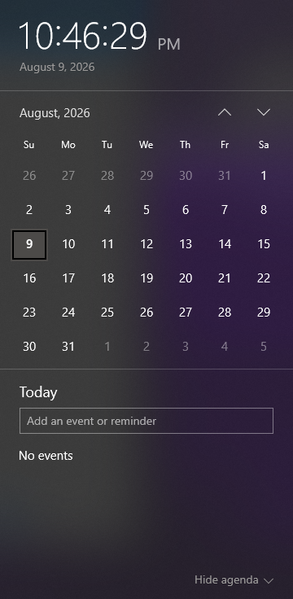
I am wondering how I can sync a specific calendar from outlook to be the one that the events get pulled from to appear in the taskbar calendar that is displayed when clicking the date/time tool. Currently the calendar that appears when I click the date and time section is blank, and trying to make a new event from that popup does not save anything. When go into the outlook calendar app, I can see the multiple email accounts and their respective calendar, but yet no events from these calendars show up when looking at the calendar popup from the taskbar. When trying to make an event in this calendar popup, it even gives me the option to save the event to one of my outlook accounts (the gmail account I have integrated), but does not successfully save any event anywhere. I am wondering what is required to be able to see the events from my outlook calendar in this popup, and to be able to quickly and conveniently make events from this taskbar popup and have them save to my actual outlook calendar. Including a screenshot of the calendar in taskbar that I am requesting help with incase of any confusion.345Views0likes3Comments
Bring back Taskbar at the top with multiple rows and Toolbars in Windows 11
Hi everyone, I just submitted new feedback in the Feedback Hub about the taskbar in Windows 11. Many of us miss the flexibility we had in Windows 10, and I think it's important Microsoft hears this from as many users as possible. Specifically, the feedback asks Microsoft to: - Allow the taskbar to be moved to the top (and other sides) of the screen. - Bring back multi-row taskbars for people who pin many apps. - Support custom toolbars again (quick access to folders, files, and shortcuts). - Make it possible to keep system tray icons always visible without extra clicks. If you also miss these features, please upvote the feedback here: https://aka.ms/AAxn2ht The Windows taskbar has always been one of the most important parts of the OS, and restoring these customization options would improve productivity and make Windows 11 more user-friendly for everyone. Thanks for supporting this! Niklas, Sweden288Views2likes1Comment
Windows 11 Taskbar
Just some thoughts on Windows 11, wich makes is literally a pain to use in a Business Environment. Lack of mulitrow Taskbar (like 2 rows as it was in Windows 10)q Having many open applications, especially on a small screen (eg. 14 inch) fills the taskbar very quickly, and the ones not fitting get moved (hidden from plain sight) makes the whole working process more tedious. The setting for the Grouping of Tabs set to "never" is a nice addition, but is it buggy as hell. Like, open a Bunch of Chrome Tabs, if the Taskbar gets too full, all Chrome Tabs gets moved to the submenu, and most of the Taskbar again is useless and wasting space. Grouped Items in the Taskbar adds a lot of overhead if you have to switch between applications on a regular basis (like i said, in a business environment this is really stressful). The Items in the Taskbar having different widths drives me nuts. I get this, this is just personal preference, but i like a clean look with a standardized look and feel. Basically, the only thing thats preventing me from changing to Windows 11 is the total lack of customization Options for the Taskbar, compared to Windwos 10. Windows 10 in that regard is way superior to Windows 11. Making the Taskbar "more simple" is a nice Idea, i have no doubt about that, but making it "more simple" at the cost of usability is just madness, and not actually achieving the goal that should be strived for by making it "more simple" in the first place. These are just the most critical missing Features from the taskbar, wich might get me to switch to Windwos 11. But just to be complete about it, there are many more now missing Features for the Taskbar in Windows 11 compared to Windows 10.334Views0likes4Comments
Wrong profile name in taskbar for different profiles.
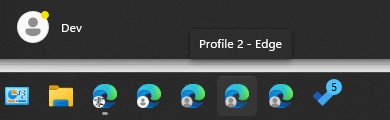
Profile name in taskbar is different than the name in the browser- I have more 5-6 different profiles and I have properly named them in browser settings. but when I pin the same profile icon on taskbar, the name gets saved like "Profile X" For Example - Name is like "Profile 2" Meanwhile in the Settings it's like this-139Views0likes0CommentsHow can I custom toolbar/taskbar on Win 11?
I'm trying to restore a custom toolbar on my Windows 11 taskbar that directly links to a folder, as I find it very convenient for accessing frequently used programs. Previously, I could place these on the right side of the taskbar, but now I can only adjust the position of the main taskbar to the left or middle. I've looked through numerous YouTube tutorials but haven't found a solution yet. If there's no built-in way to do this in Windows 11, could someone recommend a widget or third-party program that might help? Thanks in advance!Solved14KViews2likes4CommentsNever Group Taskbar Windows 11
Greetings, I recently installed Windows 11 for testing purposes, as many of our customers are transitioning to it. However, after about 1 hour, I decided to revert to Windows 10. The reason for this change was my frustration with the inability to ungroup icons on the Taskbar. I came across numerous forum threads dating back over two years, where countless users expressed their dissatisfaction, yet it seems Microsoft has not addressed this issue. I'm left wondering about the purpose of this new Taskbar design – it appears to be a wasted use of space, left and right. Designed to be most unproductiv possible. What I dont understand, why Microsoft is holding on to this Design even if a high % have show they dissatisfaction about it. Really disappointed and I wont be using Windows 11 anytime soon. Maybe skip it in total and wait for Windows 12.2KViews2likes4Comments
Taskbar Behavior - not available on my Win 11
I just installed Windows 11 Pro and did all the updates. My Microsoft account is active. However, I can't find the "Taskbar Behavior" in the taskbar settings. It seems that I am the only one who can't find it. What am I doing wrong? I have multiple monitors and I want the taskbar present in all of them. Thanks2.7KViews0likes1Comment
Customizing Start & Task Bar for AVD Multisession-Hosts (Windows 11)
Hello everyone, I hope you're doing well. I am reaching out to seek assistance with customizing the Start Menu and Taskbar on Windows 11 for our users. Our aim is to establish specific pinned apps and shortcuts to enhance their productivity and overall experience. We have already explored a few methods to achieve this customization. Initially, we attempted to utilize the Export-StartLayout command to export the desired StartLayout. Additionally, we experimented with applying a Group Policy Object (GPO) to configure the Start Menu accordingly. Unfortunately, these efforts did not yield the expected results. Furthermore, we explored the possibility of importing a "pinnedList" JSON-File. However, the available documentation primarily focuses on accomplishing this through Intune. It's worth mentioning that our AVD (Azure Virtual Desktop) hosts are not currently visible in Intune, making it challenging to follow those specific instructions. At this point, we kindly request guidance from the community on the recommended steps and best practices for modifying the Start Menu and Taskbar in Windows 11. Any insights, suggestions, or alternative approaches would be greatly appreciated. Thank you all in advance for your time and valuable input.2.9KViews1like0CommentsTaskbar Inaccessible when Teams Preview windows is maximised.
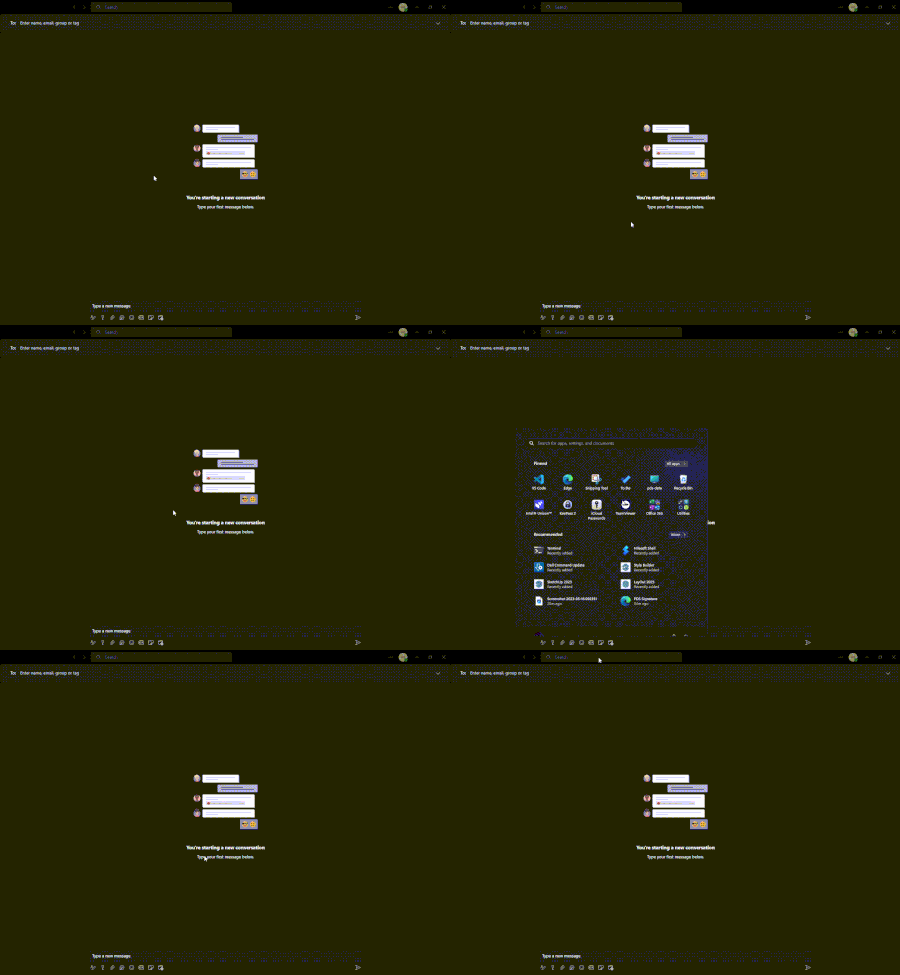
Hello all, Bit of a weird issue that we are experiencing when previewing the new Teams client - when the window is full screened, we cannot access the taskbar when it is configured to auto-hide. Pressing the start button pops the taskbar up but moving my cursor to the bottom of the application doesn't do anything. Does anyone else have this issue? This issue is also apparent in the Windows Terminal Preview.Please add this feature soon!!!
Please allow us to set different taskbars for different desktops, it would be so helpful to have this feature as I obviously use different apps for school and work. Having the right apps pinned to my taskbar depending on which desktop I am using would be way more convenient and help me focus.1KViews2likes1Comment