stream
61 TopicsMark Your Calendars for Microsoft Stream/Live Events Days - HLS Modern Workplace Events Series
This coming May 28 th and 29 th the HLS Modern Workplace Events Series is excited to host 2 webcast sessions covering Microsoft 365 Stream and Microsoft 365 Live Events. If you are looking to help support and accelerate the digital transformation of your organization then these are two must see events. You will receive the latest in updates and roadmap as well as be able to interact with presenters from the actual product teams directly.
Sharing a Video from Stream using Anonymous links doesn't allow users to download video
Hi, Download button disappeared again from the Stream view of the video when it is shared via Anonymous link using Can view Setting. Can view setting also wrongly presents the description as: Anyone with the link can view but can't download which in essence is true but it shouldn't be true for the Can view setting. When I switch to Can't download and Apply it and then go back to the link settings and choose Can view, I get the correct description: Anyone with the link can view. However, when opened, the video still doesn't have the Download button. Marc Mroz is this planned shift in regard to Stream revamp or just a unintended side effect - bug? Thank you for the effort.New Stream Web Part - Source > Folder > From Sites > Only shows recent shared libraries
The new Stream (on SharePoint) web part just hit my org's tenant. When you add the web part to the SharePoint page, there are several source options: Videos on this site, Folder, and Single Video. When you select Folder as the source and the Select Folder button, it gives you the option to select Your Organization, OneDrive, Site, and From sites. Here's the problem I'm running into: When you select From sites, it only allows you to see the Shared (Doc) Libraries you have accessed most recently and is limited to 12. If the Shared (Doc) Library you need is not shown, you have to: Stop editing the SharePoint page Navigate too and open the Shared (Doc) Library where the video file(s) live Wait a few minutes Go back to the SharePoint page you were editing and hope the Shared (Doc) Library shows up when you select From sites. The workaround "works" but it isn't a great experience for the end user. Is there any other way to get the ability to search for the Shared Library?4.7KViews3likes20Comments
Teams Meeting Recording does not include Embedded Video from PowerPoint presentation
One of my customers ran into an interesting issue recently that I have been able to replicate. I'm curious if others are also experiencing this, and if there's a way to make it work properly. Here's the scenario: A PowerPoint slideshow is shared in a Teams meeting using the "Present in Teams" button from PowerPoint. The slideshow contains an embedded *.webm video that was recorded with Stream (on SharePoint). Participants in the meeting are able to see and hear the video correctly during the meeting. In the Teams meeting recording, the audio and video from the *.webm video does not work... it appears blank on the slide as if no video was played. In some testing with the customer prior to the meeting, the video file playback quality was best when using the "Present in Teams" button instead of a screen share in Teams with computer audio. I had assumed this built-in sharing method would be our best route. We did not realize the meeting would be recorded and did not test that specifically. After the issue occurred, I recorded a new video and created a new PowerPoint slideshow to test this in 3 scenarios... First by sharing the PowerPoint app from the Teams meeting. The Teams meeting recording contained the audio and video properly from the embedded *.webm file that was played. Second, from the Teams meeting, sharing the entire screen including computer audio, the embedded *.webm video again played properly in the meeting recording. Third, when using the "Present in Teams" button from PowerPoint, the *.webm video played correctly during the meeting, but the Teams meeting recording did not contain audio or video from the embedded *.webm video, just like what my customer experienced. I can't tell if this is a known limitation, an issue with Teams meeting recording functionality, or an issue with PowerPoint. If anyone has some insight to share, it would be greatly appreciated! Thanks, Brian10KViews2likes3CommentsRecording - HLS Modern Workplace Fire Away Friday 08-03-2018
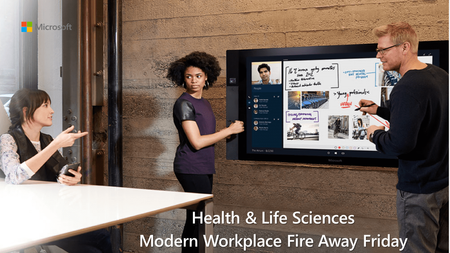
Thanks to all those who were able to join our 8-3-2018 edition of “HLS Modern Workplace Fire Away Friday.” It was our first delivery of a live public event using the new Microsoft Live Events using Microsoft Stream. During this webcast we covered: The Modern Workplace Top 3 Microsoft Intelligent Events. Live Events for Stream, Yammer, and Teams Open Forum Q&A