start
16 Topics
Customizing Start & Task Bar for AVD Multisession-Hosts (Windows 11)
Hello everyone, I hope you're doing well. I am reaching out to seek assistance with customizing the Start Menu and Taskbar on Windows 11 for our users. Our aim is to establish specific pinned apps and shortcuts to enhance their productivity and overall experience. We have already explored a few methods to achieve this customization. Initially, we attempted to utilize the Export-StartLayout command to export the desired StartLayout. Additionally, we experimented with applying a Group Policy Object (GPO) to configure the Start Menu accordingly. Unfortunately, these efforts did not yield the expected results. Furthermore, we explored the possibility of importing a "pinnedList" JSON-File. However, the available documentation primarily focuses on accomplishing this through Intune. It's worth mentioning that our AVD (Azure Virtual Desktop) hosts are not currently visible in Intune, making it challenging to follow those specific instructions. At this point, we kindly request guidance from the community on the recommended steps and best practices for modifying the Start Menu and Taskbar in Windows 11. Any insights, suggestions, or alternative approaches would be greatly appreciated. Thank you all in advance for your time and valuable input.2.9KViews1like0Comments
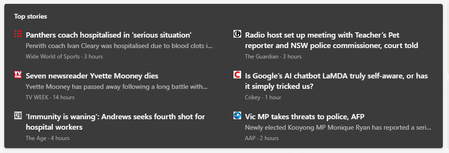
Microsoft Start Feed
Negatives: 1) Too many Images. Less text. Makes it feel like ads 2) Lots of small square cards makes the page look over-crowded. 3) Entertainment News greater than Everything else on the home feed 4) Endless vertical scrolling is a bad experience on both mobile and web. 5) I have the same feeling of visiting Windows Central website while visiting Microsoft Start feed: Spend least amount of time as possible / exit Positives: When you open a news, that page is good. Nicely spaced sentences & paragraphs, awesome Font. Good looking title bar. Easy to access butttons for reacting and commenting. Suggestions: 1) The comment feed on the right is good. But animation could be improved. 2) On the 'home' landing page, there are two ways to switch between categories. Merge both into one and pin it on the left. Similar to google news. 3) Make the displaying of news articles view similar to google news (i.e. across the screen, in a rectangle shape. 4) Bring the homepage design of the MSN to the Start feed and give it a fresh coat of paint. 5) Take design cues from TheVerge and TheGuardian 6) Remove the glossy feel of article thumbnails. Bring in the 'close to paper' feel of Guardian app cards and mix some fluent design with it. Something similar to the abaove image would be nice on the top of the feed and you could maybe have the square cards below it. As a result of too much celebrity/entertainment news on the start feed in windows 11. I took the drastic step of disabling all news sources and interests available. As a result I only have 1 news article on the start feed now. But sometimes the long - pinned widgets dissappear, sometimes I can't pin any widget, sometimes the feed is bombarded with news from every interests even though I have blocked all of it. Can't see news on the MSN Feed anymore😐2KViews0likes0Comments
Windows 11 start menu not clickable
When the taskbar is centered i can't click inside the start menu but if i place it on the left, it is possible. Then the terminal had the same problem, if i place it on the center i can't click but i can in the left. It's like something is blocking the screen center. The problem only happens with this programs, it is very weird. I attached a video. The problem goes away if i only enable the second display and then only enable the primary display.4.4KViews1like4CommentsI want to be able to group app icons on Start menu - Windows 11
for example I want to put PWAs icons in one group, put Photo related app/software icons in another group and so on. Ideally I want to do this by dragging an icon on start menu and dropping it on another icon to form a group - Windows 11 insider Upvote in feedback hub: https://aka.ms/AAdps2r28KViews27likes22CommentsLet us assign an action to holding Start menu button gesture
That action could be, but not limited to, launching Cortana or other voice assistances in Windows such as Alexa, opening an app, locking Windows, opening Start menu in full screen mode with all installed apps listed, go to next desktop wallpaper etc. Upvote this feedback in feedback hub please: https://aka.ms/AAdgati513Views0likes0CommentsWindows 11: Remove search bar from Start menu
Remove search bar from Start menu, the search icon and all of its feature are already available next to start button There is no need to show search bar at the top of Start menu, keep it simple. the search functionality and icon is there right next to the start menu, with all of its features, don't need to duplicate it on start menu. keep start menu simple. Upvote this feedback in feedback hub: https://aka.ms/AAd5e145.2KViews1like1Comment
How 'best' to create a new team - Best practice!
Hi everyone, I'm a little confused about the 'best' way of starting a new Team, and whether such a thing exists. I currently run a 'community' as a Team, and when I set it up, I just went through the Teams app and created a new team from scratch. That meant manually adding all 400 members to it, as for some reason, it didn't sync through and create a 'Office 365 group this way. I'm now giving some guidance more broadly in our organisation about how to create a new Team, so it's got me thinking, what is the best way to do this? Are there benefits to creating it by first creating an office 365 group? Are there scenarios where you should definitely go that route first? Or is that something you can add on later. What advice would you give when simply saying to someone 'this is how you should go about creating a new team' as there doesn't seem to be a definitive answer. Thanks in advance 🙂2.8KViews0likes3Comments
Mitglieder einladen
Ich habe mir einen neuen 365 Business Account bei Microsoft geholt... an sich will ich nur Teams nutzen. Unsere Google eMail Adressen gehen da nicht, daher musste ich xxxxxx.onmicrosoft.com anlegen .. soweit so gut.. ich komme rein... aber ich kann niemanden via mail oder code einladen. der code geht bei keinem und unter via email einladen steht einfach nichts... ich kann etwas eintippen, aber man kann es nicht absenden/er findet die Adressen nicht... ich frag mich auch wo er das sucht.... bei der desktop Version kann ich auch die anderen Teams wo ich als GAST eingeladen wurde nicht mehr sehen.. okay, die laufen auch über eine andere Adresse.. aber das muss auch so sein.... die, die ich ja nicht nutzen konnte für business.. warm auch immer.... in der mobil APP kann ich mehrere Konten anlegen.. da geht es... ich bin verzweifelt. der Support. ist auch fratze von MS. angeblich ist ja laut FAQ der IT Support bis 21 Uhr da,.. aber es geht nur ein band ran das außerhalb der Geschäftszeiten vorliest.. super.... die webchat tools sind nur für private Personen... und die Business Teams haben wir schon 3 mal Rückrufe von der IT angeboten.. innerhalb von 2 stunden.... ja.. diese 2 stunden sind schon 10 Stunden um... also, MS entfacht in jeder Hinsicht.... weiß einer Hilfe?Solved1.1KViews0likes1Comment