spfx
117 Topics
Personalized User Content in Viva Amplify Campaigns
We’re exploring the use of Microsoft Viva Amplify to send out daily newsletters or notifications to users across our organization. Our goal is to make the content personalized for each user. we’ve noticed that Viva Amplify currently doesn’t seem to support inserting dynamic content that varies per users. Every user receives the same message in a campaign. To address this, we’re considering whether it’s possible to embed a custom SPFx web part inside a Viva Amplify template. The SPFx web part would dynamically render content based on the current logged-in user’s metadata, allowing each user to see personalized information. Questions: Is there any supported or upcoming way to include custom SPFx solutions inside Viva Amplify campaign templates (similar to how we can in SharePoint pages)? Or are there any built-in web parts or extensibility options that can help fetch and display personalized dynamic content for each user? If not currently supported, is there any roadmap item or recommended workaround for delivering personalized dynamic communications using Viva Amplify?98Views4likes0CommentsViva Connections Partner Showcase - Lightning Tools
We are excited to share a Partner Showcase story on Lightning Tools. Director, Brett Lonsdale from Lightning Tools is showcasing their solutions and extensions which available for the customers from the AppSource and directly from their channels. 2.5KViews2likes1Comment
SharePoint2016 On Prem -SPFx HelloWorld App can’t add to site ” You can't add this app here”
I am facing issue while development and/or deploy SPfx HelloWorld app. I was able to deployed to App Catalog but could not able to add on page, because its say ” You can't add this app here” Current Environment: Sharepoint 2016 on-prem Install Feature Pack 2 Do I need to set-up app domain on on-prem to work with SPFx solutions? Thanks Deepak1KViews2likes0CommentsSharePoint Online not respecting target="_blank" anymore?
Hi, I have custom spfx webparts that have links in them which the users wish to be opened in a new tab when clicked. This was achieved using the typical target="blank" parameter, but just over the last week SharePoint modern pages now open these links in the same tab (previously they were opening in new tab as expected). I have tried this with a anchors, and also using the Office Fabric Link component - same result. Anyone know why, and how I can get these links to open in a new tab? Also worth noting that the links to lists and libraries off the Site Contents page still open in a new tab - can I replicate this behaviour somehow?? Thanks!Solved21KViews1like6Comments
SPFX 18.2 gulp serve issues
I have recently updated a number of modern spfx webparts to spfx 18.2 and this morning when I try to debug in workbench (locally and on tenant) I am getting serve errors in relation to react and react-dom I am able to serve projects not using react successfully but when using spfx 18.2 but not react 16.8.4 - has anybody else encountered this issue. I have restored to previous code backup, as well as restoring to previous days last git commit neither had a positive effect. I get no errors in terminal but workbench shows the following message: SPLoaderError.loadComponentError]: ***Failed to load component "174429f3-8ff8-4143-8f12-7c398d264e9a" (FusionWebPartWebPart). Original error: ***Failed to load URL 'https://localhost:4321/node_modules/react/dist/react.js' for resource 'react' in component '174429f3-8ff8-4143-8f12-7c398d264e9a' (FusionWebPartWebPart). The file was not found in the server. Make sure that you are running 'gulp serve'. ***INNERERROR: ***Failed to load URL 'https://localhost:4321/node_modules/react/dist/react.js' for resource 'react' in component '174429f3-8ff8-4143-8f12-7c398d264e9a' (FusionWebPartWebPart). The file was not found in the server. Make sure that you are running 'gulp serve'. ***CALLSTACK: Error at SPLoaderError.SPError [as constructor] (https://localhost:4321/temp/workbench-packages/@microsoft_sp-loader/dist/sp-loader-assembly_default.js:8390:24) at new SPLoaderError (https://localhost:4321/temp/workbench-packages/@microsoft_sp-loader/dist/sp-loader-assembly_default.js:4036:28) at Function.ErrorBuilder.buildErrorWithVerboseLog (https://localhost:4321/temp/workbench-packages/@microsoft_sp-loader/dist/sp-loader-assembly_default.js:3789:21) at Function.ErrorBuilder.buildLoadComponentError (https://localhost:4321/temp/workbench-packages/@microsoft_sp-loader/dist/sp-loader-assembly_default.js:3697:21) at https://localhost:4321/temp/workbench-packages/@microsoft_sp-loader/dist/sp-loader-assembly_default.js:6275:47 Vesa Juvonen5KViews1like2Comments
Where do I manage 3rd party SPFx webparts?
Hi, I noticed more and more 3rd party modern webparts becoming available on our site collections lately. For example, we now have Asana, Bitbucket, Facebook, Github and many more. Is there a way to disable what's available to our end users? ThanksSolved2.7KViews1like2CommentsMicrosoft 365 & Power Platform Community call
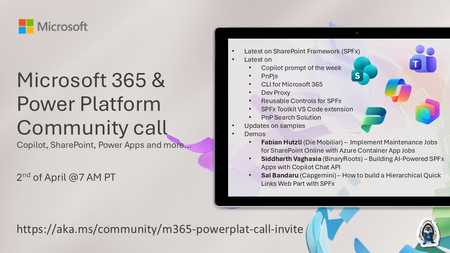
💡 Microsoft 365 & Power Platform Development bi-weekly community call focuses on different use cases and features within the Microsoft 365 and Power Platform - across Microsoft 365 Copilot, Copilot Studio, SharePoint, Power Apps and more. Demos in this call are presented by the community members. 👏 Looking to catch up on the latest news and updates, including cool community demos, this call is for you! 📅 On 19th of March we'll have following agenda: Latest on SharePoint Framework (SPFx) Latest on Copilot prompt of the week PnPjs CLI for Microsoft 365 Dev Proxy Reusable Controls for SPFx SPFx Toolkit VS Code extension PnP Search Solution Demos this time Fabian Hutzli (Die Mobiliar) – Implement Maintenance Jobs for SharePoint Online with Azure Container App Jobs Siddharth Vaghasia (BinaryRoots) – Building AI-Powered SPFx Apps with Copilot Chat API Sai Bandaru (Capgemini) – How to build a Hierarchical Quick Links Web Part with SPFx 📅 Download recurrent invite from https://aka.ms/community/m365-powerplat-dev-call-invite 📞 & 📺 Join the Microsoft Teams meeting live at https://aka.ms/community/m365-powerplat-dev-call-join 💡 Building something cool for Microsoft 365 or Power Platform (Copilot, SharePoint, Power Apps, etc)? We are always looking for presenters - Volunteer for a community call demo at https://aka.ms/community/request/demo 👋 See you in the call! 📖 Resources: Previous community call recordings and demos from the Microsoft Community Learning YouTube channel at https://aka.ms/community/youtube Microsoft 365 & Power Platform samples from Microsoft and community - https://aka.ms/community/samples Microsoft 365 & Power Platform community details - https://aka.ms/community/home 🧡 Sharing is caring!129Views1like0CommentsExtend Viva Connections with pre-built 3rd party Adaptive cards
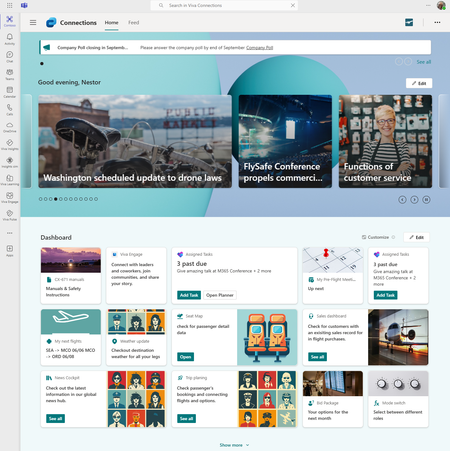
Viva Connections is the gateway for the employee experience and provides an extensible platform through the dashboard, where employees can see a targeted list of actionable cards that can connect to Microsoft Teams apps, Viva apps and services, partner apps, and custom solutions using the SharePoint Framework (SPFx) framework, internal links, and external links.7.8KViews1like0Comments
SharePoint Admin Center redirecting to SPFx Single Sign On Redirect Page
Hello, I've got an issue currently open with Microsoft Support however they're so far have been unable to resolve why I am being redirected to the SPFx Single Sign On Redirect Page when trying to access https://tenantname-admin.sharepoint.com/_layouts/15/online/AdminHome.aspx#/home or https://admin.microsoft.com/sharepoint I am automatically taken to this page: https://mytenant-admin.sharepoint.com/_forms/spfxsinglesignon.aspx#code=0.AS8AW0bSmouaik6V_eHePuABYHaI4Qh3YX5IuLXPlQweWYwvABo.AgABAAIAAAAmoFfGtYxvRrNriQdPKIZ-AgDs_wUA9P_WluBbcSJB8cYbx71lqqyGHXDLsQVhhZcLagG1nJVuzJmvdXqmMvfZLcR57oq4kV22VhbPOWpKyp9ABUF4tm7Pxs5I5_B3BPsDOD4QiS0VqO6gwAwQYNUc9pOjEloq0Bz1B1ZHnQMm-hG4V_82qj9O8Hx6rJ8JSpA9fBzhz51tsPClPQOBVpBU1fns_9bkraWscTBJnOlDTJv5hBrN1q6Fg7wqj5B2C9xdYCFBvb-VtaDifKLGrfvMUcnQ65q4QdOUogXsMT-jRVEQiLtMlqRb577n2BH0AQNrgAAOx2O4mlaICP0zryw6Gq3gZwnn8nCieusQ_zUqDUENaF9EDovxLvq-VDkNy7FUKU3lOlXqOE-j89oez7Wxpe-811wJUKVwv4nyeymNTqs4K7e1BHR-15iECb40bI65TvjzKSS-Zz9qBLu2c8vDxq18snuqpyhO_JxUIC7ya4qysOl1kexTqBjINizSrb7s94PXXJAzVBT_XuCZDPK2YaOewowrpPPzcV5d7M_HgezHDGI6_8YPZOI4SfKDWAQ4hN02LiexG71z3OtzUt1pPMErBVjzDMC1NGdNspu4f9JPAIjdBlYRbHRB0mt1HsbmJiVmbUpSDgoqz0VIBPeh_zVfhFp8Yv8qGBut6mbOCgG9IYppfX3K5j9hsEUYhKDpdSPSxcGuW2JfoOI6kD222eZ9WRyVip9WyAndCzO0yKp48op3z_5_NnqfVEWZEW4vNOkB3TZF3n8SI2OEu6eYODGjyZBKikhnMQ6o72PpO9V8lFQKejK_3-ll-Znh4nDpjkjoix8FCzAsLRydrV0I-4Zb2U4aTRDc7Z4ZkAUKyHHFjO_cIeMrw_mYmRmzF6SOsTX5cbwLcyukQiT-a9WLBg0UVQNkuQB0gruCANYYlP4d-aElOvODltEP&client_info=eyJ1aWQiOiI0MTljN2FhNS1hMzlmLTQwZGEtODQxZi02MDQ4OTA1YzliYzYiLCJ1dGlkIjoiOWFkMjQ2NWItOWE4Yi00ZThhLTk1ZmQtZTFkZTNlZTAwMTYwIn0&state=eyJpZCI6IjhhNjM0ZGQwLWYxYTgtNGE4NC1iNGQwLTcwNzAwYWQ1ODE4YyIsIm1ldGEiOnsiaW50ZXJhY3Rpb25UeXBlIjoicmVkaXJlY3QifX0%3d%7chttps%3a%2f%2fmytenant-admin.sharepoint.com%2f_layouts%2f15%2fonline%2fAdminHome.aspx%23%2fhome&session_state=3eeb8686-6f12-44cd-8159-1bb6ccf45bdb&correlation_id=5318a330-f909-411b-b997-a203bf473edb Any clue on what could be causing this as it only appears to be happening with my admin account. All other admins who have the SharePoint Admin role are able to traverse to the SharePoint Admin Center correctly. and Yes, I've tried this on 4 different browsers and several different computers - all resulting in the same issue.11KViews1like9Comments