sharepoint
3983 TopicsI built a free, open-source M365 security assessment tool - looking for feedback
I work as an IT consultant, and a good chunk of my time is spent assessing Microsoft 365 environments for small and mid-sized businesses. Every engagement started the same way: connect to five different PowerShell modules, run dozens of commands across Entra ID, Exchange Online, Defender, SharePoint, and Teams, manually compare each setting against CIS benchmarks, then spend hours assembling everything into a report the client could actually read. The tools that automate this either cost thousands per year, require standing up Azure infrastructure just to run, or only cover one service area. I wanted something simpler: one command that connects, assesses, and produces a client-ready deliverable. So I built it. What M365 Assess does https://github.com/Daren9m/M365-Assess is a PowerShell-based security assessment tool that runs against a Microsoft 365 tenant and produces a comprehensive set of reports. Here is what you get from a single run: 57 automated security checks aligned to the CIS Microsoft 365 Foundations Benchmark v6.0.1, covering Entra ID, Exchange Online, Defender for Office 365, SharePoint Online, and Teams 12 compliance frameworks mapped simultaneously -- every finding is cross-referenced against NIST 800-53, NIST CSF 2.0, ISO 27001:2022, SOC 2, HIPAA, PCI DSS v4.0.1, CMMC 2.0, CISA SCuBA, and DISA STIG (plus CIS profiles for E3 L1/L2 and E5 L1/L2) 20+ CSV exports covering users, mailboxes, MFA status, admin roles, conditional access policies, mail flow rules, device compliance, and more A self-contained HTML report with an executive summary, severity badges, sortable tables, and a compliance overview dashboard -- no external dependencies, fully base64-encoded, just open it in any browser or email it directly The entire assessment is read-only. It never modifies tenant settings. Only Get-* cmdlets are used. A few things I'm proud of Real-time progress in the console. As the assessment runs, you see each check complete with live status indicators and timing. No staring at a blank terminal wondering if it hung. The HTML report is a single file. Logos, backgrounds, fonts -- everything is embedded. You can email the report as an attachment and it renders perfectly. It supports dark mode (auto-detects system preference), and all tables are sortable by clicking column headers. Compliance framework mapping. This was the feature that took the most work. The compliance overview shows coverage percentages across all 12 frameworks, with drill-down to individual controls. Each finding links back to its CIS control ID and maps to every applicable framework control. Pass/Fail detail tables. Each security check shows the CIS control reference, what was checked, what the expected value is, what the actual value is, and a clear Pass/Fail/Warning status. Findings include remediation descriptions to help prioritize fixes. Quick start If you want to try it out, it takes about 5 minutes to get running: # Install prerequisites (if you don't have them already) Install-Module Microsoft.Graph, ExchangeOnlineManagement -Scope CurrentUser Clone and run git clone https://github.com/Daren9m/M365-Assess.git cd M365-Assess .\Invoke-M365Assessment.ps1 The interactive wizard walks you through selecting assessment sections, entering your tenant ID, and choosing an authentication method (interactive browser login, certificate-based, or pre-existing connections). Results land in a timestamped folder with all CSVs and the HTML report. Requires PowerShell 7.x and runs on Windows (macOS and Linux are experimental -- I would love help testing those platforms). Cloud support M365 Assess works with: Commercial (global) tenants GCC, GCC High, and DoD environments If you work in government cloud, the tool handles the different endpoint URIs automatically. What is next This is actively maintained and I have a roadmap of improvements: More automated checks -- 140 CIS v6.0.1 controls are tracked in the registry, with 57 automated today. Expanding coverage is the top priority. Remediation commands -- PowerShell snippets and portal steps for each finding, so you can fix issues directly from the report. XLSX compliance matrix -- A spreadsheet export for audit teams who need to work in Excel. Standalone report regeneration -- Re-run the report from existing CSV data without re-assessing the tenant. I would love your feedback I have been building this for my own consulting work, but I think it could be useful to the broader community. If you try it, I would genuinely appreciate hearing: What checks should I prioritize next? Which security controls matter most in your environment? What compliance frameworks are most requested by your clients or auditors? How does the report land with non-technical stakeholders? Is the executive summary useful, or does it need work? macOS/Linux users -- does it run? What breaks? I have tested it on macOS, but not extensively. Bug reports, feature requests, and contributions are all welcome on GitHub. Repository: https://github.com/Daren9m/M365-Assess License: MIT (free for commercial and personal use) Runtime: PowerShell 7.x Thanks for reading. Happy to answer any questions in the comments.2.3KViews2likes2Comments
The latest mobile apps killed mobile first when working with files
Hi, I really enjoyed working only with mobile devices when we started with M365. On iOS the OneDrive app was paramount when organising files in SharePoint/Teams Sites. Easy up- and downloads, drag‘n drop. Move and copy all was there to manage a companies files on mobile devices even when only on mobile network connections. But the upgrades that happened over the last 1-2 years completely break this kind of workflows. There is no really mobile-first paradigm visible anymore. The OneDrive app was worst. All the pretty well integration file management stuff is gone. No drag‘n drop. No useful integration into iOS Files app. Copying between OneDrive and SharePoint got a pain. Bulk operation just silently fail. Files get renamed without any warning (numbers get added to the name or are just increased so no one will ever find the file again). So just two simple usability examples that are a mess: to select multiple files in a folder you have to press the word ‚Select‘ that is not a button or something. This shows up like a column heading in the file view. Right beside ‚Name‘ and ‚Date Modified‘. Why are active user elements placed in table headings? If you browse into some SharePoint folders and quickly want to go back to your OneDrive files you either have to press the back button over and over again until your back to the top level view or you can press-hold the back button and then select ‚Files‘. Butthe latter brings you to the top level Library view and you still have to manually go to ‚Files‘. The old app design just had a top menu bar where views could easily be switched. Am I the only one who wants to work on mobile devices? Does Microsoft still expect everyone to use a laptop and run desktop apps? Annoying.12Views0likes0CommentsCopilot, Microsoft 365 & Power Platform Community call
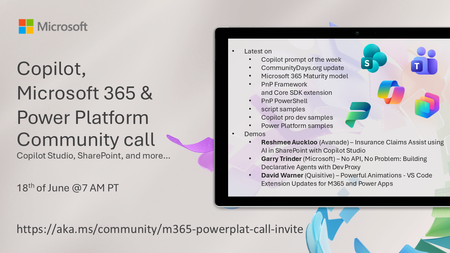
💡 Copilot, Microsoft 365 & Power Platform weekly community call focuses on different use cases and features within the Copilot, Microsoft 365 and Power Platform - across Microsoft 365 Copilot, Copilot Studio, SharePoint, Power Apps and more. 👏 Looking to catch up on the latest news and updates, including cool community demos, this call is for you! 📅 On 18th of June we'll have following agenda: Copilot prompt of the week CommunityDays.org update Microsoft 365 Maturity model Latest on PnP Framework and Core SDK extension Latest on PnP PowerShell Latest on script samples Latest Copilot pro dev samples Latest on Power Platform samples Picture time with the Together Mode! Reshmee Auckloo (Avanade) – Insurance Claims Assist using AI in SharePoint with Copilot Studio Garry Trinder (Microsoft) – No API, No Problem: Building Declarative Agents with Dev Proxy David Warner (Quisitive) – Powerful Animations - VS Code Extension Updates for M365 and Power Apps 📅 Download recurrent invite from https://aka.ms/community/m365-powerplat-dev-call-invite 📞 & 📺 Join the Microsoft Teams meeting live at https://aka.ms/community/m365-powerplat-dev-call-join 👋 See you in the call! 💡 Building something cool for Microsoft 365 or Power Platform (Copilot, SharePoint, Power Apps, etc)? We are always looking for presenters - Volunteer for a community call demo at https://aka.ms/community/request/demo 📖 Resources: Previous community call recordings and demos from the Microsoft Community Learning YouTube channel at https://aka.ms/community/youtube Microsoft 365 & Power Platform samples from Microsoft and community - https://aka.ms/community/samples Microsoft 365 & Power Platform community details - https://aka.ms/community/home 🧡 Sharing is caring!92Views1like0CommentsCopilot, Microsoft 365 & Power Platform product updates call
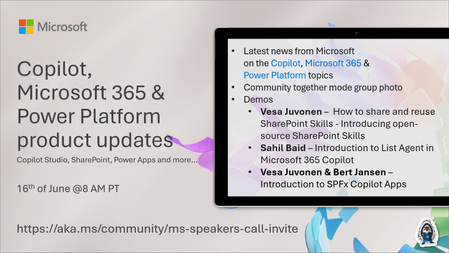
💡Copilot, Microsoft 365 & Power Platform product updates call concentrates on the different use cases and features within the Microsoft 365 and in Power Platform. Call includes topics like Microsoft 365 Copilot, Copilot Studio, Microsoft Teams, Power Platform, Microsoft Graph, Microsoft Viva, Microsoft Search, Microsoft Lists, SharePoint, Power Automate, Power Apps and more. 👏 Weekly Tuesday call is for all community members to see Microsoft PMs, engineering and Cloud Advocates showcasing the art of possible with Microsoft 365 and Power Platform. 📅 On the 16th of June we'll have following agenda: News and updates from Microsoft Together mode group photo Vesa Juvonen – How to share and reuse SharePoint Skills - Introducing open-source SharePoint Skills Sahil Baid – Introduction to List Agent in Microsoft 365 Copilot Vesa Juvonen & Bert Jansen – Introduction to SPFx Copilot Apps 📞 & 📺 Join the Microsoft Teams meeting live at https://aka.ms/community/ms-speakers-call-join 🗓️ Download recurrent invite for this weekly call from https://aka.ms/community/ms-speakers-call-invite 👋 See you in the call! 💡 Building something cool for Microsoft 365 or Power Platform (Copilot, SharePoint, Power Apps, etc)? We are always looking for presenters - Volunteer for a community call demo at https://aka.ms/community/request/demo 📖 Resources: Previous community call recordings and demos from the Microsoft Community Learning YouTube channel at https://aka.ms/community/youtube Microsoft 365 & Power Platform samples from Microsoft and community - https://aka.ms/community/samples Microsoft 365 & Power Platform community details - https://aka.ms/community/home 🧡 Sharing is caring!53Views0likes0CommentsRestricting Access is The Most Important Step in a Microsoft 365 Copilot Deployment
I was asked what the most important step is in the deployment of Microsoft 365 Copilot. It’s a good question. Put simply, restricted access is the answer. That is, restricting Copilot access to information stored in Microsoft 365 locations until your tenant is ready for unrestricted Copilot search and retrieval. The fortunate thing is that tools exist today to make it relatively easy to establish guardrails for Copilot, which is exactly what you need to do. https://office365itpros.com/2026/06/10/microsoft-365-copilot-prep/36Views0likes0CommentsCopilot, Microsoft 365 & Power Platform Community call
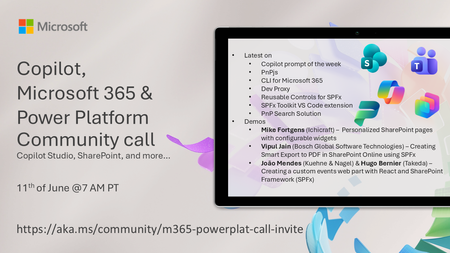
💡 Copilot, Microsoft 365 & Power Platform Development bi-weekly community call focuses on different use cases and features within the Microsoft 365 and Power Platform - across Microsoft 365 Copilot, Copilot Studio, SharePoint, Power Apps and more. Demos in this call are presented by the community members. 👏 Looking to catch up on the latest news and updates, including cool community demos, this call is for you! 📅 On 11th of June we'll have following agenda: Latest on SharePoint Framework (SPFx) Latest on Copilot prompt of the week PnPjs CLI for Microsoft 365 Dev Proxy Reusable Controls for SPFx SPFx Toolkit VS Code extension PnP Search Solution Demos this time Mike Fortgens (Ichicraft) – Personalized SharePoint pages with configurable widgets Vipul Jain (Bosch Global Software Technologies) – Creating Smart Export to PDF in SharePoint Online using SPFx João Mendes (Kuehne & Nagel) & Hugo Bernier – Creating a custom events web part with React and SharePoint Framework (SPFx) 📅 Download recurrent invite from https://aka.ms/community/m365-powerplat-dev-call-invite 📞 & 📺 Join the Microsoft Teams meeting live at https://aka.ms/community/m365-powerplat-dev-call-join 💡 Building something cool for Microsoft 365 or Power Platform (Copilot, SharePoint, Power Apps, etc)? We are always looking for presenters - Volunteer for a community call demo at https://aka.ms/community/request/demo 👋 See you in the call! 📖 Resources: Previous community call recordings and demos from the Microsoft Community Learning YouTube channel at https://aka.ms/community/youtube Microsoft 365 & Power Platform samples from Microsoft and community - https://aka.ms/community/samples Microsoft 365 & Power Platform community details - https://aka.ms/community/home 🧡 Sharing is caring!191Views2likes0CommentsCopilot, Microsoft 365 & Power Platform product updates call
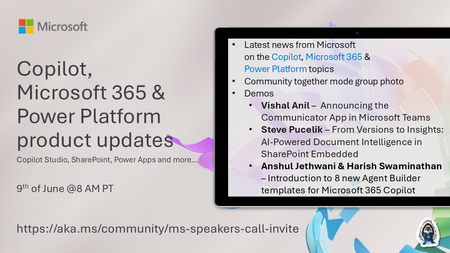
💡Copilot, Microsoft 365 & Power Platform product updates call concentrates on the different use cases and features within the Microsoft 365 and in Power Platform. Call includes topics like Microsoft 365 Copilot, Copilot Studio, Microsoft Teams, Power Platform, Microsoft Graph, Microsoft Viva, Microsoft Search, Microsoft Lists, SharePoint, Power Automate, Power Apps and more. 👏 Weekly Tuesday call is for all community members to see Microsoft PMs, engineering and Cloud Advocates showcasing the art of possible with Microsoft 365 and Power Platform. 📅 On the 9th of June we'll have following agenda: News and updates from Microsoft Together mode group photo Vishal Anil – Announcing the Communicator App in Microsoft Teams Steve Pucelik – From Versions to Insights: AI-Powered Document Intelligence in SharePoint Embedded Anshul Jethwani & Harish Swaminathan – Introduction to 8 new Agent Builder templates for Microsoft 365 Copilot 📞 & 📺 Join the Microsoft Teams meeting live at https://aka.ms/community/ms-speakers-call-join 🗓️ Download recurrent invite for this weekly call from https://aka.ms/community/ms-speakers-call-invite 👋 See you in the call! 💡 Building something cool for Microsoft 365 or Power Platform (Copilot, SharePoint, Power Apps, etc)? We are always looking for presenters - Volunteer for a community call demo at https://aka.ms/community/request/demo 📖 Resources: Previous community call recordings and demos from the Microsoft Community Learning YouTube channel at https://aka.ms/community/youtube Microsoft 365 & Power Platform samples from Microsoft and community - https://aka.ms/community/samples Microsoft 365 & Power Platform community details - https://aka.ms/community/home 🧡 Sharing is caring!179Views0likes0CommentsSharePoint Showcase: From Chaos to AI-Ready with the SharePoint Admin Agent
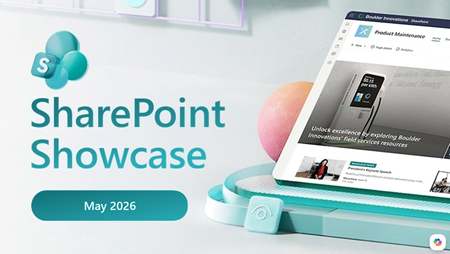
By: Sesha Mani and Sophia Peng The way governance gets done continues to evolve. Across organizations, agents are no longer a sidebar conversation; they are showing up in everyday work, reasoning over content, and stretching how IT thinks about permissions, lifecycle, and recovery. At the Microsoft 365 Community Conference, nearly every demo this year landed on the same grounding question from CISOs and admins alike: "What will it reason over, and how do we stay in control?" That question is exactly what the SharePoint Admin Agent was built to answer. In this month's SharePoint Showcase, we're spotlighting Microsoft's first-party AI assistant for managing your digital estate, along with the six-step Content Governance Journey it powers, designed to take a tenant from chaos to AI-ready through a practical governance journey. Meet the SharePoint Admin Agent As the content backbone of Microsoft 365, powering Teams, OneDrive, Loop, Copilot, Copilot Cowork, and a growing ecosystem of agents, SharePoint sits at the center of content governance. Permissions, lifecycle, resilience, and relevance now span users, apps, and AI agents. Managing that surface with portals and PowerShell alone doesn't scale. The SharePoint Admin Agent brings these capabilities together in one simple conversational experience. Admins can ask questions in natural language, gain actionable insights, and take meaningful action without switching portals or writing scripts. Behind the scenes, it's powered by SharePoint Advanced Management (SAM), the foundation for Copilot-native governance, and aligned to the 3Rs framework: Readiness, Relevance, and Resiliency. Because the SharePoint Admin Agent is a declarative agent, you aren't locked into a single surface. You can summon it from the SharePoint admin center, the Microsoft 365 admin center, Microsoft Teams, or directly inside chat, all gated by role-based access so only the right people can see admin-level insights and take admin-level actions. The Content Governance Journey: a practical path to AI-readiness We've mapped governance into a practical, six-step path that helps move a tenant from "I don't know where to start" to AI-readiness: Assess, Structure, Lifecycle, Oversharing, Access, and Resiliency. The agent rides along through every step, surfacing insights, recommending actions, and helping admins execute. 1. Assess content state Status: Generally Available Step one is the easy button. From the Advanced Management page in the SharePoint admin center, a single click kicks off a tenant-wide scan across SharePoint sites OneDrive’s, and tenant settings, with no manual data pulls or cross-referencing reports. The assessment returns a prioritized map of your content risks across Site Lifecycle, Oversharing, and Storage, with recommended next steps for each issue. From there, you can ask the agent to go deeper, for example: “Which sites were last accessed by external users?” or “What policy should I create next?” The agent reasons over your tenant signals and recommends actions you can take in place. 2. Control content structure with Catalog Management Status: Built-in grouping: Generally Available · Custom catalogs: Public Preview Many admins find it hard to answer questions like “which sites belong to Finance, and is Finance oversharing more than Sales?” Catalog Management makes that kind of grouping straightforward. Out of the box, your sites are grouped by region, department, and user type using built-in Microsoft 365 metadata, so you can target policies, reports, access reviews, and Copilot rollout with precision, department by department or region by region. And because organizations are unique, custom catalog creation is rolling out now: build site groups by direct CSV upload, by custom site properties, or by Entra ID extension attributes, for example, an "Executive Leadership" group that's excluded from certain lifecycle notifications. This structure gives the system a stronger foundation for more precise insights and recommendations, and it sets the stage for deeper anomaly detection over time. Storage runways, growth trends, and ranked cleanup opportunities all become more precise the moment you give the agent the coordinates of your organization. 3. Control content lifecycle Status: Generally Available Insights without ongoing automation drift back into chaos. Lifecycle skill turns inactive site management into an always-on system: a five-minute wizard lets you scope a policy (start with North America, or Finance, or just executive sites), set inactivity thresholds, choose who gets notified, and customize the message that lands in site owners' inboxes. Run the policy in simulation mode to preview which sites would be flagged before any notifications go out, then flip to active to let it run automatically every month. Ask the agent "Identify sites with low activity owned by Sales and Marketing" and it returns a ranked table in seconds, with recommendations like "Archive these top 10 sites to free up 5 TB," and a one-step path to create the policy that prevents the same buildup next quarter. 4. Control content oversharing Status: SAM Admin role: Generally Available · EEEU at file/folder: Private Preview Oversharing is one of the first questions organizations want to answer as they prepare content for Copilot. Most enterprise oversharing traces back to five common causes: site privacy set to public, default sharing set to "Everyone," broken permission inheritance, the "Everyone Except External Users" (EEEU) group, and content without sensitivity labels. To make those root causes visible at scale, Data Access Governance (DAG) reports give you a tenant-wide permission view, supporting up to one million sites, with insights into root causes and built-in mitigation actions. New in this wave: file-level reporting, starting with content shared via Everyone groups. Because file-level visibility is sensitive (a report can reveal what an executive is working on), we're introducing a new SharePoint Advanced Management Admin role, the SAM Admin, that grants the right people the right view without expanding broader tenant rights. These reports are available in SAM today, while file-level integration with the agent is still to come. In the meantime, the agent can help admins identify overshared sites and answer broader governance questions, while the new reports provide deeper file-level visibility where needed. 5. Control content access Status: Generally Available Site Access Reviews help you delegate access reviews to the people closest to the content, site owners, while you maintain tenant-level visibility. The agent can help admins identify where reviews are needed and guide next steps. Site owners get a clear, branded email and a focused view that shows only the files and folders presenting an oversharing risk, not the entire site. Pair this with Restricted Access Control (RAC) and Restricted Content Discovery (RCD), both honored by Copilot and both delegable to site admins, to keep sensitive content out of AI reasoning until access is right. 6. Plan for resiliency Status: Microsoft Baseline Security Mode GA · Microsoft 365 Backup GA - Multi-Geo Skill: Private Preview Resiliency is the part of the journey that's easy to skip, and the part that matters most when something goes wrong. The agent is already connected to more than 60 tenant settings spanning sharing, storage, and permissions, so you can ask, "Is Microsoft Baseline Security Mode enabled in my tenant?" or "Where can I optimize sharing?" without digging through admin centers. If recovery is needed, the agent helps you locate restore points across SharePoint and OneDrive from your Microsoft 365 Backup, and because recovery is high-stakes, the agent guides you step by step rather than acting on its own. Sign-up for Recovery Skill Private Preview. New this month: the Multi-Geo Skill (Private Preview), starting with move-status tracking. Ask the agent about the status of user or content moves at the geo or user level, with no more hunting through reports for an update. More Multi-Geo capabilities, including initiating moves, are on the roadmap. Interested? Sign-up for Private Preview. Designed with admins in the loop One of the most important design principles behind the SharePoint Admin Agent is what it won't do. Ask it to delete overshared sites and it will say no. The agent is built to analyze, recommend, and take safe actions, but destructive operations like deleting content or removing sites stay in the admin's hands, with full context. By design, you can stay in control with the agent. That's also why the new SAM Admin role exists: file-level insight is powerful, and the people who use it should be the ones who own it. The combination of conversational reasoning, a layered policy framework (RAC, RCD, inactive site policy, catalog management, and more), and clear role boundaries gives admins a governance posture that matches the pace of agent adoption: discover, decide, and act, without leaving the admin center. What's next The journey doesn't stop here. In the second half of 2026, expect deeper anomaly detection and notifications in the Storage skill, cross-skill queries that chain insights across permissions, lifecycle, and storage, the ability to control the agent's tone and temperament, and voice-driven tasks. A new Assess Progress capability will let admins track tenant readiness over time, and the Multi-Geo skill is set to expand from status tracking into initiating moves. Site owners will get their own governance hub, and we'll continue extending agent governance, including agent access insights, so the agentic estate stays as well-governed as the content beneath it. Governance is the grounding question, and the strategic enabler The real unlock is control. Instead of treating Copilot rollout as a tenant-wide switch, admins can roll out department by department or region by region. Take Finance as an example: scope inactive-site and ownership policies to that catalog, run the DAG permission report for the same set of sites, initiate Site Access Reviews with site owners, apply Restricted Content Discovery where labels or access aren't yet in place, and then enable Copilot for Finance with confidence. Repeat for the next group. The SharePoint Admin Agent, together with the broader SAM portfolio, is how we’re meeting admins where they are: managing a rapidly expanding digital estate with conversational tools that make readiness, relevance, and resiliency something you can act on in real time, not just plan for. Open the SharePoint admin center, start the assessment, and let the agent show you how quickly focused governance can drive progress. Learn more Microsoft 365 Copilot readiness and resiliency with SharePoint and M365 Backup/Archive Introducing SharePoint Admin Agent: Governing and securing SharePoint in the agentic era AI Security & Admin Innovation in Microsoft 365 — Microsoft 365 Community Conference demos SharePoint Advanced Management (SAM) overview Microsoft 365 Backup Stay tuned every month for the SharePoint Showcase, where we share updates, best practices, and real-world examples of how SharePoint helps teams move faster, work smarter, and stay in control as AI reshapes work.1.1KViews0likes0CommentsCopilot, Microsoft 365 & Power Platform product updates call
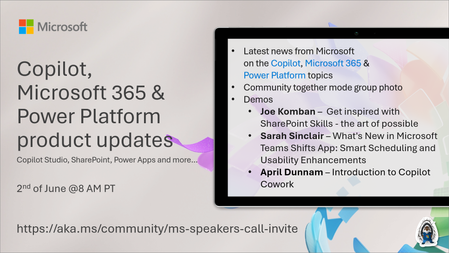
💡Microsoft 365 & Power Platform product updates call concentrates on the different use cases and features within the Microsoft 365 and in Power Platform. Call includes topics like Microsoft 365 Copilot, Copilot Studio, Microsoft Teams, Power Platform, Microsoft Graph, Microsoft Viva, Microsoft Search, Microsoft Lists, SharePoint, Power Automate, Power Apps and more. 👏 Weekly Tuesday call is for all community members to see Microsoft PMs, engineering and Cloud Advocates showcasing the art of possible with Microsoft 365 and Power Platform. 📅 On the 2nd of June we'll have following agenda: News and updates from Microsoft Together mode group photo Joe Komban – Get inspired with SharePoint Skills - the art of possible Sarah Sinclair – What's New in Microsoft Teams Shifts App: Smart Scheduling and Usability Enhancements April Dunnam – Introduction to Copilot Cowork 📞 & 📺 Join the Microsoft Teams meeting live at https://aka.ms/community/ms-speakers-call-join 🗓️ Download recurrent invite for this weekly call from https://aka.ms/community/ms-speakers-call-invite 👋 See you in the call! 💡 Building something cool for Microsoft 365 or Power Platform (Copilot, SharePoint, Power Apps, etc)? We are always looking for presenters - Volunteer for a community call demo at https://aka.ms/community/request/demo 📖 Resources: Previous community call recordings and demos from the Microsoft Community Learning YouTube channel at https://aka.ms/community/youtube Microsoft 365 & Power Platform samples from Microsoft and community - https://aka.ms/community/samples Microsoft 365 & Power Platform community details - https://aka.ms/community/home 🧡 Sharing is caring!105Views0likes0Comments