sharepoint
33 Topics
OneDrive: Unable to add shortcut for shared files under "My Files"
There are certain files that are shared with me in SharePoint. I have the editable rights for these files. I need to access these files in tableau. So I am trying to create a shortcut of these files so that the shared files are accessible through "My Files" folder in Tableau. I am referring to this Microsoft link but i am not getting the option "Add shortcut to OneDrive". https://support.microsoft.com/en-us/office/add-and-sync-shared-folders-to-onedrive-8a63cd47-1526-4cd8-bd09-ee3f9bfc1504?ui=en-us&rs=en-us&ad=us Can someone please help and advise what is wrong here.60KViews2likes22Comments
Granting access to folders for Mac
Hi. I am trying to sync a SharePoint library to my mac, but am running into the problem of OneDrive needing permissions on my folders to work. When I set up OneDrive for Business on my mac, this was handled through a grant-permission dialog, but I am getting no such option when trying to sync the SharePoint library. Any suggestions on how to get past this will be welcomed. Thanks Geoff6.3KViews1like1Comment
Sharepoint Shortcut to OneDrive
Hi, We’ve been using “Add shortcut to OneDrive” from SharePoint instead of the “Sync” option. Recently, however, some users have reported missing files. After investigating, I noticed that the shortcut appears to have been converted into a local copy in the user’s OneDrive. I realized this because the folder no longer shows the shared (people) icon, and I’m able to re-add the shortcut without any errors. Normally, if a shortcut already exists, SharePoint would display an error indicating that the shortcut is already present in OneDrive. Has anyone else experienced this issue? Thanks, Sur178Views1like0CommentsHow to list emails that have been associated with a sharing link
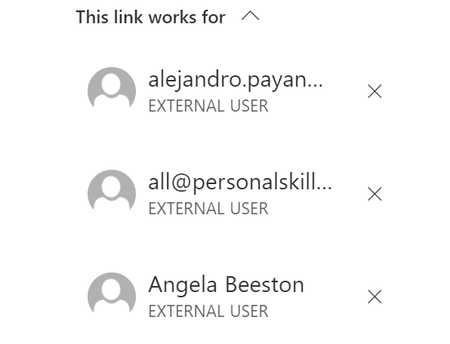
hi all, We have a few sharing links that we have associated a link (invite using specific person). These links have 100's of people but you cant really logically view the emails clearly. e.g Is there a way to view these users easily e.g. online somewhere, using a powershell module?1.2KViews1like2Comments
How do I reduce the possibility of syncing entire sharepoint libraries with Files on Demand?
I would like to utilize the new FOD feature in OneDrive for users OneDrives and also Sharepoint libraries. One of the things I am concerned about is users right clicking Sharepoint library folders and selecting "always keep on this device" not realizing it will sync everything under that. Is my only option at this point just good education for our users? Or are there ways to help stop that through group policy or some other method?2.8KViews1like3Comments