publisher
6 Topics
Publisher ExportAsFixedFormat ignores “Publication Page” while manual PDF/XPS export works
I am migrating a large archive of Microsoft Publisher files to PDF before Publisher is retired. We have isolated a repeatable problem in older publications. Example publication: Publisher page size: 210 x 148 mm, landscape • Manual export through File → Export → Create PDF/XPS → Options → Print Options • Settings shown by Publisher: • One page per sheet • Paper size: Publication Page • 210 x 148 mm • Landscape • Resulting PDF: 210 x 148 mm — correct However, both PowerShell/COM and VBA using Document.ExportAsFixedFormat produce a 215.9 x 279.4 mm portrait PDF. Explicitly using: PrintStyle:=pbPrintStyleOnePagePerSheet does not fix the problem. We tested the same publication using: Application.CommandBars.ExecuteMso "FileSaveAsPdfOrXps" This opens Publisher’s own PDF/XPS dialog. The dialog still shows Publication Page, 210 x 148 mm, landscape, and when published through that UI the resulting PDF is correct. We analysed 349 Publisher files: •120 exported with the correct page size • 229 exported with the wrong page size • all 229 failing files opened with an Adobe PDF / A4 portrait printer context The Publisher PageSetup.PageWidth and PageHeight values themselves remain correct. Question: Is there any documented or undocumented Publisher VBA/COM property, parameter, registry setting, or command that corresponds specifically to the PDF/XPS Print Options setting “Paper size: Publication Page”? In other words, how can ExportAsFixedFormat be made to reproduce exactly the same page-size behaviour as Publisher’s interactive PDF/XPS dialog? If this is not exposed through the Publisher object model, is automating the built-in FileSaveAsPdfOrXps command the only reliable approach? Publisher: Microsoft 365 desktop version on Windows.211Views0likes0CommentsBehind the Scenes: Meet Ben Truelove, Principal Designer and Accessibility Champion at Microsoft
Happy Friday Microsoft 365 Insiders! Join us in celebrating Ben Truelove, Principal Designer & Accessibility Champion at Microsoft. His journey from dreaming of invention to pioneering inclusive technology is a testament to the power of passion and purpose. "The community has a motto, ‘nothing about us without us,’ which means that the people who will benefit” says Ben. His story is a must-read for anyone passionate about creating an inclusive world: Behind the Scenes: Meet Ben Truelove, Principal Designer and Accessibility Champion at Microsoft 🌍 Thanks! Perry Sjogren Microsoft 365 Insider Social Media Manager Become a Microsoft 365 Insider and gain exclusive access to new features and help shape the future of Microsoft 365. Join Now: Windows | Mac | iOS | Android328Views0likes0CommentsBehind the Scenes: Creating a more accessible future with Peter Wu
Hey Microsoft 365 Insiders, As we approach Global Accessibility Awareness Day, we're proud to share a behind-the-scenes look with Peter Wu, Principal Software Engineer at Microsoft. Peter's tech journey and passion for creating accessible technology are truly inspiring. Read the full story: Behind the Scenes: Creating a more accessible future with Peter Wu Social posts: X: https://twitter.com/Msft365Insider/status/1788237428718727360 LinkedIn: https://www.linkedin.com/feed/update/urn:li:activity:7194003125429571585/ Threads: https://www.threads.net/@msft365insider/post/C6tqGYcBYeL Thanks! Perry Sjogren Microsoft 365 Insider Social Media Manager Become a Microsoft 365 Insider and gain exclusive access to new features and help shape the future of Microsoft 365. Join Now: Windows | Mac | iOS | Android351Views1like0Comments
Missing Add Publisher from Partner Center
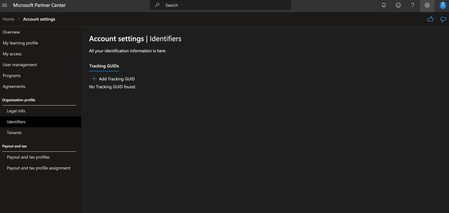
I am trying to create a publisher after creating a Microsoft 365 partner account, but I don't see the option. When I go to legal Info and look at my profiles I only have the developer profile, but I don't see the partner profile option. Do I need to have the Partner profile? If so, how do I get it?