publish
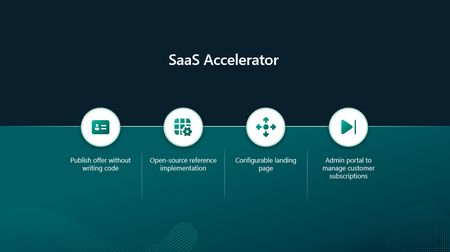
288 TopicsBuild your SaaS offer with the modernized SaaS Accelerator to sell on Marketplace
Build your SaaS offer for Microsoft Marketplace with coding agent guidance and the modernized SaaS Accelerator. Explore resources that help simplify Marketplace integration and move from development to publishing faster.148Views4likes0CommentsConnect development and Marketplace publishing
Marketplace Ingestion MCP and Product Ingestion APIs now support every Microsoft Marketplace product, giving publishers more options for incorporating publishing into development and release workflows. Explore agent-assisted publishing, direct API integration, and generally available SaaS and virtual machine APIs. Existing preview integrations continue to work, so teams can adopt the latest versions at their own pace. Read the blog: Agentic Marketplace publishing expands with broader product coverage and generally available APIs36Views0likes0Comments
Payout and tax profiles non-us individual, no company, no tax ID
Subject: Tax profile for an individual in the UAE: is a VAT/Tax ID mandatory? Hello, I am an individual developer (account type: Individual), permanent resident of the United Arab Emirates, creating a tax profile in order to sell a paid add-on on the Microsoft Store. At the "Tax Residence Country/Region" step, the field "Tax ID type" is required and its only option is "VAT number", which then requires a Tax ID. I am not registered for VAT in the UAE and have no Tax Registration Number (TRN). Leaving the field empty blocks the Next button (screenshot attached). In the UAE, TAX registration is only required to businesses above a set yearly revenue. I am only an individual. Questions: 1. Is a UAE VAT number (TRN) mandatory to create a tax profile as an individual seller? 2. If so, is there an alternative path for individuals who are not VAT registered? 3. If a TRN is required, is registering for VAT the only option? Thank you.25Views0likes0CommentsWork IQ Cost and Pricing Model for Agents published in Marketplace
I would very much like to ask for assistance and input in regards of "Consumption, cost forecasting, break-even analysis and recommended customer pricing. " I believe a bit of context is required. We are about to publish two Work IQ MCP Agent in Marketplace. Both agents will be integrated to our existing Apps that are published in Marketplace. 1. iGlobe CRM for Teams and 2. iPlanner Pro for Outlook and Teams. Both Apps are multitenant Apps running on customers own tenant. The Apps can only be deployed from Marketplace. Lets use iPlanner Pro Agent as an example. In short, iPlanner Pro Agent uses Work IQ and MCP tools to understand emails, meetings and Microsoft 365 context, while iPlanner Pro turns that intelligence into structured Planner execution, including the appropriate plan, bucket, assignment, priority and supporting email context. Including saving the email or attachments on the task. A prompt could look like this "Find the latest email from email address removed for privacy reasons. Create a task for in Planner, put it in the correct Plan and bucket, assign it to the appropriate owner, set a due date for next week and save the email on the Planner Task" Work IQ and MCP provide context and intelligence, iPlanner Pro executes the structured actions, and Microsoft Planner remains the source of truth. To my understanding Work IQ API usage is billed through Copilot Credits rather than a separate per-user Work IQ license. Microsoft 365 Copilot includes Work IQ functionality within native Microsoft Copilot experiences, but third-party solutions such as iPlanner Pro consume Copilot Credits when they call Work IQ APIs. Work IQ does not require a separate API subscription, SKU or per-user licence. API usage is consumption-based and is measured in Copilot Credits. Work IQ operation Credit consumption Planning note Chat API Variable Depends on grounding, retrieval and reasoning complexity. Context API Variable Depends on the scenario and the sources used. Tool API 0.1 credit per API call Static component: $0.001 per call at $0.01 per credit. Example: 1,000 Tool API calls consume 100 credits, equivalent to $1.00 at the planning rate. Now here comes my confusion. 1. How do we know how many credits we are using with a prompt like the example I showed? the consumption is 0.1 credit per API call. 2. If I understand the above correct, the total consumption is calculated on the customer tenant. That consumption includes much more than just iPlanner Pro. Is that correct? 3. OR, will the sum of all customer using iPlanner Pro Agent be direct to us and we will be billed based on the total consumption of all our customers? If that is the case ( I don't think it is) then how do we know how much each customer consumed? 4. If consumption and billing is on the customer, how can the customer see what iPlanner Pro cost in consumed credits? This is important in regards of giving a cost forecast for customers. I am sure they would want that before start using the Agent. It is also important in regards of the question of if we should charge or offer it as a free agent? If we are billed then we will need to change for it. If the customer is billed then we probably will not be able to charge for it. I hope I have been able to explain my confusion. I tried asking contacts I have at Microsoft, but unfortunately haven't heard anything. That is why I am asking in the community. Have any one else the same challenge? what have you done? Can Microsoft assist here? I will be happy to take a Teams call and others are welcome to join. Thank you164Views0likes0CommentsBring Marketplace publishing closer to your development workflow
Explore how AI agents can help make Microsoft Marketplace publishing a more natural part of the development workflow. Marketplace Ingestion MCP connects MCP-compatible agent tools with Partner Center APIs, helping publishers turn natural-language intent into supported publishing actions. Learn four ways teams can incorporate agent-assisted publishing into their workflows, from creating and validating offers to building repeatable processes and working from familiar developer tools such as Visual Studio Code and GitHub Copilot CLI. See how publishers can bring product development and publishing closer together while keeping people involved in reviewing and approving changes. Read the article99Views0likes0CommentsBring Marketplace publishing into your agentic development workflow
Bringing Marketplace publishing into the development workflow can help teams connect product development and publishing activities through the tools and processes they already use. Teams build their product, then move into a different set of tools and processes to prepare, validate, and submit it. Marketplace Ingestion MCP creates an opportunity to bring those activities closer together. With Marketplace Ingestion MCP, publishers can use natural language and AI agents to create, validate, publish, and manage offers in Microsoft Marketplace. Instead of starting by manually constructing API payloads, publishers can describe the outcome they want. An agent can then help translate that intent into the information required by the underlying publishing APIs. Publishers can also build custom workflows using the MCP, connecting repeatable publishing activities with the development processes and tools their teams already use. The shift is straightforward: start with the publishing outcome, not the API payload. From publishing task to agentic workflow Marketplace Ingestion MCP is a Model Context Protocol (MCP) server that connects MCP-compatible agent tools with Partner Center APIs. For example, a publisher can ask an agent to create a SaaS offer and identify what is required before it can be published. The agent can retrieve the appropriate schema, build the payload, validate it, and create the offer as a draft. When the publisher is ready to continue, the agent can perform supported publishing actions. Publishers remain in control through the approval settings in their MCP client. This makes Marketplace publishing a more natural part of an agentic development workflow rather than a separate process that begins after development is complete. Four opportunities for agent-assisted publishing Teams exploring where Marketplace Ingestion MCP fits into their development lifecycle can start with four opportunities. 1. Start with intent Developers do not need to begin by manually assembling an API payload. They can describe the offer they want to create or the update they want to make. The agent can use Marketplace Ingestion MCP to retrieve the required schema, build the payload, and validate it before submission. This allows the publisher to focus first on the intended outcome while the agent handles more of the translation into API-specific structures. 2. Make repeated work part of the workflow Offer creation and updates often include steps that teams perform repeatedly. Those steps can become reusable agentic workflows and, where appropriate, be incorporated into continuous integration and continuous delivery (CI/CD) pipelines. The question for a development team now becomes: Which publishing activities do we repeat often enough that they should become part of our development workflow? The answer will differ across organizations, products, and release processes. Marketplace Ingestion MCP provides the building blocks teams can use to design a workflow that fits their needs. 3. Keep people in control Agent-assisted publishing does not require handing every decision to an agent. MCP client approval settings can require publishers to review and approve tool calls before changes are submitted. Teams can use those controls to determine where automation is useful and where human review should remain part of the process. 4. Work from familiar developer tools Marketplace Ingestion MCP works with supported MCP-compatible clients, including Visual Studio Code and GitHub Copilot CLI. This brings Marketplace publishing tasks closer to the environments where developers already build and operate their products. It also reduces the need to treat publishing as an isolated activity performed through a separate workflow. What does this look like in practice? Consider a fictional publisher, Contoso, that wants to bring a Microsoft 365 agent to customers. Contoso can provide its workflow integrated with the MCP with existing marketing material and the technical manifest for the agent. Marketplace Ingestion MCP can help translate that information into the structure required to create the product in Microsoft Marketplace. The workflow can then build on that information to create a linked SaaS offer for monetization, using the additional details required for the SaaS offer. The publisher describes what it wants to accomplish, and the agent uses Marketplace Ingestion MCP and the publishing APIs to turn that intent into supported publishing actions. Getting started Marketplace Ingestion MCP is included with access to Microsoft Marketplace publishing APIs. Before getting started, publishers need: A Partner Center account with the required role Access to Microsoft Marketplace publishing APIs A supported MCP-compatible client, such as Visual Studio Code or GitHub Copilot CLI The Microsoft Learn documentation covers prerequisites, installation and authentication, available tools, supported products, data handling, and an end-to-end SaaS example. Learn more: Marketplace Ingestion MCP server - Marketplace publisher Bringing publishing closer to development AI agents are becoming part of how developers build and operate software. Marketplace publishing can become part of those workflows as well. Marketplace Ingestion MCP connects natural-language intent with supported Marketplace publishing actions. It allows teams to create repeatable workflows while keeping publishers involved in reviewing and approving changes. The result is a closer connection between building a product and bringing it to market, helping developers focus on the cloud and AI solutions that differentiate their business. Thank you to the many teams whose collaboration brought Marketplace Ingestion MCP to publishers. Their work reflects a shared investment in helping publishers build, publish, and grow through Microsoft Marketplace.239Views0likes0CommentsHow and when do I use Frontier Accelerate for Marketplace benefits?
The latest App Advisor guidance shows how Frontier Accelerate for Marketplace can help at every stage: 🔨 Build & Publish: Create and optimize your Marketplace offer. 📈 Grow: Increase visibility and accelerate transactions. ⭐ Differentiate: Access advanced benefits that support long-term growth. Whether you're just getting started or scaling an established Marketplace business, App Advisor can help you find the right resources for your stage. 📖 Read the blog: Frontier Accelerate for Marketplace: New App Advisor Guidance for Software Companies Which stage best describes your Marketplace journey today: Build & Publish, Grow, or Differentiate?127Views0likes0CommentsExplore App Advisor for details on how Frontier Accelerate for Marketplace can help you sell more
Explore the latest Frontier Accelerate for Marketplace updates available through App Advisor. Learn how software development companies can discover relevant Microsoft Marketplace resources, benefits, and commercialization opportunities that help accelerate solution development, reach new customers, and scale revenue growth through Marketplace.278Views6likes1Comment
Can a reseller set exact customer totals on an Azure private offer?
When we create a multiperiod private offer, we enter our markup as a percentage. Sometimes the customer total Azure calculates is a few cents off the signed quote, even when we use all eight decimal places. Is there a way to set the exact customer price for each period? If not, how are other resellers handling these rounding differences?279Views0likes1CommentMicrosoft Marketplace Partner Digest - August 2026
What's new in Marketplace Convert more buyers into customers Microsoft recently expanded Marketplace listing capabilities with enhancements to free trials and the introduction of an option to request private offers, giving partners more ways to engage buyers at different stages of the purchasing journey. Customers can now discover and evaluate solutions through expanded trial experiences and transition more easily into paid subscription discussions by requesting custom pricing and terms directly from your Marketplace listings. ✨ Help customers evaluate your solution with free trials What's new On July 23 we announced the release of Marketplace enhanced trial capabilities. Customers can try solutions with confidence with the free trials in Microsoft Marketplace. Trials are available for multiple offer types, including SaaS, Azure virtual machines, Dynamics 365, and Power BI offers. New capabilities include: Custom meter trials: Partners can configure trials for SaaS solutions with metered pricing. Flexible trial durations: Partners can now configure SaaS trial durations from 1 to 180 days. Partner analytics: Partners can access SaaS trial analytics - including free trials initiated, active free trials, free trials converted, free trials not converted, and average trial duration - all within Partner Center Insights workspace. Customer discovery and management: Customers can better discover and manage trials. Upgrade to paid subscription during trial: Customers can upgrade to paid subscription at public pricing any time during a SaaS trial. Why it matters With enhanced trial capabilities in Microsoft Marketplace, partners can run self-service trials that make it easier for customers to try before they buy — whether for metered, per-user, or flat-rate pricing offers. Marketplace gives partners one place to manage trials end to end — from provisioning and mid-trial changes to insights — while improving offer discoverability through improved search, filters, and dedicated trial badges. Recommended action Review your Marketplace offers and trial strategy. For eligible SaaS offers, evaluate whether free trials can help you engage with more qualified buyers, faster. 📖 Learn more about free trials for SaaS ⚡ Customers can now request a private offer on Marketplace What’s new As of July 20, you can add a private offer request option directly on your Marketplace product pages. Customer requests are captured as Marketplace leads in referrals workspace and connected customer relationship management (CRM) integrations you’ve setup. This setting is disabled by default. You can easily activate it for applicable public offers. Why it matters More and more customers are seeking customized contracts and subscription pricing and terms tailored to their individual needs. This simple call to action reduces friction and helps you start the conversation with prospective buyers. Recommended action In the Marketplace offers workspace of Partner Center, update each of your offers for which you provide customers private offers. Enable the Request Private Offer setting and republish the offer. Events Recent events Multiparty private offers expand channel growth opportunities in Australia, Japan and South Africa Multiparty private offers continue to help software companies accelerate channel-led sales through Microsoft Marketplace. This past month, we hosted two region-focused Marketplace office hours sessions designed to help partners better understand local market opportunities, engage distributors and resellers, and scale Marketplace transactions through channel ecosystems in Australia and Japan. Whether you're looking to expand an existing Marketplace motion or explore new geographic opportunities, these sessions will provide practical guidance and market-specific insights to help you grow. See a list of currently supported countries/regions. Check out the recorded sessions: • Channel growth in Australia (English) • Channel growth in Japan (Japanese) Helping developers build, monetize, and scale AI solutions with Marketplace Discover how Microsoft Marketplace helps software companies access AI models and developer tools, accelerate application development, and reach customers through Microsoft's global commercial ecosystem. Learn how to monetize applications and agents without building and maintaining your own commerce and distribution infrastructure. Watch the recording Upcoming events Build AI-powered solutions, monetize through Microsoft Marketplace, and scale revenue through Microsoft expertise, skilling, and investments. Frontier Accelerate for Marketplace is an upcoming unified offering for software development companies to bring AI-powered solutions to market, drive customer acquisition and revenue growth, and scale through Microsoft Marketplace with technical guidance, skilling, and investments aligned to every stage of growth. 📆 Join us on August 26th before general availability to learn about the new offering, benefit alignment, migration guidance, and enrollment requirements. Next steps Turn insights into FY27 success — starting today. Ready to carry the momentum forward from MCAPS Start for Partners? Get everything you need to refine and execute your FY27 strategy in the Partner Activation Zone, including session recordings, ready-to-use playbooks, and tools to start building pipeline. Leverage your Marketplace Rewards benefits Discover use cases and how to leverage your Azure sponsorship. With Marketplace Rewards Azure sponsorships, eligible software development companies can increase sales through Microsoft Marketplace by using the sponsorships for customer deployments tied to Marketplace deals—and to offset infrastructure costs from eligible free trial offers. 📍Review the Marketplace Rewards Azure sponsorship policy guide for the latest459Views2likes0Comments