profile
203 Topics
copilot chats not avalible
I also want to add. What makes this even more concerning is that it has now been more than a month since the problem began, and I still cannot access my two most-used conversations. Despite receiving the message “ALL DATA WAS SAFELY TRANSFERRED,” the issue remains unresolved. These conversations contain important material that I have built up over more than a year, and I rely on them for inspiration and continuity in my books. I would really like to know whether Microsoft is still investigating this issue and whether anyone else has managed to recover access to their conversations after such a long time.20Views0likes0Commentscopilot chats not avalible
Title: Two of my most-used Copilot chats still won't open after the September update My two most-used Microsoft Copilot conversations have been inaccessible since September 25, following the update. When the update took place, I received the message “ALL DATA WAS SAFELY TRANSFERRED,” so I expected my previous conversations to remain accessible. However, these two chats still appear in my chat history, but I cannot open them. I have used them for more than a year, and they are very important to me because I use them for inspiration and continuity while writing my books. It is especially frustrating because my other conversations are still accessible. I have contacted Microsoft Support twice. During my second contact, I was told that they needed remote access to my computer. I was uncomfortable with this request because the problem began after an update to Microsoft Copilot, and the affected conversations still appear in my history. I would appreciate a clear explanation of why remote access is necessary and whether Microsoft can investigate the issue on its side instead. I have also noticed that, in the one chat I can currently use, I seem to hit a usage limit after less than 30 minutes, which makes it difficult to continue my work. Has anyone else experienced the same problem after the September update? Have your old conversations remained visible in your history but refused to open? Most importantly, has anyone managed to get their conversations working again after experiencing this issue? If so, what happened, and how was it resolved? I would really appreciate hearing about other people's experiences, especially from anyone who has successfully regained access to their old conversations.43Views1like1Comment
Guidance Required on Hands-on Labs for AI-500 Training
Dear MCT Support Team, Greetings! I am preparing to deliver the AI-500: Azure AI training course and would like some clarification regarding the hands-on labs. Could you please confirm whether Microsoft provides official lab environments for AI-500 through XtremeLabs, Skillable, or any other authorized lab provider? If lab environments are available, could you please guide me on how MCTs can access, provision, and conduct these labs during instructor-led training? If no hosted labs are currently available, could you please advise on the recommended approach for instructors and students to complete the practical exercises? Your guidance would be greatly appreciated, as I want to ensure a smooth and effective hands-on learning experience for participants. Thank you for your support. Best regards, Suman Jha Microsoft Certified Trainer (MCT)160Views0likes1Comment
I need to talk to a person from microsoft.
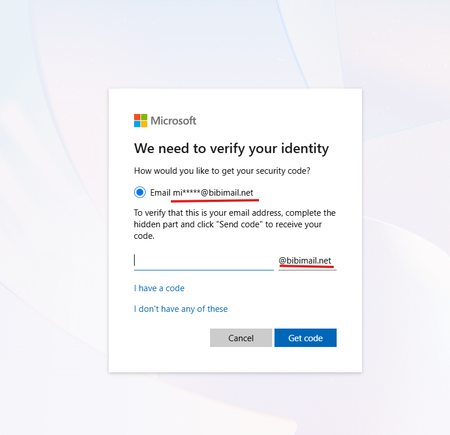
Hello, recently my account (email address removed for privacy reasons) got compromised. Someone changed my password and changed the email. I've tried to use the Account Recovery Form, but no matter what, they say my data was not sufficient. I really need help because I purchased products on this account that I don't want to lose. If any person can help me recover my account, that would be very appreciated. I can try to provide as much proof as I can in this post.54Views0likes0CommentsRetiring my own Entra tenant: how can I preserve my existing Tech Community profile?
I have an existing Microsoft Tech Community profile with years of posts, replies, subscriptions, reputation and private messages. The profile is currently accessed using a work/school Microsoft account belonging to a Microsoft Entra tenant that I own and plan to retire (not migrate: retire). When I try to sign in with a personal Microsoft account, Tech Community presents a first-time consent screen, which makes me concerned that it would create a new profile rather than attach to the existing one. Unlike Microsoft Learn, I have not found any option to link accounts, merge identities, or change the sign-in identity for an existing Tech Community profile. Questions: Is there any supported way to preserve access to an existing Tech Community profile after the work/school account used to sign in is no longer available? Is there any supported way to transfer, migrate, associate, merge, relink, or otherwise preserve an existing Tech Community profile and its data? What happens to an existing Tech Community profile if the Microsoft Entra tenant that owns the work/school account is retired? If preserving the existing login identity is not possible, is there a supported way to preserve and transfer all existing profile data (posts, replies, subscriptions, private messages, badges, reputation, groups, follows, etc.) to a new account? I would appreciate guidance from Microsoft staff or anyone who has successfully gone through this process. Thanks!313Views0likes11Comments
Microsoft Support Assistant HTTP 500 with non-ASCII account names
Bug Report: Microsoft Support Assistant HTTP 500 with non-ASCII account names Summary Microsoft Support Assistant on support.microsoft.com returns HTTP 500 when the authenticated Microsoft account profile contains non-ASCII characters in the user's name. The same Support Assistant workflow works normally after changing the profile name to ASCII-only characters. This appears to be a server-side defect in the Microsoft Support Assistant / CMSP Peridot backend. Microsoft Support case Case number: 7109874722 Microsoft Consumer Support reviewed the issue and stated that it appeared to be a backend issue in the Support Assistant service and that it should be handled by a dedicated team. However, the case was ultimately closed without an engineering escalation. Initial state My Microsoft account profile contained: Given name: Тимофей Surname: Денисов Steps to reproduce Open https://support.microsoft.com/en-us/home/contact Enter: Gaming Services GameInput MSI detection defect Select Get Help Select Ask our Support Assistant Send the request. The Support Assistant sends a POST request to its backend Stream endpoint. The request returns: HTTP 500 Response body: {"error":"Request headers must contain only ASCII characters."} I reproduced the failure twice in the captured session. Browser-side HTTP headers The HTTP request headers sent by Firefox contain only ASCII characters. Therefore, the error does not appear to be caused by a non-ASCII HTTP header sent by the browser itself. The browser-side HAR shows the HTTP 500 response being returned by support.microsoft.com. A/B reproduction I then changed my Microsoft account profile to ASCII-only values: Given name: Timofey Surname: Denisov After making this change, I repeated the same Support Assistant workflow. The HTTP 500 error no longer occurred. Therefore, the observed behavior is: Microsoft account name contains Cyrillic characters ↓ Support Assistant ↓ HTTP 500 "Request headers must contain only ASCII characters." Microsoft account name changed to ASCII-only ↓ Same Support Assistant workflow ↓ No HTTP 500 This provides a reproducible A/B test showing a strong correlation between non-ASCII characters in the authenticated profile name and the server-side failure. Relevant data observed in the HAR The authenticated profile information includes the original Unicode values. The CMSP session initialization also contains: "UserDisplayName":"Тимофей" The Support Assistant Init request itself succeeds. The subsequent Stream request fails with HTTP 500. Relevant correlation IDs: 3b5e8862-81d1-4797-8f7b-8a05ffcc2b89 9829ec10-4d5a-4687-9ad9-ce2ea4c8b7db Additional environment information: Environment: emerald-prod-we Build: v20260923.1.official Browser: Firefox 157.0 OS: Windows 11 Enterprise 25H2 x64 Possible technical cause The exact internal request that fails cannot be observed from the browser-side HAR. However, the error message: Request headers must contain only ASCII characters. is consistent with a .NET HTTP client rejecting a non-ASCII value while constructing an outbound HTTP request. One possible explanation is that a value derived from the authenticated user's profile, such as GivenName, Surname, or UserDisplayName, is being inserted into an internal HTTP request header without appropriate encoding or validation. This is a hypothesis; the exact internal header and downstream request need to be determined from server-side telemetry. Expected behavior The Support Assistant should successfully process requests regardless of whether the authenticated Microsoft account contains Unicode characters in the user's name. At minimum, a valid Unicode profile value should not cause an HTTP 500 response from the Support Assistant backend. Actual behavior A Microsoft account profile containing Cyrillic characters causes the Support Assistant Stream request to return HTTP 500: {"error":"Request headers must contain only ASCII characters."} Changing only the profile name to ASCII-only characters removes the failure. Request Please investigate this as a Microsoft Support Assistant / CMSP Peridot backend defect. In particular, please check the server-side telemetry for the correlation IDs above and determine: Which internal HTTP request generated the ASCII-header exception. Which HTTP header contained the non-ASCII value. Which profile field supplied that value. Why the value was allowed to reach an HTTP header rather than being encoded, transformed, or rejected earlier. Whether other Microsoft Support Assistant users with non-ASCII account names are affected. I have the original HAR capture containing the complete browser-side HTTP exchange. I have not attached the full HAR publicly because it contains authentication/session information. The exact backend endpoint and the complete HAR can be provided through an appropriate private Microsoft support channel if required.140Views0likes1Comment
How to change my contact details on my MS Onedrive account
I have long had an MS account which I use for One Drive and also pay monthly for extra storage. I want to KEEP everything as it is EXCEPT: my login for that account is (still) what was until recently my main email address and I have used it for almost two decades. But changes at my ISP which DID run the email service but no longer does that and the ISP has sold the email service to an outfit who are truly awful mean that I am in the process of changing my contact details, i.e. my contact email address, to a new bespoke address - I registered a domain name and use that for email. NB The new outfit took over in the spring and in taking over the server they LOST all my emails stored on it. I have since been able to track down half of them, but many important emails have been lost for ever. They are a disaster and I have to make serious changes and I very soon hope to ditch that old email address completely. That brings me to my question: I need to change the login and details of my One Drive account. But I HAVE to keep ALL the files store on One Drive as well as keep the storage space I am renting. Microsoft’s ‘help’ FAQ are worse than useless, confusing and send us round in circles. So could someone from Microsoft help me out and advise me? If you want more details, please get in touch. PS It does NOT help that when trying to post this, I get an error warning and highlighting in red a sentence but no indication as to what might be wrong.58Views0likes0CommentsWhat is the best Dell laptop for digital marketing and video editing?
Hi everyone, I'm looking for recommendations for a Dell laptop that can handle both digital marketing work and video editing. My main requirements are: - Smooth performance with multiple browser tabs and marketing tools - Good CPU and enough RAM for multitasking - Dedicated graphics for video editing - Good display and color accuracy - Fast SSD storage - Good cooling and battery life - Reliable performance for long working sessions I'm considering different Dell models but would appreciate recommendations from people who have actually used them for similar workloads. Which Dell laptop would you recommend, and what model/specifications have worked well for you? thanks in advance!177Views0likes1Comment