product roadmap
122 Topics
Planner task comments no longer send email notifications – critical regression
This change removed a previously existing core functionality without providing an adequate replacement. With the new Planner experience, task comments no longer trigger automatic email notifications to assigned users. This breaks a critical communication mechanism that many teams relied on for reliable task coordination. As a result, assigned users are no longer consistently informed about updates, introducing a high risk of missed information and operational issues in day-to-day work. There is currently no supported or enforceable alternative to ensure users are notified. Previous behavior: Task comments triggered automatic email notifications Assigned users were reliably informed Communication was traceable and consistent Current behavior: No automatic email notifications No configuration to restore this @mentions required (manual, error-prone, not enforceable) Microsoft Support has confirmed that this is by design and cannot be reverted. From an enterprise perspective, this is not just a design change, but a regression of critical functionality without an equivalent replacement. Request: Please restore automatic email notifications for task discussions or provide a reliable, enforceable alternative for notifying assigned users. Question to the community: How are you handling this change in real-world scenarios? Switching tools? Enforcing @mentions? Moving communication out of Planner? Would appreciate hearing how others are dealing with this.1.7KViews5likes9CommentsArchitectural Limitation: Move LBR from Gateway to Voice Routes for Shared Trunks
The Problem: Currently, Location-Based Routing (LBR) in Microsoft Teams is hard-locked to the root OnlinePSTNGateway object (e.g., via -GatewaySiteLbrEnabled). This creates two major administrative roadblocks: Derived Trunk Limitations: For organizations utilizing multi-tenant partner architectures and derived trunking models (such as AudioCodes Live Pro/Express), the underlying global gateway configuration is owned and managed by the provider. Because administrators lack root modification rights over these shared gateway objects, they cannot enable or configure LBR. https://imgur.com/a/RzTE4nu Managing gateways via the Teams Admin Center (Voice > Direct Routing > SBCs) results in restricted or failing LBR configurations. Rigid Global Enforcement: Forcing LBR as a strict hardware-level switch creates deployment roadblocks, such as entirely blocking unmapped or remote workers. This is overly restrictive in regions like North America, where strict anti-toll-bypass compliance is not a legal mandate (unlike regions like India). The Proposed Solution: Decouple LBR from the Gateway Object: Shift LBR evaluation away from the root hardware gateway switch toggle and allow it to occur at the Voice Route, PSTN Usage, or Calling Policy layer. Support Derived & Shared Trunks: This decoupling will instantly make LBR compatible with multi-tenant SBC models, allowing enterprises to manage geographic routing via distinct voice routes (which are already peered with gateways), bypassing the need for root gateway property access. Regional Flexibility & Compliant Enforcement: Enable regional flexibility so enterprises can bypass unnecessary toll-bypass blocks in regions where they aren't mandated (like North America) without breaking calls for "Unknown" network sites. Crucially, for heavily regulated regions like India, system-enforced policies should automatically lock LBR on to strictly maintain local country regulations without relying on manual overrides. Business Impact: This enhancement will unlock advanced routing flexibility for thousands of enterprises utilizing modern cloud-hosted and derived trunking architectures. It bridges the gap between legacy PBX design constraints and modern multi-tenant cloud voice management, significantly reducing deployment friction for global organizations.11Views0likes0Comments
Seperate retention times for meeting recording and transcript?
Dear all, as a user (not an admin) I was told from IT, that the global data retention time for recordings and transcripts is set to 60 days and that they cannot change it separately. I'm using the transcipt with Copilot now for every meeting but as recordings and transcripts are deleted after 60 days, Copilot completely loses his purpose, because it cannot access transcripts older than 60 days. Is there a way that you can set different retention times for recordings and transcripts? Best, Christian512Views1like1CommentTeams Events App / Plug-in, targeting events vs registration
Hi all, We would like to leverage Teams Events app in our organization, but find it is less than ideal due to a key function in choosing whether to use a registration form with an event. There is an audience targeting function, which we would like to leverage, that is disabled once a registration form is configured. In turn, that opens the event for people who may not find it relevant in the Events view (i.e. wrong language, wrong timezone). On the other hand, if no form is configured, we can elect to turn off notifications and not add an event automatically to a calendar. That's great, but then there is no option at all to add an event from the Events view. Is there a way to subdivide the teams Events app into organizations behind the scenes, without subdividing the entire M365 tenant? Is there a chance that further development on this resource will allow for audience targeting AND registration?338Views0likes1Comment
Communities tab in Teams
Hi there I've recently had the Communities tab pop up in my Teams alongside the Teams and Channels tab. No one else in my organisation can see this yet and we aren't sure why. I know it's being rolled out on a timeline but I was also wondering if it might be because I'm the only one in the org who has an Microsoft Viva Employee Communications and Communities licence? Does anyone have any insights into this? We'd like to make a bit of a roll out plan once this appears in our colleagues Team's set ups.760Views0likes2CommentsUnable to remove old account sing up form Teams on Mac OS
I cannot remove an old sing account from Teams on Mac OS. I have to delete the keychain, I delete the temp folder, and remove and reinstall Teams, and the old account is still there. I have a case open with the Microsoft team, and they cannot figure it out. Where is the login info store, and why has Microsoft not provided a solution where users can remove accounts as easily as they can add? Please help!35KViews2likes41Comments
Providing Early Feedback - Simplified Teams app bar 557169
How do we provide early feedback to prevent this from happening or requesting the option to disable this feature? If anything, I want Teams to de-simplify. Microsoft keeps going out of their way to hide things that are crititical to productivity. https://www.microsoft.com/en-us/microsoft-365/roadmap?filters=&searchterms=557169 I mean - generally - how do we get Microsoft to stop making things worse? It seems like the recommendation is to use the feedback button in the app; but by that time it's too late. Telling the 100+ people who ask me what Microsoft broke this week to use the feedback button is not helping avoid their distaste and distrust of this platform. This is why people are avoiding Teams and prefer text messaging and WhatsApp. We desperately need to increase adoption but Microsoft keeps obscuring features that lead to increased confusion. Where do we make requests to decrease simplicity and increase productivity?361Views0likes2CommentsTeams Webinars: Org name vs brand name – how are people handling this?
Has anyone else hit this with Teams webinars? Microsoft recently changed how webinar emails are sent, and the sender name now seems to come from the tenant Organisation Name. You can change that in M365 admin, but that’s where the problem starts. In a lot of companies, the organisation name is a legal/billing entity, not the public-facing brand. Example: Legal / tenant name: FedEx Corporate Services, Inc. Brand: FedEx Teams webinar emails now go out showing the legal entity, which isn’t great for external, customer-facing events. Changing the org name just to fix webinar emails can have knock-on effects for billing, contracts, and governance. As far as I can see: No way to set a brand-specific sender name No per-webinar or per-mailbox sender identity Org name is global and used across multiple services The only real workaround seems to be not using Teams-generated emails at all, and sending custom emails via Power Automate / Graph / a marketing platform, while still using Teams for the actual event. Curious how others are dealing with this: Are you just living with it? Changing the org name with legal sign-off? Or bypassing Teams emails completely? Feels like a gap for larger, multi-brand orgs.389Views0likes0Comments
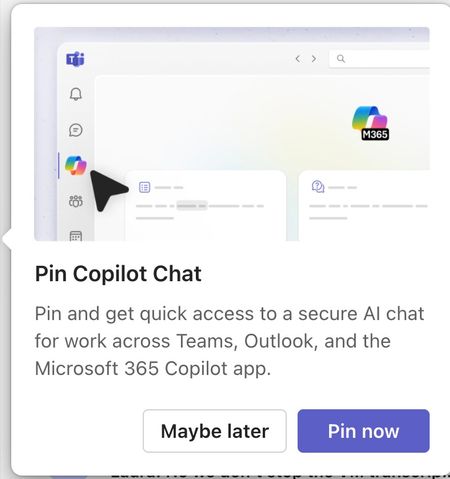
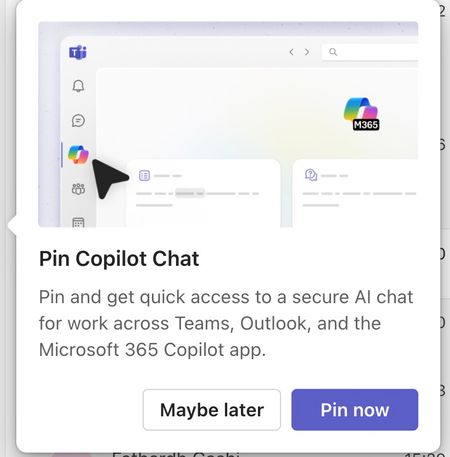
Please tell me how to disable the Pin Copilot message
Morning! I wrote a message yesterday but nobody replied, so here's another one so it doesn't get lost Can somebody tell me how to disable the annoying "Pin Copilot Chat" popup? every morning I have to say "Maybe Later" when I really mean to say NEVER IN A THOUSAND YEARS473Views0likes1Comment