powershell
2254 TopicsExchange Online PowerShell Updates to 3.10.1 to Fix CBA
Microsoft rushed out version 3.10.1 of the Exchange Online management PowerShell module to fix a problem with certificate-based authentication. It seems like a change in an internal Microsoft identity platform caused the tokens issued after a successful connection to Exchange Online to not authorize the execution of further cmdlets. To their credit, Microsoft fixed the issue, but is this the kind of thing that should be caught in testing? https://office365itpros.com/2026/07/27/exchange-online-management-3-10-1/17Views0likes0CommentsHow to Find Inactive (Stale) User Accounts
Inactive accounts can soak up a lot of paid-for but unused product licenses. With increases for Microsoft 365 licenses due to come into effect from 1 July 2026, it’s time to find and remove unused licenses from inactive user accounts. We discuss two approaches by using the Microsoft 365 Licensing Report or a PowerShell script that assesses inactivity based on sign-in dates and refresh token baselines. https://office365itpros.com/2026/06/09/find-inactive-accounts/85Views0likes1CommentHow Permissions Creep Can Halt the Microsoft Graph PowerShell SDK
The Microsoft Graph PowerShell Command Line tools app is how people run Microsoft Graph PowerShell SDK cmdlets. The app can suffer from permissions creep, meaning that over time, the app accrues a set of delegated permissions used by people to access different types of Microsoft 365 and Entra ID information. All is fine until an internal limit is reached, at which point authentication fails and some permissions must be pruned. https://office365itpros.com/2026/07/23/permissions-creep-sdk/19Views0likes0CommentsLessons Learned #546: Maintaining a Local Azure Resource Inventory
I worked on a service request that our customer has an application works repeatedly with the same Azure resources. I guess that it may be useful to maintain our own persistent inventory instead of retrieving and validating every resource individually during each execution. In this example, a PowerShell script maintains an inventory of Azure SQL logical servers in a local JSON file. The idea is: Load the local JSON inventory -> Query Azure Resource Graph -> Compare both inventories -> Validate only detected changes -> Update the JSON file. Azure Resource Graph provides the current list of Microsoft.Sql/servers resources. The result is compared with the inventory stored by the application. If a server exists in both inventories, it is marked as: Observed: No additional request is required. NewValidatedByPointGet:If a new server is detected, it is validated individually with Get-AzSqlServer before being added If a previously known server is missing from the current result, the script also validates it individually. The possible results are: RecoveredByPointGet: the server still exists and remains in the inventory. Deleted: the individual request returns ResourceNotFound, so the server is removed. UnknownRetainedFromCache: the validation is inconclusive, so the previous inventory entry is preserved. The JSON file therefore represents the application’s active resource inventory and remains available between executions. I think this approach reduces repeated API requests because individual validation is performed only when a resource is new, missing, or has changed. I would like to share the PowerShell Script. Set-StrictMode -Version Latest $ErrorActionPreference = "Stop" # ------------------------------------------------------------ # Configuration # ------------------------------------------------------------ $tenantId = "<tenant-id>" $subscriptionId = "<subscription-id>" $resourceGroup = "<resource-group>" $cacheFile = ".\sql-server-inventory.json" # Required modules: # Install-Module Az.ResourceGraph -Scope CurrentUser # Install-Module Az.Sql -Scope CurrentUser # Connect-AzAccount -Tenant $tenantId Set-AzContext ` -Tenant $tenantId ` -Subscription $subscriptionId ` -ErrorAction Stop | Out-Null # ------------------------------------------------------------ # Helper functions # ------------------------------------------------------------ function ConvertTo-NormalizedResourceId { param( [Parameter(Mandatory)] [string]$ResourceId ) return $ResourceId.Trim().TrimEnd("/").ToLowerInvariant() } function Test-IsResourceNotFound { param( [Parameter(Mandatory)] [System.Management.Automation.ErrorRecord]$ErrorRecord ) $errorText = @( $ErrorRecord.Exception.Message $ErrorRecord.ErrorDetails.Message $ErrorRecord.FullyQualifiedErrorId $ErrorRecord.ToString() ) -join " " return ( $errorText -match "(?i)(\b404\b|ResourceNotFound|ServerNotInSubscriptionResourceGroup)" ) } function New-InventoryItem { param( [Parameter(Mandatory)] [string]$ResourceId, [Parameter(Mandatory)] [string]$Name, [string]$Location, [Parameter(Mandatory)] [string]$ValidationStatus ) return [pscustomobject]@{ id = $ResourceId name = $Name location = $Location validationStatus = $ValidationStatus } } # ------------------------------------------------------------ # 1. Load the persistent inventory # ------------------------------------------------------------ if (Test-Path -LiteralPath $cacheFile) { $jsonContent = Get-Content ` -LiteralPath $cacheFile ` -Raw ` -ErrorAction Stop if ([string]::IsNullOrWhiteSpace($jsonContent)) { $cachedServers = @() } else { $cachedServers = @( $jsonContent | ConvertFrom-Json ` -ErrorAction Stop ) } } else { $cachedServers = @() } $cachedServersById = @{} foreach ($cachedServer in $cachedServers) { $resourceId = [string]$cachedServer.id if ([string]::IsNullOrWhiteSpace($resourceId)) { continue } $normalizedId = ConvertTo-NormalizedResourceId ` -ResourceId $resourceId $cachedServersById[$normalizedId] = $cachedServer } Write-Host "Stored inventory: $($cachedServersById.Count) server(s)" # ------------------------------------------------------------ # 2. Discover the current resources # ------------------------------------------------------------ $query = @" Resources | where subscriptionId =~ '$subscriptionId' | where resourceGroup =~ '$resourceGroup' | where type =~ 'microsoft.sql/servers' | project id = tostring(id), name = tostring(name), location = tostring(location) "@ try { $argResponse = Search-AzGraph ` -Query $query ` -Subscription $subscriptionId ` -First 1000 ` -ErrorAction Stop } catch { throw ( "Azure Resource Graph query failed. " + "The existing inventory has not been modified. " + "Error: $($_.Exception.Message)" ) } if ( $null -ne $argResponse -and $argResponse.PSObject.Properties.Name -contains "Data" ) { $currentServers = @($argResponse.Data) } else { $currentServers = @($argResponse) } $currentServersById = @{} foreach ($currentServer in $currentServers) { $resourceId = [string]$currentServer.id $serverName = [string]$currentServer.name if ( [string]::IsNullOrWhiteSpace($resourceId) -or [string]::IsNullOrWhiteSpace($serverName) ) { continue } $normalizedId = ConvertTo-NormalizedResourceId ` -ResourceId $resourceId $currentServersById[$normalizedId] = $currentServer } Write-Host "Current observation: $($currentServersById.Count) server(s)" # ------------------------------------------------------------ # 3. Build the synchronized active inventory # ------------------------------------------------------------ $activeInventoryById = @() $activeInventoryIndex = @{} $deletedServers = @() foreach ($normalizedId in $currentServersById.Keys) { $currentServer = $currentServersById[$normalizedId] $resourceId = [string]$currentServer.id $serverName = [string]$currentServer.name $location = [string]$currentServer.location if ($cachedServersById.ContainsKey($normalizedId)) { # The resource is present in both inventories. $item = New-InventoryItem ` -ResourceId $resourceId ` -Name $serverName ` -Location $location ` -ValidationStatus "Observed" $activeInventoryIndex[$normalizedId] = $item continue } # The resource is new. Validate it individually. Write-Host "Validating new server '$serverName'..." try { $validatedServer = Get-AzSqlServer ` -ResourceGroupName $resourceGroup ` -ServerName $serverName ` -ErrorAction Stop $item = New-InventoryItem ` -ResourceId $resourceId ` -Name ([string]$validatedServer.ServerName) ` -Location ([string]$validatedServer.Location) ` -ValidationStatus "NewValidatedByPointGet" $activeInventoryIndex[$normalizedId] = $item } catch { Write-Warning ( "New server '$serverName' could not be validated " + "and was not added to the inventory. " + "Error: $($_.Exception.Message)" ) } } # ------------------------------------------------------------ # 4. Validate previously known resources missing from discovery # ------------------------------------------------------------ foreach ($normalizedId in $cachedServersById.Keys) { if ($currentServersById.ContainsKey($normalizedId)) { continue } $cachedServer = $cachedServersById[$normalizedId] $resourceId = [string]$cachedServer.id $serverName = [string]$cachedServer.name $location = [string]$cachedServer.location Write-Host ( "Server '$serverName' is missing from the current " + "observation. Running individual validation..." ) try { $validatedServer = Get-AzSqlServer ` -ResourceGroupName $resourceGroup ` -ServerName $serverName ` -ErrorAction Stop $item = New-InventoryItem ` -ResourceId $resourceId ` -Name ([string]$validatedServer.ServerName) ` -Location ([string]$validatedServer.Location) ` -ValidationStatus "RecoveredByPointGet" $activeInventoryIndex[$normalizedId] = $item Write-Warning ( "Server '$serverName' was not returned by discovery, " + "but individual validation confirmed that it still exists." ) } catch { if (Test-IsResourceNotFound -ErrorRecord $_) { $deletedServers += [pscustomobject]@{ id = $resourceId name = $serverName location = $location validationStatus = "Deleted" } Write-Warning ( "Deleted server detected: '$serverName'. " + "It will be removed from the active inventory." ) } else { # The result is inconclusive. Preserve the previous entry. $item = New-InventoryItem ` -ResourceId $resourceId ` -Name $serverName ` -Location $location ` -ValidationStatus "UnknownRetainedFromCache" $activeInventoryIndex[$normalizedId] = $item Write-Warning ( "The status of server '$serverName' could not be " + "confirmed. The previous inventory entry was retained. " + "Error: $($_.Exception.Message)" ) } } } # ------------------------------------------------------------ # 5. Save the updated active inventory # ------------------------------------------------------------ $activeInventory = @( $activeInventoryIndex.Values | Sort-Object name ) $jsonOutput = ConvertTo-Json ` -InputObject $activeInventory ` -Depth 10 $temporaryFile = "$cacheFile.tmp" Set-Content ` -LiteralPath $temporaryFile ` -Value $jsonOutput ` -Encoding utf8 ` -Force Move-Item ` -LiteralPath $temporaryFile ` -Destination $cacheFile ` -Force # ------------------------------------------------------------ # 6. Report the synchronization result # ------------------------------------------------------------ Write-Host "" Write-Host "Active inventory: $($activeInventory.Count) server(s)" $activeInventory | Format-Table ` name, location, validationStatus ` -AutoSize if ($deletedServers.Count -gt 0) { Write-Host "" Write-Warning "Confirmed deleted servers:" $deletedServers | Format-Table ` name, location, validationStatus ` -AutoSize } Disclaimer This PowerShell script is provided as a simplified proof of concept to illustrate a persistent resource inventory pattern. It should be reviewed, tested, and adapted before being used in a production environment. Authentication, permissions, error handling, retry policies, concurrency, logging, inventory storage, and operational requirements may differ between environments. The local JSON file is suitable for demonstration purposes and small automation scenarios.
Dynamic Mandatory Fields
In a SharePoint library, I have folders which are = a. Admin b. Events c. Furniture and Moves d. Janitorial and Maintenance e. Parking and Transportation f. Shipping and Receiving g. Supplies and Equipment h. Waste and Recycling I have Meta data across the library whose data type are all choices and are: a. Document Type = Contract, Financial, planning b. Building = Gym, Garage, Heating c. Asset Category = Office, Playground d. Fiscal Year = FY23, FY24, FY25, FY26, FY27 e. Vendor = Maple Leaf, Canadian Tire, Home Depot f. Status = Active, Pending, Not Active g. Retention Label = 3 years, 5 years h. Service Type = Admin, Events, Furniture and Moves, Janitorial and Maintenance, Parking and Transportation, Shipping and Receiving, Supplies and Equipment, Waste and Recycling Service Type and Retention Label are mandatory fields, with the Rule below for all the files in the various folders: IF Folder Name = Admin, then Service Type = Admin and Retention Label = 5 years; the mandatory fields should be Document Type, Status and Fiscal Year IF Folder Name = Events, then Service Type = Events and Retention Label = 3 years; the mandatory fields should be Document Type, Status and Fiscal Year, Building and Vendor IF Folder Name = Furniture and Moves, then Service Type = Furniture and Moves and Retention Label = 3 years; the mandatory fields should be Document Type, Status and Building IF Folder Name = Janitorial and Maintenance, then Service Type = Janitorial and Maintenance and Retention Label = 3 years; the mandatory fields should be Document Type, Status and Fiscal Year IF Folder Name = Parking and Transportation, then Service Type = Parking and Transportation and Retention Label = 3 years; the mandatory fields should be Document Type, Status and Fiscal Year IF Folder Name = Shipping and Receiving, then Service Type = Shipping and Receiving and Retention Label = 3 years; the mandatory fields should be Document Type, Status IF Folder Name = Supplies and Equipment, then Service Type = Supplies and Equipment and Retention Label = 3 years; the mandatory fields should be Document Type, Status and Fiscal Year IF Folder Name = Waste and Recycling, then Service Type = Waste and Recycling and Retention Label = 3 years; the mandatory fields should be Document Type, Status and Vendor I have used Column Default Value Settings for SharePoint to display Auto-Display the Service Type and Retention Label, but I cannot seem to perform the conditional mandatory fields using Validations setting for the other requirements. Please help69Views0likes1Comment
PowerShell DSC Pullserver stops working with SQL database
After updating Windows Server 2025, our DSC Pull Server stopped communicating with its SQL backend database. The issue was not present before the update, and reverting to the previous version of Microsoft.PowerShell.DesiredStateConfiguration.Service.dll immediately restored normal functionality. With the newer DLL version, the service starts successfully and the endpoint remains available, but no connection is established to the SQL Server database. As a result, database initialization does not occur, required tables are not created or updated, and node registration fails. No database sessions are observed on the SQL Server during registration attempts, indicating that the service does not reach the SQL connection phase. We compared the previous working DLL version with the updated version and confirmed that the regression is introduced by the newer DLL. Replacing the updated DLL with the earlier version consistently restores SQL database connectivity and normal Pull Server Operation.76Views0likes3CommentsPS script for moving clustered VMs to another node
Windows Server 2022, Hyper-V, Failover cluster We have a Hyper-V cluster where the hosts reboot once a month. If the host being rebooted has any number of VMs running on it the reboot can take hours. I've proven this by manually moving VM roles off of the host prior to reboot and the host reboots in less than an hour, usually around 15 minutes. Does anyone know of a powershell script that will detect clustered VMs running on the host and move them to another host within the cluster? I'd rather not reinvent this if someone's already done it.118Views0likes2CommentsRecycle Bin and Site Content Hidden for Site Members and Site Visitors
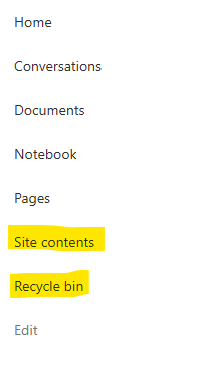
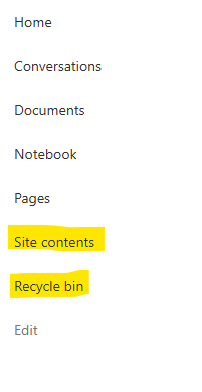
I have a requirement that the Recycle bin and Site Contents should not be be hidden from the Site Members and Site Visitors. Please how can I achieve this because the Server Infrastructure activation is not working for me. Any workarounds? Please help71Views0likes2CommentsRecycle Bin and Site Content Hidden for Site Members and Site Visitors
I posted this before but made a mistake with my write up, so I am reposting. I have a requirement that the Recycle bin and Site Contents should be be hidden from the Site Members and Site Visitors. Please how can I achieve this because the Server Infrastructure activation is not working for me. Any workarounds? Please help21Views0likes0CommentsHow to Identify Obsolete SharePoint Online Sites with PowerShell
Microsoft 365 has been around for many years, and it’s likely that a tenant has some obsolete SharePoint Online sites. The LastModifiedDateTime property is an unreliable basis to make the decision because background processing can update the property. This article explains how to identify obsolete sites based on usage data extracted from the Microsoft Graph. Combining the usage data with basic site properties taken from SharePoint creates a report that should help administrators to figure out what sites they should consider removing. https://office365itpros.com/2026/07/13/find-obsolete-sites/22Views0likes0Comments