power automate
407 TopicsBuild an AI Resume Screening Multi-Agent
Hello everyone 👋 I recently built an AI-powered resume screening multi-agent that automates the hiring intake and candidate evaluation process. The solution automatically: Accepts resume uploads Stores resumes in SharePoint Evaluates candidates using AI Matches resumes against job requirements Generates recruiter-ready summaries Sends automated recruiter notifications Technologies Used: • Power Automate • AI Builder • SharePoint • Outlook • GPT-Based Prompting This is Part 1 of my AI Hiring Multi-Agent Series. I’d love to hear feedback from the community and learn how others are approaching AI-powered recruitment workflows. Newsletter: https://www.linkedin.com/pulse/build-ai-resume-screening-multi-agent-sajeda-sultana-k1ege/?trackingId=TQzoIUy0RveiwXLIgEKvSQ%3D%3D If you find it helpful, please share it with others who may benefit from it as well.48Views1like2Comments
Outlook add-in
Is there a way to create an item in Microsoft Lists directly from Outlook email? For example, a data entry form that would populate the fields of the Microsoft Lists. I have this function with Smartsheet and hoping that the same functionality exists in the Microsoft environment.7.3KViews0likes3CommentsStop Writing Promotional Emails. Build an AI Agent That Does It For You.
Hi everyone 👋 A few weeks ago, I started thinking about how much time businesses still spend writing repetitive promotional emails manually every month. The process is usually the same: review customer purchase history check active discounts write personalized emails send them one by one So I decided to build a simple AI-powered workflow that could automate the entire process. For Edition #003 of my newsletter, I created an AI agent that: ✅ reads customer purchase data ✅ matches category-based discounts ✅ generates personalized promotional emails using AI ✅ sends emails automatically What I enjoyed most while building this project was seeing how even small personalization details can completely change the customer experience. Instead of sending generic promotions, the workflow creates emails tailored to each customer’s purchases and interests. In this edition, I shared: the real-world use case the complete workflow approach implementation screenshots sample datasets GitHub project files practical automation tips 📌 View the newsletter If you enjoy building practical AI automations or exploring real-world AI agent ideas, I think you’ll enjoy this edition. I’d genuinely love to hear your thoughts and learn how others are approaching AI-driven automation in their own projects 🙌65Views0likes0Comments
Feature Request – Read-only and Locked Fields for Pre-filled Microsoft Forms
Microsoft Forms has recently introduced support for pre-filled responses, which is a very valuable addition. However, the lack of read-only fields significantly limits its usability in real-world and enterprise application scenarios. In many workflows, especially those involving bots, kiosks, or guided user interactions, some fields must be pre-populated with system-generated data such as user identity, email, or contextual information. These fields need to remain visible to the user for transparency, but must not be editable in order to guarantee data integrity and prevent tampering. Currently, there is no reliable way to enforce this behavior. Even when using pre-filled URLs, users can still modify the values before submission. This creates a risk of data inconsistency and makes it difficult to maintain a secure and synchronized interaction between the client and backend systems. This is not just a UX limitation, but also a data integrity issue in integrated workflows. As a result, developers are forced to implement server-side validation and ignore user-provided values for critical fields, which defeats the purpose of pre-filling them in the first place. This forces developers to rely entirely on server-side validation, reducing the effectiveness of pre-filled data and introducing unnecessary complexity. While Power Apps can address this limitation, it is often too complex and heavy for simple scenarios where Microsoft Forms would otherwise be perfectly adequate. Suggested improvement: - Allow form fields to be marked as read-only or locked - Optionally support hidden or system fields - Allow pre-filled values to be protected against tampering - Preserve compatibility with pre-filled URLs This feature would enable Microsoft Forms to be used in secure, system-driven workflows without requiring migration to more complex platforms.125Views0likes1Comment
Power Automate not pulling all form answers
I have a flow that triggers fine using the "When a new response is submitted" but the "Get response details" is only returning a few of the answers submitted. I can see the full submission the the back end of forms but Power Automate is not pulling a lot of the submitted answers. It has worked fine for 50 times, the automation is long and complex so if possible id like to stay away from deleting and restoring the trigger and get response details...91Views0likes1CommentMicrosoft 365 & Power Platform Community call
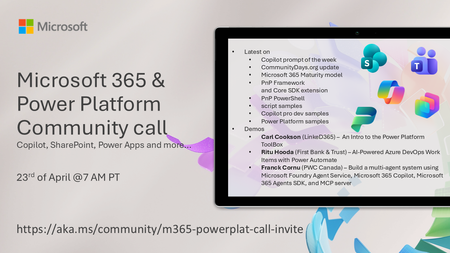
💡 Microsoft 365 & Power Platform Development bi-weekly community call focuses on different use cases and features within the Microsoft 365 and Power Platform - across Microsoft 365 Copilot, Copilot Studio, SharePoint, Power Apps and more. 👏 Looking to catch up on the latest news and updates, including cool community demos, this call is for you! 📅 On 23rd of April we'll have following agenda: Copilot prompt of the week CommunityDays.org update Microsoft 365 Maturity model Latest on PnP Framework and Core SDK extension Latest on PnP PowerShell Latest on script samples Latest Copilot pro dev samples Latest on Power Platform samples Picture time with the Together Mode! Carl Cookson (LinkeD365) – An Intro to the Power Platform ToolBox Ritu Hooda (First Bank & Trust) – AI‑Powered Azure DevOps Work Items with Power Automate Franck Cornu (PWC Canada) – Build a multi-agent system using Microsoft Foundry Agent Service, Microsoft 365 Copilot, Microsoft 365 Agents SDK, and MCP server 📅 Download recurrent invite from https://aka.ms/community/m365-powerplat-dev-call-invite 📞 & 📺 Join the Microsoft Teams meeting live at https://aka.ms/community/m365-powerplat-dev-call-join 👋 See you in the call! 💡 Building something cool for Microsoft 365 or Power Platform (Copilot, SharePoint, Power Apps, etc)? We are always looking for presenters - Volunteer for a community call demo at https://aka.ms/community/request/demo 📖 Resources: Previous community call recordings and demos from the Microsoft Community Learning YouTube channel at https://aka.ms/community/youtube Microsoft 365 & Power Platform samples from Microsoft and community - https://aka.ms/community/samples Microsoft 365 & Power Platform community details - https://aka.ms/community/home 🧡 Sharing is caring!101Views0likes0CommentsMicrosoft 365 & Power Platform Community call
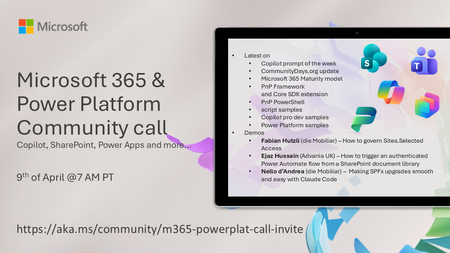
💡 Microsoft 365 & Power Platform Development bi-weekly community call focuses on different use cases and features within the Microsoft 365 and Power Platform - across Microsoft 365 Copilot, Copilot Studio, SharePoint, Power Apps and more. 👏 Looking to catch up on the latest news and updates, including cool community demos, this call is for you! 📅 On 9th of April we'll have following agenda: Copilot prompt of the week CommunityDays.org update Microsoft 365 Maturity model Latest on PnP Framework and Core SDK extension Latest on PnP PowerShell Latest on script samples Latest Copilot pro dev samples Latest on Power Platform samples Picture time with the Together Mode! Fabian Hutzli (die Mobiliar) – How to govern Sites.Selected Access Ejaz Hussain (Advania UK) – How to trigger an authenticated Power Automate flow from a SharePoint document library Nello d’Andrea (die Mobiliar) – Making SPFx upgrades smooth and easy with Claude Code 📅 Download recurrent invite from https://aka.ms/community/m365-powerplat-dev-call-invite 📞 & 📺 Join the Microsoft Teams meeting live at https://aka.ms/community/m365-powerplat-dev-call-join 👋 See you in the call! 💡 Building something cool for Microsoft 365 or Power Platform (Copilot, SharePoint, Power Apps, etc)? We are always looking for presenters - Volunteer for a community call demo at https://aka.ms/community/request/demo 📖 Resources: Previous community call recordings and demos from the Microsoft Community Learning YouTube channel at https://aka.ms/community/youtube Microsoft 365 & Power Platform samples from Microsoft and community - https://aka.ms/community/samples Microsoft 365 & Power Platform community details - https://aka.ms/community/home 🧡 Sharing is caring!175Views0likes0CommentsHow do I send a message to myself with PowerAutomate?
I am developing a PowerAutomate flow, I want to use the function "post message in chat or channel", I can send messages to anyone in "one to one" private chats but not on the private chat I have with myself. Has somebody found a way to message himself via power automate? I can't create it as a "new chat" in PA because it says users cannot be duplicate. Then I figured out I had to find the ID of the chat with myself. I tried using the microsoft graph api to retrieve the id from "me/chats" but the chat with myself is not shown. I tried many different filters and expansions with no success. I also tried analyzing the id itself and discovered that, in the case of "one to one" chats, it's made of {the sender id} and {the receiver id} I then tried constructing an id that contains 19:{myuserid}_{myuserid}@{domain} but it responds that there is no record. I tried many combinations, thanks for the help.18KViews0likes3CommentsHave OneDrive or SharePoint files/folders on home screen of iPad without internet connection?
This. I'm on a big iOS project. We have several users who need files on an ipad when traveling, and be able to open them when there is no internet connectivity. These files aren't intended to be edited, just 'read only.' These files do not contain any sensitive corporate data. The content lives in SharePoint online and I'm using OneDrive as a bridge to their sharepoint site. BUT the files can only be viewed on the ipad within the OneDrive app without internet access. These are devices using user affinity enrollment. Initially, the solution for users was to use the 'Mark Offline' feature within the OneDrive iOS app. I used Power Automate to have it fetch new files found in OneDrive and move them to the teams SharePoint site. These shared devices are locked down (an understatement). These will be used by the least computer savy/literate people and so having them dive through OneDrive folder after folder, even offline, is a tall order to ask. I totally get it and don't want them doing that either. So now I have to move onto plan B. How can we put the files that live within OneDrive/Sharepoint onto the home screen without an internet connection when the ipad is 'out in the field.?' This would make it infinitely easier for them. The key here is to not have end users manually moving files around. We don't want them to even have to go into OneDrive and mark folders/files offline, if possible. We don't have the SharePoint app on them. I tried the SP app a while back, and it is a hot mess of garbage. I could revisit it. Whatever I can get to work of course we'll have to modify our Intune polices. Thoughts?92Views0likes0CommentsUnable to cleanup the connections from Power automate flow
The power automate flow have some connections that is not able to remove from the action card. I already removed the connection from 'Connection in use' section, but it's still appearing in the action card in flow, and this makes the powerapp listing all connections.