partner
1093 TopicsSecure Sensitive AI on Azure Confidential Computing with NVIDIA and Protopia
Your most valuable AI use cases often involve your most sensitive information: customer records, claims, clinical notes, and transaction histories. Dedicated infrastructure can offer control, but it can also limit access to flexible cloud capacity. The opportunity is to expand where that work can run without treating data protection as an afterthought. For a team exploring claims review or clinical-note analysis, the question is not simply whether a model can run in the cloud. It is where sensitive information could be exposed along the journey from application to model and back. Enterprises want to run their highest-value inference on the same scalable cloud they already run everything else on. The catch is that the highest-value inference is usually the most sensitive: customer records, claims and underwriting packets, clinical notes, transaction histories. Data policy keeps that work off shared, multi-tenant capacity and pins it to dedicated, single-tenant deployments. That is the isolation tax: the most valuable, most token-heavy workloads are exactly the ones kept off the infrastructure built to run them, so dedicated capacity sits underused and costs more than it should. Microsoft Foundry already gives this work an enterprise platform: a model catalog that now includes NVIDIA Nemotron, managed and serverless endpoints, and the governance regulated industries require. What has been missing is a way to run sensitive agentic workflows on that shared capacity while reducing the risk of data exposure. The trust dilemma on public cloud Azure Confidential Computing (ACC) addresses a fundamental trust challenge for AI workloads in multi-tenant cloud environments: the model, infrastructure, and data may each be owned or controlled by different parties. Model owners need to protect proprietary weights and intellectual property, and data owners need safeguards for sensitive information throughout processing. ACC provides the trusted foundation for addressing these requirements by helping protect models and their execution from unauthorized host access while enabling additional safeguards across the inference data path. The reference architecture brings together Azure Confidential Computing with NVIDIA H100 GPU capabilities and Protopia AI’s Stained Glass Transform to provide layered protection for sensitive AI workloads running at Azure scale. Confidential Computing: securing the model with NVIDIA Confidential Computing is designed to protect data and AI models while they are in use inside the enclave. The NVIDIA Hopper architecture introduced GPU-based confidential computing, extending the hardware trusted execution environment from the CPU to the GPU so that model weights, activations, and execution state remain within an attested boundary and are designed to be inaccessible to the host operating system, hypervisor, and infrastructure operator. NVIDIA device attestation provides cryptographic evidence about the GPU’s identity and security state before keys are released. For a model owner, these controls are designed to restrict access to model IP while the model runs. Enterprises should not have to choose between protecting their models and running them where compute is available and most convenient. NVIDIA has designed Confidential Computing to keep a model’s weights and execution within the GPU’s trusted execution environment, helping proprietary models run on shared infrastructure while limiting access to their IP. Combined with Protopia’s inference data protection on Azure, customers have a path designed to support sensitive AI workloads in the cloud they already trust. Bring confidential inference to Azure Azure brings confidential inference to production scale, surrounding the confidential GPU with the platform an enterprise needs to operate AI. The Azure NCCads H100 v5 series combines 4th-generation AMD EPYC confidential VMs with NVIDIA H100 Tensor Core GPUs to support confidential AI workloads. The trusted execution environment spans the AMD SEV-SNP CPU and the attached H100 in confidential mode, isolating GPU memory and the channel between CPU and GPU. When enabled and properly configured, Confidential Computing is designed to help limit access to unencrypted customer data within that boundary, including the cloud operator. Azure provides tools to help verify and operate the boundary: Microsoft Azure Attestation (MAA) can assess the confidential VM, while Azure Key Vault Managed HSM can be configured to release decryption keys after successful attestation. "Azure was the first cloud to bring Confidential Computing to NVIDIA H100 GPUs, so customers can protect their data in use, even from the cloud operator, while getting the performance they need for AI. Paired with Protopia’s Stained Glass Transform, this reference architecture protects data across the full inference path, helping regulated organizations bring their most sensitive agentic workloads to Azure.“ - Vikas Bhatia, Head of Product, Azure Confidential Computing, Microsoft Protecting the inference data path Confidential execution does not, by itself, cover every component of a managed inference service. Gateways, logs, traces, caches, and scheduler metadata can sit outside the trusted execution environment. Protopia AI’s Stained Glass Transform (SGT) converts sensitive inputs into protected representations inside the data owner’s trust boundary. The architecture is designed for downstream components to receive those representations, not the original inputs. An SGT-enabled model reasons over them directly, without a host-side decoder. Security teams should inspect the serving layer to verify that this pattern is implemented as intended. This distinction matters when reviewing a service: an attested GPU does not establish how a gateway or cache handles requests. Start with a map of the data flow, then check the controls at each boundary. “Sensitive AI should not automatically mean having to operate every part of the infrastructure yourself. Applying Stained Glass Transform inside the data owner's trust boundary, or within confidential execution on Azure, offers a way to securely deploy to the cloud without exposing sensitive data to the model hosting environment (other tenants or operator), and retaining the data owner's control over their sensitive enterprise data.” - Eiman Ebrahimi, Co-Founder and CEO, Protopia AI From customer boundary to confidential inference At the data owner’s trust boundary, the Stained Glass Proxy, an OpenAI-compatible sidecar, applies the Stained Glass Transform to the prompt and its context, with no changes to the upstream stack. In transit to Azure, the architecture sends the protected representation beyond the customer’s trust boundary rather than the original plaintext input, reducing the likelihood that sensitive plaintext is captured in downstream logs, caches, or interception points. In-transit encryption is used as standard. On Azure NCCads H100 v5 confidential VMs, the request reaches an SGT-enabled model endpoint. Configure and verify confidential execution, attestation, and key-release policies for the chosen serving stack. Across the serving path, verify that components outside the execution boundary handle protected representations rather than original sensitive inputs, including logs, caches, and traces. On return, the client receives a result intended to be interpretable within the data owner’s environment. Expand your options for sensitive AI For enterprises, the value comes down to expanding where sensitive AI workloads can run while maintaining strong protections for models and data. Azure Confidential Computing provides a trusted foundation for running sensitive AI workloads on Azure, helping protect models and data while in use and enabling organizations to take advantage of Azure’s scalable GPU infrastructure. Depending on the workload and deployment configuration, this approach may provide greater infrastructure flexibility and utilization while helping organizations manage performance, model quality, and cost. Learn more Azure Confidential GPU OptionsBuild your SaaS offer with the modernized SaaS Accelerator to sell on Marketplace
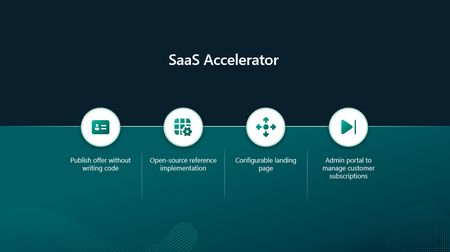
Build your SaaS offer for Microsoft Marketplace with coding agent guidance and the modernized SaaS Accelerator. Explore resources that help simplify Marketplace integration and move from development to publishing faster.168Views5likes0CommentsMaximize Oracle RAC Uptime on Azure VMs with FlashGrid Cluster available in Microsoft Marketplace
In this guest blog post, Art Danielov, CEO of FlashGrid, describes a multi-AZ high-availability architecture for mission-critical Oracle databases on Microsoft Azure and explains how FlashGrid Cluster enables Oracle RAC to span Azure availability zones.113Views3likes0CommentsHeaviside AI, OneTrust, and NKUSI-IT deliver transactable partner offers in Microsoft Marketplace
Microsoft partners like Heaviside AI, OneTrust, and NKUSI-IT deliver transact-capable offers, which allow you to purchase directly from Microsoft Marketplace. Learn about these offers in this post.142Views3likes0Comments
M365 Admin Center Global Administrator Lockout
Hello Microsoft Community, I am seeking urgent assistance and guidance regarding a critical Microsoft 365 tenant lockout that has been ongoing for several days without a resolution or proper communication from the support team. Our organization manages Microsoft 365 services for a business with more than 200 active users who depend on Microsoft 365 for their daily operations. Issue Description We have been locked out of our Microsoft 365 tenant's administrator account. This prevents us from properly managing our Microsoft 365 environment and restoring normal access to essential business services. Our business-critical data, including important documents and operational information, is stored in SharePoint. The inability to access and manage these services has significantly disrupted our business operations. Microsoft Support Ticket References We have raised multiple support tickets and followed up repeatedly, but the issue remains unresolved. Tracking ID: 2610050040001149 Tracking ID: 2610090010001066 Tracking ID: 2610050040001222 Despite these support cases and repeated follow-ups, we have not received a satisfactory resolution or a clear recovery timeline. Support Experience So Far Following a discussion with the support team, we were expecting a call to assist with unlocking the administrator account and providing a temporary password through the appropriate recovery process. However, we have not received the expected call or a meaningful update. Our main concerns are: Complete loss of access to the Microsoft 365 tenant administrator account. More than 200 users affected by the ongoing incident. Critical business data and documents stored in SharePoint. Multiple support tickets without a concrete resolution. Lack of clear communication regarding the root cause and recovery timeline. No clear escalation path or confirmation of the next recovery steps. Our Concerns We understand that technical issues can occur, but leaving a business-critical environment inaccessible for an extended period without meaningful updates is extremely concerning. We purchase Microsoft 365 licenses through a partner and expect appropriate technical support and escalation assistance when critical incidents occur. Our organization previously used Google Workspace and recommended migrating to Microsoft 365 because of its enterprise capabilities. This incident has seriously affected user confidence and business continuity. If access cannot be restored promptly, we may have to consider alternative email hosting arrangements to minimize further disruption. Request for Assistance I would appreciate guidance from Microsoft engineers, Microsoft 365 administrators, and community members who have experienced similar situations. What is the appropriate escalation process when all available tenant administrator accounts are inaccessible? How can we expedite tenant ownership verification and administrator account recovery? Is there a dedicated Microsoft team that handles critical tenant lockout incidents affecting business operations? What is the recommended recovery process when the administrator cannot access the Microsoft 365 Admin Center? How can we obtain urgent assistance when multiple support tickets and repeated follow-ups have not resulted in a clear resolution? Can the three referenced support tickets be escalated for urgent review by the appropriate Microsoft support team? We are not looking for workarounds that compromise tenant security. We need Microsoft's official recovery process to restore authorized administrative access safely. Microsoft Support Team: If any Microsoft support representatives are monitoring this community, we would appreciate your guidance on the appropriate escalation channel for this incident. We can provide additional information privately through the appropriate official channels. Thank you for your time and assistance. Any guidance that helps us restore our services and protect business continuity would be greatly appreciated. Best regards, Microsoft 365 Tenant Administrator70Views0likes0Comments