partner
1084 TopicsHow software companies can reach more SMB customers through Microsoft Marketplace in the age of AI
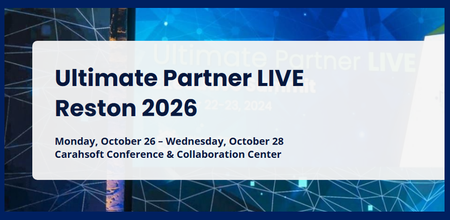
Publishing an offer on Microsoft Marketplace creates a starting point for reaching more customers and scaling growth; the opportunity goes well beyond getting listed. For software companies, Marketplace can create a path to reach more customers and scale revenue, particularly in the SMB market. Micro, small, and medium enterprises (MSMEs) account for 90% of companies globally and 70% of the world’s employment, according to World Bank Group and International Finance Corporation (IFC) data. 1 For software companies, this creates a significant opportunity to serve small and medium businesses with solutions that fit how they operate. These businesses often have lean teams, limited procurement resources, and a preference for self-service experiences that help them evaluate, purchase, and deploy technology efficiently. The age of AI is accelerating the opportunity for software companies to reach and serve SMBs. Software companies are moving beyond a simple Marketplace listing, building AI-powered products designed for how SMBs buy, deploy, and scale today. Founded in 2002, Ntegral was a traditional systems integrator, deploying client technology solutions one contract at a time. In 2021, the company began shifting its business model from primarily delivering services to bringing its own software solutions to market through Microsoft Marketplace. At UP LIVE Reston, Ntegral’s President and CTO, Dexter Hardy, will share more about what that shift meant in practice, including how Ntegral adapted its approach to products, sales, and growth. The change expanded Ntegral’s reach. Dexter has called Microsoft Marketplace "a real game changer" for the company, which now offers 300+ enterprise solutions with deployments in more than 150 countries. 2 Dexter described Marketplace as an important part of Ntegral’s growth strategy, helping the company expand its reach while, in his words, allowing Ntegral “to stay lean, focus on our expertise,” as it entered new markets. 🎯A session worth your time Scaling reach and opportunity for SMBs Ntegral Inc.’s President and CTO, Dexter Hardy, will be onstage at Ultimate Partner LIVE Reston. The session will explore practical ways SMBs can build on their Marketplace presence to support customer reach and revenue growth. Hardy will share Ntegral’s journey from a regional systems integrator to a software company focused on developing its own solutions and reaching customers globally through Marketplace. 💡Ntegral's point of view: Marketplace adoption in the age of AI Ntegral sees Marketplace as an important part of scaling its business, alongside a product strategy designed around the needs of SMB customers. Ntegral recently introduced Akili, its AI-powered platform designed for SMBs and consultants. Akili brings access to AI models and agent capabilities into one workspace, giving small teams and solo operators a way to use these capabilities without managing separate subscriptions. For Ntegral, that product strategy is closely connected to how the company approaches Microsoft Marketplace. Ntegral sees AI adoption and Marketplace as complementary parts of its growth strategy: developing products around the needs of small businesses while using Marketplace to reach customers and support transactions at scale. For Ntegral, Marketplace is part of a broader commercial strategy that connects product innovation with customer reach and scalable sales. At UP LIVE Reston, Dexter brings that same directness to the stage. The focus is on practical mechanics: how software companies can build on their Marketplace presence to reach more customers and develop more pipeline, how AI fits into that strategy, and what Ntegral changed operationally as its business evolved. Learn more about Akili. __________________________________________________________________________________________________________________________________________________________________ 📅 Attend UP LIVE Reston · October 26–28, 2026 Carahsoft Conference & Collaboration Center, Reston, VA 👉 Register for UP LIVE Reston 1 World Bank Group / IFC MSME Finance Factsheet 2 Ntegral | Empowering Digital and Cloud Transformations | Ntegral98Views0likes0CommentsFrom discovery to decision: A connected way to buy in Microsoft Marketplace
When I talk with customers about technology decisions, one thing is clear: finding a promising solution is only the beginning. The real work is deciding whether that solution solves the business need. Can I understand my options quickly? How does one solution compare with another? Can my team try it before making a decision? And when we’re ready to move forward, can the purchase reflect the way our organization actually needs to buy? Those questions become even more important as organizations bring cloud and AI solutions into more workflows and evaluate a growing range of options. That’s why I’m excited about the latest enhancements to Microsoft Marketplace. They help customers to find, evaluate, and choose the cloud solutions, AI apps, and agents that best fit their needs. Start with what you’re trying to accomplish Technology searches don’t always begin with a product name. Often, you know the business outcome or technical scenario you’re trying to address, but you don’t yet know which solution will get you there. You may be looking for an agent that supports a particular workflow, a solution for an industry scenario, or simply a better way to explore the options available to you. This is where intelligent discovery changes the starting point. With smart search in Microsoft Marketplace, you can describe what you’re looking for in natural language. Marketplace uses that input to refine the search and help identify relevant solutions. I think about this as moving from “What should I search for?” toward “Here’s what I’m trying to do.” Once you begin finding potential solutions, the evaluation becomes more specific. You can compare up to three offerings side by side and add your own criteria to the comparison. That matters because every organization evaluates technology differently. The questions that matter to your developers may be different from the questions procurement or business leaders need answered. Interactive chat extends that approach to individual product pages. You can ask questions in natural language about the solution you’re viewing, giving you another way to find the information relevant to your evaluation without relying solely on navigating through each section of the listing. Together, these experiences create a more natural progression: start with your need, explore possible solutions, compare your options, and dig deeper where it matters. Evaluation becomes more meaningful when you can try the solution There’s a point in many technology decisions when research needs to become hands-on evaluation. You’ve learned about the solution. You’ve compared the options. Now you want to understand what it could mean for your organization. Free trials in Microsoft Marketplace help bring that evaluation into the same journey. Solutions with free trials are easy to identify through search, filters, and free trial badges. You can search for free trials or use the Free trial pricing filter to focus on solutions that offer one. Once a trial is underway, you can track its status and see the number of days remaining in the trial period through Azure portal or the Microsoft 365 admin portal, depending on where the solution is managed. If the evaluation confirms that the solution is right for you, you can move to a paid subscription at public pricing at any point during the trial without reinstalling the solution. If it isn’t the right fit, you can cancel before the trial ends. This is one of the changes I find especially useful because a trial becomes part of the evaluation journey itself. You can move from discovering and researching a solution into actually trying it, while retaining visibility into where you are in the trial. The right solution also needs the right commercial structure Technical fit is important, but it isn’t the only consideration. Once a team decides that a solution meets its requirements, the conversation often shifts. How long do we need it? How should the agreement be structured? Does a standard term fit the project we’re planning? This is where we’ve expanded the flexibility available through private offers in Microsoft Marketplace. Custom contract lengths can range from one month to 10 years for supported private offer scenarios. That means an agreement can be structured around a six-month requirement, an 18-month engagement, a multiyear deployment, or another duration appropriate to the customer and partner agreement. There is flexibility in billing as well, including monthly or one-time payment options and annual billing when the term is annual. Custom contract duration is available for SaaS and professional services through private offers. I see this as an important connection between technical planning and purchasing. A proof of concept doesn’t necessarily have the same commercial requirements as a long-term deployment. Providing more flexibility in contract duration can help the commercial agreement better reflect the scenario being planned. Sometimes the next step is simply starting a conversation Not every purchase can be represented by a standard offer. A customer may want to discuss customized pricing, different terms, or specific solution requirements with the publisher. Rather than treating that conversation completely separate from discovery, customers can now initiate it from supported Marketplace listings. With the ability to request a private offer, customers can share their contact information and details about what they’re looking for directly from the listing. The request is delivered to the publisher as a Marketplace lead, creating a clear starting point for the customer and partner to discuss the opportunity. Requesting a private offer is available for SaaS and professional services offers, as well as compute offers including virtual machines, Azure applications, and containers. It’s a relatively simple step, but I think it represents something bigger about the purchasing journey. Discovering a solution, evaluating it, and discussing how to buy it don’t need to feel like unrelated activities. Think of evaluation as a journey, not a search That’s my biggest takeaway from these updates. Searching is one moment in a much broader decision process. You are able to start by describing what you need using Smart Search. From there, you can narrow your options, compare up to three offerings, and ask more detailed questions about an individual solution. When a free trial is available, you can move from researching the solution to experiencing it. And once you’re ready to discuss purchasing, private offers can provide additional flexibility around commercial requirements. For me, the common thread is decision-making with more context at each step. As you evaluate your next solution, I’d keep a few questions in mind: What problem or technical scenario am I actually trying to address? What criteria matters most to the people who will build with, manage, or use this solution? Is a free trial available if we want to validate the fit? What contract duration and purchasing structure are available to reflect the way we plan to use it? Do we need to start a private offer conversation with the publisher? You don’t have to answer all of those questions at once. But thinking about them as parts of one journey can help connect technical evaluation with the eventual purchasing decision. Watch the Microsoft Marketplace customer office hour There’s more to explore than I can cover in a single post. In our Microsoft Marketplace customer office hour, we demonstrate intelligent discovery, smart search, solution comparison, interactive chat, free trials, custom contract lengths, and the ability to request a private offer. We also answer questions about moving from trials to paid subscriptions, finding trial offerings, comparing solutions, and working with private offers. If you’re evaluating cloud and AI solutions, I encourage you to watch the full session on demand at aka.ms/MarketplaceCustomerOfficeHours. And I’d love for the conversation to continue here in the Microsoft Marketplace Community. What are you evaluating today? What would help you make your next technology decision with greater confidence? Share your questions and scenarios with us. They can help shape the conversations we have in future customer office hours.98Views0likes0Comments
Changing Microsoft 365 billing frequency from monthly to yearly unexpectedly increased the price
Hello everyone, I would like to raise an issue with Microsoft 365 Business Standard that I find very difficult to understand and even harder to explain to my customer. I manage two Microsoft 365 Business Standard licenses for a customer. The pricing history was as follows: Until May 2026: €23.40/month total for 2 users From June 2026: €21.66/month total for 2 users This means the annual cost at the latest monthly rate was €259.92/year On September 28, 2026, I changed only the billing frequency from monthly to yearly. During this process, I was not shown any clear warning that the actual subscription price would increase. After the change, Microsoft created a new annual subscription with: €145.56 per user/year €291.12/year for 2 users So simply changing from monthly billing to yearly billing increased the annual subscription price from the equivalent of €259.92 to €291.12. This is particularly confusing because the Microsoft website normally presents annual billing as the cheaper option. I contacted Microsoft Support today. According to the support agent: this behavior is the same worldwide the billing change cannot be reverted the agent cannot revert it it cannot be escalated to a supervisor who could revert it there is apparently no email address or written complaint channel where I can formally dispute the change What concerns me most is not only the price increase itself, but the fact that I was apparently moved to a higher price simply by changing the billing frequency, without a clear indication during the process that the subscription price itself would change. I now also have to explain to my customer why their Microsoft 365 costs suddenly increased, even though no additional licenses or services were requested. From my perspective, changing how often a subscription is billed should not silently result in a different commercial price without a very clear confirmation beforehand. Has anyone else experienced this? I would especially like to know: Is this expected Microsoft behavior? Why does changing the billing frequency trigger a new, higher price? Is there any official escalation or written complaint process for Microsoft 365 billing issues? Is there really no way to revert such a billing-frequency change shortly after it was made? I would appreciate clarification from Microsoft, because at the moment this leaves both the reseller/admin and the customer in a very poor position. Regards106Views0likes0Comments