officejs
6 Topics
Word on the web: support section PageSetup in Office.js
Please make Section.pageSetup (Word.PageSetup) available in Word on the web, as it is on desktop. It is WordApiDesktop 1.3 today, This would empower an add-in running in Word on the web cannot get a section's layout: whether it uses a different first page header/footer, how it starts (new page, continuous, odd, even), or its orientation and margins. Scenarios: Several common kinds of add-ins need to know the page layout of each section, and behave differently (or wrongly) in Word on the web because they can't read it: 1. Required text on every page. Document-management, compliance and legal add-ins stamp a document ID, confidentiality notice or disclaimer into headers/footers. To guarantee it appears on EVERY page, the add-in must know which header/footer types each section actually displays (first page, odd/even) and, combined with whether each part is linked to the previous section, whose content each page shows. Without this, a title page or even pages can silently go without the notice. 2. Formatting and pre-flight checks. Court filings, publishers and corporate style guides require specific paper size, margins and orientation. A checker add-in can do this on desktop but not on the web. 3. Inserting content that fits the page. Add-ins that insert tables, images or charts need the section's orientation, page width and margins to size content correctly -- e.g. a wide table going into a landscape section. 4. Continuous sections. A continuous section shares a page with the one above it, and that page shows only one set of headers/footers. Add-ins placing per-section header/footer content need sectionStart to know which pages a section really owns. Workarounds: Document.getFileAsync(Office.FileType.Compressed) returns the real .docx with the correct section properties, This however needs to fetch the entire document as compressed, unzip and parse the document. Not only can the docx be large but may lag the true state of the document. context.document.body.getOoxml() (Partia) - Can be used to get the OOXML and code can parse the to find the sectPr information. However, in word online this won't work for the last can't be used for the last section. The ending sectPr always has some default values not the current document. To read the proper values for the last SecPtr getFileAsync() needs to be used.55Views0likes2Comments
New Outlook Office.js CoercionType.Html body insert returns HtmlSanitizationFailure code 9011
Could you please look at the https://learn.microsoft.com/en-us/answers/questions/5975232/new-outlook-windows-office-js-coerciontype-html-bohere, because the format verification here is so resticted.76Views0likes0Comments
Office.js: Is there any supported way to retrieve multiple non-contiguous text selections in Word?
Hi everyone, I'm developing a Word Office Add-in using Office.js. In Microsoft Word (Windows Desktop), users can select multiple non-contiguous text ranges by holding Ctrl while selecting text. However, when I use: context.document.getSelection() It only returns a single Word.Range, and I couldn't find any API to detect or retrieve all the selected ranges. I came across this related discussion: Microsoft Tech Community – Support for Retrieving Multiple Selected Ranges in Word via Office.js My questions are: 1. As of 2026, is there any supported Office.js API to retrieve multiple non-contiguous text selections? 2. Is there any workaround to detect that the user has selected multiple ranges? 3. Or is this still a platform limitation? Our use case is an AI-powered legal research add-in, where users may want to select multiple clauses from different parts of a document and send them together as context. Any guidance would be appreciated. Thanks!425Views0likes4Comments
How to Delete a Composing Email Attachment via Outlook Add-in?
Context: Server: Exchange Server 2019 on premise Client: OWA Category: Outlook Add-in Office JS API Set: Supported up to 1.5 only Problem Details: Delete an attachment added manually or through EWS API to an email item. Limitations: 1. Limitation of makeEWSRequestAsync() Office JS method: The makeEWSRequestAsync method in Office.js does not support the DeleteAttachment SOAP operation, which is required from outlook add in. -> Attempted Workaround - Using fetch with EWS SOAP Request: I tried invoking the DeleteAttachment operation via a fetch call to the EWS endpoint. However, EWS response states "requested web method is not allowed for this application". 2. OWA Limitation: As OWA in this environment only supports Office.js up to version 1.5, the modern attachment Office JS APIs and Graph APIs are not an option. Question: In an Exchange On-Premises scenario, how can I programmatically delete attachments via my add-in? Specifically, is there a recommended approach to obtain a valid token for EWS requests, or any supported alternative to perform DeleteAttachment? Any way to convert EWS attachment ID to Office JS attachment UUID? Additional Notes: I am aware that Exchange Online supports more modern APIs (Graph/REST), but my current deployment is strictly Exchange On-Premises. The add-in works well for reading attachments and other operations, except for deletion. Any guidance or recommendations would be highly appreciated! Thank you in advance.426Views0likes1CommentSpreadsheets in Space just became more powerful with a new API in Microsoft Excel
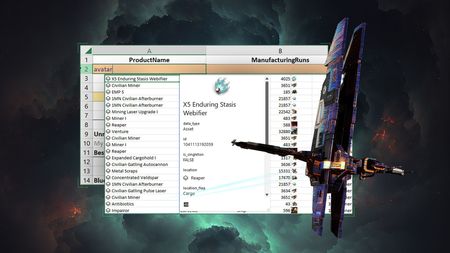
We are always looking for new ways to help people do more and create new experiences, so the Excel team was excited to collaborate with CCP Games as they developed a powerful new Excel add-in that will supercharge the EVE Online game experience by making data analytics accessible to all players, no programming knowledge required. This valuable tool enables players of all skill levels to effortlessly access and analyze data to optimize gameplay as they strive for galactic domination.32KViews1like1Comment
Update Fields with officejs after changing DocumentProperty
Hi all, I'm looking for some help and I can't find the answer online. I'm building a Word Add-in with officejs 1.3. On this Add-in the user fills-out a form. With the given data I override or add these to CustomDocumentProperties. The 'Fields' on the document is not updatet and keep showing the old data. Even after closing and opening the document. Only when I right-click on the 'Field' and choose for 'Update Field' the updatet value is shown. I can't use Macro's because it has to work on a Mac as well. In VSTO, we can easily update fields of a Word document using c# code: _wordApplication.ActiveDocument.Fields.Update(); But how do I manage this with officejs? Thanks for helping me out! Jeffrey1.1KViews0likes2Comments