notes
149 Topics1:1 meeting notes keep getting lost. I need a better system
So we have about 40 managers who are supposed to do weekly 1:1s with their reports. Most of them take notes in random OneNote notebooks and Ive even seen some use Teams chat as some pseudo-notebook. Is there anything that lets people take notes inside the actual Teams meeting and keeps those notes attached to that meeting in Teams?55Views0likes2CommentsHow are you running 1:1 meetings inside Teams without it turning into a mess?
Right now were using a shared OneNote for agendas and action items but honestly nobody updates it and half the time the meeting turns into a random chat with no structure. I tried using Planner tasks as a workaround but thats clunky because theres no real connection between the task and the meeting itself. Has anyone found a good way to keep 1:1 agendas, notes, and follow ups all in one place inside Teams? We have about 40 people so it needs to scale a bit.146Views2likes3Comments
Struggling to keep 1:1 meeting notes organized across weeks in Teams
I have 8 direct reports and we do weekly 1:1s. Right now I'm keeping notes in OneNote but theres no easy way to carry over action items from last week or see what we talked about 3 months ago without scrolling forever. Teams meeting notes are even worse because each meeting creates a separate note. Someone in my company suggested using a Loop page but that still doesnt solve the continuity problem. How are other managers keeping a running history of 1:1 conversations thats actually searchable and organized?152Views2likes1Comment
How do you track 1-on-1 meeting notes anywhere in Microsoft Teams?
Hey everyone! How are you all keeping track of your meeting notes? Are you using the built in meeting features? Are you using a seperate app? I've noticed most of our employees are just using their Teams chats as a notepad and it doesn't seem very efficient...Solved319Views0likes3CommentsRemoving Teams from a Specific User Profile via Script in Intune
Hi, Working on a process with using PowerShell to remove Microsoft Teams from a specific user that is not the primary user of that computer on multiple Windows 11 devices using Microsoft Intune. However, I need a script to make this happen. Can I get some help from the community on this? Has anyone else seen this before? Thanks, ZC4685Views0likes0Comments
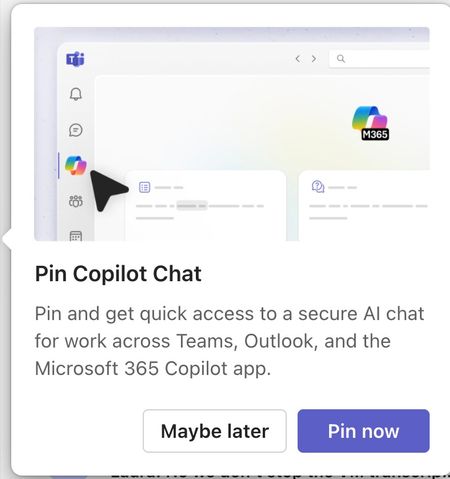
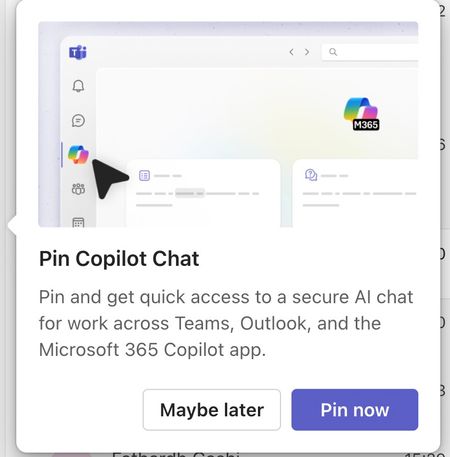
Please tell me how to disable the Pin Copilot message
Morning! I wrote a message yesterday but nobody replied, so here's another one so it doesn't get lost Can somebody tell me how to disable the annoying "Pin Copilot Chat" popup? every morning I have to say "Maybe Later" when I really mean to say NEVER IN A THOUSAND YEARS289Views0likes1Comment
Issues with Meeting Notes when Externals in Group
M365 Group, Teams-enabled, one member is a Guest User. The team is in my org, not hers. If I create a meeting invitation from within Teams, she (the Guest User) is not recognized and not allowed as a task assignee; she does not have access to the agenda or notes, which appear to Loop components; and does not have access to the meeting notes during a Teams meeting. Why? What permissions are interfering? If she's a member of the Group, she has edit permissions in SharePoint.Solved295Views0likes1CommentHow to use Facilitator in Teams [Meeting AI Assistant]
Introducing the Facilitator, a new agent designed for enhanced collaboration within Microsoft 365. This innovative agent operates seamlessly within Teams meetings and chats, revolutionizing the way teams work together. Equipped with a Microsoft 365 Copilot license, the Facilitator brings a new level of efficiency to meetings. By generating real-time AI notes and suggesting tasks, it facilitates co-authoring and collaboration, ensuring that every participant is on the same page. In chat conversations, the Facilitator excels at maintaining a live summary of essential information. From capturing key decisions to tracking action items and open questions, this agent keeps discussions focused and productive. Experience the future of teamwork with the Facilitator in Microsoft 365. #Copilot #Facilitator #Microsoft365 #MPVbuzz #Teams #MicrosoftTeams5.2KViews1like0Comments