microsoft 365
22 Topics
Benefit expiration tied to membership end date
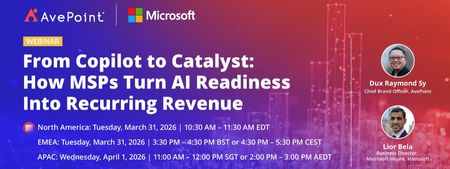
The benefit end date is now aligned with the membership end date. (Source) That means, if my Partner Core Benefits expire on day X, the Microsoft 365 internal use benefits also expire on day X. On the surface, this makes perfect sense, but, in practice, this makes renewal extremely inconvenient: Partner programs cannot be renewed before they expire, so I can only renew them on day X or later. Microsoft 365 subscriptions must be renewed before they expire, so I must renew them no later than day X. That means that the person responsible for renewing these things must work on day X - no matter if it's a week-end, a national holiday or a long-planned vacation. Getting sick or having a power outage on that day is out of the question as well, or all the Microsoft 365 mail accounts will stop working. Can Microsoft do something to make this a little less stressful for us poor sysadmins? Either add a few grace days to the expiry of Microsoft 365, or allow us to voluntarily renew our partner subscriptions earlier - I don't mind losing a few days of benefits, if it help ensure that everything can be done well ahead of time.Solved319Views1like4CommentsFrom Copilot to Catalyst: How MSPs Turn AI Readiness Into Recurring Revenue
AI interest is surging—but most customers aren’t ready to scale it securely or successfully. Gaps in device management, identity hygiene, data governance, and operational consistency often stall AI initiatives before they deliver real value. For Managed Service Providers, this challenge creates a powerful opportunity. In this webinar, you’ll learn how MSPs are using Microsoft Intune as the foundation for helping manage and secure devices, and extending it with AvePoint Confidence Platform: Elements Edition to standardize, automate, and scale AI-ready environments across customer tenants. Together, they enable MSPs to move beyond one-off AI projects and deliver AI readiness as a repeatable, revenue-generating managed service. This session focuses on turning AI demand—starting with Copilot—into a long-term services motion that improves margins, reduces operational friction, and positions your MSP as a trusted AI partner. In this webinar, you will learn how to: Turn AI readiness into recurring revenue Learn how MSPs are packaging AI readiness—starting with Copilot—into repeatable, high-margin managed services customers renew and expand. Scale securely without adding overhead See how Microsoft Intune, extended with AvePoint Confidence Platform: Elements Edition, enables standardized, automated delivery across multiple customer tenants. Move from AI pilots to real outcomes Get a practical blueprint to replace one-off AI projects with scalable services that position your MSP as a trusted AI partner. Register now: From Copilot to Catalyst: How MSPs Turn AI Readiness Into Recurring Revenue195Views0likes0CommentsAgentCon Hong Kong - Come One Come All for FREE
AgentCon is coming to Hong Kong! 🚀 The AI Agents Developer Conference lands on Saturday, 11 April 2026, at Hong Kong Institute of Information Technology (HKIIT) (VTC Tsing Yi Complex). If you're building with AI agents, automation, or intelligent systems, don't miss this gathering of developers, architects, and AI leaders for a full day of real-world sessions focused on designing, deploying, and scaling AI agents. Secure your spot ➡️ https://aka.ms/AgentconHongKong2026447Views0likes0CommentsAgentCon Seoul - Come One Come All for FREE
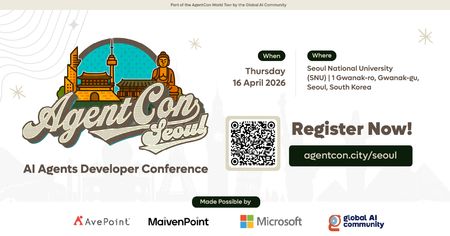
AgentCon is coming to Seoul! 🚀 The AI Agents Developer Conference lands on Thursday, 16 April 2026, at Seoul National University. If you're building with AI agents, automation, or intelligent systems, don't miss this gathering of developers, architects, and AI leaders for a full day of real-world sessions focused on designing, deploying, and scaling AI agents. Secure your spot ➡️ https://aka.ms/agentconSeoul2026309Views0likes0CommentsAgentCon New York - Come One Come All for FREE
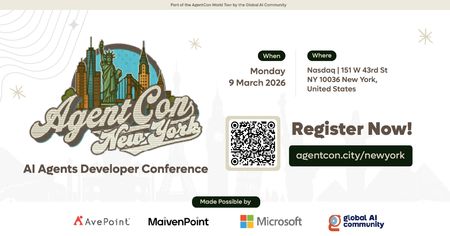
On March 9, 2026, #AgentCon lands at Nasdaq, Times Square, bringing together developers, engineers, and innovators shaping the future of AI agents. Expect deep‑dive talks, hands‑on learning, practical demos and plenty of networking with the AI community. This isn’t just another AI event, it’s where builders meet to talk real code. ➡️ Register now!258Views0likes0Comments
Licensing M365 Business Premium with Exchange Online Plan 2
Hi all, at the moment we are phasing a customers question about mixing an M365 Business Premium plan with a Exchange Online Plan 2, and we are not sure if this will work together. The Customer has E3 licenses at the moment and want to decrease them to Business Premium but he has some users with more than 50GB of E-Mail Space and now he came up with the idea of mixing Business Premium with Exchange Online Plan 2, to get a E-Mail Space of 100GB. Is this combination possible or do you know an other combinations to achive that? Many Thanks ChristophSolved1.8KViews0likes6Comments
Trying to link my Learning Profile\MCP ID to new employer
Not sure if this is right area to post but having issues linking my Learning Profile to my new employer. 1. I logon with my new company email address to https://partner.microsoft.com 2. I go to https://partner.microsoft.com/dashboard/v2/membership/workspace 3. Select Learning Profile 4. Click "Link Microsoft Learn Profile" 5. When prompted I logon with the email address linked with my MCP ID\Learning profile. 6. After a few seconds it takes me back to step 2 and step 4 still says "Link Microsoft Learn Profile". Has it worked? How do I know or confirm it worked? It looks like I'm still unlinked