microsoft 365 groups
13 TopicsRestrict access to i.e. Planner
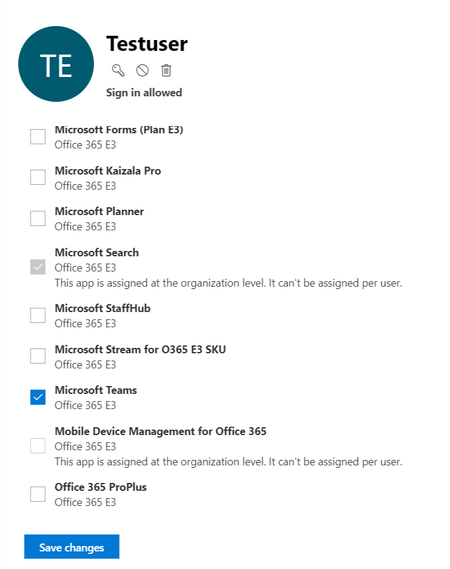
I removed all applications from my users because I only want them to try out Microsoft Teams from the whole Office 365 package. Nevertheless they are able to access Planner online services (only within their Office 365 Groups) and also OneDrive anyway. Any ideas how to restrict access to other applications?Solved4.3KViews1like4CommentsCan't license 365 groups anymore
Ever since group based licensing was moved from Entra to 365 admin, it's no longer possible to apply licenses to to 365 groups. This is clearly broken and needs fixing. What's the process to raise this with Microsoft? I tried using Graph but that's also broken, even when following the MS doc. I raised a support case but they guy that called back was absolutely useless, didn't even know what I was talking about.1.5KViews0likes5Comments
Extend M365 Archive Quota capacity
In my organization, we are currently on the O365 E5 License with default 100GB mailbox size per user and 1.5TB archive quota. However, due to organizational policy and regulatory requirements, we are expected to keep all the data from inception. Hence, the requirement for a solution to extend our archive size from 1.5TB. From the official Microsoft documentation, https://learn.microsoft.com/en-us/office365/servicedescriptions/exchange-online-archiving-service-description/exchange-online-archiving-service-description#archive-storage-quota the maximum expansion of the archive mailbox is 1.5TB. Is it possible to extend the archive storage to an Azure blob? Like an automated script that moves the data from the Archive mailbox for each user to the Azure blob or any other storage service that does not have storage size limitation. I am open to suggestions. Thanks1.1KViews1like2Comments
List of Microsoft Teams Admin Settings
Hi there, I am looking for a comprehensive list of all Microsoft Teams configurable settings. So both settings that can be managed on Team level, and from admin on organizational level. Reason is that it is easier for my client to discuss features for a potential template. Thank youSolved845Views0likes2Comments
M365 group to export the list with owner
Hi there, i would like to export out the m365 groups ( a lot) with owner email address. and i see this page, https://github.com/12Knocksinna/Office365itpros/blob/master/TeamsGroupsActivityReportV5.PS1 i try to run it, but seems like i have permission issue. Checking Microsoft 365 Groups and Teams for: This phase can take some time because we need to fetch every group in the organization and then analyze its settings and activity. Please wait. Get-GraphData : System.Net.WebException: The remote server returned an error: (403) Forbidden. at Microsoft.PowerShell.Commands.WebRequestPSCmdlet.GetResponse(WebRequest request) at Microsoft.PowerShell.Commands.WebRequestPSCmdlet.ProcessRecord() At D:\TeamsGroupsActivityReportV5.PS1:330 char:18 + [array]$Groups = Get-GraphData -AccessToken $Token -Uri $uri + ~~~~~~~~~~~~~~~~~~~~~~~~~~~~~~~~~~~~~~~~~~~ + CategoryInfo : NotSpecified: (:) [Write-Error], WriteErrorException + FullyQualifiedErrorId : Microsoft.PowerShell.Commands.WriteErrorException,Get-GraphData Can't find any Microsoft 365 Groups - Check your access token i have no idea how to find out which permission is needed as there are a lots of permission for microsoft graph. i try to check the link inside the script and use the graph explorer, it also needed the permission. { "error": { "code": "UnknownError", "message": "{\"error\":{\"code\":\"S2SUnauthorized\",\"message\":\"Invalid permission.\"}}", "innerError": { "date": "2024-08-21T06:30:50", "request-id": "e7de8a7b-77ec-4d8b-94fd-9161026f21bb", "client-request-id": "833ca782-ad02-748b-0798-ffdda617f57d" } } any advise ?Solved737Views0likes1CommentInterface Views in Microsoft 365 Admin Center
1. Simplified View Purpose: Designed for small businesses or organizations with limited IT resources. Features: Streamlined dashboard with essential tasks like user management, license assignment, and password resets. Minimal configuration options to reduce complexity. Quick access to support and basic service health info. Use Case: Ideal for admins who need to perform routine tasks without diving into advanced settings. 2. Dashboard View (Advanced View) Purpose: Tailored for medium to large enterprises with complex IT environments. Features: Full access to all admin centers (Exchange, SharePoint, Teams, etc.). Advanced analytics, reporting, and configuration tools. Role-based access control and security management. Customizable widgets and navigation for personalized workflows. Use Case: Suitable for IT teams managing multiple services, users, and compliance requirements. Customization Needs Are there specific tasks we perform frequently that can be automated in the dashboard?599Views0likes2Comments
Language defaults audit for everything M365
We are struggling to find where and how the wrong language is being used for various parts of the M365 platform. We have Swedish set as default, but still English is used for a number of places which often are only realized as a consequence by a user. For example, in Viva Engage language is set to Swedish, and for the SharePoint as well. But: When a new user logs on VE is in English While the SharePoint web part is in Swedish, the link text have for some time ended with "- Home" (English) instead of as it was when we started 2+ years ago " - Startsida" (Swedish) Then when creating a VE group Event (Teams-meeting) default language is also English Tracking down what and where is making the wrong language being used is hard. I would be very grateful if pointed to a resource that give an as complete as possible overview of everything in M365 that we need to look over for making sure that the correct language is default everywhere it should be.499Views0likes4Comments
Adding Outlook add-ins and permissions
Wonderoig if someone can answer a question for me. I'll use the process in this link as context https://help.draftable.com/hc/en-us/articles/46382047949977-Configuring-Redline-in-Email-Outlook-with-Draftable In short when adding an Outlook Addin and selecting a group to assign the add-in too and the accepting the permission requests does this: Apply the permissions to ONLY those nominated users' mailboxes; or Applies the permissions to ALL mailboxes and applies "security" by limiting the users who can see the add-in I assume it does one of the two. Any ideas?399Views0likes2CommentsRemove staff from Dynamic distribution group.
I have a dynamic distribution group that pulls all licenses premium users, and we use it to add access to applications. I need to remove accounts that have a premium license but don't need access to the application. I just cannot get the syntax quite right. This is the systex rule that I have now. user.assignedPlans -any (assignedPlan.servicePlanId -eq "23456778-df34-3dfg-fe35-lpn3r07bb09d" -and assignedPlan.capabilityStatus -eq "Enabled")Solved366Views0likes1Comment