microsoft 365 copilot
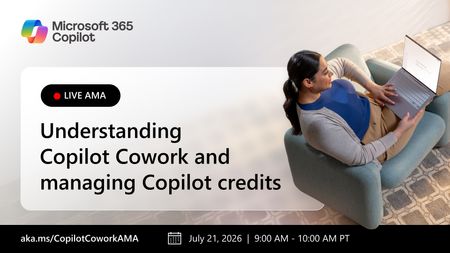
28 TopicsLive AMA: Understanding Copilot Cowork and managing Copilot credits
Join us on July 21st for our Copilot Cowork webinar and discover new ways to unlock productivity with cross application AI-powered collaboration. We'll also cover new tools for managing Copilot Credits and controlling costs across your organization. In this live webinar and AMA (Ask Microsoft Anything), we'll discuss: Who should be using Copilot Cowork How to allocate and manage Copilot Credits effectively Best practices for adoption and governance Strategies for scaling and managing Copilot Cowork across your organization Bring your questions and hear directly from the experts as we explore how to maximize value from this new capability! How to Participate Register for the Microsoft Tech Community using your email if you haven’t already. This allows you to post comments and ask questions. Visit this page during its scheduled time to join the conversation. You can post your questions in the comments, and product team members will respond live during the AMA. Watch the session live or catch the recording on demand after the event.5.8KViews3likes70CommentsMicrosoft 365 Copilot Roadmap: What's New & Available
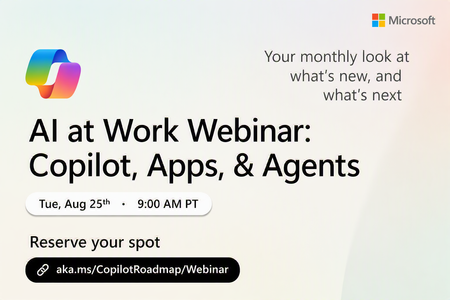
Register Here: https://aka.ms/MTC/CopilotRoadmapEvent Keep up with the latest in Microsoft 365 Copilot, all in one place. This Roadmap webinar series is your central hub for the latest Copilot innovations. Each session covers what’s new, what’s next, and how it all comes together to drive impact across your organization. Join Microsoft experts for a clear, practical view of Copilot so you can act on what’s available today and plan for what’s ahead. Who should attend: Business leaders looking to unlock productivity with AI IT decision makers planning and enabling Copilot adoption Technical practitioners implementing Microsoft 365 and Copilot solutions Anyone who wants a clear, ongoing view of what Copilot can do today, and what’s coming next Get ready to: Explore the latest Microsoft 365 Copilot capabilities available today Gain early insight into what’s coming next so you can plan with confidence See real-world examples of how organizations are putting Copilot to work across roles, workflows, and business scenarios Identify practical next steps to get started or deepen Copilot adoption Technical level: This is a foundational level event To get the most value out of the event, it would be helpful to have: General familiarity with Microsoft 365 workloads Interest in exploring or expanding your use of Copilot and AI in the workplace No deep technical expertise required, and this session is designed to be accessible and relevant across roles Click here for the Microsoft Event Code of Conduct.372Views1like0CommentsLive AMA: Microsoft 365 Copilot app
Join us for a live AMA (Ask Microsoft Anything) supporting the Microsoft 365 Copilot app learning series: "From research to polished outputs." Work today often spans chats, files, meetings, and tools, and this session gives you a chance to ask questions about how connected experiences like Researcher, Copilot Pages, Copilot Notebooks, and Create can support everyday workflows. Bring your questions from the series and learn how these experiences can help you organize information, build shared context, create content, and turn ideas into shareable outputs. How to Participate Register for the Microsoft Tech Community using your email if you haven’t already. This allows you to post comments and ask questions. Visit this page during its scheduled time to join the conversation. You can post your questions in the comments, and product team members will respond live during the AMA. Watch the session live or catch the recording on demand after the event. Hope to see you there! Come ready to learn and ask our experts all of your burning questions! 💡 Learn more about the Microsoft 365 Copilot app: https://aka.ms/M365CopilotAppAdoption811Views3likes21CommentsLive AMA: Microsoft 365 Copilot app
Learn more about the capabilities of Microsoft 365 Copilot app in this live 'Ask Microsoft Anything' with product and engineering team experts! Get your questions answered about capabilities and getting started with the Microsoft 365 Copilot app. Watch the Microsoft 365 Copilot app learning series for real‑world scenarios for your workday here! How to Participate Register for the Microsoft Tech Community using your email if you haven’t already. This allows you to post comments and ask questions. Visit this page during its scheduled time to join the conversation. You can post your questions in the comments, and product team members will respond live during the AMA. Watch the session live or catch the recording on demand after the event. Hope to see you there! Come ready to learn and ask our experts all of your burning questions!980Views0likes8CommentsManaging agent inventory and costs
This fast-paced session will showcase how AI admins can confidently manage agents and control costs. You’ll see how Microsoft empowers organizations to govern agent inventories, create billing policies, and gain visibility and control over usage and cost. Whether you're scaling agents across departments or fine-tuning consumption at the department level, this session will demonstrate how Microsoft 365 admin center brings clarity and control to your AI operations. How do I participate? No registration is required. Select "Add to calendar" to save the date, select "Attend" to receive event reminders, then join us live on February 26th ready to learn and ask questions! Feel free to post questions and comments below. You can post during the live session and/or in advance if the timing doesn't work for you. This session is part of the IT management and security in the AI era. Add it to your calendar, select "Attend" for event reminders, and check out the other sessions! Each session has its own page where the session livestream and discussion space will be available at the start time. You will also be able to view sessions on demand after the event.489Views0likes5CommentsCopilot & agent reporting: Measuring AI adoption and impact
Join us for a focused, fast paced walkthrough of the latest reporting capabilities in Copilot and Agent Analytics. We’ll show you how organizations can track adoption, understand usage patterns, and measure the impact of both M365 Copilot and Agents using our newest reports. This session includes a live demo of the updated Copilot Dashboard, newly added Copilot Chat reporting, enhanced benchmarks, and the all-new Agent Dashboard—designed to give leaders and analysts a unified, actionable view of AI usage and performance across their environment. How do I participate? No registration is required. Select "Add to calendar" to save the date, select "Attend" to receive event reminders, then join us live on February 26th ready to learn and ask questions! Feel free to post questions and comments below. You can post during the live session and/or in advance if the timing doesn't work for you. This session is part of the IT management and security in the AI era. Add it to your calendar, select "Attend" for event reminders, and check out the other sessions! Each session has its own page where the session livestream and discussion space will be available at the start time. You will also be able to view sessions on demand after the event.654Views1like3CommentsIT management and security in the AI era
Join us for insights, demos, and deep dives into the latest features and controls for securing and managing your environment while unlocking AI’s value. Learn how to prepare your environment for Copilot and agents, and deep dive into the latest innovations to secure, manage, and analyze Microsoft 365 Copilot, Copilot Chat, Microsoft Copilot Studio, and agents across your organization. What to expect A breakdown of the built-in protections in the Copilot platform that help proactively safeguard your organization Practical ways to reduce exposure to common attack vectors in an increasingly AI-forward digital work environment Technical guidance for protecting sensitive data while maintaining productivity Best practices for managing agents and controlling costs Insights on measurement, analytics, and usage trends Guidance on enabling users and measuring the impact of M365 Copilot and agents Live AMAs with Microsoft product team members throughout the event Time Session Title Speaker(s) 8:00–8:30 AM PT Copilot trust & safety: Controls to manage AI risk Tanner Briggs 8:30–9:00 AM PT Secure Microsoft 365 Copilot and agents against data loss Erica Toelle, Sophie Ke 9:00–9:30 AM PT Microsoft Baseline Security Mode: Simplify, secure, succeed Adriana Wood 9:30–10:00 AM PT Managing agent inventory and costs Samer Baroudi 10:00 AM–10:30 AM PT Copilot & agent reporting: Measuring AI adoption and impact Mike Walsh, Steph Tung How to Participate Register for the Microsoft Tech Community using your email if you haven’t already. This allows you to post comments and ask questions. Visit each individual session page during its scheduled time to join the conversation. You can post your questions in the comments, and product team members will respond live during the AMA. Watch the session live or catch the recording on demand after the event. Keep the conversation going in the Microsoft 365 Copilot Tech Community discussion space after the sessions conclude. It’s a great place to follow up, share what’s working, and connect with others exploring similar topics. Hope to see you there! Come ready to learn and ask our experts all of your burning questions!5KViews6likes10CommentsCopilot trust & safety: Controls to manage AI risk
As generative AI adoption accelerates, IT, security and compliance leaders must balance access to innovation with responsibility and governance. In this session on Copilot trust & safety you’ll learn about the Microsoft-built protections embedded in the platform, see how Copilot safety investments map to real-world risk scenarios, and get a clear understanding of how to proactively safeguard your organization through policy, compliance, and risk management tools while unlocking AI’s value. How do I participate? No registration is required. Select "Add to calendar" to save the date, select "Attend" to receive event reminders, then join us live on February 26th ready to learn and ask questions! Feel free to post questions and comments below. You can post during the live session and/or in advance if the timing doesn't work for you. This session is part of the IT management and security in the AI era. Add it to your calendar, select "Attend" for event reminders, and check out the other sessions! Each session has its own page where the session livestream and discussion space will be available at the start time. You will also be able to view sessions on demand after the event.1.1KViews3likes6CommentsMicrosoft Baseline Security Mode: Simplify, secure, succeed
Ready to take your organization’s security posture to the next level? Join us for an engaging session on Microsoft Baseline Security Mode (BSM)—a powerful framework and tool built on decades of Microsoft’s security expertise. Discover how BSM delivers the right controls, reporting, and settings to reduce risk and strengthen your Microsoft environment. Learn how to simplify security management, enforce secure-by-default configurations, and gain visibility through built-in telemetry—all without sacrificing productivity. How do I participate? No registration is required. Select "Add to calendar" to save the date, select "Attend" to receive event reminders, then join us live on February 26th ready to learn and ask questions! Feel free to post questions and comments below. You can post during the live session and/or in advance if the timing doesn't work for you. This session is part of the IT management and security in the AI era. Add it to your calendar, select "Attend" for event reminders, and check out the other sessions! Each session has its own page where the session livestream and discussion space will be available at the start time. You will also be able to view sessions on demand after the event.621Views0likes3CommentsSecure Microsoft 365 Copilot and agents against data loss
As organizations scale Microsoft 365 Copilot and agents, prompts themselves become a new surface for data loss. In this session, learn how Microsoft Purview Data Loss Prevention safeguards Copilot interactions by detecting sensitive information in user prompts and preventing Copilot or Copilot agents from generating responses or performing grounding and web search. See how DLP for Copilot enables secure Copilot adoption—protecting sensitive data while maintaining productivity. How do I participate? No registration is required. Select "Add to calendar" to save the date, select "Attend" to receive event reminders, then join us live on February 26th ready to learn and ask questions! Feel free to post questions and comments below. You can post during the live session and/or in advance if the timing doesn't work for you. This session is part of the IT management and security in the AI era. Add it to your calendar, select "Attend" for event reminders, and check out the other sessions! Each session has its own page where the session livestream and discussion space will be available at the start time. You will also be able to view sessions on demand after the event.1.6KViews0likes5Comments