microsoft 365 copilot
728 TopicsMicrosoft Forms Copilot: "/" command returns file search error
Hello, I'm experiencing an issue in the Copilot draft experience in Microsoft Forms. When I type only the / character, the search panel opens, but an error message is immediately displayed : "I can't find this file right now. Check the file name or try again in a few moments." I'm not searching for a specific file. I'm simply typing / to trigger the menu. I get the exact same behavior when clicking the attachment (paperclip) button. The behavior is reproducible. Has anyone else experienced this issue with the / command in Microsoft Forms Copilot ? Thank you.25Views0likes1Comment
Any way to keep Copilot always open in the sidebar?
Looking to always have Copilot open in the sidebar when using Edge. I've found various bits of information regarding how to do this but they rely on the "sidebar" settings area which apparently has been retired from Edge. I just want Copilot in the sidebar at all times directly from startup. Thanks.22Views0likes1CommentCopilot Extensibility community call - September 2026
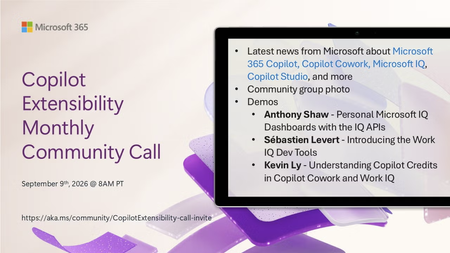
🚀 The Copilot Extensibility Monthly Community Call is a recurring virtual gathering designed to keep the global developer and maker community consistently connected, informed, and engaged with the latest advancements in Microsoft 365 Copilot, Copilot Cowork, Microsoft Scout, GitHub Copilot, Microsoft IQ, etc. and their extensibility ecosystem. 👏 Monthly Wednesday call is for all community members to see Microsoft PMs, engineering and Cloud Advocates showcasing the art of possible with the Microsoft AI technologies. 📅 On the 9th of September we'll have following agenda: News and updates from Microsoft Community group photo Anthony Shaw - Personal Microsoft IQ Dashboards with the IQ APIs Sébastien Levert - Introducing the Work IQ Dev Tools Kevin Ly - Understanding Copilot credits in Copilot Cowork and Work IQ 📞 & 📺 Join the Microsoft Teams meeting live at https://aka.ms/community/CopilotExtensibility-call-invite 🗓️ Download recurrent invite for this weekly call from https://aka.ms/community/CopilotExtensibility-call-invite 👋 See you in the call! 💡 Building something cool with Microsoft AI technologies (Copilot, Cowork, Copilot Studio, Microsoft IQ, etc)? We are always looking for presenters - Volunteer for a community call demo at https://aka.ms/community/request/demo 📖 Resources: Previous community call recordings and demos from the Microsoft Community Learning YouTube channel at https://aka.ms/community/youtube Labs and training material about Microsoft 365 Copilot Extensibility - https://aka.ms/copilotdevcamp Microsoft 365 & Power Platform samples from Microsoft and community - https://aka.ms/community/samples Microsoft 365 & Power Platform community details - https://aka.ms/community/home 🧡 Sharing is caring!50Views0likes0CommentsCopilot, Microsoft 365 & Power Platform Community call
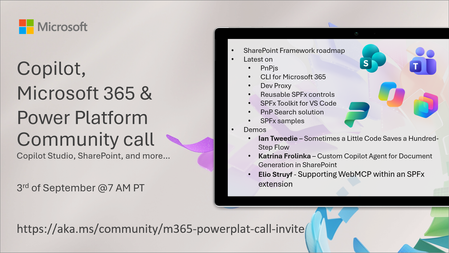
💡 Copilot, Microsoft 365 & Power Platform weekly community call focuses on different use cases and features within the Microsoft 365 and Power Platform - across Microsoft 365 Copilot, Copilot Studio, SharePoint, Power Apps and more. Demos in this call are presented by the community members. 👏 Looking to catch up on the latest news and updates, including cool community demos, this call is for you! 📅 On 3rd of September we'll have following agenda: Latest on SharePoint Framework (SPFx) Latest on Copilot prompt of the week PnPjs CLI for Microsoft 365 Dev Proxy Reusable Controls for SPFx SPFx Toolkit VS Code extension PnP Search Solution Demos this time Ian Tweedie – Sometimes a Little Code Saves a Hundred-Step Flow Katrina Frolinka – Custom Copilot Agent for Document Generation in SharePoint Elio Struyf - Supporting WebMCP within an SPFx extension 📅 Download recurrent invite from https://aka.ms/community/m365-powerplat-dev-call-invite 📞 & 📺 Join the Microsoft Teams meeting live at https://aka.ms/community/m365-powerplat-dev-call-join 💡 Building something cool for Microsoft 365 or Power Platform (Copilot, SharePoint, Power Apps, etc)? We are always looking for presenters - Volunteer for a community call demo at https://aka.ms/community/request/demo 👋 See you in the call! 📖 Resources: Previous community call recordings and demos from the Microsoft Community Learning YouTube channel at https://aka.ms/community/youtube Microsoft 365 & Power Platform samples from Microsoft and community - https://aka.ms/community/samples Microsoft 365 & Power Platform community details - https://aka.ms/community/home 🧡 Sharing is caring!44Views0likes0CommentsCopilot, Microsoft 365 & Power Platform product updates call
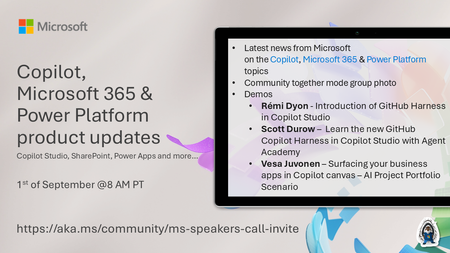
💡Copilot, Microsoft 365 & Power Platform product updates call concentrates on the different use cases and features within the Microsoft 365 and in Power Platform. Call includes topics like Microsoft 365 Copilot, Copilot Studio, Microsoft Teams, Power Platform, Microsoft Graph, Microsoft Viva, Microsoft Search, Microsoft Lists, SharePoint, Power Automate, Power Apps and more. 👏 Weekly Tuesday call is for all community members to see Microsoft PMs, engineering and Cloud Advocates showcasing the art of possible with Microsoft 365 and Power Platform. 📅 On the 1st of September we'll have following agenda: News and updates from Microsoft Together mode group photo Rémi Dyon - Introduction of GitHub Harness in Copilot Studio Scott Durow – Learn the new GitHub Copilot Harness in Copilot Studio with Agent Academy Vesa Juvonen – Surfacing your business apps in Copilot canvas – AI Project Portfolio Scenario 📞 & 📺 Join the Microsoft Teams meeting live at https://aka.ms/community/ms-speakers-call-join 🗓️ Download recurrent invite for this weekly call from https://aka.ms/community/ms-speakers-call-invite 👋 See you in the call! 💡 Building something cool for Microsoft 365 or Power Platform (Copilot, SharePoint, Power Apps, etc)? We are always looking for presenters - Volunteer for a community call demo at https://aka.ms/community/request/demo 📖 Resources: Previous community call recordings and demos from the Microsoft Community Learning YouTube channel at https://aka.ms/community/youtube Microsoft 365 & Power Platform samples from Microsoft and community - https://aka.ms/community/samples Microsoft 365 & Power Platform community details - https://aka.ms/community/home 🧡 Sharing is caring!222Views0likes0Comments
After a week of heavy use, Microsoft 365 Copilot is creating more work than it saves
I am posting this publicly because I want to know whether other Microsoft 365 Copilot users are experiencing similar issues. Over the last week, Copilot has repeatedly created more work instead of reducing it. The recurring issues include: Failure to consistently use information that already exists within authorized Microsoft 365 content. Incomplete deliverables that require multiple rounds of prompting and manual assembly. Loss of context during longer conversations. Conversations becoming unresponsive with no practical recovery path. Assumptions presented as if they were verified facts. Deliverables requiring manual validation before they can actually be used. A recent example perfectly summarizes the problem. While helping me prepare Microsoft feedback, Copilot generated content that exceeded the destination character limit multiple times, even after being told the limit had already been exceeded. I repeatedly had to paste the content, discover the failure myself, return to Copilot, and request another correction. The user became the validator because the AI did not validate its own output before presenting it as complete. The larger concern is that this pattern appears across many workflows. The experience often looks like this: Request submitted. Incomplete answer returned. Missing information identified. Additional prompting required. Information is finally found. Consolidation requested. Additional omissions discovered. User assembles the final product manually. That is not productivity improvement. That is transferring research, validation, correction, consolidation, and quality assurance back to the user. I would appreciate input from other enterprise users: Are you experiencing similar issues? Have you found effective workarounds? Has Microsoft discussed planned improvements around context retention, workflow continuity, conversation recovery, enterprise grounding, response completeness, and validation? I have already submitted formal feedback through the Microsoft Feedback Portal and welcome discussion from users and Microsoft representatives.12Views0likes0CommentsCopilot Studio agent suddenly stopped working in Teams
Hello, I've run into a strange issue with a Copilot Studio agent and I'm trying to understand where to investigate next. The agent is published to the "Teams and Microsoft 365 Copilot" channel and was working normally in Microsoft Teams until recently. The agent still works correctly in Copilot Studio. The agent still works correctly in Microsoft 365 Copilot / Copilot Chat. The issue only occurs in Microsoft Teams. What happens in Teams: Messages can be sent to the agent. No error message is displayed. No response is returned. Most importantly, no session is created in Copilot Studio (Analytics / Observability). Because no session is created, it looks like the message never reaches the agent runtime. What I've already checked: Republished the agent. Reinstalled the Teams app. Verified the Teams and Microsoft 365 Copilot channel configuration. Checked permissions and sharing settings. Checked Teams Admin Center configuration. Tested in both Teams Desktop and Teams Web. Reviewed Microsoft 365 service health. This same tenant has another Copilot Studio agent that works normally in Teams. The affected agent previously worked in Teams for several weeks before the issue appeared. The agent architecture is very simple (single MCP server, no custom connectors, no Power Automate involved in this scenario). At this point, I'm mainly trying to understand why Teams no longer seems to create a conversation/session for this specific agent while the same agent continues to work in Copilot Studio and Microsoft 365 Copilot. Has anyone seen similar behavior or found a way to diagnose why Teams is no longer forwarding requests to a specific agent ? Thank you for help100Views0likes1Comment
Retention after deletion
We currently have no retention or deletion policy set for copilot chats. I'm aware that these are now seperate from teams chats. We are considering setting deletion to 6 months but this may take time to proceed through. If users manually delete chat logs in the meantime how long are they retained in any form by default?69Views0likes1Comment