marketplace
229 TopicsSeamless private offers: From creation to purchase and activation
Join us for a practical, end‑to‑end walkthrough of seamless private offer execution—from creation to customer purchase to partner activation. You will learn: How to create private offers in Partner Center How to extend private offers to the right party (including multiparty private offers, resale enabled offers, and CSP motions) What the customer purchase experience looks like on the receiving end What flexible billing schedules apply to, and how to proactively set yourself up for success This event will feature a live Partner Center demo and include time for live Q&A so bring your questions! Note: Partner Center reporting will not be covered in this session, but you can learn more by watching Tracking transaction to payout in Partner Center reports. Office hours for partners are typically held the third Wednesday of every month, 8:30 am PT unless otherwise noted. How do I participate? Registration is not required. Add this event to your calendar and select Attend to receive reminders. Post your questions in advance, or any time during the live broadcast.Multiparty private offers through Marketplace: channel growth in Hong Kong
Microsoft Marketplace offers multiple ways for partners to sell together. With multiparty private offers becoming available in Hong Kong on October 8, join us to learn how to use Microsoft Marketplace to scale channel-led sales and drive business growth. Across the partner ecosystem, whether you're building software or delivering cloud services, Microsoft Marketplace is the scale engine for reaching more customers and increasing sales. The continued expansion of channel-led selling capabilities is creating more locally relevant ways for partners to sell together, reach more customers, and grow their business through the Microsoft ecosystem. Leave with practical guidance on how these capabilities work together and how to start using them in your sales motions today. What you’ll learn: How to use multiparty private offers The differences between multiparty private offers and resale enabled offers, and the power of using them together Get operational readiness with structured next steps whether your organization builds software—or offers cloud services Takeaways: Build confidence in activating multiparty private offers and channel-led sales through Marketplace with localized guidance, grounded in a strong understanding of Microsoft Marketplace sales models and when to apply each for maximum strategic impact. Who should attend? Channel, marketing, operations, and sales leaders from software companies (ISVs), systems integrators, resellers, distributors, and managed service providers looking to grow their businesses through co-selling opportunities in the Microsoft ecosystem. How do I participate? Registration is not required. Add this event to your calendar, then sign in to the Tech Community and select ‘Attend’ to receive reminders. Post your questions in advance, or any time during the live broadcast.
Introducing Dell PowerScale for Azure: Now in Public Preview
We’re excited to announce the public preview of Dell PowerScale for Microsoft Azure – a fully managed, enterprise-grade file storage solution natively integrated into Azure. This offering brings Dell’s proven scale-out Network-attached storage (NAS) technology directly into Azure, delivering the performance and scalability enterprises expect with the simplicity of Azure-native management. Supporting up to 8.4PB in a single namespace, Dell PowerScale offers the scalability needed for demanding modern workloads. With multi-protocol support (NFS, SMB, S3), it ensures seamless access across diverse applications while maintaining the trusted Dell PowerScale user experience. This Dell-managed solution handles monitoring, maintenance, and updates, enabling organizations to streamline operations, optimize storage, and focus on business priorities with confidence in their data’s security and accessibility. This natively integrated solution uses purpose-built virtual machine infrastructure provisioned by Microsoft in the standard Azure hyper scaler environment. This special VM leverages cache to flash persistent memory technology using NVDIMM-N specifications suitable for the fast linked journaling transactions. These purpose-built VMs enable higher performance throughput and max capacity scale. Capabilities of Dell PowerScale for Azure Multi-protocol access – Global permission structure shared across users and protocols. Seamless scalability – Easily adjust to changing workloads with scale-out capacity. Operational consistency – Same experience as PowerScale on-premises. Smooth data mobility – Transfer data across environments without disruption. Advanced data protection – Safeguard critical information with comprehensive backup and recovery solutions. Snapshots – Fast data backup and recovery. Native replication – Asynchronous replication for data migration or disaster recovery. Why Dell PowerScale for Azure? Dell PowerScale is purpose-built for modern data-intensive workloads that require high performance and scalability — such as AI/ML pipelines, media & entertainment, EDA (electronic design automation), backup & recovery, and enterprise content management. Key Benefits of the Integration: Dell-Managed Service: Enjoy a streamlined storage experience, with Dell handling deployment, monitoring, maintenance, and upgrades — freeing your IT teams to focus on higher-value initiatives. Scalable & Elastic: As business requirements grow, PowerScale dynamically scales capacity and performance by adding nodes on demand, without any downtime. Enterprise-Grade Durability: Data is distributed across multiple nodes within the cluster, ensuring high durability and fault tolerance. Advanced Protection: Uses erasure coding for space-efficient protection and features like SyncIQ for asynchronous replication across sites — keeping your data available even during outages. Secure Private Access: PowerScale integrates into your Azure Virtual Network (VNet) through Vnet Injection, ensuring secure, high-performance data access. Azure-Native Experience: Provision, manage, and monitor PowerScale from within the Azure portal. It supports full integration with Azure Resource Manager (ARM), upcoming support for CLI/Powershell/Terraform, and supports native billing. How to Use the Integration: Mount shared volumes to Azure VMs or Kubernetes running in the same VNet. Run analytics or AI workloads that need parallel access to high-throughput file storage. Support backup, disaster recovery, and archival workflows across sites. Store and manage media assets or research data in regulated industries. Getting Started with Dell PowerScale for Azure Getting started with Dell PowerScale is simple: Navigate to Azure Portal Go to https://portal.azure.com and search for Dell PowerScale in the Marketplace. The offer is named Dell PowerScale for Azure - Dell managed (Public Preview). Contact Dell for a private offer and request a Dell Reference Number. Deploy the Storage Resource Follow guided steps here to configure your resource or cluster Connect Your Workloads Use standard NFS or SMB to mount volumes from Azure VMs or AKS. More Resources You can subscribe to the service through the Azure Marketplace online store or through the Azure portal. Search for it by name: Dell PowerScale for Azure - Dell managed (Public Preview) To learn more about the service, check out Microsoft docs as well as Dell docs467Views4likes0CommentsCo-sell Coaching: Episode 1, Carve Partners - AMA
PLEASE NOTE: If you are planning to attend this event, please either use the 'Add to calendar' option below the "Attend" button, or create your own calendar reminder. Clicking attend will not automatically add this event to your calendar, and you will not receive any email notifications reminding you about the event. Join us for Co-sell Coaching, where your peer Microsoft partners will walk you through their best practices on how to co-sell effectively through the marketplace. Our first community event in this series will feature Carve Partners. Join to learn: Unlock Faster Growth: Why you should prioritize co-selling Get Started the Right Way: How to create a co-sell strategy and get started Maximize Your Impact: How to prioritize deals and build your co-sell pipeline Engage Microsoft Sellers: What to expect and how to get their attention Keep Winning: What to do after a co-sell win to build ongoing momentum Each Co-sell Coaching event features a live Q&A with Microsoft partners and Microsoft subject-matter experts.Boost Marketplace discoverability with AI-assisted feedback
Enhance your Marketplace listings with personalized guidance delivered through App Advisor. Powered by agentic capabilities trained on Microsoft best practices, App Advisor is a no-cost, self-service growth tool that scans and reviews your listings to provide clear, actionable recommendations. These insights are designed to improve discoverability and strengthen customer engagement—which can drive more clicks, leads, and deals. Try App Advisor today and learn more in our blog. Don't forget to follow the Marketplace blog, Marketplace discussion board and the events calendar to stay in the know!166Views3likes0CommentsThe Marketplace playbook for channel-led sales
Get step-by-step guidance and go-to-market resources to help you recruit and activate partners for channel-led sales through Microsoft Marketplace. With the expansion of channel-led sales capabilities, software companies can engage partners to reach new customers through Microsoft Marketplace. Through resale enabled offers and multiparty private offers, software companies can empower partners to sell on their behalf to drive scale, reach new markets, and unlock new co-sell opportunities. In markets where both resale enabled offers and multiparty private partners are available, software companies can also scale through distributors, who can activate their broader channel networks. If you're looking for a practical playbook, partner recruitment guidance, and new marketing materials to empower partners to sell on your behalf, don't miss this edition of Microsoft Marketplace partner office hours! We'll also be sharing best practices and lessons learned from successful software companies and answering your questions live. Who should attend? Alliance, channel, sales, and operations roles at software companies This office hour is structured for software companies—channel partners are welcome to attend to network with software companies Q&A will be available for attendees who join live. How do I participate? Registration is not required. Add this event to your calendar and select Attend to receive reminders. Post your questions in advance, or any time during the live broadcast. Resources Channel-led Campaign in a box Multiparty private offers Resale enabled offers Microsoft Marketplace office hours for partners are typically held the third Wednesday of every month, 8:30 am PT unless otherwise notedMulti‑currency private offers in Microsoft Marketplace
Microsoft Marketplace is available in 141 regions and supports 17 currencies. As Marketplace adoption continues to grow more partners are navigating sales that involve multiple currencies, local customer invoicing, and evolving seller of record responsibilities. Understanding how currency exchanges impact private offers, partner payments, and customer billing is critical to successfully managing Marketplace transactions across geographies. Join this practical walkthrough to learn how multi‑currency transactions are managed through Microsoft Marketplace. You’ll see how currency exchange is handled across deal constructs, including a multiparty private offer example, and what changes when partners participate in resale enabled offers and assume seller of record responsibilities. If you are a software company or channel partners selling in Microsoft Marketplace and want to confidently navigate local currency transactions, understand how timing impacts payments, and apply best practices when executing deals across geographies, this session is for you! What you’ll learn: How Marketplace customers are invoiced and the currency of record How to configure private offers in local currency How sales timing affects partner payments How the FX rate applies to Marketplace sales Takeaways: Clear understanding of multi‑currency Marketplace transactions Confidence in creating private offers in local currency Foundational knowledge to support sales of resale enabled offers Microsoft Marketplace office hours for partners are typically held the third Wednesday of every month, 8:30 am PT unless otherwise noted. How do I participate? Registration is not required. Add this event to your calendar and select Attend to receive reminders. Post your questions in advance, or any time during the live broadcast. Additional resources Geographic availability and currency support for Microsoft Marketplace FAQ: Foreign exchange for Microsoft Marketplace publishersHow to structure your Microsoft Partner Center account for long term success
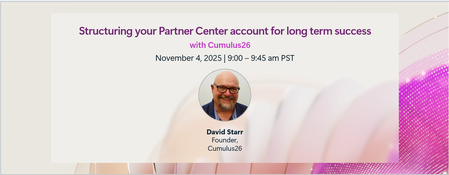
A well-defined Microsoft Partner Center account is critical for smooth operations, marketplace success, and an overall better experience in the portal. But with multiple configuration options, identifiers, and account relationships to understand, it’s easy to get lost in the details. In this discussion, we’ll walk through how to set up and organize your Microsoft Partner Center account for operational efficiency and marketplace success. What we will cover Understand account structures and publisher configurations Working with important identifiers used in account management and support scenarios Scenarios and best practices for long-term successful management of your accounts By the end, you’ll know exactly how to structure your Microsoft Partner Center account so that it supports your organization’s needs today and scales with you as you grow in the Microsoft ecosystem. Ready to optimize your Partner Center account? Join us November 4th at 9:00 AM PST to learn more and ask questions. How do I participate? Select “Add to calendar” to save the date, then click the “Attend” button to save your spot, receive event reminders, and participate in the Q&A. If you can’t make the live event, don’t worry. You can post your questions in advance and catch up on the answers and insights later in the week. This session will be recorded and available on demand immediately after airing. Where do I post my questions? Scroll to the bottom of this page and select “Comment.” This event will feature AI-generated captions during the live broadcast. Human-generated captions and a recap of the Q&A will be available by the end of the week.Land Your Offer - Anatomy of Revenue Generating Partner Offer - Part 1 - Copilot in 30
Copilot in 30: A Ready-Made Marketplace Offer to Grow Your SMB Practice Thirty days. Twenty-five users. One repeatable offer that turns AI curiosity into a long-term customer relationship. Small and medium businesses know AI matters. What they lack is a trusted guide and a low-risk way to start. Copilot in 30 gives you both: a $0, 25-user, 30-day Microsoft 365 Copilot Business trial from Microsoft, wrapped in a structured journey that only a partner can deliver. Package it as a Microsoft Marketplace offer and you have a scalable on-ramp to every SMB customer in your base — and to the managed services that follow. Start Here: Why Publishing on Microsoft Marketplace Matters Microsoft Marketplace is Microsoft's partner-focused business platform, designed to help you reach more customers and simplify how you sell. A published offer gives your practice a permanent, discoverable storefront in the place customers already look for Copilot help. More importantly, an offer turns your expertise into something repeatable. Instead of scoping every engagement from scratch, you define the journey once — activities, timeline, deliverables — and run it across dozens of customers. Professional service and managed service offer types are available in Partner Center, so the same offer can carry both the 30-day journey and what comes after it. The SMB Opportunity Hiding in Plain Sight SMB customer segment is still early in their AI journey. These are organisations with 300 or fewer users on Microsoft 365 Business Basic, Standard or Premium — typically without an in-house AI team. That combination is exactly where partners win: high demand, limited internal capacity, and a customer base large enough that a well-designed, repeatable offer scales far beyond what bespoke projects can. Why Copilot Is the Right First AI Step for SMBs Microsoft 365 Copilot Business is the cost-effective Copilot add-on built for SMB customers, delivering the same capabilities as Microsoft 365 Copilot inside the apps their people already use — Outlook, Teams, Word, Excel and PowerPoint. No platform overhaul, minimal training, immediate relevance. Copilot is also the on-ramp. Once a team works confidently with Copilot, the natural next steps are agents, automated workflows and Copilot Cowork — each one deepening the customer's dependence on the partner who guided them there. Meet Copilot in 30: 25 Users, 30 Days, $0 Copilot in 30 is a limited-time, CSP partner-led Microsoft 365 Copilot Business trial for SMB customers with fewer than 300 employees. The essentials: What the customer gets: 25 Microsoft 365 Copilot Business seats for 30 days at $0, transacted through CSP New Commerce (Product ID CFQ7TTC0MM8R · SKU 006Z) Who qualifies: Customers on Microsoft 365 Business Basic, Standard or Premium with no paid Microsoft 365 Copilot today — one trial per customer How long it runs: Available to transact until 31 December 2026 What happens at Day 30: The trial auto-converts to a paid subscription unless renewal settings are changed, with a 7-day cancellation window What Microsoft provides: A launch kit, campaign materials, setup guidance, the Copilot Success Planner and conversion guidance Microsoft supplies the licences and the assets. The offer — and the customer relationship — is yours. Your Role: The Guide Who Turns a Trial Into a Habit A trial alone rarely changes behaviour. A guided trial does. Your job across the 30 days is to make sure 25 people experience real value in real work, and that the sponsor can see it. Before Day 0 — pick the right customers, become "Customer Zero" by using Copilot in your own business, secure a named sponsor and Copilot admin, and build a 30-day success plan with agreed measures. Day 0 — transact the trial, set the paid renewal quantity and term, complete admin setup, assign all 25 licences and run the kick-off with starter prompts. Days 1–28 — lead a weekly scenario (Outlook, Teams, Apps, Agents), review Copilot Analytics, re-engage low-activity users and capture proof points in the customer's own words. Days 29–30 — run the outcome and ROI review, confirm the paid offer and open the expansion and consumption conversation. Every touchpoint is partner expertise the customer cannot get from a licence alone — and every one moves the decision at Day 30 from "should we?" to "how much more?" Inside the Offer: Activities, Timeline and Deliverables Below is the full activity plan behind the offer, ready to drop into your own offer description or statement of work. ID Stage Activity Trial day (of 30) Key deliverables — Pre-req Customer eligibility (Copilot Business trial) Before Day 0 Active M365 Business base licence; no paid M365 Copilot; one $0 trial per customer; CSP New Commerce transactable; offer open to 31 Dec 2026 I1 Identify Build the prioritised target list Pre-trial Tier A/B target list from ASPX and Cloud Ascent; 50–300 eligible seats I2 Identify Confirm eligibility and trial fit Pre-trial Eligibility check: M365 Business base licence, no paid Copilot, one trial I3 Identify Launch the acquisition campaign Pre-trial Campaign email sent; briefing delivered; responses triaged into pipeline I4 Identify Be Customer Zero: complete microskilling Pre-trial Microskilling complete; internal Copilot experience; team briefed P1 Plan Confirm sponsor and success measures Pre-trial Named sponsor and admin; 25 trial users; agreed success measures P2 Plan Build the 30-day success plan Pre-trial Personalised Success Planner output; weekly scenarios; admin and user views P3 Plan Confirm technical and compliance readiness Pre-trial Minimum requirements verified; data and compliance review; blocker log A1 Activate Transact the trial in CSP New Commerce Day 0 25-seat, 30-day, $0 trial ordered (CFQ7TTC0MM8R · SKU 006Z) A2 Activate Configure the paid renewal settings Day 0 Renewal quantity, term and billing set; Cowork usage-based billing if in scope A3 Activate Complete admin setup and assign licences Day 0 Recommended settings on; 25 licences assigned (starts the clock) A4 Activate Run the kick-off and share starter prompts Day 0 Kick-off email; starter prompts; four-week prompt series scheduled X1 Experience Week 1 · Outlook — catch up and communicate Days 1–7 Week 1 prompts landed; first-week activation rate reviewed X2 Experience Week 2 · Teams — meetings that run themselves Days 8–14 Copilot Analytics checkpoint; recaps adopted; low-activity users re-engaged X3 Experience Week 3 · Apps — create in minutes Days 15–21 App scenarios and proof points; week 3 training gate before day 30 X4 Experience Week 4 · Agents — unlock the next level Days 22–28 Role-built agents trialled; 30-day usage trends from the admin centre C1 Convert Outcome review, paid offer and expansion plan Days 29–30 ROI review; 50-seat offer confirmed in 7 days; wave 2 plan; consumption conversation opened Land Your Offer: What One Customer Is Worth The table below is the revenue anatomy of one Copilot in 30 engagement — and it shows that the money is not in the trial, but in what the trial sets up. Item Value Detail Offer duration 30 days Trial clock runs Days 1–30; identify, plan and Day 0 setup precede it Trial offer 25 seats M365 Copilot Business · 30 days · $0 · one per customer · to 31 Dec 2026 CSP incentive — 25 seats (K) $0.32K 5.0% direct bill (2.5% M365 CSP Core + 2.5% Strategic Product Accelerator Tier 1) on 25 M365 Copilot Business seats x $21/mo† ≈ $6.3K/yr; indirect reseller 2.5% ≈ $0.16K Conversion target 50 seats Lead with 50 paid seats at conversion; sets up the wave 2 expansion plan CSP incentive — 50 seats (K) $0.63K 5.0% direct bill (Core + SPA Tier 1) on 50 M365 Copilot Business seats x $21/mo† ≈ $12.6K/yr; indirect reseller 2.5% ≈ $0.32K Frontier Accelerate deployment funding (K) $2.5K Microsoft Commercial Incentives funding for the Copilot deployment engagement when the conversion lands with 50 paid seats†; funds the deployment and adoption work that leads into managed services † Illustrative estimates from the offer plan. Confirm current incentive rates, funding and eligibility in Partner Center. Three streams stack on top of each other: CSP incentive — earned on every paid Copilot Business seat from the moment the trial converts, and growing again when the customer expands from 25 to 50 seats. Frontier Accelerate deployment funding — $2,500 available when you lead the conversion with 50 paid seats, paying for the deployment work that makes the expansion stick. Managed services — the recurring engagement described in Day 31 and Beyond, which is where the largest and most durable share of revenue lives. Now multiply. Everything above is the anatomy of a single customer. Landing the offer means running it across every eligible customer in your base — and you don't need to guess who they are. Partner Center's growth insights reporting, available through the AI Business Solutions & Security Insights (ASPX) dashboard, gives you account-level Copilot eligibility, seat whitespace, free Copilot Chat usage and adoption signals for the customers you already manage. To turn that export into a ranked target list, my colleague Brian O'Shea has built a Copilot for 30 Power BI dashboard that sits over your ASPX data and scores each customer on a 0–100 priority scale from eligible seats, whitespace, free-to-paid potential and opportunity signals — so your first cohort is the ten customers most likely to convert, not the first ten who reply. How the Offer Fits Together: From Trial Inputs to Proof of Value The offer runs left to right in three layers: Trial inputs — 25 users, 30 days, $0 CSP trial SKU; an SMB with 50–300 eligible Microsoft 365 seats; no paid Copilot today; a Business Basic, Standard or Premium base; one trial per customer to 31 Dec 2026; a named sponsor and Copilot admin; auto-conversion to paid unless changed. Five stages — Identify (I1–I4), Plan (P1–P3), Activate (A1–A4), Experience (X1–X4) and Convert (C1, T1, T2, W2). Each stage produces a concrete output the sponsor can see. Proof of value — a prioritised list and campaign responses; agreed use cases and success measures; a provisioned trial with 25 licences assigned; weekly usage from the Microsoft 365 admin centre; adoption proof points in the customer's words; paid conversion confirmed in Partner Center — and a named wave 2 expansion beyond the first 25. The highlighted activities — admin setup (A3), Week 4 agents (X4), 25→50 paid seats (T1), Frontier Accelerate funding (T2) and the wave 2 expansion plan (W2) — are where the engagement stops being a project and starts becoming an ongoing relationship: managed services, agent build-out, Copilot Studio and Copilot Cowork follow-on once the trial converts. Day 31 and Beyond: Managed Services That Keep Delivering The end of the trial is the start of the real engagement. Package these as standing services in your offer: Copilot adoption management — monthly Copilot Analytics business reviews, prompt and scenario refreshes, champion programme and onboarding for each new wave of users Licence and expansion management — take the customer from 25 to 50 paid seats and on to wave 2, aligning renewals, terms and billing as the footprint grows Agent build-out — design, build and maintain role-based agents with Copilot Studio for sales, service, finance and operations scenarios surfaced in Week 4 Copilot Cowork enablement and governance — introduce consumption-based Cowork scenarios, set budgets and cost controls, and report on usage each month Security, compliance and readiness — keep data protection, permissions and governance in step with expanding AI use, including a path to Microsoft 365 Business Premium Quarterly value reviews — refresh success measures, capture new proof points and agree the next expansion plan with the sponsor Each of these is a recurring, outcome-based service rather than a one-off project — and each keeps you positioned as the customer's AI partner as their needs grow. Ready to Build Your Copilot in 30 Offer? Download the Copilot in 30 launch kit and Microsoft 365 Copilot Partner FAQ from the Microsoft AI Cloud Partner Program. Be Customer Zero — run Copilot and the microskilling series inside your own business first. Publish your offer in Partner Center as a professional service (the 30-day journey) with a managed service follow-on (Day 31 and beyond). Pick your first cohort — customers with 50–300 seats on a Microsoft 365 Business plan and no paid Copilot today. Transact your first trial through CSP New Commerce (Product ID CFQ7TTC0MM8R · SKU 006Z) and set the paid renewal on Day 0. Book the Day 30 review before Day 1 — so the conversion and expansion conversation is already on the calendar. The window closes on 31 December 2026. The customers are already in your base. Publish the offer and start the clock. Resources From AI curiosity to Copilot adoption in 30 days — Microsoft Partner Blog Copilot in 30 Launch Kit — partner GTM playbook, customer trial guide, invitation and weekly prompt emails, admin setup guidance Build Your 30-Day Copilot Success Plan Copilot Success Planner Walkthrough video Partner Skilling Hub | Microskilling for Copilot in 30 Power BI Dashboard that integrates with your ASPXi Partner Data · By Brian O'Shea Create compelling customer business cases513Views2likes1CommentBuild, publish, and optimize Marketplace offers with App Advisor
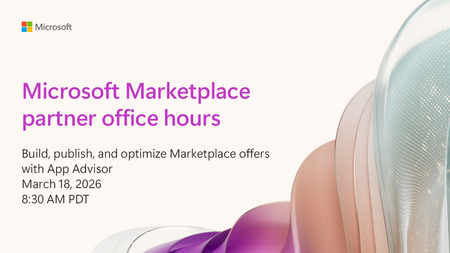
Tune in for live demos and proven best practices on using App Advisor, Microsoft’s guided experience for Microsoft Marketplace success! Learn what App Advisor is, how it works, and how it can help partners accelerate Marketplace offer creation. Walk through key stages of the experience from validating value to publishing and optimizing your listing. We’ll focus on the most impactful tools and features, including: Marketplace Value Calculator - Estimate the potential benefits of selling your solution on Marketplace. Quick Start Developer Toolkit - Speed up development and reduce setup complexity. Offer Type Selection Wizard and Offer Creation - Choose the right offer model and publish with confidence. New AI‑based marketplace listing improvement recommendations - Get actionable insights to optimize any published offering for better visibility and performance. We'll also share tips to grow your sales, promote your offer, sell through channel partners, and make the most of co-sell. Whether you’re new to marketplace publishing or looking to improve and scale existing offers, you'll find practical guidance, real examples, and AI‑powered tools to help you succeed faster. Office hours for partners are typically held the third Wednesday of every month, 8:30 am PT unless otherwise noted. How do I participate? Select Add to calendar to save the date, then click the Attend button to save your spot, receive event reminders, and participate in the Q&A.* If you can’t make the live event, don’t worry. You can post questions in advance and catch up on the answers and insights later in the week. This session will be recorded and available on demand immediately after airing. It will feature AI-generated captions during the live broadcast. Human-generated captions and a recap of the Q&A will be available by the end of the week. * Don’t see the Attend button? Sign in to your Marketplace Tech Community account or register for the Tech Community and join the conversation!