live events
69 Topics
How much of your Microsoft 365 environment can you actually see at once?
Not how many users you have. Not how many sites, teams, apps or flows you have. How much of it can you actually see connected together? I've been working across Microsoft 365 environments for a while, and I kept running into the same thing. There is no shortage of information. If anything, there is probably too much of it. Users, groups, permissions, SharePoint, Teams, Power Apps, Power Automate, Power BI, Dataverse, OneDrive, Exchange, Intune, licensing, configuration... It's all there. But when you're actually trying to understand how everything fits together, it can be a different story. You open one blade. Find something. Open another. Cross-check it. Go back. Open something else. Before long, you're jumping between different parts of the tenant trying to build the bigger picture in your head. And if you're working with larger environments, that gets difficult pretty quickly. The information isn't necessarily missing. The relationships between the information are what can be difficult to see. That got me thinking about a slightly different question: Instead of "where do I find this information?" "Show me what's connected to this." That's where VisibleState started. Start anywhere. Follow the connections. Imagine starting with a single user. Instead of seeing that user simply as a record with a list of properties, imagine being able to explore the relationships around them: User → Groups → SharePoint → Teams → Power Apps → Power Automate → Power BI → Dataverse → OneDrive → Exchange → Intune Then the questions become different: What does this user have access to? Is that access direct or coming through a group? What resources are connected to them? What depends on something they're associated with? Which licenses are involved? Are there relationships that look unusual? If something changes, what else might be affected? Those questions aren't necessarily about finding another piece of information. They're about putting information that already exists into context. A report can tell you that something exists. A connected view helps you understand what it is connected to. Illustrative example below — not a real customer environment. I'm not suggesting Microsoft 365 doesn't already give us this information Quite the opposite. Microsoft 365 already gives administrators an incredible amount of information and tooling. The thing I've been thinking about is what happens when you want to look across those boundaries. Sometimes I don't want another export. I don't want another list. I don't necessarily want another dashboard. I want to start with something I'm looking at and ask: "What's connected to this?" And then keep following the trail. That's the idea I'm exploring with VisibleState. The interesting part is what happens when you change the viewpoint The same relationships can be useful for completely different reasons. For example: Administrators may want to understand access, permissions and dependencies. Security and governance teams may want to find unusual relationships or exceptions. Compliance teams may need to understand who can access something and why. People managing multiple environments may want a consistent way to understand what's there without rebuilding the picture manually every time. Leadership may not need to see the graph at all. They may simply want to know what's important, what's exposed and what could be affected. It's still the same underlying environment. You're just looking at it from a different angle. And that's where I think things get interesting. Where I'm at with it VisibleState started as something I was building to make my own work easier. I was spending a lot of time investigating environments, tracing access and putting information together for reports. The individual tasks weren't necessarily difficult. It was the jumping between different places and reconstructing the bigger picture that took the time. So I started building something that would let me approach the environment through the relationships instead. It's grown quite a bit from where it started, and I'm continuing to build it. I'm not posting this as a product launch, and I'm not looking for people to sign up. I'm genuinely interested in whether the problem I'm seeing is familiar to other people working with Microsoft 365. So I'm curious... If you could start with any object in your Microsoft 365 environment and immediately see what it's connected to, where would you start? Would it be: Users and access Groups and permissions SharePoint and Teams Power Apps, Power Automate, Power BI and Dataverse Licensing and resources Governance and unusual relationships Something completely different Maybe you've already got a good way of doing this. Maybe you still find yourself jumping between different services and piecing things together manually. Or maybe I'm looking at the problem from the wrong direction. What's the one relationship in your Microsoft 365 environment that you wish you could see instantly?215Views0likes0Comments
Discontinuation of M365 Business Premium Grant Deeply Disappointing,Harmful to Small Nonprofits
As a Microsoft CSP partner supporting multiple nonprofit organizations, I am extremely disappointed by the decision to discontinue the Microsoft 365 Business Premium grant. This change disproportionately affects small nonprofits that rely on these tools to fulfill their missions with limited resources. The justification that this is about “alignment” or “sustainability” is disingenuous. Let’s be honest—this is a revenue-driven decision that undermines Microsoft’s long-standing commitment to empowering nonprofits. Removing access to essential tools like Office desktop apps and Intune from the grant program forces small organizations into paid plans they cannot afford, jeopardizing their operations and security. Microsoft has built goodwill in the nonprofit sector over the years. This move erodes that trust. I urge you to reconsider this decision or at least provide a longer transition period and more flexible options for small nonprofits. Please do better. The nonprofit sector deserves more than a corporate cost-cutting maneuver disguised as a strategic realignment.1.3KViews8likes3Comments
Audio quality when using Teams Townhall with rtmp-in.
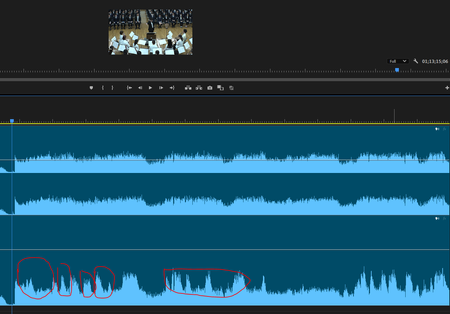
Hi everyone I have broadcast a live music (orchestra) concert using Teams Townhall with rtmp-in (using Blackmagic Design web presenter). When I checked the archive recorded on Teams, I realized that the volume of the music is being ducked automatically. All my audio sources are mixed down with a professional digital mixer before streaming to Teams so basically they have a good balanced. I have another back-up recorded data and it does not have the same problem, so i think it is caused by the algorithm of Teams, and even if I am using an external encoder?? Is there a method to fix this problem? I have compared the data recorded by the external device and teams. The ducking is quite obvious. Lower: Recorded on Teams Townhall Thank you Cheers Carson236Views1like0CommentsLevel Up CSP | Dynamics 365 Business Central Digital Bootcamp
Explore New Growth Opportunity with Dynamics 365 Business Central! Dynamics 365 Business Central represents an enormous opportunity for SMB partners and customers. It was built for small and mid-size organizations to address key financial and operational management needs. Attend an upcoming digital bootcamp - we’ll take you step-by-step through how to identify an opportunity, drive effective conversations, and successfully transact Business Central. Show your customers your strategic value to them, help them expand into other Microsoft solutions to grow their business, make business more efficient, and more! Unlock Your Business Central Opportunity | Digital event details • Americas/EMEA region: September 19 | 8:00 AM – 10:00 AM, Pacific Time • APAC region: September 19 | 5:00 PM – 7:00 PM, Pacific Time Register Today!527Views0likes0CommentsOffice of Management and Budget (OMB) Uniform Guidance re-write: What you need to know
The federal Office of Management and Budget (OMB) recently released a major rewrite to the Uniform Guidance, the common rules governing most federal grantmaking to charitable nonprofits, and others, effective on Oct. 1, 2024: The Biden-Harris Administration Finalizes Guidance to Make Grants More Accessible and Transparent for Families, Communities, and Small Businesses | OMB | The White House The rewrite addresses longstanding problems in covering nonprofits' actual costs, advances equity by making grants accessible to more nonprofits, and makes other significant reforms that will reduce bureaucratic barriers and costs of seeking, performing, and reporting on grants using federal funds. The National Council of Nonprofits are hosting a special, nationwide, free webinar, OMB Uniform Guidance: What the Updates Mean for Nonprofits, on Thursday, May 30 th at 3:30 – 4:30pm ET to ensure charitable organizations understand the significant improvements to the Uniform Guidance and what the changes mean for their missions. Register here: https://www.councilofnonprofits.org/form/omb-uniform-guidance-webinar393Views1like0Comments
Recursos post-evento Oportunidades de la IA generativa para el tercer sector en España
El Nonprofit Community Hub es un lugar para que las organizaciones sin ánimo de lucro se conecten, aprendan e innoven juntas. Únase a la comunidad y conecte con otras organizaciones sin ánimo de lucro en un foro abierto para hacer preguntas, compartir su experiencia y navegar juntos por la tecnología emergente y las aplicaciones. Desarrolle las habilidades que necesita para la economía de la IA: Desarrolle sus habilidades y conocimientos de IA con entrenamientos en línea gratuitos. Aprenda los conceptos básicos de la IA, explore cómo aplicar la IA generativa a su trabajo y obtenga un certificado Career Essentials de Microsoft y LinkedIn. Experimente el poder de la IA con TechSoup: Descubra cómo las herramientas basadas en IA pueden ayudar al personal y a los voluntarios de organizaciones sin ánimo de lucro con el Digital Skills Center de Microsoft para organizaciones sin fines de lucro, en colaboración con TechSoup. Aproveche las ofertas para organizaciones sin ánimo de lucro: Microsoft Tech for Social Impact se dedica a proporcionar tecnología y herramientas asequibles y accesibles para ayudar a las organizaciones sin ánimo de lucro de todos los tamaños a lograr sus misiones. Es por eso que ofrecemos subvenciones y descuentos de nuestros productos y servicios a organizaciones sin ánimo de lucro elegibles de todo el mundo, incluidas soluciones en la nube como Azure, Dynamics 365 y Microsoft 365, así como soluciones personalizadas creadas para organizaciones sin ánimo de lucro como Fundraising and Engagement for Dynamics 365 Sales.798Views0likes0CommentsJoin our upcoming webinar on boosting nonprofit M365 adoption - April 17
As a Microsoft partner exclusively focused on nonprofits, http://www.idealstate.co sees a lot of our clients struggling with various aspects of M365 adoption (you're not alone!). Join us for a fun and informative 30-minute live session where we share field-proven techniques and tools for getting your adoption back on track. There will be a concurrent live Q&A and links to resources - bring your questions! When: Wednesday, April 17th from 1:00 - 1:30pm EST https://events.teams.microsoft.com/event/35aa6cce-5af4-46c6-a67a-0fec19ba6bed@fb198dae-a9f0-466b-89f4-f35586e115feJoin the Microsoft 365 Conference April 30-May 2
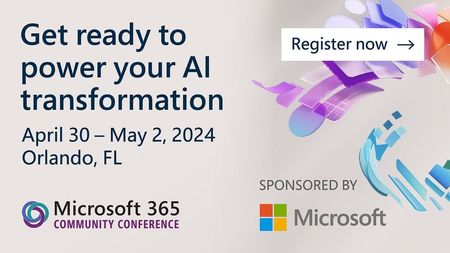
& Dolphin | April 30 - May 2, 2024 | Register today: aka.ms/M365Conf24 The Microsoft 365 Community Conference is happening in Orlando, Florida April 30-May 2, 2024. This event for Microsoft 365 and Copilot enthusiasts offers over 150 sessions for you to explore AI innovations and elevate your productivity, creativity, and collaboration. At the Microsoft 365 Community Conference, you can: Discover the latest innovations in AI and learn best practices from Microsoft’s product makers to boost your productivity, creativity, and collaboration. Build your Microsoft 365 skills and knowledge through hands-on demos and interactive workshops that will equip you with the tools you need to take your work to the next level. Network with thousands of Microsoft experts, industry leaders, and the community. Register now to advance your expertise and career at this transformative event: aka.ms/m365conf24regWatch the Fireside Chat with Kate Behncken and Vilas Dhar and join us for an AMA
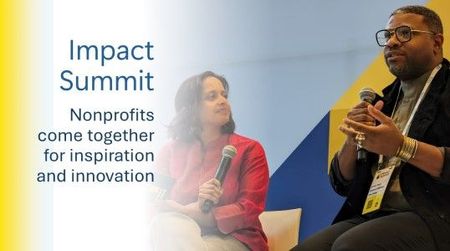
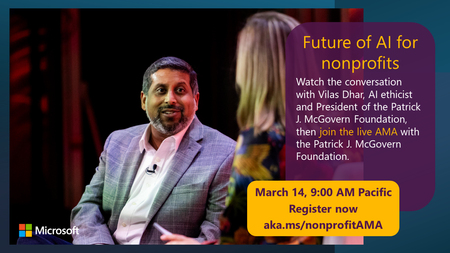
What does the future of AI hold for nonprofits? Find out on Thurs, March 14th at 9:00 AM PT and join us for a Future of AI for Nonprofits AMA! Watch the premiere of the Fireside Chat with Kate Behncken and Vilas Dhar from the Global Nonprofit Leaders Summit and participate in a live Q&A with speakers from the Patrick McGovern Foundation and members on the Microsoft Philanthropies team about how AI will change the future for nonprofits. Head over to the event page and start posting your questions now! Future of AI for Nonprofits AMA with Patrick J. McGovern Foundation398Views0likes0Comments