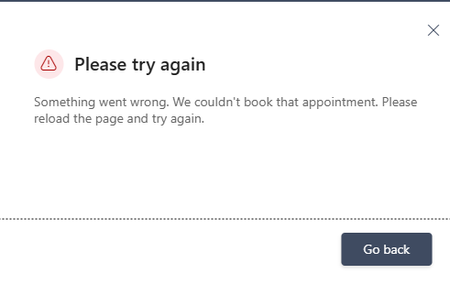
error
85 Topics
Booking Error Message
Microsoft Bookings public booking page displays “Something went wrong. We couldn't book that appointment,” but the appointment is actually created in the Bookings/Outlook calendar. The issue occurs even when using different browsers and Incognito mode. I checked availability and other things, everything looks fine. How to fix this?233Views0likes3Comments
What's wrong with my XLOOKUP formula?
I'm trying for the first time to define cells in an Excel worksheet with values selected from list, which is defined by a table. The table is in the same worksheet, to the right of my data columns. I was OK until I tried to make the cell look up the value in one table column (an ID) and display the corresponding value from another column. I'm defining the cell with data validation, type list, using this expression for source: =XLOOKUP(D2,CatTable[ID],CatTable[Categories]) Where D2 is a data cell, CatTable is the table's name, and ID and Categories are respectively the names of the ID and display columns. When I click OK, Excel says "There's a problem with this formula" (followed by some useless stuff that assumes I don't know what a formula is and entered one by mistake). What is wrong?75Views0likes3Comments
Grammar error in french
There is an grammar error in the french translation of the automatically added notice on every Forms: "When you submit this form, it will not automatically collect your details like name and email address unless you provide it yourself." It presently reads: "Lorsque vous envoyez ce formulaire, il ne collecte pas automatiquement vos détails, tels que le nom et l’adresse de courriel, sauf si vous le fournissez vous-même." There should be a "s" at the end of "vous-mêmes."98Views0likes0Comments
Can't sign in to microsoft account
I'm locked out of my microsoft account simply because I don't have access to the Authenticator App. I recently performed a factory reset on my phone with the Authenticator App on and now I can't sign in to my account. I have tried the self help forums and I got a response email saying: "It looks like you just used the Microsoft account recovery form (account.live.com) to request a password reset for e**************email address removed for privacy reasons. Because you've turned on two-step verification for your account, we ignore these requests but wanted to let you know. If you're having trouble signing in, go to (account.live.com/ResetPassword) and reset your password using security info such as your phone, alternate email address, or authenticator app." It won't let me use my phone number when I select it as a sign in option. I have tried the recovery forms to no avail.173Views0likes1Comment
My printers don't work after I reinstalled Microsoft 365
I recently had to reinstall Microsoft 365. The software now works quite well, but I can't print a document in Microsoft Word or from anywhere in Windows 11. I have two printers: an HP Envy Inspire 7900e AIO and a Brother HL-L2420DW. Both printers worked before the reinstall, and both printers work without any problems on the Mac side of my laptop. (I use a Mac with Parallels to run Windows 11.) When I try to print from MS-Word in Windows 11, I select a printer from the list in the Print dialog. Then I have to wait for a printer connection. A few seconds later, I get a notice that the printer is "in an error state." My first thought was that I'll have to reinstall my printers in Windows 11, but I went looking for help. An AI helper I've consulted a few times walked me through a labyrinth of steps to fix the problem. The steps involved using the Command prompt or PowerShell (Administrator), but so far I've not had any luck. Seems to me I'll do as well by simply removing and reinstalling the printers. But that thought brings up more questions. I installed both printers using the manufacturer's instructions. For example, the HP AIO I installed with the full-feature software. My question: Do I need to do anything special before I reinstall the printers? Do I simply go to Printers & Scanners and delete my printers and then reinstall them? Also, will any of this affect these same printers on the Mac side?236Views0likes2Comments
Microsoft Forms interface stuck in Swedish after login – account language is Italian
Hello, Microsoft Forms is displayed in Swedish after I sign in, even though all my language settings are set to Italian (Italy). I have already checked the following: Microsoft account display language: Italian (Italy) Microsoft 365 interface: Italian Microsoft Edge preferred/display language: Italian The issue also occurs in an InPrivate session Before signing in, the Microsoft Forms website is correctly displayed in Italian. Immediately after signing in, the Forms dashboard and editor switch to Swedish. This suggests that the locale/language associated with my Microsoft Forms profile may be incorrectly stored as Swedish on the service side. I have already contacted Microsoft Consumer Support. They confirmed that they cannot access the Microsoft Forms backend or modify the Forms profile locale, and advised me to report the issue here and through the Microsoft Forms feedback function. I also tried the Feedback option inside Microsoft Forms, but clicking it does not open anything, both in normal browsing and InPrivate mode. Could someone please check whether the locale associated with my Microsoft Forms profile can be reset from Swedish to Italian (it-IT)? Thank you.856Views0likes4CommentsMajor Trouble Activating Win. 11 Pro After Hardware Change
Hello, I am trying to transfer a Windows 11 Professional product key to a different machine. It seems like no matter what I try, Windows will not reactivate. It activated just fine on the old machine. Before moving the installation to the new machine, I first signed into my Microsoft account on the old machine, per Microsoft's recommendation for hardware changes. I then signed into my Microsoft account on my new machine. When the activation failed on the new machine, I ran the troubleshooter in settings, which told me it couldn't find any devices to transfer the product key from. I then tried "slmgr /ato" which was unsuccessful but told me to call Microsoft. The chatbot told me to use a tool found here: "aka.ms/aoh". The tool said the "installation ID was unable to be activated". I'm feel like I'm out of options, however, I still want to use Windows. Any help would be greatly appreciated. Thank you.247Views0likes1CommentExtreamly frustrated that I cannot get help for a serious problem
What the devil do I have to do to get help with a serious problem with the cloud for our non-profit business account for our small charity. I have 'lost' sight of a large number of documents from the cloud since we had to start paying for our subscription. After many chats with ai and emails and the problem being escalated I have now been told to go back to where I started at Non-profit support and put a support ticket in. Doesnt matter what machine I use, what browser I use, what network I use, I cannot get past the submit form page and keep getting an error message - this has been going on for weeks now. Ive tried ringing and the call keeps dropping while on hold - no one, no-one will call me about the problem and no one seems interested in dealing with the problem and its not just affecting me on our system either. Please will someone tell me how to get to a human for support without using an AI help system,221Views0likes1CommentMicrosoft Word - Footnote remains on the original page after moving the original reference up
Issue I encountered an issue in Microsoft Word where moving the original footnote reference to an earlier location in the document did not move the footnote itself. The footnote remained on its original page even though the reference had been moved. This was particularly problematic because the same footnote was referenced multiple times throughout the document using cross-references. Cause The footnote is anchored to the original footnote reference in the main text. In my case, Word had somehow lost track of that original anchor, so the footnote stayed on its original page while all cross-references continued to point to it. Solution Hold Ctrl and click the misplaced footnote reference. Word jumps to the original footnote reference in the main text. Cut the original footnote reference (Ctrl+X). Paste it in the correct location using Keep Source Formatting. Press Ctrl+A, then F9 to update all fields. Verify that: the footnote has moved to the correct page, the numbering has updated correctly, all cross-references still work. In my document, one footnote had previously lost its connection to the original reference, so its numbering did not update automatically. That one had to be repaired manually. Important Do not create a new footnote or copy the footnote text itself. Move the original footnote reference in the main text. This preserves the existing footnote, its numbering, and every cross-reference that points to it. I hope this helps someone else. It took me quite a while to figure out what was happening.222Views0likes1Comment
My Microsoft Form is not able to sync to an Excel file
Hi, I am having trouble as when I try to open the results of a form that I made into an Excel is giving me the following error "It wasn't possible to open Excel online, You can still download a copy to visualize the responses on Excel" (translated from my native language so the message might be a bit different). I am able to download the form as an excel but I cannot open a website version of it, this form was made using a personal email address and Microsoft account. I cannot share the link to the forms as it has personal information that would not be allowed to share in a public setting.374Views0likes2Comments