community
647 TopicsNew User Group Form Error
I have a user group over at Power Platform Community, and we'd like to expand our reach by creating an in-person group here for Power Platform and M365 users in our area. However, when I try to submit the form for a new user group, I get this error: GraphQL Error: 400 Form.graphql.error.requestFailed It doesn't seem to matter if I logout, login, use another browser/computer. I've checked all fields, removed special characters. Appreciate your help.155Views1like4Comments
SentinelOne detected \Config.Msi\4e6142cc.rbf as Ransomware in Windows Server
Hi, Recently, one of our Dell Windows servers triggered a critical ransomware detection in SentinelOne. Here are the specific alert details: File Path: \Device\HarddiskVolume3\Config.Msi\4e6142cc.rbf Originating Process: msiexec.exe (SupportAssist_x64.msi) SentinelOne Alert Summary: The alert indicates a critical detection on the Windows server involving an unsigned file (4e6142cc.rbf) located in the system's MSI configuration directory. Executed under the NT AUTHORITY\SYSTEM context by msiexec.exe (associated with SupportAssist_x64.msi), the file was flagged as ransomware under a "User-Defined Blocklist" policy with a malicious confidence rating. The system highlighted potential ransomware activity utilizing MSI installer processes, prompting immediate enforcement and investigation. We attempted to remove the file, but it reappears periodically, likely triggered by background installer/update tasks. Has anyone encountered similar alerts with Dell SupportAssist or SentinelOne? Is this a known false positive associated with MSI rollback (.rbf) files, or is further remediation required? Any insights or recommendations would be greatly appreciated. Many thanks, Sebastian65Views0likes1Comment
Do we not meet High Volume Sender authentication requirements?
For a customer, we developed some custom sofware that, as a part of it functionality, generates notification mails to their clients. This worked ok for some years, however nowadays these mails are rejected by recipients who have hotmail.com or outlook.com email addresses. The bounce information suggests that this is because the customer are regarded by Outlook as High Volume Senders. We can understand this as there may be a few thousands of their clients who have a hotmail.com or outlook.com email address, each receiving several messages yearly (in a range of at least 1 up to about 10 messages yearly). Now my question is: it seems to me that we do meet all criteria as published at https://support.microsoft.com/en-us/outlook/fix-ndr-error-550-5-7-515-in-outlook-com, however the emails are still being rejected. Is there anyone who can help us to verify if we do (or do not) meet these criteria? And / or check if this is really the reason for this issue, or do we need to look in a different direction to solve this situation? As far as we know, this issue is only present with hotmail.com or outlook.com email addresses. PS Maybe I posted this question in the wrong discussion category. If so, please help me to find the right place. I'm new with the Microsoft Community and the list of categories to select from was a bit overwhelming to me...47Views0likes1Comment
KB5127694 or KB5127648 has slowed down my WiFi
There were 2 Windows 11 updates yesterday (KB5127694 & KB5127648) and after updating, the Wi-Fi speed on my Asus ROG Strix G16 has slowed down significantly. I uninstalled both and my connection speed went back to where it was. The updates were forced again today and my Wi-fi is slow. I don't see any issues reported or posted on this. I'm not positive the updates are the cause, but this doesn't seem like a coincidence. Is there any way to prevent these updates from installing or is there a workaround? Thanks in advance102Views0likes1CommentRetiring my own Entra tenant: how can I preserve my existing Tech Community profile?
I have an existing Microsoft Tech Community profile with years of posts, replies, subscriptions, reputation and private messages. The profile is currently accessed using a work/school Microsoft account belonging to a Microsoft Entra tenant that I own and plan to retire (not migrate: retire). When I try to sign in with a personal Microsoft account, Tech Community presents a first-time consent screen, which makes me concerned that it would create a new profile rather than attach to the existing one. Unlike Microsoft Learn, I have not found any option to link accounts, merge identities, or change the sign-in identity for an existing Tech Community profile. Questions: Is there any supported way to preserve access to an existing Tech Community profile after the work/school account used to sign in is no longer available? Is there any supported way to transfer, migrate, associate, merge, relink, or otherwise preserve an existing Tech Community profile and its data? What happens to an existing Tech Community profile if the Microsoft Entra tenant that owns the work/school account is retired? If preserving the existing login identity is not possible, is there a supported way to preserve and transfer all existing profile data (posts, replies, subscriptions, private messages, badges, reputation, groups, follows, etc.) to a new account? I would appreciate guidance from Microsoft staff or anyone who has successfully gone through this process. Thanks!228Views0likes11CommentsPreparing for SC-100: Which Practice Resources and Real-World Scenarios Should I Focus On?
Hello everybody, I'm studying for the Microsoft SC-100 Cybersecurity Architect certification and would like to get advice from those who already have the certification or are working as security architects at Microsoft. At the moment I'm following the Microsoft Learn course, but it seems quite difficult for me to develop a practical approach using these materials. The certification has multiple focus areas such as Zero Trust, identity and access, security operations, infrastructure protection, and application and data security. I know a lot of topics individually, but I want to be able to select a proper security architecture in case there are several requirements in a scenario. For instance, while developing a solution for a hybrid environment, how do you select controls that will deal with identity, network access, data protection, monitoring, and recovery at once? I would also like to find any SC 100 exam questions and other scenario-based practice material. Do you have any tips on how to prepare for SC-100? Are the data on practice assessment and exam readiness sufficient for the identification of knowledge areas that need improvement, or do you think it is better to spend time on architectural diagrams and practice? Any recommendations from people who recently prepared for the test will be very useful. In which of the skills did you have to invest the greatest amount of time?104Views2likes1CommentHow can I fix my Discord app to Snap Multiview?
I used to be able to just drag it to corner and it works, but for some reason windows doesn't detect it when I click Win + z. All my other apps work just fine with the Multiview but Discord, and I tried everything hoping someone can help me out!125Views1like3Comments
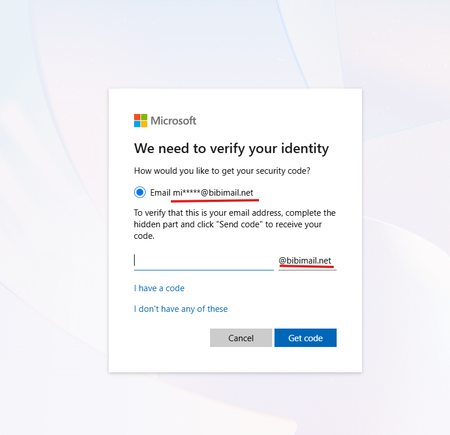
I need to talk to a person from microsoft.
Hello, recently my account (email address removed for privacy reasons) got compromised. Someone changed my password and changed the email. I've tried to use the Account Recovery Form, but no matter what, they say my data was not sufficient. I really need help because I purchased products on this account that I don't want to lose. If any person can help me recover my account, that would be very appreciated. I can try to provide as much proof as I can in this post.28Views0likes0Comments
Agent needs to access thousands of documents as a Knowledge source. Where should I host them?
Hi All, I'm currently building an Agentic Ai solution to complete a process. The agent will search for a key term within thousands of documents, then complete a spreadsheet detailing what documents contain this word. The results include document name and the keyword found etc. The main issue for the agent is that we don't know where to host these documents to ensure the agent can interact correctly? Has anyone created something similar or have any suggestions on where to host the Knowledge source? Thanks!89Views0likes1Comment