business
180 Topics
Best way to access Windows 365 Cloud PC from Mac?
Looking to find the best way to access a Windows 365 Cloud PC from a Mac. Clearly, I can access it by logging into the browser and running it there, but is there any way to use the Microsoft Remote Desktop for Mac app to make the connection more "native" to the Mac OS environment? Any other thoughts would be welcomed as well. Thank you,Solved26KViews0likes7Comments
What are the different types of Office 365 migration, and which one is best for my organization?
Hello everyone, I am currently researching the different types of https://www.serverconsultancy.co.uk/office-365-migration-services/ and would love to hear your suggestions on which one would be best for my organization. From my initial research, I have found that there are four types of Office 365 migration: Staged Migration, Cutover Migration, Hybrid Migration, and IMAP Migration I would appreciate any insights or experiences you have had with these different types of migration. What are the pros and cons of each method? Which one would be best for a small organization with less than 150 users? Any advice or suggestions would be greatly appreciated. Thank you in advance for your help!1KViews0likes2Comments
Windows Hello for Business - W365 Cloud PC
Hello All, We are currently attempting to use Yubikey USB-A and C devices for authentication. For Laptop authentication it works, but we are trying to implement this on a Windows 365 Cloud PC while signing into Windows App. Has anyone tried this method? This is the device we are trying to use: https://www.yubico.com/product/yubikey-5-series/yubikey-5c-nfc/ This is what i seen when i did my research: High‑level architecture (important context) On Windows 365 Cloud PCs: ✅ WHfB is PIN‑based (this is the supported model) ⚠️ Biometrics (face/fingerprint) are usually not available ✅ WHfB is user‑scoped, not just device‑scoped ✅ WHfB requires a healthy PRT first ❌ WHfB cannot provision if AzureAdPrt = NO If PRT/WAM aren’t healthy, WHfB setup will never appear, even if policy is correct. Any input, insight, or feedback is grreatly appreciated!!599Views0likes1Comment
Is it possible to migrate Windows 365 between two Entra ID/MS365 tenants?
Hello, we're merging two companies, and as part of this merger, we want to migrate one Entra/MS365 tenant to another. Migrating mailboxes, OneDrive, SPO sites, and other 365 services is no problem for us, but we'd also like to migrate ~40 Windows 365 instances (Entra-Joined, hot Hybrid). Is this possible? Regular workstations can be migrated without a wipe using third-party services (like PowerSyncPro and similar), but in this case, these are VMs managed by Windows 365 service.Solved354Views1like1Comment
Map only local drives and default printer from clients computer when logging into 365 Desktop?
Hello, I have gone into Intune and created a new config profile and have set Windows Components > Remote Desktop Services > Remote Desktop Session Host > Printer Redirection \ Device and resource redirection to let the users map drives and printers that are on their laptop into Windows 365 Desktop. However, how can we set it so that: 1. The only printers that are mapped to the 365 desktops from the client's device is the clients default printer and not any network printers that are installed on the laptop. 2. The only drives it maps into 365Desktop are the clients local drives like their SSD drive, and usb drives pluged in and not any network drives that are on the laptop.338Views0likes1CommentSave the date: Windows 365 AMA - What’s new from Microsoft Ignite
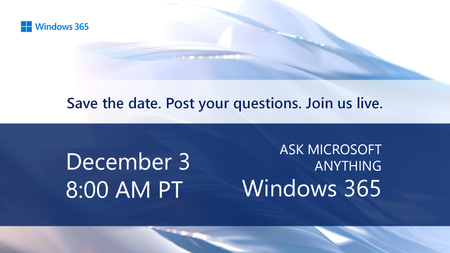
Tune in on December 3 for a special Windows 365 AMA. Catch up on the latest capabilities for Windows 365 announced at Microsoft Ignite! Host Christian Montoya and members of the product team will answer your questions live and offer insights to help you configure, deploy, and manage Windows in the cloud with ease. Save the date and post your questions early at aka.ms/Windows365AMA!331Views0likes1Comment
Microsoft Word - recover a document
Hi Is this OK to post here re Microsoft Word? (I couldn't find a section for Word specifically). I want to try and recover a situation with a Word doc... I think it is probably unrecoverable... but here goes. Somehow... and i was typing fast and the screen froze so i cant be sure what happened...i deleted the contents of a word document and then save it.... so it is now blank... i do not have a backup of it... Is there any way to roll it back or recover a cached version? This happened an hour ago. Many thanks!362Views0likes1CommentLoss of apps after MS outage
HI Since the MS outage yesterday (9th October), although MS 365 Business Premium is licensed in Admin Portal and assigned to my one User, it does not appear in the User account, so I cannot access apps. As a charity, we have a non-profit account. Please help138Views0likes0CommentsMicrophone & camera passthrough to Cloud PC from MacBook
I have a M1 MacBook Pro that I use to connect to my Cloud PC for work via the Microsoft App. I try to use the Teams app installed locally on the Cloud PC for making and accepting calls but I am having a lot of audio issues. First of all, the person I am calling sounds very tinny (kinda like a chipmunk!) and they cannot hear me. Video doesn't seem to work properly either. I have had very little luck with my external webcam (some Logitech one, don't actually know the model but I don't think it makes a difference? but it has a microphone). There has the very odd few times that a call is working fine but then after a few seconds or so, or when I start sharing my screen on the Cloud PC after a minute of the call starting, I start to experience the same issues with audio as explained above. I am running Sequoia 15.6, the Mac Windows App is version 11.1.5 (2585). Admittedly I've mostly tried in clamshell mode and connected to external earphones (AirPods Pro). I used to use my earphones via the Citrix app on VDI with no issues previously. Any solutions would be gratefully received. Thank you173Views0likes0CommentsOutlook Task Not Syncing With MS To do
Anyone experience issue with not able to sync their task from outlook to to do? The today task and old task from Outlook not showing in To do web. I'm using the outlook app and To do web. I tried to click on sync button from todo but it still did not sync.1.3KViews0likes1Comment