bookmark
23 Topics
Sub/superscripts get lost in cross-referenced text
When creating cross-references to bookmarked text containing superscripts or subscripts, the super/subscripts revert to regular text. For example, X to the Y power becomes XY. Is there a workaround? MERGEFORMAT and CHARFORMAT don't help.1.7KViews0likes5Comments
Fields with Formulas
Hi gang, I am using an accounting software called Xero, that has the ability to utilise custom templates I create in Word. My restaurant chain has a Central Kitchen and a Bakery. Both invoices are added into Xero but need to be split up when I am sending the Statement (payments are made into separation bank accounts). The Statement feature currently consolidates all invoices (from both the Bakery and CK). I need to find a way of splitting up the lines so that only the CK appears in the table; and visa versa for the Bakery. A difference between the Invoices is the Invoice Number (field code: <<Description>>). All Central Kitchen Invoices start with a "CK-"; and the Bakery with "BK-". Is there a field code formula to only capture data that contains the above in its reference, including all of the subsequent data on that Line? Perhaps you have another suggestion for this. I have attached a document for you reference. I have 2 separate tables where I would like the data split. Any help is greatly appreciated! Thank you very much, Danny815Views0likes0CommentsInclude Microsoft Edge favorites in Windows Search results
When searching in Windows Search, include Edge favorites in the search results. use the description, title or domain name of favorite sites. this might be something that Windows shell team need to cooperate with Edge team, so please upvote this feedback in feedback hub too: https://aka.ms/AAav9s4 (need to be a Windows insider)1.9KViews5likes2CommentsSS46: Hey Edge - voice control
Suggestion (SS): 46 Classification: VOICE CONTROL PRIORITY IN MY OPINION: 2-3 on a scale from 1 (low) to 10 (high) Bing already has some integration of voice control, Firefox too. Now i think it's time for Hey Edge function. Examples of tasks Hey Edge should be able to do: -Hey Edge, move tabs to the right to another window, hide it in macos, save PDF and add all links to bookmark folder IMPORT for all tabs in this new window; once done close the window. - Hey Edge, reload all techcommunity.microsoft - Hey Edge, change to Bing as default - Hey Edge, mute all - Hey Edge, volume 50% - Hey Edge, go to minute 3.45 - Hey Edge, loop mode - Hey Edge, loop from x to y - Hey Edge, set download path to configuration 1 - Hey Edge, search this with %s1 %s2 ... at the same time - Hey Edge, open %s settings - Hey Edge, add this search to %s and use abbreviation <ed - Hey Edge, duplicate 5 tabs from this - Hey Edge, change my profile image now - Hey Edge, launch xxx (an extension) - Hey Edge, quit Edge in 10 minutes - Hey Edge, open random website from folder XXX - Hey Edge, disable all extensions for 5 seconds. - Hey Edge, random open my most visited youtube links - Hey Edge, write new instagram post (by opening a 3. app for posting) - Hey Edge, activate all disabled extensions. - Hey Edge, reopen last closed session - Hey Edge, reopen last 7 tabs - Hey Edge, move tab to first - Hey Edge, color tab to red - Hey Edge, go back to the source (example when you open webpage a then b ... to z, go back to a) - Hey Edge, pipmode - Hey Edge, go to next video - Hey Edge, save to collections (last used) - Hey Edge, close tabs to left - Hey Edge, merge windows - Hey Edge, quit - Hey Edge, open flags - Hey Edge, activate flag xx - Hey Edge, restart - Hey Edge, share this page to xxx - Hey Edge, new mail to xxx - Hey Edge, install xxx - Hey Edge, create new profile for account mailto:a@a.com - Hey Edge, delete this profile - Hey Edge, activate vpn now (once integrated) - Hey Edge, change background new tab pictures from onedrive folder AA to BB - Hey Edge, open all links inside folder XXX - Hey Edge, download all images that i click in the future, stop it once i say stop - Hey Edge, launch beta profile xxx - Hey Edge, show me when i visited this page in the past - Hey Edge, add this page to bookmarks (using recent folder) as shortcut <emis - Hey Edge open 6x incognito pages with url http://www.... - Hey Edge, ban all selected email from outlook - Hey Edge, start new chat support session - Hey Edge, new feedback - Hey Edge, share this file (in onedrive = this mean you copy directly the url) - Hey Edge, save all picture to onedrive - Hey Edge, open word - Hey Edge, find similar websites - Hey Edge, show me my IP - Hey Edge, export this image as png - Hey Edge, save this files to xxx and rename it as yyy - Hey Edge, open Missy Edge profile - Hey Edge, run workspace 4 now - Hey Edge, run highlight mode now (once integrated) - Hey Edge, save next selected texts to collections - Hey Edge, search hello in youtube as playlist - Hey Edge, disable notifications from all future visited pages - Hey Edge, activate flash always - Hey Edge, open all selected urls in edge dev profile 3 (if we use canary for example) - Hey Edge, copy all urls from tabs - Hey Edge, add selected tabs to my vertical favorite tabs (once integrated) - Hey Edge, open with profile 2 .... (once container is integrated) - Hey Edge, download all images from tabs - Hey Edge, create merge all tab groups and move to new window by hiding it in macos - Hey Edge, download all files in this website with torrent (once integrated) - Hey Edge, open in tabs selected links - Hey Edge, export bookmarks every 5 minutes to my mac - Hey Edge, reverse search this image - Hey Edge, show me social accounts of this person (from a video/photo) - Hey Edge, create new outlook alias mailto:b@.... - Hey Edge, change outlook recovery email to .... - Hey Edge, ban all social accounts for 4 hours - Hey Edge, add label xxx to this page (for history panel, once integrated) - Hey Edge export last 7 days of history to my desktop folder xxx - Hey Edge, activate kids mode - Hey Edge, create new rule for this email and use setting 1 (example forward to 3 emails ...) - etc. If we can run such multiple rules without Hey Edge would be cool too, so something in keyboard maestro style. Obviously first we need to support a better way to run such actions and similar actions without Hey Edge, but once this is done, different action can be implemented in Hey Edge too. Then it depends, sometimes is much faster to do manually instead of saying Hey Edge... (and maybe Hey Edge doesn't understand what we say too...., like Bing does) To be more faster instead of saying "Hey Edge, save pdf for all tabs to the right" or similar, we just say "Hey Edge, pdf right". The same for all other examples You can even integrate a smart Hey Edge, where i can combine my manual and Hey Edge actions. Example: i'm reading a pdf. at the same time i say "Hey Edge, pdf right once i say NOW". then i read pdf on tab 2, 3, 4, 5. Once done i say "NOW" and you export all pdf to the right (based on the tabs where i requested this rule). This means in the same time i can close and open new tabs, you do the action only once i say "NOW". Such "NOW" actions can be implemented in so many workflows and would be a great productivity boost.3.3KViews0likes4CommentsSS37: scrollable bookmarks bar
Suggestion (SS): 37 Classification: bookmarks bar PRIORITY IN MY OPINION: 5 on a scale from 1 (low) to 10 (high) I already told you different suggestions about bookmarks bar for example here https://link.ws/tedgbookbar but even in other post too. I already told you about favicon extension bar in safari too. Now what i want is that the bar is able to do what favicons can. If i add 400 links, and each section contains a workflow (for example link 1-50 workflow 1, 50-75 to 2, etc...) i want to scroll such bookmarks, so that i can see workflows link directly. instead of seeing a-g in the bar and h-z hidden, you need to hide a-g (left), show me h-o and hide p-z (inside >> to the right). i still wish i can add custom color to folders in the bar; replace javascript icons with a text (example P for pocket) or an icon (pocket), etc. see more here https://link.ws/tedgbookbar PS: pin javascript links! they are already on the left. so if i visit workflow 2, i want to see my 4-8 javascript on the left, not that you hide it. so we need a feature "pin urls" too, but i already told you about that in other post too (especially pin to the right). your bookmarks bar should work a bit like my touchbar. i have pinned things on the left and right, and i scroll things in the middle.2.3KViews0likes5CommentsSS33: smart pip mode - better tiktok integration (or other video social/websites) picture-in-picture
Suggestion (SS): 33 Classification: TIKTOK + PIP / picture-in-picture + audio control PRIORITY IN MY OPINION: 4-6 on a scale from 1 (low) to 10 (high) EDIT: i just found this picture in picture https://link.ws/pipdiscussion1 discussion in the feed too. 1) i don't see this directly is annoying i need to activate it via flags 2) pip doesn't work, even if i activate it goal like 360 chrome (or even better, see 3) or https://link.ws/vivopepip with better video control (sugg.17.) and pip buttons (sugg.18.), but avoid to put it over the downloader... (like the picture) 3) smart player with zoomed features like this on the right 4) remember tiktok specific size 5) keep always on top over all mac apps (i haven't tested this with edge, because i don't see pip) 6) please go to next tiktok automatically 7) allow extension in pip mode, so i can download tiktok videos in pip mode with the overlay button PS: about 6) i already told to them inside my 50+ suggestions to tiktok too, but maybe edge is able to fix it too. i hope auto for both pip mode and normal web browsing. 😎add possibility to add multiple url inside a list of pip mode, so a sort of playlist pip mode. 9) maybe like 8 with collections or bookmarks folders, so you pip mode randomly url 10) add to bookmarks inside pip mode directly, especially if you implement 6) 11) same like 10 for collections 12) maybe a separate history for pipmode visited urls (if 6. is implemented) EDIT: sorry i can activate it via 1 ... there is no button over the video for pip (or below, near the video). if i do that, i see there is no mute option too. 13) we cannot change the size, we can only change position. yes pip is over all mac apps (i see it now after enabling with 1. ) 14) remember to add even the option "keep behind mac app too". so both option should be available. 15) loop mode support for other website here the max size possible 16) better audio control panel, where we see all tabs with audio active and we can choose where to keep audio on or off. for example if 300 tabs are opened, but 20 with audio, in this panel we see only the 20 tabs. 17,18) see above 19) ability to quick copy url link or share the video (in pip mode) 20) screenshot feature integrated in pip mode. 21) loop from x to y https://www.tiktok.com/@buketalican11.12.16/video/6682465643712744709 example from 0 to 0.22 in this video, by skipping the rest 22) continue to loop, even if i launch another website, in this case you have 2 audios, 1 with pip, 1 without. would be cool the loop function for normal browsing too (is possible via extension...) 23) remember the dual mode suggestion: pip and full mode at the same time https://link.ws/edgess25 about 24) it depends how you implement all that. if you do like 360chrome, where each video has separate pip then allow both option "deactivate audio in dock mode" or "keep audio in dock mode" (not available in 360). what i like is that i can pip my videos in the dock. so if you use a player, maybe a way to pip the player in the dock is cool too, with both option "audio on" "audio off". 25) if there is no idea for 23) then a way to switch from pip to full faster, and from full to pip too about 26) i know this get against tiktok policy, but maybe useful for other websites**. a download button. **at the end is not possible to download it at all, since it doesn't work. plus the fact that tiktok download is not directly a feature a browser need to support and extension can do it perfectly. so the point is to add it for other websites, that allow you to download videos without copyright problem... 27) spotify player should be different from video player. so we can have spotify and pip at the same time. 28) 2x click switch size for example with opera max size is then with a 2x click we go to so a small size, which is not related to the full size video - pip mode switch suggestion that i wrote before. in this case the max size could be 1/2 of display, full mode is 1/1 29) right click options would be cool to see suggestions or skip ads or stop auto suggestions with right click3.6KViews0likes3CommentsSS28: selection to bookmarks + vivaldi example of what i reported you previously
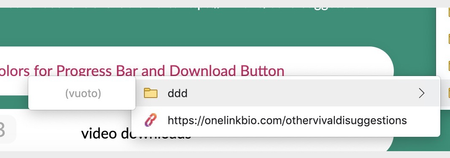
Suggestion (SS): 28 Classification: Bookmarks PRIORITY IN MY OPINION: 4 on a scale from 1 (low) to 10 (high) Here my idea i got after visiting a suggestion in vivaldi about add current tab to a folder (which is available for vivaldi and edge). I tested it out and in edge is available, but creates problem, like where you continuosly add it under ddd instead inside ddd. only 1 time you added it in ddd. PS: is not the first time i see problems with other bookmarks, you should check if all functions really work correctly with other bookmarks. Same if i do that you should avoid to show me that for the creation of folders. <<<<<<< second: i tried to select 3 tabs, and then do the same. is not possible. <<<<<<< third: i still think vivaldi add to bookmark option without right click is much better. please consider to implement it to edge too. <<<< because we are talking about vivaldi, here other points i like reload miniature (i suggested this to you only for bookmarks bar) like i suggested you with shortcut for bookmarks and other things (i noticed only after sending you the suggestions, that vivaldi has already such option, but still limited compared to what i told you, which is much more complex) this is similar to what i told you too, but vivaldi show us directly the webpage, is not a second bookmarks bar ability to change default bookmarks bar. (NEW SUGGESTION, but less important, since i use different profile. it still remains cool) same like i wrote you yesterday to remove things from the bar position of new tab, like i suggested you keep last tab open, like i suggested you a lot of option like i suggested you (or better some things are not available in vivaldi too) show me only icons inside bookmarks bar, full name in other bookmarks or when you hide url from bookmarks bar (like suggested). i still think a way to add personal customized folder color to bookmarks is usefull too even if i don't really like to use shortcuts (via keyboard with crtl alt etc., not things like <ddd $dd) ... but i like how they do. trackpad gesture, like suggested is much more clean search always in new tab (NEW SUGGESTION) .... PS: until now i don't use vivaldi, because they create library folders problems. so i just use it as a normal second browser for quick searches. this is why maybe the list of good features is not complete. once devs fix such problem, i can send more vivaldi based suggestion too. i still think main points are now available in this post, a lot is already included in previous submitted suggestions. Here even what i don't like previews different colours for each tab ... other ... (yes, you can disable such things). about the download suggestion, something like where i can set "save to /user/ccc/applications" and then "save this website always in this folder" or "if /externaldrive/... is not available, use /user/ccc/applications instead".1.5KViews0likes0CommentsSS27: smart switch setting and smart + button (for open new tab)
Suggestion (SS): 27 Classification: TAB - SETTING PRIORITY IN MY OPINION: 7 on a scale from 1 (low) to 10 (high) First add a quick way to switch between download / extension / bookmarks / history in the style of brave but maybe more compact Maybe add custom option too, so that i can add edge://settings/searchEngines?search=google to this list too, or edge://settings/downloads or ... or easy access to flags <<<<<<<<<<<< Second you should improve this mean if i click cmd, alt or ctrl you do specific things: example: open in incognito with ctrl and + open home page with alt show a list of top pages if i click cmd + (example pubmed, google images and ebay.ch). then i can choose which of these three. this is like having 4 different home webpages. or you can even add the way "if i click alt you open a new tab with the edge profile xxx" (even if i'm using yyy now). Or the same, but you show us the list of accounts (like i wrote in 3), so we can choose and we don't configure "open new tab in edge account xx with alt and +" here an example of what i mean, from czech devs. now i haven't checked all other browser. i just tried some random browser on my mac to see if someone integrate it, and the first random browser that i launched has this feature available (just a bit limited) <<<<< another option is to open a tab to the left if we click shift and + other example for smart +: open in new group open next to the current tab (but is better to integrate a whole option for this) open in new window duplicate all tabs from the current group you use to another group open a group of tabs at the same time (same like 3. but by using specific groups that we can configure). maybe without need to add a specific setting where we define the links, but just an option in bookmarks. so an option "add this folder in new tab smart group". then we can add 5-10 folders. reopen last closed tab <<<<< just another thing i noticed now seznam home button is cool, is not the classical home button like all other browser have.... PS: not important for me (at the end there is no improvement in my workflow), but maybe for someone else such smart features with cmd etc. can be applied to too, where you show us different websites (like i wrote in 3. ) <<<<<< NEW SUGGESTION: you can even add this smart button to so with ctrl (or other keys) and < we go back to the first page we opened (not only the previous). or you can use cmd < to go to the tab to the left and cmd > to go to the tab to the right.2.8KViews0likes6CommentsSS24: add to bookmarks: search and collapse
Suggestion (SS): 24 Classification: Add to Bookmarks PRIORITY IN MY OPINION: 5 on a scale from 1 (low) to 10 (high) Add an option to collapse all subfolder at once in add to bookmarks panel Plus add option collapse main bookmarks and other bookmarks too, without need to go to the top for example. this should happen much faster with 3 new buttons. Add a search feature inside add to bookmarks. now if we write "I" this doesn't work immediately, since you rename the link as I. if we click somewhere other, you don't show us the correct result too, we need to be sure that we first click bookmark, and then we can see "I" for the main folder as result. Would be much faster and better if i can search for folders. UPDATE FROM EDGE DEVS: We're working on your feedback.995Views0likes0CommentsSS23: smart add to bookmarks suggestions.
Suggestion (SS): 23 Classification: Bookmarks PRIORITY IN MY OPINION: 5 on a scale from 1 (low) to 10 (high) i already reported you the auto bookmark feature based on specific rules i configure https://link.ws/addbookmark1. now another cool option is smart suggestions. If edge detects that all (or most) of the subfolders inside a a_a1 a_a2 a_a3 always contain same domain, but with different web addresses, you should show us the folder A once we click choose other folders (inside add bookmark). This means we don't need to scroll every time to the folder A (or using other methods to reach folder A). You should show us directly folder A. Then we simply select a subfolder or we create a new subfolders. PS: this only once we activate the option "smart bookmarks suggestions" inside setting. please avoid to add this as default setting.1KViews0likes1Comment