best practices
71 TopicsCloud Security Billing, Simplified: Introducing the Defender Workload Unit
That's the thinking behind an upcoming improvement to Microsoft Defender for Cloud: the Defender Workload Unit, or DWU. It's a new billing model and product experience that translates workload-specific usage into a common billing unit, with one unit price and one place to estimate and track costs. Why we’re improving our billing model We heard two things consistently: cloud security pricing can be complex, and tracking cost can take real work. DWU simplifies this with one unit price. Workload usage still converts behind the scenes. What changes is that organizations see a single unit and have one place to estimate, track, and explain cloud security spend. How DWU helps: Simplify pricing. Bring multiple workload-specific measures under one common billing model. Simplify onboarding and expansion. Make it easier to enable and extend protection across cloud environments. Match how you evaluate cloud security. Understand protection across your entire cloud environment, rather than workload by workload. Reduce cost-tracking friction. Make costs easier to estimate, track, and explain. One thing we deliberately kept unchanged: billing stays tied to what is used. How it compares DWU translates workload-specific usage into a common billing unit with a consistent per-unit price. Each workload continues to convert into DWUs according to its applicable usage measure. Workloads still count behind the scenes, including servers, databases, storage, containers, posture management, APIs, AI services, app services, Key Vault, and Azure Resource Manager. What changes are what customers see: one unit and one price. Workload-specific usage is converted into DWUs and aggregated across your environment, based on a consistent global per-unit price calculated hourly and billed monthly. Estimation, reporting, and billing use the same DWU framework, making it easier to understand how usage translates into cost. What changes is how customers estimate, buy, manage, and track consumption. DWU brings together changes to the billing model, supporting tools, and management experience. Here is how the new experience compares with the existing model. Existing PAYG model With DWU Estimating cost Manual mapping, plan by plan Signed-in estimator, formula visible. Sizing environment Manual inventory Read-only discovery script; your data stays with you Tracking spend Multiple billing signals Defender portal dashboard, detail in Azure Cost Management Database plans Multiple instance/hour-based plans A single instance/hour-based plan Containers pricing vCore-based pricing Per-node pricing APIs pricing Multiple plans A single plan at a reduced price Plan Management Azure portal only Defender portal only (based on customer scope selection) The benefits of DWU DWU is designed to make Defender for Cloud consumption easier to estimate and track by translating supported workload usage into a common billing unit. Actual consumption and cost will depend on your workload mix, usage, pricing arrangement, and applicable discounts. We are committing to pricing that's easier to understand and manage. Clearer cost planning. As your estate grows, you can watch how costs scale. Transparency you can show your finance team. The new cost estimator requires you to sign in and shows the pricing formula and how your estimate is calculated. The same ways to buy. DWU is available through Enterprise Agreement, Microsoft Customer Agreement Enterprise, Cloud Solution Provider, and buy-online channels. Streamlined onboarding. Enable selected Defender for Cloud plans across subscriptions and management scopes through a unified experience. Easier expansion. Extend protection as your cloud environment grows without introducing a new customer-facing pricing construct for every workload. More holistic visibility. Understand protection and consumption across your cloud environment, rather than workload by workload. What's new to help you A cost estimator. Enter resource quantities to receive an immediate list-price estimate. A path from estimate to deployment. The experience follows a simple flow: estimate, deploy, and track. Move directly from your estimate to deployment, then monitor cost through the Defender portal. A dashboard that answers the next question. See total spend, which workloads drive it, and how it trends over time. New pricing models for some workloads. Containers move from vCore-based pricing to per-node. APIs consolidate multiple plans into one with a reduced plan. Database workload protection is consolidated from multiple instance-per-hour plans into one. What stays in your control Simpler doesn't mean less flexible. Choose which workload plans to enable and change them at any time. In the product, tenant-level enablement applies to Azure subscriptions and management groups connected to the Defender portal. You can also enable plans for an individual connected management group or subscription. When you opt into a subscription, its workloads move together. Where to start A 30-day platform trial. Eligible subscriptions that are new to Cloud Security can start a Defender for Cloud trial in the Defender portal. The trial is optional, is granted at the subscription level, and is limited to one trial per subscription. It covers the full platform, including all plans, rather than one capability at a time. After the trial ends, billing begins for the subscription, unless all cloud security plans are disabled before the trial expires. Two questions worth bringing to your next planning review: How clearly can we estimate and explain Defender for Cloud consumption across supported workloads? If we cannot do so clearly, that's the gap DWU can close. When did we last compare our intended protection scope with our current cloud-resource inventory? The read-only discovery script can tell you, with nothing leaving your environment. One common unit and a more consistent way to estimate and track consumption can make it easier to understand and explain what you’re protecting. Learn more and get started Calculate your DWU estimates with the new Cloud Security Cost Estimator. Learn more about DWU and start onboarding. FAQ Does DWU cover multicloud environments? Initial support is focused on Azure, with broader multicloud and hybrid support planned over time. Does DWU cover Security Copilot? No, DWU does not offer coverage for Security Copilot. Can I use the new container and API models through the existing PAYG experience in Azure? No, they are available only through the DWU experience in the Defender portal.Microsoft Defender for Cloud Customer Newsletter
*This will be the last monthly MDC newsletter. To keep up with the latest, please visit: What's new in MDC What's new in Defender for Cloud? Multiple container security features are now Generally Available: Container-level misconfiguration recommendations for Kubernetes, Upgrade AKS version recommendations, VA for runtime-discovered container images on EKS and GKE, Kubernetes notes VA for EKS and GKE, scanning support for Docker hardened container images. For more information, see this page here. Database-level recommendations for SQL VA now GA The SQL vulnerability assessment recommendations created as part of the transition from grouped to individual recommendations are now generally available. Each SQL vulnerability assessment rule is surfaced as its own recommendation, reported directly on the affected SQL database resource. For more details, please refer to this documentation . Blogs of the month In July, our team published the following blog posts we would like to share: 1. Built to Protect: The Architecture Behind Codename MDASH Customer journey Discover how other organizations successfully use Microsoft Defender for Cloud to protect their cloud workloads. This month we are featuring NTT Data. NTT Data, a top global IT services provider, leverages Azure, OpenAI and Microsoft Defender to launch their AI agents, adopting secure by design principles, to help enhance, competitiveness organization change and data usage. Defender for AI, and Defender CSPM, as part of the Defender family, address the emerging risks and threats like prompt injection and data poisoning that come with generative AI. Join our community! We offer several customer connection programs within our private communities. By signing up, you can help us shape our products through activities such as reviewing product roadmaps, participating in co-design, previewing features, and staying up-to-date with announcements. Sign up at aka.ms/JoinCCP. We greatly value your input on the types of content that enhance your understanding of our security products. Your insights are crucial in guiding the development of our future public content. We aim to deliver material that not only educates but also resonates with your daily security challenges. Whether it’s through in-depth live webinars, real-world case studies, comprehensive best practice guides through blogs, or the latest product updates, we want to ensure our content meets your needs. Please submit your feedback on which of these formats do you find most beneficial and are there any specific topics you’re interested in https://aka.ms/PublicContentFeedback. Note: If you want to stay current with Defender for Cloud and receive updates in your inbox, please consider subscribing to our monthly newsletter: https://aka.ms/MDCNewsSubscribeMicrosoft Defender for Cloud Customer Newsletter
What's new in Defender for Cloud? Microsoft Defender for Open-Source Relational Databases is now generally available for Amazon Web Services Relational Database Service (AWS RDS) instances. Receive database threat protection and sensitive data discovery insights for supported open-source relational databases, including Aurora PostgreSQL, Aurora MySQL, PostgreSQL, MySQL, and MariaDB on AWS RDS. For more information, see our public documentation. Expanded multicloud security coverage now GA Microsoft Defender for Cloud's expanded multicloud security coverage is now generally available. This release significantly broadens posture assessment for AWS and GCP environments, adding support for about 90 new resource types and over 200 new security recommendations across data, identity and access, networking, compute, and container categories. For more details, please refer to this documentation. Check out other updates from last month here! Check out monthly news for the rest of the MTP suite here! Blogs of the month In June, our team published the following blog posts we would like to share: Now Generally Available: Microsoft Defender for open source relational databases on AWS RDS Start Secure, Stay Secure: How Microsoft is Closing the Gap from Code to Runtime The end of patching era for containers: Microsoft Defender for Cloud expands hardened image support Closing the loop on container security: From code to runtime in the AI era Microsoft Defender for Cloud expands multicloud coverage across AWS and Google Cloud Defender for Cloud in the field Watch the latest Defender for Cloud in the Field YouTube episode here: Stay Secure: AI-powered Faster fixes Visit our YouTube page GitHub Community Check out Defender for Cloud GitHub lab module 25. It walks through the integration between Defender for Cloud and XDR to provide a comprehensive CDR solution. Module 25 - MDC and Defender portal integration Visit our GitHub page Customer journey Discover how other organizations successfully use Microsoft Defender for Cloud to protect their cloud workloads. This month we are featuring Hassan Allam Holding. Hassan Allam Holding is an Egyptian private-sector company with operations spanning engineering, construction, and infrastructure investment and was facing operational complexity. To overcome, they leveraged an end-to-end Microsoft Security ecosystem with Defender XDR, which integrates with Defender for Cloud and other products to centralize detection and signals across endpoint, identity, email and cloud workloads. As a result, alert noise reduce by up to 90%, and Hassan Allam Holding is able to respond faster with far less complexity. Join our community! We offer several customer connection programs within our private communities. By signing up, you can help us shape our products through activities such as reviewing product roadmaps, participating in co-design, previewing features, and staying up-to-date with announcements. Sign up at aka.ms/JoinCCP. We greatly value your input on the types of content that enhance your understanding of our security products. Your insights are crucial in guiding the development of our future public content. We aim to deliver material that not only educates but also resonates with your daily security challenges. Whether it’s through in-depth live webinars, real-world case studies, comprehensive best practice guides through blogs, or the latest product updates, we want to ensure our content meets your needs. Please submit your feedback on which of these formats do you find most beneficial and are there any specific topics you’re interested in https://aka.ms/PublicContentFeedback. Note: If you want to stay current with Defender for Cloud and receive updates in your inbox, please consider subscribing to our monthly newsletter: https://aka.ms/MDCNewsSubscribe514Views2likes0CommentsMicrosoft Defender for Cloud Customer Newsletter
What's new in Defender for Cloud? Defender for Cloud is now integrated into the Defender portal to bring together cloud security posture management and threat protection in a single experience. Read more about it here. Cloud security reporting in the Defender portal is now in public preview Customers can now create, customize, and share security insights across the organization through Defender portal’s integrated cloud security reporting capabilities. With these reporting capabilities, customers can view built-in reports like CNAPP Executive Summary, create custom reports, export to PDF and more. For more details, please refer to this documentation. Check out other updates from last month here! Check out monthly news for the rest of the MTP suite here! Blog(s) of the month In May, our team published the following blog posts we would like to share: Better together with Azure WAF + Defender for Storage + Defender for Azure SQL Databases Public preview: Expanded coverage and unified management for SQL VA Express Configuration | Microsoft Community Hub Defender for Cloud in the field Check out the two short videos on Defender Portal integration and Start Secure Stay Secure with Defender for Cloud Microsoft Defender for Cloud deeply integrates with Microsoft Defender Start secure and stay secure with Microsoft Defender for Cloud Visit our YouTube page GitHub Community Check out this PS script and CLI to help you enable Defender for API at scale: Onboard to Defender for API at scale Visit our GitHub page Customer journey Discover how other organizations successfully use Microsoft Defender for Cloud to protect their cloud workloads. This month we are featuring Loyens & Loeff, a law and tax firm, that operates in a high complex environment, sought to modernize the digital workplace with Microsoft 365 Copilot, Defender for Cloud and Purview. Join our community! We offer several customer connection programs within our private communities. By signing up, you can help us shape our products through activities such as reviewing product roadmaps, participating in co-design, previewing features, and staying up-to-date with announcements. Sign up at aka.ms/JoinCCP. We greatly value your input on the types of content that enhance your understanding of our security products. Your insights are crucial in guiding the development of our future public content. We aim to deliver material that not only educates but also resonates with your daily security challenges. Whether it’s through in-depth live webinars, real-world case studies, comprehensive best practice guides through blogs, or the latest product updates, we want to ensure our content meets your needs. Please submit your feedback on which of these formats do you find most beneficial and are there any specific topics you’re interested in https://aka.ms/PublicContentFeedback. Note: If you want to stay current with Defender for Cloud and receive updates in your inbox, please consider subscribing to our monthly newsletter: https://aka.ms/MDCNewsSubscribeBetter together with Azure WAF + Microsoft Defender for Storage + Defender for Azure SQL Databases
Authored by: Fernanda_Vela , saikishor, Yura_Lee Reviewed by: YuriDiogenes, Mohit_Kumar, Amir_Dahan, eitanbremler , Kitt_Weatherman Introduction Often, customers ask why additional workload protection is needed when a web application firewall is already in place. Azure Web Application Firewall (WAF) serves as a critical control at the application edge, inspecting inbound HTTP/S traffic and blocking common web-based exploits before they reach backend services. However, modern attack paths are no longer limited to the web entry point. Attackers increasingly target components that bypass HTTP/S inspection altogether such as direct access to storage and SQL through SDKs, native integration tools, private endpoints, or compromised identities and third-party integrations. This is where Microsoft Defender for Cloud complements WAF. While WAF focuses on securing the application boundary, Defender for Cloud extends protection into the resource layer by providing Cloud-Native Application Protection Platform (CNAPP) capabilities, including security posture management and workload protection. Using resource-native signals, it helps identify misconfigurations and detect suspicious control-plane and data-plane activity that would otherwise remain invisible to perimeter controls. The Azure Networking Security blog post “Zero Trust with Azure Firewall, Azure DDoS Protection, and Azure WAF: A practical approach” highlights WAF’s role in inspecting inbound HTTP/S traffic, detecting malicious request patterns (such as OWASP Top 10 vulnerabilities), and reducing direct exposure of backend endpoints by enforcing a controlled application entry point. Building on that foundation, this blog focuses on a “better together” approach that combines WAF with Microsoft Defender for Cloud protecting storage and database. Through practical scenarios and posture insights, we will underline how these controls together: Reduces attack surface at the application entry point Continuously improves security posture through configuration and exposure analysis Detects and responds to threats targeting storage accounts and SQL databases beyond the web perimeter By the end of this post, you will understand how Defender for Cloud’s Storage and SQL protections extend the visibility provided by WAF, enabling protection not only at the edge, but also across the underlying data services. Together, these controls form a cohesive model that addresses both external attack vectors and internal or indirect access paths. Note: This is not a deep configuration guide for rule tuning, nor a replacement for official product documentation. It is intended to help architects and security teams align responsibilities and understand how these services reinforce each other. Architecture: The architecture below shows the traffic flow and where each service fits in the lab used in this blog to simulate the attacks. Azure Application Gateway with WAF is the internet-facing entry point, inspecting inbound HTTP/S traffic before it reaches the backend. Behind it, Azure Firewall provides both network- and application-layer inspection for inbound and outbound flows. In the backend subnet, multiple VMs host the workload. For our demonstration, we focus on a single host running: OWASP Juice Shop (port 3000), An upload API that writes to Azure Storage (port 8080) An API that connects to Azure SQL Database (port 5000). This setup allows us to simulate realistic attack paths originating both from the internet and from within the network. Figure 1: Architecture that shows resources with Application Gateway with WAF, Azure Firewall Premium and inbound traffic Note: The patterns in this blog apply to both Azure WAF platforms: Application Gateway WAF and Azure Front Door WAF. The lab uses Application Gateway WAF for the demonstration. Now, let’s head to the next section where we dive deep into these services to understand their capabilities with some attacks, alerts and insights. Azure Web Application Firewall at the Edge As we may have understood by now, Azure WAF is the first layer of protection, inspecting external web traffic for malicious patterns. Each incoming request is evaluated against its rulesets to either allow, block or log this traffic by using its managed and custom rulesets. Now, what are these rulesets? Azure WAF uses managed rule sets like the Default Rule Set (DRS) (version 2.2 as of this writing), which incorporate OWASP Top 10 protections and Microsoft threat intelligence to block common attacks (SQL injection, XSS, remote file inclusion, etc.) in real time. Additional managed sets include a Bot Protection rule set (to guard against malicious bots scraping content) and HTTP DDoS rule set (to detect Layer 7 DDoS patterns). Beyond the built-ins, you can define custom WAF rules for application-specific needs—blocking or allowing traffic based on attributes like geolocation, IP ranges, or specific URL paths. Now let’s talk about an example scenario. In our lab, Azure WAF is protecting multiple backend services on different paths and ports. When an external attacker tries to exploit the Juice Shop app with a crafted XSSattack, Azure WAF immediately detects the malicious pattern and blocks the request at the gateway as seen below. Figure 2: An XSS attack on the juiceshop website, immediately results in a 403 Forbidden as WAF catches this attack in the application layer. However, WAF’s inspection is inherently limited to traffic it can see, primarily, the HTTP/S flows it fronts. Let’s say our attacker changes tactics: instead of trying to force malicious code through the web interface, they obtain a stolen storage key or credentials through phishing and attempt to access the Azure Storage account directly via APIs. This request never goes through WAF, so WAF cannot assess or block it. In such a case, Microsoft Defender for Storage’s threat detection monitors for such suspicious activity, for example by raising an alert about the unusual direct access or flagging a malware file uploaded to a blob container. Likewise, if our attacker exploited a weakness in application code to run malicious SQL commands on the database (whether through potentially harmful application or a suspicious service account), Defender for SQL monitors for and alerts anomalous query patterns or suspicious logins. This illustrates why WAF and Defender for Cloud are complementary: WAF stops web attacks at the door, while Defender for Cloud watches for threats that get inside or come through alternate doors. Figure 3: Single-host lab architecture with Azure Application Gateway (WAF) and resource‑level protection Figure 3 illustrates the key distinction: WAF inspects and protects the application entry point, while Defender for Cloud provides visibility into the resources themselves. Together, they cover both the path into the application and the behavior within the environment—forming a complete protection model across layers. Because not all access to storage and databases may flow through the application gateway, you also need resource-level posture and threat detection to see and stop activity that never appears in WAF logs. Cloud Security Posture Management with Defender for Cloud With the edge covered, the next challenge is reducing risk that originates from misconfiguration and resource exposure. Most successful attacks originate from exposed services and misconfigurations rather than direct application-layer exploits. Microsoft Defender for Cloud’s storage and database protection provide security posture insights that help identify and prioritize these security gaps at the resource level. Defender for Cloud has visibility insights that capture the resources’ misconfigurations on the control and data plane via the Recommendations view in the Azure portal, as shown in the example below: Figure 4: Juice Shop’s storage account and SQL server recommendations Figure 4 is a list of recommendations organized by risk level for this particular environment. The security team should harden the “defendertestsai” storage asset by preventing shared access keys, and the “juiceshop” SQL database by provisioning an Entra administrator. Each recommendation will also provide guidance to remediate these findings. The “Data & AI Dashboard” in Defender for Cloud, with Defender CSPM, will also provide security posture insight into storage, database and AI resources by surfacing their risks, alerts and sensitive data discovery all in one dashboard. Figure 5: Juice Shop’s Sensitive data discovery and Data threat detection dashboard in Defender for Cloud’s “Data&AI section”. Under Data closer look, in Figure 5, you can see in this example, starting from the left, sensitive information found in scanned resources, level alerts for databases and storage resources based on severity, templatized queries from the Cloud Security Explorer, and a graph displaying all internet exposed data resources below. These powerful insights on data resources all come from Defender for Cloud, designed to help customers harden their environment by priority through visibility across their entire data ecosystem based on risk level. Figure 6: Juice Shop’s attack path “Internet exposed Azure VM with high severity vulnerabilities allows lateral movement to Critical Storage used by Azure AI Foundry”. Attack paths are potential avenues in which an attacker can infiltrate and compromise data. In Figure 6 above, we see insight into not only the storage account itself, but the context around it: an internet exposed storage account is connected to other assets like a virtual machine and a managed identity that has permissions to manipulate data. These Defender for Cloud security posture insights complement WAF and complete the defense-in-depth security approach: harden the data services so that even if an attacker reaches them the blast radius is smaller, and the likelihood of compromise is reduced. Defender for Cloud’s advanced threat protection Even in well-secured environments, attackers often interact directly with storage accounts or databases through identities, APIs, or trusted internal paths. Reducing exposure is critical but not sufficient. Detection is required once an attacker begins interacting with data Defender for Cloud’s advanced threat protection for Storage and SQL surfaces resource-level security alerts such as suspicious access patterns, anomalous queries, and malware detections—often with richer context than perimeter telemetry alone. Let’s use a malware alert for a storage account in the Defender portal as an example: Figure 7: Juice Shop’s storage account security alert “Malicious blob uploaded to storage account”. Malware scanning is a common requirement for teams that process user uploads or must meet security benchmarks. In this lab, Juice Shop allows users to upload files (for example, feedback attachments), and the upload API writes those files to Azure Blob Storage. Azure WAF inspects the HTTP request that delivers the upload headers, parameters, payload patterns and blocks web-layer attacks like XSS or SQLi. Scanning blob contents after they land is a different job, performed at the resource layer by Defender for Storage. With Defender for Storage malware scanning enabled, each uploaded blob is scanned; if the verdict is malware, Defender for Cloud raises an alert such as “Malicious blob uploaded to storage account” as shown in figure 7. Then, with Defender for Storage’s automated malware remediation, the malicious blog is set to soft-delete for quarantine and further analysis. SQL databases are high-value targets for data access, privilege escalation, and exploitation of vulnerable applications. Database protection in Defender for Cloud has the visibility to provide customers with control plane and data plane level insight to alert on suspicious activity such as anomalous logons, unusual client applications, and injection-like query patterns. For example, here’s a potential SQL injection alert for a database in the Defender portal: Figure 8: Juice Shop’s database security alert on a potential SQL injection. These alerts typically include investigation context such as the client application, client principal name, and the statement or pattern in question, along with severity to help you prioritize, as shown in Figure 8. From there, analysts can use recommended response actions (for example, to contain risky access paths or harden the database) to reduce the chance of repeat activity. In practice, Defender for Cloud threat detection gives SOC teams prioritized, resource-specific alerts with the context needed to investigate quickly and take action at the storage and database layers. Conclusion Azure Application Gateway with WAF is a necessary control to reduce application-layer risk at the edge. But defense in depth requires the assumption that some threats will reach or target data services directly. By layering Microsoft Defender for Storage and Microsoft Defender for SQL on top of Azure WAF, you add continuous posture insights to reduce preventable exposure, plus threat protection that detects suspicious activity at the resource layer. Operated together, these services provide stronger prevention, better detection coverage, and clearer response paths than single control alone.Microsoft Defender for Cloud Customer Newsletter
What's new in Defender for Cloud? Container runtime anti-malware detection and blocking and DNS Detection for Kubernetes is now GA in Defender for Containers for AKS, EKS, and GKE. Learn more about these announcements here and here. Defender for Storage integration in Azure Portal Storage Center now Generally Available Customers can now view Defender for Storage threat protection and security posture coverage directly in Storage Center, next to their storage resources to understand which storage accounts are protected, where malware scanning, activity monitoring and sensitive data discovery are enabled and identify security gaps in Azure Blog Storage and Azure File storage. For more details, please refer to this documentation. Check out other updates from last month here! Check out monthly news for the rest of the MTP suite here! Blogs of the month In April, our team published the following blog posts we would like to share: Securing multicloud (Azure, AWS & GCP) with Microsoft Defender for Cloud: Connector best practices Defender for Cloud in the field Check out the two short videos on Defender Portal integration and Start Secure Stay Secure with Defender for Cloud Microsoft Defender for Cloud deeply integrates with Microsoft Defender Start secure and stay secure with Microsoft Defender for Cloud Visit our YouTube page GitHub Community Check out the AI Red Teaming Workshop below: AI Red Teaming Workshop Visit our GitHub page Customer journey Discover how other organizations successfully use Microsoft Defender for Cloud to protect their cloud workloads. This month we are featuring Photon Education, a Poland-based edtech company that uses Defender for Cloud to protect their App Services and databases immediately. Join our community! We offer several customer connection programs within our private communities. By signing up, you can help us shape our products through activities such as reviewing product roadmaps, participating in co-design, previewing features, and staying up-to-date with announcements. Sign up at aka.ms/JoinCCP. We greatly value your input on the types of content that enhance your understanding of our security products. Your insights are crucial in guiding the development of our future public content. We aim to deliver material that not only educates but also resonates with your daily security challenges. Whether it’s through in-depth live webinars, real-world case studies, comprehensive best practice guides through blogs, or the latest product updates, we want to ensure our content meets your needs. Please submit your feedback on which of these formats do you find most beneficial and are there any specific topics you’re interested in https://aka.ms/PublicContentFeedback. Note: If you want to stay current with Defender for Cloud and receive updates in your inbox, please consider subscribing to our monthly newsletter: https://aka.ms/MDCNewsSubscribe
Securing multicloud (Azure, AWS & GCP) with Microsoft Defender for Cloud: Connector best practices
Many organizations run workloads across multiple cloud providers and need to maintain a strong security posture while ensuring interoperability. Microsoft Defender for Cloud is a cloud-native application protection platform (CNAPP) solution that helps secure these environments by providing unified visibility and protection for resources in AWS and GCP alongside Azure. Planning for multicloud security with Microsoft Defender for Cloud As customers adopt Microsoft Defender for Cloud in multicloud environments, Microsoft provides several resources to support planning, deployment, and scalable onboarding: Planning Guides: Multicloud Protection Planning Guide that walks through key design considerations for securing multicloud with Microsoft Defender for Cloud. Deployment Guides: Connect your Azure subscriptions - Microsoft Defender for Cloud. With the right planning and adoption strategy, onboarding to Microsoft Defender for Cloud can be smooth and predictable. However, support cases show that some common challenges can still arise during or after onboarding AWS or GCP environments. Below, we walk through frequent multicloud scenarios, their symptoms, and recommended troubleshooting steps. Common multicloud connector problems and how to resolve them 1. Problem: Removed cloud account still appears in Microsoft Defender for Cloud The AWS/GCP account is deleted or removed from your organization, but in Microsoft Defender for Cloud it still appears under connected environments. Additionally, security recommendations for resources in the deleted account may still show up in recommendations page. Cause Microsoft Defender for Cloud does not automatically delete a cloud connector when the external account is removed. The security connector in Azure is a separate object that remains unless explicitly removed. Microsoft Defender for Cloud isn’t aware that the AWS/GCP side was decommissioned as there’s no automatic callback to Azure when an AWS account is closed. Therefore, the connector and its last known data linger until manually removed. Solution Delete the connector to clean up the stale entry. Use one of the following methods. Option 1: Use the Azure portal Sign in to the Azure portal. Go to Microsoft Defender for Cloud > Environment settings. Select the AWS account or GCP project that no longer exists. Select Delete to remove the connector. Option 2: REST API Delete the connector by using the REST API: Security Connectors - Delete - REST API (Azure Defender for Cloud). Note: If a multicloud organization connector was set up and the organization was later decommissioned or some accounts were removed, there would be several connectors to clean up. Start by deleting the organization’s management account connector, then remove any remaining child connectors. Removing connectors in this order helps prevent leftover dependencies. Additional guidance see: What you need to know when deleting and re-creating the security connector(s) in Defender for Cloud. 2. Problem: Identity provider is missing or partially configured After running the AWS CloudFormation template, the connector setup fails. Microsoft Defender for Cloud shows the AWS environment in an error state because the identity link between Azure and AWS is not established. On the AWS side, the CloudFormation stack exists, but the required OIDC identity provider or the IAM role trust policy that allows Microsoft Defender for Cloud to assume the role via web identity federation is missing or misconfigured. Cause The AWS CloudFormation template doesn’t match the correct Azure subscription or tenant. This can happen if: You were signed in to the wrong Azure directory when generating the template. You deployed the template to a different AWS account than intended. In both cases, the Azure and AWS IDs won’t align, and the connector setup will fail. Solution Verify your Azure directory and subscription. In the Azure portal, go to Directories + subscriptions and make sure the correct directory and subscription are selected before you set up the connector. Clean up the incorrect configuration In AWS, delete the CloudFormation stack and any IAM roles or identity providers it created. In Microsoft Defender for Cloud, remove the failed connector from Environment settings. Re-create the connector. Follow the steps in Connect your Azure subscriptions - Microsoft Defender for Cloud to generate and deploy a new CloudFormation template using the correct Azure and AWS accounts. Verify the connection. After the connection succeeds, the AWS environment shows Healthy in Microsoft Defender for Cloud. Resources and recommendations begin appearing within about an hour. 3. Problem: Duplicate security connector prevents onboarding When an AWS or GCP connector is added in Microsoft Defender for Cloud, onboarding fails with an error that indicates another connector with the same hierarchyId already exists. In the Azure portal, the environment shows Failed, and no resources appear in Microsoft Defender for Cloud. Cause Microsoft Defender for Cloud allows only one connector per cloud account within the same Microsoft Entra ID tenant. The hierarchyId uniquely identifies the cloud account (for example, an AWS account ID or a GCP project ID). If the account was previously onboarded in another Azure subscription within the same tenant, you can’t onboard it again until the existing connector is removed. Solution Find and remove the existing connector and then retry onboarding. Step 1: Identify the existing connector Sign in to the Azure portal. Go to Microsoft Defender for Cloud > Environment settings. Check each subscription in the same tenant for a pre-existing AWS account or GCP project connector. If you have access, you can also query Azure Resource Graph to locate existing connectors: | resources | where type == "microsoft.security/securityconnectors" | project name, location, properties.hierarchyIdentifier, tenantId, subscriptionId Step 2: Remove the duplicate connector Delete the connector that uses the same hierarchyId. Follow the steps outlined in the previous troubleshooting scenario for deleting security connectors. Step 3: Retry onboarding After the connector is removed, add the AWS or GCP connector again in the target subscription. If the error persists, verify that all duplicate connectors were deleted and allow a short time for changes to propagate. Conclusion Microsoft Defender for Cloud supports a strong multicloud security strategy, but cloud security is an ongoing effort. Onboarding multicloud environments is only the first step. After onboarding, regularly review security recommendations, alerts, and compliance posture across all connected clouds. With the right configuration, Microsoft Defender for Cloud provides a single source of truth to maintain visibility and control as threats continue to evolve. Further Resources: Microsoft Defender for Cloud – Multicloud Security Planning Guide – Start here to design your strategy for AWS/GCP integration, with guidance on prerequisites and best practices. Connect your AWS account - Microsoft Defender for Cloud. Connect your GCP project - Microsoft Defender for Cloud. Troubleshoot connectors guide - Microsoft Defender for Cloud. We hope this guide helps you successfully implement end-to-end ingestion of Microsoft Intune logs into Microsoft Sentinel. If you have any questions, feel free to leave a comment below or reach out to us on X @MSFTSecSuppTeam.Microsoft Defender for Cloud Customer Newsletter
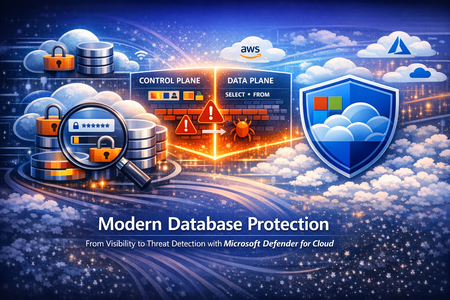
What's new in Defender for Cloud? Kubernetes gated deployment is now generally available for AKS automatic clusters. Use help to deploy the Defender for Containers sensor to use this feature. More information can be found here. Grouped recommendations are converted into individual ones to list each finding separately. While grouped recommendations are still available, new individual recommendations are now marked as preview and are not yet part of the Secure Score. This new format will allow for better prioritization, actionable context and better governance and tracking. For more details, please refer to this documentation. Check out other updates from last month here! Check out monthly news for the rest of the MTP suite here! Blogs of the month In March, our team published the following blog posts we would like to share: Defending Container Runtime from Malware with Defender for Containers Modern Database Protection: From Visibility to Threat Detection with Defender for Cloud New innovations in Microsoft Defender to strengthen multi-cloud, containers, and AI model security Defending the AI Era: New Microsoft Capabilities to Protect AI Defender for Cloud in the field Revisit the malware automated remediation announcement since this feature is now in GA! Automated remediation for malware in storage Visit our YouTube page GitHub Community Check out the new Module 28 in the MDC Lab: Defending Container Runtime from Malware with Microsoft Defender for Containers Defending Container Runtime from Malware Visit our GitHub page Customer journey Discover how other organizations successfully use Microsoft Defender for Cloud to protect their cloud workloads. This month we are featuring ManpowerGroup, a global workforce solutions leader, deployed Microsoft 365 E5, and Microsoft Security to modernize and future-proof their cyber security platform. ManpowerGroup leverages Entra ID, Defender for Endpoint, Defender for Identity, Defender for O365, Defender for Cloud, Microsoft Security Copilot and Purview to transform itself as an AI Frontier Firm. Join our community! We offer several customer connection programs within our private communities. By signing up, you can help us shape our products through activities such as reviewing product roadmaps, participating in co-design, previewing features, and staying up-to-date with announcements. Sign up at aka.ms/JoinCCP. We greatly value your input on the types of content that enhance your understanding of our security products. Your insights are crucial in guiding the development of our future public content. We aim to deliver material that not only educates but also resonates with your daily security challenges. Whether it’s through in-depth live webinars, real-world case studies, comprehensive best practice guides through blogs, or the latest product updates, we want to ensure our content meets your needs. Please submit your feedback on which of these formats do you find most beneficial and are there any specific topics you’re interested in https://aka.ms/PublicContentFeedback. Note: If you want to stay current with Defender for Cloud and receive updates in your inbox, please consider subscribing to our monthly newsletter: https://aka.ms/MDCNewsSubscribeModern Database Protection: From Visibility to Threat Detection with Microsoft Defender for Cloud
Databases sit at the heart of modern businesses. They support everyday apps, reports and AI tools. For example, any time you engage a site that requires a username and password, there is a database at the back end that stores your login information. As organizations adopt multi-cloud and hybrid architectures, databases are generated all the time, creating database sprawl. As a result, tracking and managing every database, catching misconfigurations and vulnerabilities, knowing where sensitive information lives, all becomes increasingly difficult leaving a huge security gap. And because companies store their most valuable data, like your login information, credit card and social security numbers, in databases, databases are the main target for threat actors. Securing databases is no longer optional, yet getting started can feel daunting. Database security needs to address the gaps mentioned above – help organizations see their databases to help them monitor for misconfigurations and vulnerabilities, sensitive information and any suspicious activities that occur within the database that are indicative of an attack. Further, database security must meet customers where they are – in multi-cloud and hybrid environments. This five part blog series will introduce and explore database-specific security needs and how Defender for Cloud addresses the gaps through its deep visibility into your database estate, detection of misconfiguration, vulnerabilities and sensitive information, threat protection with alerts and Integrated security platform to manage it all. This blog, part one, will begin with an overview of today’s database infrastructure security needs. Then we will introduce Microsoft Defender for Cloud’s unique database protection capabilities to help address this gap. Modern Database Architectures and Their Security Implications Modern databases can be deployed in two main ways: on your own infrastructure or as a cloud service. In an on-premises or IaaS (Infrastructure as a Service) setup, you manage the underlying server or virtual machine. For example, running a SQL Server on a self-managed Windows server—whether in your data center or on a cloud VM in Azure or AWS—is an IaaS deployment (Microsoft Defender for Cloud refers to these as “SQL servers on machines”) that require server maintenance. The other approach is PaaS (Platform as a Service), where a cloud provider manages the host server for you. In a PaaS scenario, you simply use a hosted database service (such as Azure SQL Database, Azure SQL Managed Instance, Azure Database for PostgreSQL, or Amazon RDS) without worrying about the operating system or server maintenance. In either case, you need to secure both the database host (the server or VM) and the database itself (the data and database engine). It’s also important to distinguish between a database’s control plane and data plane. The control plane includes the external settings that govern your database environment—like network firewall rules or who can access the system. The data plane involves information and queries inside the database. An attacker might exploit a weak firewall setting on the control plane or use stolen credentials to run malicious queries on the data plane. To fully protect a database, you need visibility into both planes to catch suspicious behavior. Effective database protection must span both IaaS and PaaS environments and monitor both the control plane and data plane because they are common targets for threat actors. Security teams can then detect suspicious activity such as SQL injections, brute-force attempts, and lateral movement through your environment. A Unified Approach to Database Protection Built for Multicloud Modern database environments are fragmented across deployment models, database ownership, and teams. Databases run across IaaS and PaaS, span control and data planes, and in multiple clouds, yet protection is often pieced together from disconnected point solutions Microsoft Defender for Cloud is a cloud native application protection platform (CNAPP) solution that provides a unified, cloud-native approach to database protection—bringing together discovery, posture management, and threat detection across SQL (Iaas and Paas), open-source relational databases (OSS), and Cosmos DB databases. Defender for Cloud’s database protection uses both agent-based and agentless solutions to protect database resources on-premises, hybrid, multi-cloud and Azure. A lightweight agent-based solution is used for SQL servers on Azure virtual machines or virtual machines hosted outside Azure and allows for deeper inspection, while an agentless approach for managed databases stored in Azure or AWS RDS resources provide protection with seamless integration. Additionally, Defender for Cloud brings in other signals from the cloud environment, surfacing a secure score for security posture, an asset inventory, regulatory compliance, governance capabilities, and a cloud security graph that allows for proactive risk exploration. The value of database security in Defender for Cloud starts with pre and post breach visibility. Vulnerability assessment and data security posture management helps security admins understand their database security posture and, by following Defender for Cloud’s recommendations, security admins can harden their environment proactively. Vulnerability assessments scans surface remediation steps for configurations that do not follow industry’s best practices. These recommendations may include enabling encryption when data is at rest where applicable or database server should restrict public access ranges. Data security posture management in Defender for Cloud automatically helps security admins prioritize the riskiest databases by discovering sensitive data and surfacing related exposure and risk. When databases are associated with certain risks, Defender for Cloud will provide its findings in three ways: risk-based security recommendations, attack path analysis with Defender CSPM and the data and AI dashboard. The risk level is determined by other context related to the resource like, internet exposure or sensitive information. This way, Security admins will have a solid understanding of their database environment pre-breach and will have a prioritized list of resources to remediate based on risk or posture level. While we can do our best to harden the environment, breaches can still happen. Timely post-breach response is just as important. Threat detection capabilities within Defender for Cloud will identify anomalous activity in near real time so SOC analytes can take action to contain the attack immediately. Defender for Cloud monitors both the control and the data plane for any anomalous activity that indicates a threat, from brute force attack detections to access and query anomalies. To provide a unified security experience, Defender for Cloud natively integrates with the Microsoft Defender Portal. The Defender portal brings signals from Defender for Cloud to provide a single cloud-agnostic security experience, equipping security teams with tools like secure score for security posture, attack paths, and incidents and alerts. When anomalous activities occur in the environment, time is of the essence. Security teams must have context and tools to investigate a database resource, both in the control plan and the data plane, to remediate and mitigate future attacks quickly. Defender for Cloud and the Defender portal brings together a security ecosystem that allows SOC analysts to investigate, correlate activities and incidents with alerts, contain and respond accordingly. Take Action: Close the Database Blind Spot Today Modern database environments demand more than isolated controls or point solutions. As databases span hybrid and multiple clouds, security teams need a unified approach that delivers visibility, context, and actionable protection where the data lives. Microsoft Defender for Cloud provides organizations the visibility into all of your databases in a centralized Defender portal using its unique control and data plane findings so that security teams can identify misconfigurations. prioritize them based on cloud-context risk-based recommendations or proactively identify other attack scenarios using the attack path analysis while SOC analysts can investigate alerts and act quickly. Follow this story for part two. We’ll go into Defender for Cloud’s unique visibility into database resources to find misconfiguration gaps, sensitive information exposure, and contextual risks that may exist in your environment. Resources: Get started with Defender for Databases. Learn more about SQL vulnerability assessment. Learn more about Data Security Posture Management Learn more about Advanced Threat Protection Reviewers: YuriDiogenes, lisetteranga, talberdahMicrosoft Defender for Cloud Customer Newsletter
Check out monthly news for the rest of the MTP suite here! What's new in Defender for Cloud? Now in public preview, Defender for Cloud provides threat protection for AI agents built with Foundry, as part of the Defender for AI Services plan. Learn more about this in our documentation. Defender for Cloud’s Defender for SQL on machines plan provides a simulated alert feature to help validate deployment and test prepared security team for detection, response and automation workflows. For more details, please refer to this documentation. Check out other updates from last month here. Blogs of the month In February, our team published the following blog post we would like to share: Extending Defender's AI Threat Protection to Microsoft Foundry Agents Defender for Cloud in the field Revisit the announcement on the new Secure Score model and the enhancements available in the Defender Portal. New Secure Score model and Defender portal enhancements GitHub Community Module 12 in Defender for Cloud’s lab has been updated to include alert simulation! Database protection lab - module 12 Customer journey Discover how other organizations successfully use Microsoft Defender for Cloud to protect their cloud workloads. This month we are featuring ContraForce. ContraForce, a cybersecurity startup, built its platform on Microsoft’s robust security and AI ecosystem. Contraforce, while participating in Microsoft for Startup Pegasus program, addressed the issue of traditional, complex, and siloed security stacks by leveraging Microsoft Sentinel, Defender XDR, Entra ID and Microsoft Foundry. ContraForce was able to deliver enterprise-grade protection at scale, without the enterprise-level overhead. As a result, measured key outcomes like 90%+ incident automation, 93% reduced cost per incident, and 60x faster incident response. Join our community! We offer several customer connection programs within our private communities. By signing up, you can help us shape our products through activities such as reviewing product roadmaps, participating in co-design, previewing features, and staying up-to-date with announcements. Sign up at aka.ms/JoinCCP. We greatly value your input on the types of content that enhance your understanding of our security products. Your insights are crucial in guiding the development of our future public content. We aim to deliver material that not only educates but also resonates with your daily security challenges. Whether it’s through in-depth live webinars, real-world case studies, comprehensive best practice guides through blogs, or the latest product updates, we want to ensure our content meets your needs. Please submit your feedback on which of these formats do you find most beneficial and are there any specific topics you’re interested in https://aka.ms/PublicContentFeedback. Note: If you want to stay current with Defender for Cloud and receive updates in your inbox, please consider subscribing to our monthly newsletter: https://aka.ms/MDCNewsSubscribe