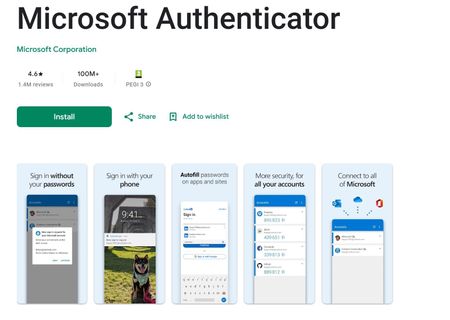
authenticator app
76 Topics
Can't access Microsoft Authenticator for business accounts
Hello. I am the tech support for a small church, where I am the admin for our MS 365 accounts, which are set up as "business accounts". I have been using Microsoft Authenticator for MFA for years. Recently I switched to a new phone and installed Microsoft Authenticator. All of my personal Authenticator accounts transferred over just fine, but all of the church's business accounts say "Scan the QR Code provided by your organization to finish recovering this account". The thing is, I am the "organization" and I don't know how to generate any QR code to recover the accounts. It was suggested that I could do something about this by logging into my Microsoft 365 administrator account, but when I try to log into my admin account, the only MFA option is "enter the code from Microsoft Authenticator". It's not offering a text or alternate email, only Microsoft Authenticator, which is what I'm locked out of. So I'm stuck in a loop. I opened a ticket with Microsoft Support nine days ago. I have received one phone call since then. The support person insisted that they needed to talk to the account's "alternate administrator", which I set up as my pastor, who is pretty computer savvy but not a deep IT person. They tried to call him one time, but he was not available to answer right then. There has been no communication since then. I'm hoping someone in this group can help me figure this out.857Views2likes4Comments
failed set-up of a passkey for a personal MS account
After scanning the QR code (on the PC screen) in the Authenticator app on the Iphone, the error message “Error adding the passkey - Microsoft Authenticator does not support this passkey” (translated from German) appears. What does this mean ? How to prevent? Any help is appreciated.3.7KViews2likes3Comments
Authenticator backup use company account
Just switched phones yesterday and discovered my Authenticator app backs up using a personal Microsoft account instead of my business account. If MFA is required by a business, shouldn't Authenticator be backed up using business accounts? In my opinion, there should be a way to keep business and personal MFA separate within a single app. Outlook does this with my business and personal email accounts...7.1KViews2likes8Comments
Exclude Microsoft first party applications in Azure conditional access policy
We have app built on Microsoft Graph resource and we have a conditional access policy that targets all cloud apps. when users sign into this app using Chrome browser on iOS they get error and prompt to use Edge. We do not want users to change the browser and tried to exclude Microsoft Graph from CA policy using all options including API but fails with the below error. Policy contains invalid applications: unsupported firstpartyapplication. Is there a way to exclude Microsoft Graph from the policy?4.6KViews2likes3CommentsEnhance Your Online Security: A Step-by-Step Guide to Implementing Two-Factor Authentication (2FA)
It's the start of the new academic year for many students in the US and Europe and it's the time when you're in a new city meeting new people and having all sorts of fun, so you may accidently loose or damage your device.5.9KViews2likes0CommentsSole Global Admin locked out - lost MFA device, SSPR phone verification returns error
Hello, I am the sole Global Administrator of a Microsoft 365 Business Standard tenant and I am completely locked out of the account. What happened: - My phone with Microsoft Authenticator was physically destroyed. - I installed Authenticator on a new phone. My personal account restored from cloud backup, but the work account only appears as a "connected account" - it shows no TOTP code and receives no push notifications. Push requests still go to the old device. What I tried while my admin session was still alive: - Entra ID > per-user MFA > "Require selected users to provide contact methods again" - saved successfully. - User > Authentication methods > "Require re-register multifactor authentication" - returned "Delete operation failed. Try this command again or delete them one by one in the user authentication methods blade." - The Authentication methods list for the user was EMPTY, and default sign-in method showed "No default". "Add authentication method" button was greyed out. - "Revoke sessions" - succeeded, but this also terminated my own admin session and signed me out of Outlook and OneDrive. - aka.ms/mfasetup cannot be reached because it requires a fresh MFA challenge. Self-service password reset (passwordreset.microsoftonline.com): - First verification via alternate email succeeds every time (I have full access to that mailbox). - Second verification fails: both "Text my mobile phone" and "Call my office phone" return "Sorry, we ran into a problem contacting you." I tried +370xxxxxxx, 370xxxxxxx and 8xxxxxxxx formats - same error every time. This looks like a service-side failure, not a formatting issue. - Sign-in Helper now also reports "Account blocked due to multiple incorrect password attempts." Error codes seen: 500121 and AADSTS50133. I have tried calling Microsoft support in several countries. The automated system either asks for an internal extension number or the AI assistant disconnects the call before reaching a human. There is no second Global Admin and no recovery codes. I can provide the tenant ID, user unique identifier, subscription order number and proof of access to the billing email address privately. Requesting escalation to the Data Protection team for admin account recovery. Any guidance on how to reach a human agent would be greatly appreciated. Thank you.641Views1like4CommentsStuck in an authenticator loop
I have a 365 Business account. Haven't logged in for a while due to reasons, i was just starting up as a sole trader. Anyway decided now is the time to resurrect it and get up and running, except Authenticator doesn't work because I changed my phone, and my back up email is out of date, and no longer exists. I have tried the support web chat which wants to send a code to authenticator or my back up email. Just called the help line that referred me to the web chat which doesn't work, I couldn't get past the bot. So I am stuck. Any recovery options does not recognise my log in details, i think this is because its been a while since I logged in (I still pay but ....) but I can't resurrect it because I don't have a way of getting a code due to authenticator/back up email as cited above. I am really at a loss as to what to do. I don't want to abandon it and start again as there are documents in my one drive that I need. Can anyone help please. (I think all that needs to happen is an update to my back up email and then I can get going). I am the sole administrator on my business account.499Views1like3CommentsMicrosoft Authenticator & Microsoft Work Accounts
I am moving my data and apps from my previous Android phone to a new Android phone. I have run into a problem with the Microsoft Authenticator app. I have several Microsoft work accounts which Microsoft Authenticator on the new phone says I need a QR code to recover the account. However, when I go to the Security page for the Microsoft work accounts, click on "Add Sign-In Methods", there is no option for an authenticator app. I should point out that I do have Microsoft Authenticator for these accounts installed and working on some tablets and iPads. How do I fix this so I can use my new Android phone? Thank you.Solved719Views1like5CommentsCan't Login to Authenticator App
I am unable to login to my Microsoft 365 Business account, because I'm unable to login to my Authenticator App. I am also the only administrator on my business account, so no one in my organization can help me. Microsoft online support and phone support just keep sending me in circles. The only way I see to create a support ticket is to login, but my issue is that I can't login. Help, please!268Views1like3Comments
Authenticator App for visionOS Apple Vision Pro
Please add more options to visionOS version. I want to sign in with my personal account and synchronize my TOTP tokens and passwords into the visionOS so that I do not have to open my phone while wearing the headset (huge pain since the iphone app requires face unlock which does NOT work when wearing the headset). Also please support retina unlock in the visionOS app. Also support authenticator request approvals from inside the visionOS app.387Views1like3Comments