adoption
22 Topics
Measuring Microsoft 365 Copilot adoption beyond license activation
In adoption programs, I think the interesting measurement starts after users have access. At DataToBiz, we have been looking at the difference between someone trying Copilot once and actually incorporating it into a recurring workflow. For example, repeat usage around a specific task tells a very different story from initial activation. How are teams measuring that second stage of adoption without relying only on license or usage counts?89Views0likes1Comment
Power BI and Fabric team ownership in extended engineering models
When an internal BI team already owns Power BI and additional engineers support Fabric development, how do you divide responsibilities? For example, should the extended team own data pipelines and notebooks while the internal team owns semantic models and reports, or is it cleaner to assign ownership by project? We have encountered this at Datatobiz when implementation work moves into ongoing development and support. Thoughts?119Views0likes1CommentUpcoming September 2026 Microsoft 365 Champion community call
Join our monthly calls to learn more about driving user enablement of Microsoft 365 services. All are welcome. Our next call is September 22, 2026, where we'll explore the OneDrive in mobile experience. Please note that our community calls are in the Teams webinar format, so you must register to receive the link to join. The join link will be sent to you in email with your webinar registration confirmation. The calls start at 5 minutes past the hour for both sessions (at 8:05 AM and 5:05 PM PT) and end at the top of the hour (9:00 AM and 6:00 PM PT, respectively). https://aka.ms/M365ChampionCallAM https://aka.ms/M365ChampionCallPM The on-demand recording will be available on our Driving Adoption > Events pages, as well as on our Microsoft Community Learning YouTube channel. While our calls are open to everyone, you must be a member of the Microsoft 365 Champion Program in order to access the presentation materials - the access link is in the initial welcome email and the monthly newsletter emails sent the week before the community calls. If you have not yet joined our Champion community, sign up here to get access to the monthly newsletters, calendar invites, and program assets (e.g., the presentations). Is there a topic you want us to bring? Share your feedback here: https://aka.ms/Microsoft365ChampionCallFeedback. REMINDER: Our community calls take a break in August and resume in September.455Views1like0CommentsWhat's new on the AMC – August 2026
August was a busy month across adoption.microsoft.com (AMC), bringing new resources, expanded skilling opportunities, fresh customer stories, and several new page launches designed to help organizations accelerate adoption, upskill employees, and maximize their Microsoft investments. From the launch of the new Digital Accelerator experience to expanded AI agent resources, Microsoft Teams content, and community-focused updates, here's a look at what's new this month. August highlights at-a-glance: Launched the new Digital Accelerator experience Released the Microsoft Teams Platform adoption page Launched the Teams and Viva Engage playbook for frontline workers Expanded the AI agent transformation stories library Added People Skills setup guidance Introduced role-based Microsoft Intune resources Added upcoming and on-demand OneDrive Customer Office Hours sessions Improved Customer Hub filtering and site navigation Added new community event resources and templates Introducing the Digital Accelerator One of the biggest additions this month was the launch of the new Digital Accelerator page. This program guides Microsoft Unified customers on a live Copilot and agent skilling journey with actionable resources and content designed to help accelerate transformation initiatives and drive adoption outcomes. Explore the new Digital Accelerator experience, find a journey that fits your needs and in your time zone, and join a live session with Microsoft experts to learn how to turn strategy into action. Expanded AI agent adoption resources Organizations exploring AI agents received several important updates throughout August, including: New customer transformation stories highlighting real-world AI agent implementations. Updates to the Agent Success Kit. New related story experiences on transformation story pages. Enhancements to the People Skills resources, including a People Skills setup section. Updates to the Agents in Microsoft 365 page to improve access to personalized AI upskilling resources. These enhancements make it easier to learn from customer successes while building organizational readiness for AI-powered transformation. New Teams resources August saw the release of several new Teams-focused experiences, including: The new Microsoft Teams Platform page. The new Teams and Viva Engage for Frontline Workers deployment playbook. Updates to featured content across Microsoft Teams experiences. These additions provide IT leaders, frontline organizations, and adoption specialists with expanded deployment and enablement guidance. New role-based Intune resources The Microsoft Intune page was updated with a new role-based resources section, making it easier for different stakeholder groups to discover content most relevant to their responsibilities. Whether you're an IT Pro/admin, leader, or solution provider, these curated resources help simplify learning and implementation. OneDrive Customer Office Hours updates To help customers stay connected with ongoing learning opportunities, the OneDrive Customer Office Hours page now includes both upcoming and on-demand sessions, making it easier to catch past events or register for future discussions. Community and communications updates The Microsoft Global Community Initiative resources received several enhancements, including: New on-demand general sessions. Event training and office hours resources. A new Event Recap Template within the Event Producer Playbook. Additionally, the Modern Employee Communications experience now includes a new News & Events section to help communicators stay informed about the latest opportunities and announcements. Resource refreshes across the site Throughout August, numerous pages received updates to ensure users have access to current guidance and experiences, including: Copilot in SharePoint updates featuring the latest "What's New in Copilot in SharePoint" content. Refreshes to the build your own Champion community playbook. Customer Hub filtering improvements. Homepage featured content updates. Document Processing experience enhancements. Navigation improvements across the site. These ongoing refinements help improve discoverability and keep content aligned with the latest Microsoft product experiences. Start exploring Whether you're planning your next adoption campaign, enabling AI agents, deploying Microsoft Teams solutions, or building employee engagement strategies, the latest updates across Adoption.Microsoft.com provide new resources to support your journey. Visit adoption.microsoft.com to explore these updates and discover the newest resources available to help your organization achieve more with Microsoft technologies.508Views0likes0CommentsCopilot Chat Adoption Feedback : Model Selection Governance and Prompt Library Reusability ?
Hello, As part of several Microsoft Copilot adoption projects that I am currently leading across different organizations, two questions frequently come up from both users and administrators. The first concerns the ability to lock or enforce a specific model in Copilot Chat for certain use cases. Several customers would like to guide users toward a particular model when working on specific scenarios (Opus for example) that require a certain level of reasoning, behavior, or response quality. To date, I have not found any official documentation or roadmap information indicating whether this capability is planned. The second concerns the Prompt Gallery / Prompt Library. Saved prompts are very useful for starting a conversation, but they do not appear to be reusable directly within an ongoing conversation. In several business scenarios, users would like to chain multiple approved prompts within the same conversation in order to preserve context while applying different working methods, analysis steps, or processes. Are there any planned developments regarding these two topics? The ability to lock or enforce a specific model in Copilot Chat. The ability to use prompts from the Prompt Gallery / Prompt Library during an already active conversation. I have not found any official information on these topics in Microsoft Learn documentation or in the Microsoft 365 roadmap. However, these capabilities seem likely to facilitate user adoption and help standardize usage patterns across organizations.599Views3likes2CommentsUpcoming June 2026 Microsoft 365 Champion community call
Join our next community call on June 23, 2026, to explore Microsoft 365 Copilot Cowork and learn how it can really help you get stuff done. Reminder: Our community calls are in the Teams webinar format, so you must register to receive the link to join. The join link will be sent to you in email with your webinar registration confirmation. https://aka.ms/M365ChampionCallAM https://aka.ms/M365ChampionCallPM The calls will still start at 5 minutes past the hour for both sessions (at 8:05 AM and 5:05 PM PT), and it will still end at the top of the hour (9:00 AM and 6:00 PM PT, respectively). While our calls are open to everyone, you must be a member of the Microsoft 365 Champion Program in order to access the presentation materials - the access link is in the initial welcome email and the monthly newsletter emails sent the week before the community calls. An on-demand recording will still be available on our Driving Adoption > Events pages, as well as on our Microsoft Community Learning YouTube channel. If you have not yet joined our Champion community, sign up here to get access to the monthly newsletters, calendar invites, and program assets (e.g., the presentations).390Views0likes0CommentsUpcoming March 2026 Microsoft 365 Champion Community Call
Join our next community call on March 24, 2026, to dive into PowerPoint: creation in Copilot and agent mode. Reminder: Our community calls are in the Teams webinar format, so you must register to receive the link to join. The join link will be sent to you in email with your webinar registration confirmation. https://aka.ms/M365ChampionCallAM https://aka.ms/M365ChampionCallPM The calls will still start at 5 minutes past the hour for both sessions (at 8:05 AM and 5:05 PM PT), and it will still end at the top of the hour (9:00 AM and 6:00 PM PT, respectively). While our calls are open to everyone, you must be a member of the Microsoft 365 Champion Program in order to access the presentation materials - the access link is in the initial welcome email and the monthly newsletter emails sent the week before the community calls. An on-demand recording will still be available on our Driving Adoption > Events pages, as well as on our Microsoft Community Learning YouTube channel. If you have not yet joined our Champion community, sign up here to get access to the monthly newsletters, calendar invites, and program assets (e.g., the presentations).265Views1like0CommentsImprove your professional skills for this essential work
This blog highlights essential resources for driving technology adoption in organizations, focusing on practical skills and strategies. It introduces key video topics, including the role of a User Enablement Specialist, the importance of storytelling for engagement, a three-step approach to advancing tech careers, and vital presentation skills for gaining leadership support. Together, these resources offer actionable guidance for professionals seeking to champion digital transformation and foster successful adoption initiatives.1KViews4likes1CommentHow are you keeping your associates up to date on Microsoft changes? HELP
I’m looking for ideas or best practices from other organizations on how you're keeping associates up to date with the constant changes across Microsoft 365 especially in Teams, Outlook, SharePoint, Planner, Visio, and Copilot. With so many updates rolling out daily from the roadmap and message center, it’s a challenge to make sure users are aware of new features and understand how to use them in our environment. Do you have an intake process for all changes or just some? Do you vet all changes? Do you have a self-service model? Do you have a centralized communication or training strategy? Are you using internal champions, newsletters, Viva tools, or other methods? How do you make updates engaging and easy to understand? Any tips for turning roadmap and Message Center updates into actionable guidance? Thanks in advance for sharing what’s working for you!1.4KViews5likes7CommentsMicrosoft 365 Champion community call | September 2025 | AM
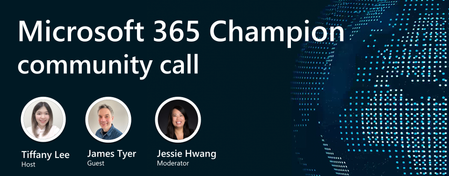
Join our next community call on September 23, 2025, to learn more about how to leverage Viva Engage for Microsoft 365 Copilot adoption. Host: Tiffany Lee Guest: James Tyer, Karuana Gatimu Moderator: Jessie Hwang 📢 NOTE: our community call format has changed to using Teams webinars to enable more dynamic discussions! Join link is still the same but you must register to be able to join the call when it starts: https://aka.ms/M365ChampionCallAM ⏰ 🗨️ Each call includes an open Q&A discussion section, where you'll have a chance to ask your questions about Microsoft 365. 👋 Join the Microsoft 365 Champion program today! Champions combine technical acumen with people skills to drive meaningful change. Our community calls are open to everyone but only Champions have access to the presentation resources (access link in the initial welcome email and in the monthly newsletters). Join now: https://aka.ms/M365Champions. Note: If you are unable to watch the recording on YouTube, try watching it here.2.1KViews1like17Comments