samsung
13 Topics
Microsoft Managed Home Screen: Unwanted Samsung One UI 8.0 Elements Appearing
Hello Tech Community, Our organization is currently deploying a configuration in Microsoft Intune using a Corporate-owned dedicated device enrollment profile. We’ve applied a device restriction policy to configure Samsung tablets in Multi-app Kiosk mode, with Managed Home Screen set as the launcher. Instead of using an app configuration policy, Managed Home Screen is configured through the device restrictions policy. We’ve left the device navigation options unconfigured, which should hide the following UI elements: Android Overview button Android Home button Android App drawer Once all policies and required apps are installed, Managed Home Screen successfully acts as the launcher for end-users to sign in. Overall, this works well; however, we’ve encountered an intermittent issue: After multiple lock/unlock cycles, the navigation bar sometimes reappears, showing the Overview, Home, and App Drawer buttons. This allows users to access background apps that are not exposed through Managed Home Screen, which defeats the kiosk experience. Device details: Samsung Galaxy Tab S10 FE Android 16, One UI 8.0 Managed Home Screen version: 2.2.0.107721 Has anyone experienced this behavior or have recommendations to prevent these UI elements from reappearing? I’ll gladly provide additional details about our configuration if needed. Thank you!343Views6likes2Comments
Android enrolment stuck at installing apps
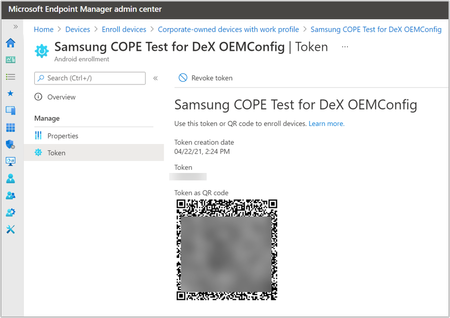
Hi, We are seeing some issues lately with device enrolment on Android with the wizard getting stuck at installing required apps, even with one app (Intune). I've seen a few posts at the start of the year where this issue also persisted which suggested it was a Google issue, which would seem true here as the issue occurs across multiple tenants. So far we've tried: Leaving the device for 2 hours to install apps Different Android enrolment profiles (Dedicated is primary method) Enrolling via Knox and QR methods Multiple devices Multiple Wi-Fi networks Multiple tenants (one being completely green-field) Removing all entries of the device in Intune and Entra ID before attempting re-enrolment Removed all apps from configuration, leaving just the Intune app as default Unassigned all enrolment restrictions Intune does create a device entry for the device despite not reaching the home screen, with configuration policies showing as successfully applied. Registering the device with Entra is more temperamental though. As mentioned, Dedicated enrolment is our primary method. We did see that a previously enrolled device did successfully enrol when using Fully Managed but this doesn't help us. A new device that had never been enrolled before did enrol successfully and quickly but have yet to it again. We are using Samsung devices running Android 14.1.2KViews0likes3CommentsOneDrive / Android automated camera roll back up without sync
Hello I am unsure if this is a Microsoft or Android issue so apologies if this isn't the place. I wish to have my Android (s21) camera roll automatically back up to OneDrive but without the two syncing together. If I wish to delete a photo from my phone I do not want this to delete from OneDrive but currently they do and I cannot find a solution to just have the camera roll back up without the sync in place. Is anyone able to produce a dummies guide to achieving this as I am not grasping other instructions I have found online. Many thanks for any assistance.408Views0likes2Comments
Microsoft Defender and Samsung OneUI
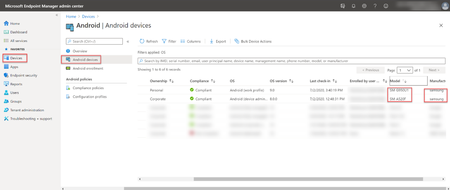
Hey all, We are experiencing something that I'm sure other users have come across but to this date, haven't found a fix. We use Samsung devices in house, and these are all enrolled through KNOX and Intune. We push out our selection of Configuration profiles, Restriction profiles, Apps, App Configurations etc. Defender is one of these apps, but we've come across a problem. Samsung One UI seems to be overly aggressive in its App Sleep / Battery Saver management and we're finding the Defender is being slept leaving out devices out of compliance. Has anyone found a manual configuration to push out that disables this action by Samsung phones? I realise that we have to do 'some' manual setup of Android Defender but would like this automated if possible. Anyone else come across this or found a fix other than manually disabling the App Sleep options?1.3KViews0likes2CommentsSamsung Gallery Albums Sync Issue
Hello all. I have been syncing all my Samsung Gallery and its content with onedrive. The problem is , albums do not show up in Onedrive with their content as they are in the phone. Videos and images are sorted individually , all mixed and synced by date. Is there a way to sync albums and see them in the same way (or order) as they are in the gallery in phone. Thank you.2.6KViews0likes1CommentIn Microsoft teams there is no mic button
Hello everyone, I need some help please, I am signed in with my company domain, Using Samsung device. In Microsoft teams there is a mic button it is now not there. I have tried restarting the device, not worked. I cleared cache and app data, not worked. I cannot uninstall the application as it asks for administrative login. Need some urgent assistance. Regards, AnasSolved1.1KViews0likes1Comment