Azure Data Factory
396 Topics
[Design Pattern] Handling race conditions and state in serverless data pipelines
Hello community, I recently faced a tricky data engineering challenge involving a lot of Parquet files (about 2 million records) that needed to be ingested, transformed, and split into different entities. The hard part wasn't the volume, but the logic. We needed to generate globally unique, sequential IDs for specific columns while keeping the execution time under two hours. We were restricted to using only Azure Functions, ADF, and Storage. This created a conflict: we needed parallel processing to meet the time limit, but parallel processing usually breaks sequential ID generation due to race conditions on the counters. I documented the three architecture patterns we tested to solve this: Sequential processing with ADF (Safe, but failed the 2-hour time limit). 2. Parallel processing with external locking/e-tags on Table Storage (Too complex and we still hit issues with inserts). 3. A "Fan-Out/Fan-In" pattern using Azure Durable Functions and Durable Entities. We ended up going with Durable Entities. Since they act as stateful actors, they allowed us to handle the ID counter state sequentially in memory while the heavy lifting (transformation) ran in parallel. It solved the race condition issue without killing performance. I wrote a detailed breakdown of the logic and trade-offs here if anyone is interested in the implementation details: https://medium.com/@yahiachames/data-ingestion-pipeline-a-data-engineers-dilemma-and-azure-solutions-7c4b36f11351 I am curious if others have used Durable Entities for this kind of ETL work, or if you usually rely on an external database sequence to handle ID generation in serverless setups? Thanks, Chameseddine19Views0likes1Comment
Copy Data Activity Failed with Unreasonable Cause
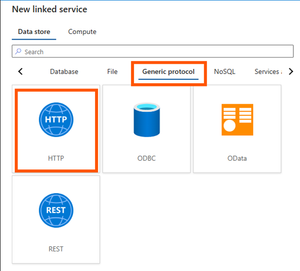
It is a simple set up but it has baffled me a lot. I'd like to copy data to a data lake via API. Here are the steps I've taken: Created a HTTP linked service as below: Created a dataset with a HTTP Binary data format as below: Created a pipeline with a Copy Data activity only as shown below: Made sure linked service and dataset all working fine as below: Created a Sink dataset with 3 parameters as shown below: Passed parameters from pipeline to Sink dataset as below: That's all. Simple, right? But the pipeline failed with a clear message "usually this is caused by invalid credentials." as below: Summary: No need to worry about the Sink side of parameters etc. which I have used same thing for years on other pipelines and all succeeded. This time the API failed to reach a data lake from source side as said "invalid credentials". In Step 4 above one could see the linked service and dataset connections were succeeded, ie. credentials have been checked and passed already. How come it failed in data copy activity complaining an invalid credentials? Pretty weird. Any advice and suggestions will be welcomed.30Views0likes0Comments
User Properties of Activities in ADF: How to add dynamic content in it?
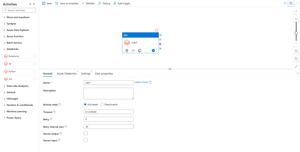
On ADF, I am using a for each loop in which I am using an Execute Pipeline Activity which is getting executed for different iterations as per the values of the items provided to the For-Each Loop. I am stuck on a scenario which requires me to add the Dynamic Content Expression in the User Properties of individual activities of ADF. Specific to my case, I want to add the Dynamic Content Expression in the User Properties of Execute Pipeline Activity so that I get to individual runs of these activities on Azure Monitor with a specific label attached to it through its User Properties. The necessity to add the Dynamic Content Expression in the User Properties is due to the reason that each execution in respective iterations of these activities corresponds to a particular Step from a set of Steps configured for the Data Load Job as a whole, which has been orchestrated through ADF. To identify the association with the respective Job-Step, I require to add Dynamic Content Expression in its User Properties. Any sort of response regarding this is highly appreciated. Thank You!41Views1like0CommentsIntroducing Azure Data Factory Community Templates
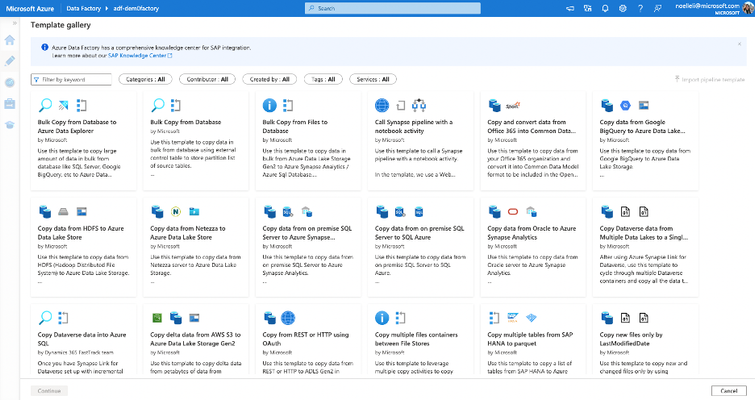
Today, we’re excited to announce that Community Templates are now available, giving our community members an opportunity to contribute to our existing template gallery. Templates are predefined Azure Data Factory pipelines that allow you to get started quickly with Data Factory. Templates are especially useful when you're new to Azure Data Factory or Azure Synapse pipelines and want to get started quickly, reducing development time for building data integration projects, and improving developer productivity. A wide variety of best practices are also infused in templates that cater to different scenarios that you can build on top of. And if you have Git enabled, templates help create shareable pipelines for better collaboration within the same factory.9.8KViews5likes1Comment
Oracle 2.0 Upgrade Woes with Self-Hosted Integration Runtime
This past weekend my ADF instance finally got the prompt to upgrade linked services that use the Oracle 1.0 connector, so I thought, "no problem!" and got to work upgrading my self-hosted integration runtime to 5.50.9171.1 Most of my connection use service_name during authentication, so https://learn.microsoft.com/en-us/azure/data-factory/connector-oracle?tabs=data-factory, I should be able to connect using the Easy Connect (Plus) Naming convention. When I do, I encounter this error: Test connection operation failed. Failed to open the Oracle database connection. ORA-50201: Oracle Communication: Failed to connect to server or failed to parse connect string ORA-12650: No common encryption or data integrity algorithm https://docs.oracle.com/error-help/db/ora-12650/ I did some digging on this error code, and the troubleshooting doc suggests that I reach out to my Oracle DBA to update Oracle server settings. Which, I did, but I have zero confidence the DBA will take any action. https://learn.microsoft.com/en-us/azure/data-factory/connector-troubleshoot-oracle Then I happened across this documentation about the upgraded connector. https://learn.microsoft.com/en-us/azure/data-factory/connector-oracle?tabs=data-factory#upgrade-the-oracle-connector Is this for real? ADF won't be able to connect to old versions of Oracle? If so I'm effed because my company is so so legacy and all of our Oracle servers at 11g. I also tried adding additional connection properties in my linked service connection like this, but I have honestly no idea what I'm doing: Encryption client: accepted Encryption types client: AES128, AES192, AES256, 3DES112, 3DES168 Crypto checksum client: accepted Crypto checksum types client: SHA1, SHA256, SHA384, SHA512 But no matter what, the issue persists. :( Am I missing something stupid? Are there ways to handle the encryption type mismatch client-side from the VM that runs the self-hosted integration runtime? I would hate to be in the business of managing an Oracle environment and tsanames.ora files, but I also don't want to re-engineer almost 100 pipelines because of a connector incompatability.Solved7.3KViews3likes16CommentsBYOPI - Design your own custom private AI Search indexer with no code ADF (SQLServer on private VM)
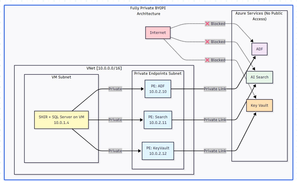
Executive Summary Building a fully private search indexing solution using Azure Data Factory (ADF) to sync SQL Server data from private VM to Azure AI Search is achievable but comes with notable complexities and limitations. This blog shares my journey, discoveries, and honest assessment of the BYOPI (Build Your Own Private Indexer) architecture. Architectural flow: Table of Contents Overall Setup How ADF works in this approach with Azure AI Search Challenges - discovered Pros and Cons: An Honest Assessment Conclusion and Recommendations 1. Overall Setup: Phase 1: Resource Group & Network Setup : create resource group and vNET (virtual network) in any region of your choice Phase 2: Deploy SQL Server VM: Phase 3: Create Azure Services - ADF (Azure Data Factory), Azure AI Search and AKV (Azure Key Vault) service from portal or from your choice of deployment. Phase 4: Create Private Endpoints for all the services in their dedicated subnets: Phase 5: Configure SQL Server on VM : connect to VM via bastion and setup database, tables & SP: Sample metadata used as below: CREATE DATABASE BYOPI_DB; GO USE BYOPI_DB; GO CREATE TABLE Products ( ProductId INT IDENTITY(1,1) PRIMARY KEY, ProductName NVARCHAR(200) NOT NULL, Description NVARCHAR(MAX), Category NVARCHAR(100), Price DECIMAL(10,2), InStock BIT DEFAULT 1, Tags NVARCHAR(500), IsDeleted BIT DEFAULT 0, CreatedDate DATETIME DEFAULT GETDATE(), ModifiedDate DATETIME DEFAULT GETDATE() ); CREATE TABLE WatermarkTable ( TableName NVARCHAR(100) PRIMARY KEY, WatermarkValue DATETIME ); INSERT INTO WatermarkTable VALUES ('Products', '2024-01-01'); CREATE PROCEDURE sp_update_watermark @TableName NVARCHAR(100), @NewWatermark DATETIME AS BEGIN UPDATE WatermarkTable SET WatermarkValue = @NewWatermark WHERE TableName = @TableName; END; INSERT INTO Products (ProductName, Description, Category, Price, Tags) VALUES ('Laptop Pro', 'High-end laptop', 'Electronics', 1299.99, 'laptop,computer'), ('Office Desk', 'Adjustable desk', 'Furniture', 599.99, 'desk,office'), ('Wireless Mouse', 'Bluetooth mouse', 'Electronics', 29.99, 'mouse,wireless'); Phase 6: Install Self-Hosted Integration Runtime Create SHIR in ADF: Go to ADF resource in Azure Portal Click "Open Azure Data Factory Studio" Note: You need to access from a VM in the same VNet or via VPN since ADF is private In ADF Studio, click Manage (toolbox icon) Select Integration runtimes → "+ New" Select "Azure, Self-Hosted" → "Self-Hosted" Name: SHIR-BYOPI or of your choice Click "Create" Copy Key1 (save it) Install SHIR on VM In the VM (via Bastion): Open browser, go to: https://www.microsoft.com/download/details.aspx?id=39717 Download and install Integration Runtime During setup: Launch Configuration Manager Paste the Key1 from Step 14 Click "Register" Wait for "Connected" status Phase 7: Create Search Index through below powershell script and saving it as search_index.ps1 $searchService = "search-byopi" $apiKey = "YOUR-ADMIN-KEY" $headers = @{ 'api-key' = $apiKey 'Content-Type' = 'application/json' } $index = @{ name = "products-index" fields = @( @{name="id"; type="Edm.String"; key=$true} @{name="productName"; type="Edm.String"; searchable=$true} @{name="description"; type="Edm.String"; searchable=$true} @{name="category"; type="Edm.String"; filterable=$true; facetable=$true} @{name="price"; type="Edm.Double"; filterable=$true} @{name="inStock"; type="Edm.Boolean"; filterable=$true} @{name="tags"; type="Collection(Edm.String)"; searchable=$true} ) } | ConvertTo-Json -Depth 10 Invoke-RestMethod ` -Uri "https://$searchService.search.windows.net/indexes/products-index?api-version=2020-06-30" ` -Method PUT ` -Headers $headers ` -Body $index Phase 8: Configure AKV & ADF Components - Link AKV and ADF for secrets Create Key Vault Secrets Navigate to kv-byopi (created AKV resource) in Portal Go to "Access policies" Click "+ Create" Select permissions: Get, List for secrets Select principal: adf-byopi-private Create Go to "Secrets" → "+ Generate/Import": Name: sql-password, Value: <> Name: search-api-key, Value: Your search key Create Linked Services in ADF Access ADF Studio from the VM (since it's private): Key Vault Linked Service: Manage → Linked services → "+ New" Search "Azure Key Vault" Configure: Name: LS_KeyVault Azure Key Vault: kv-byopi Integration runtime: AutoResolveIntegrationRuntime Test connection → Create SQL Server Linked Service: "+ New" → "SQL Server" Configure: Name: LS_SqlServer Connect via: SHIR-BYOPI Server name: localhost Database: BYOPI_DB Authentication: SQL Authentication User: sqladmin Password: Select from Key Vault → LS_KeyVault → sql-password Test → Create Azure Search Linked Service: "+ New" → "Azure Search" Configure: Name: LS_AzureSearch URL: https://search-byopi.search.windows.net Connect via: SHIR-BYOPI - Important - use SHIR API Key: From Key Vault → LS_KeyVault → search-api-key Test → Create Phase 9: Create ADF Datasets and PipelineCreate Datasets SQL Products Dataset: Author → Datasets → "+" → "New dataset" Select "SQL Server" → Continue Select "Table" → Continue Properties: Name: DS_SQL_Products Linked service: LS_SqlServer Table: Select Products click OK Watermark Dataset: Repeat with: Name: DS_SQL_Watermark Table: WatermarkTable Search Dataset: "+" → "Azure Search" Properties: Name: DS_Search_Index Linked service: LS_AzureSearch Index name: products-index Create Pipeline Author → Pipelines → "+" → "Pipeline" Name: PL_BYOPI_Private From Activities → General, drag "Lookup" activity Configure Lookup 1: Name: LookupOldWatermark Settings: Source dataset: DS_SQL_Watermark Query: below sql SELECT WatermarkValue FROM WatermarkTable WHERE TableName='Products' - **First row only**: ✓ Add another Lookup: Name: LookupNewWatermark Query: below sql SELECT MAX(ModifiedDate) as NewWatermark FROM Products Add Copy Data activity: Name: CopyToSearchIndex Source: Dataset: DS_SQL_Products Query: sql SELECT CAST(ProductId AS NVARCHAR(50)) as id, ProductName as productName, Description as description, Category as category, Price as price, InStock as inStock, Tags as tags, CASE WHEN IsDeleted = 1 THEN 'delete' ELSE 'upload' END as [@search.action] FROM Products WHERE ModifiedDate > '@{activity('LookupOldWatermark').output.firstRow.WatermarkValue}' AND ModifiedDate <= '@{activity('LookupNewWatermark').output.firstRow.NewWatermark}' Sink: Dataset: DS_Search_Index Write behavior: Merge Batch size: 1000 Add Stored Procedure activity: Name: UpdateWatermark SQL Account: LS_SqlServer Stored procedure: sp_update_watermark Parameters: TableName: Products NewWatermark: @{activity('LookupNewWatermark').output.firstRow.NewWatermark} Connect activities with success conditions Phase 10: Test and Schedule Test Pipeline Click "Debug" in pipeline Monitor in Output panel Check for green checkmarks Create Trigger In pipeline, click "Add trigger" → "New/Edit" Click "+ New" Configure: Name: TR_Hourly Type: Schedule Recurrence: Every 1 Hour OK → Publish All Monitor Go to Monitor tab View Pipeline runs Check Trigger runs Your pipeline should look like this: Phase 11: Validation & Testing Verify Private Connectivity From the VM, run PowerShell: # Test DNS resolution (should return private IPs) nslookup adf-byopi-private.datafactory.azure.net # Should show private IP like : 10.0.2.x nslookup search-byopi.search.windows.net # Should show private IP like : 10.0.2.x nslookup kv-byopi.vault.azure.net # Should show private IP like : 10.0.2.x # Test Search $headers = @{ 'api-key' = 'YOUR-KEY' } Invoke-RestMethod -Uri "https://search-byopi.search.windows.net/indexes/products-index/docs?`$count=true&api-version=2020-06-30" -Headers $headers Test Data Sync (adding few records) and verify in search index: -- Add test record INSERT INTO Products (ProductName, Description, Category, Price, Tags) VALUES ('Test Product Private', 'Testing private pipeline', 'Test', 199.99, 'test,private'); -- Trigger pipeline manually or wait for schedule -- Then verify in Search index 2. How ADF works in this approach with Azure AI search: Azure AI Search uses a REST API for indexing or called as uploading. When ADF sink uploads data to AI Search, it's actually making HTTP POST requests: for example - POST https://search-byopi.search.windows.net/indexes/products-index/docs/index?api-version=2020-06-30 Content-Type: application/json api-key: YOUR-ADMIN-KEY { "value": [ { "@search.action": "upload", "id": "1", "productName": "Laptop", "price": 999.99 }, { "@search.action": "delete", "id": "2" } ] } Delete action used here is soft delete and not hard delete. pipeline query: SELECT CAST(ProductId AS NVARCHAR(50)) as id, -- Renamed to match index field ProductName as productName, -- Renamed to match index field Description as description, Category as category, Price as price, InStock as inStock, Tags as tags, CASE WHEN IsDeleted = 1 THEN 'delete' ELSE 'upload' END as [@search.action] -- Special field with @ prefix FROM Products WHERE ModifiedDate > '2024-01-01' ``` Returns this resultset: ``` id | productName | description | category | price | inStock | tags | @search.action ----|----------------|------------------|-------------|--------|---------|----------------|--------------- 1 | Laptop Pro | High-end laptop | Electronics | 1299 | 1 | laptop,computer| upload 2 | Office Chair | Ergonomic chair | Furniture | 399 | 1 | chair,office | upload 3 | Deleted Item | Old product | Archive | 0 | 0 | old | delete The @search.action Field - The Magic Control This special field tells Azure AI Search what to do with each document: @search.action What It Does When to Use What Happens If Document... upload Insert OR Update Most common - upsert operation Exists: Updates it<br>Doesn't exist: Creates it merge Update only When you know it exists Exists: Updates specified fields<br>Doesn't exist: ERROR mergeOrUpload Update OR Insert Safe update Exists: Updates fields<br>Doesn't exist: Creates it delete Remove from index To remove documents Exists: Deletes it<br>Doesn't exist: Ignores (no error) ADF automatically converts SQL results to JSON format required by Azure Search: { "value": [ { "@search.action": "upload", "id": "1", "productName": "Laptop Pro", "description": "High-end laptop", "category": "Electronics", "price": 1299.00, "inStock": true, "tags": "laptop,computer" }, { "@search.action": "upload", "id": "2", "productName": "Office Chair", "description": "Ergonomic chair", "category": "Furniture", "price": 399.00, "inStock": true, "tags": "chair,office" }, { "@search.action": "delete", "id": "3" // For delete, only ID is needed } ] } ADF doesn't send all records at once. It batches them based on writeBatchSize and each batch is a separate HTTP POST to Azure Search How ADF will detect new changes and run batches: Watermark will be updated after each successful ADF run to detect new changes as below: Handling different scenarios: Scenario 1: No Changes Between Runs: Run at 10:00 AM: - Old Watermark: 09:45:00 - New Watermark: 10:00:00 - Query: WHERE ModifiedDate > '09:45' AND <= '10:00' - Result: 0 rows - Action: Still update watermark to 10:00 - Why: Prevents reprocessing if changes come later Scenario 2: Bulk Insert Happens: Someone inserts 5000 records at 10:05 AM Run at 10:15 AM: - Old Watermark: 10:00:00 - New Watermark: 10:15:00 - Query: WHERE ModifiedDate > '10:00' AND <= '10:15' - Result: 5000 rows - Action: Process all 5000, update watermark to 10:15 Scenario 3: Pipeline Fails Run at 10:30 AM: - Old Watermark: 10:15:00 (unchanged from last success) - Pipeline fails during Copy activity - Watermark NOT updated (still 10:15:00) Next Run at 10:45 AM: - Old Watermark: 10:15:00 (still the last successful) - New Watermark: 10:45:00 - Query: WHERE ModifiedDate > '10:15' AND <= '10:45' - Result: Gets ALL changes from 10:15 to 10:45 (30 minutes of data) - No data loss! Note: There is still room for improvement by refining this logic to handle more advanced scenarios. However, I have not examined the logic in depth, as the goal here is to review how the overall setup functions, identify its limitations, and compare it with the indexing solutions available in AI Search. 3. Challenges - disovered: When I tried to set out to build a private search indexer for SQL Server data residing on an Azure VM with no public IP, the solution seemed straightforward: use Azure Data Factory to orchestrate the data movement to Azure AI Search. The materials made it sound simple. The reality? It's possible, but the devil is in the details. What We Needed: ✅ SQL Server on private VM (no public IP) ✅ Azure AI Search with private endpoint ✅ No data over public internet ✅ Support for full CRUD operations ✅ Near real-time synchronization ✅ No-code/low-code solution Reality Check: ⚠️ DELETE operations not natively supported in ADF sink ⚠️ Complex networking requirements ⚠️ Higher costs than expected ⚠️ Significant setup complexity ✅ But it IS possible with workarounds Components Required Azure VM: ~$150/month (D4s_v3) Self-Hosted Integration Runtime: Free (runs on VM) Private Endpoints: ~$30/month (approx 3 endpoints) Azure Data Factory: ~$15-60/month (depends on frequency) Azure AI Search: ~$75/month (Basic tier) Total: ~$270-315/month** The DELETE Challenge: Despite Azure AI Search REST API fully supporting delete operations via @search.action, ADF's native Azure Search sink does NOT support delete operations. -- This SQL query with delete action SELECT ProductId as id, CASE WHEN IsDeleted = 1 THEN 'delete' ELSE 'upload' END as [@search.action] FROM Products -- Will NOT delete documents in Azure Search when using Copy activity -- The @search.action = 'delete' is ignored by ADF sink! Nevertheless, there is a workaround using the Web Activity approach or by calling the REST API from the ADF side to perform the delete operation. { "name": "DeleteViaREST", "type": "Web", "typeProperties": { "url": "https://search.windows.net/indexes/index/docs/index", "method": "POST", "body": { "value": [ {"@search.action": "delete", "id": "123"} ] } } } Development Challenges No Direct Portal Access: With ADF private, you need: Jump box in the same VNet VPN connection Bastion for access Testing Complexity: Can't use Postman from local machine Need to test from within VNet Debugging requires multiple tools 4. Pros and Cons: An Honest Assessment: Pros: Security: Complete network isolation Compliance: Meets strict requirements No-Code: Mostly configuration-based Scalability: Can handle large datasets Monitoring: Built-in ADF monitoring Managed Service: Microsoft handles updates Cons: DELETE Complexity: Not natively supported Cost: Higher than expected Setup Complexity: Many moving parts Debugging: Difficult with private endpoints Hidden Gotchas: - SHIR requires Windows VM (Linux in preview) - Private endpoint DNS propagation delays - ADF Studio timeout with private endpoints - SHIR auto-update can break pipelines 5. Conclusion and Recommendations: When to Use BYOPI: ✅ Good Fit: Strict security requirements Needs indexing from an un-supported scenarios for example SQL server residing on private VM Budget > $500/month Team familiar with Azure networking Read-heavy workloads ❌ Poor Fit: Simple search requirements Budget conscious Need real-time updates Heavy DELETE operations Small team without Azure expertise BYOPI works, but it's more complex and expensive than initially expected. The lack of native DELETE support in ADF sink is a significant limitation that requires workarounds. Key Takeaways It works but requires significant effort DELETE (hard) operations need workarounds Costs will be higher than expected Complexity is substantial for a "no-code" solution Alternative solutions might be better for many scenarios Disclaimer: The sample scripts provided in this article are provided AS IS without warranty of any kind. The author is not responsible for any issues, damages, or problems that may arise from using these scripts. Users should thoroughly test any implementation in their environment before deploying to production. Azure services and APIs may change over time, which could affect the functionality of the provided scripts. Always refer to the latest Azure documentation for the most up-to-date information. Thanks for reading this blog! I hope you've found this approach of creating own private indexing solution for Azure AI Search (BYOPI) useful 😀207Views1like0Comments
ADF connection issue with Cassandra
Hi, I am trying to connect a cassandra DB hosted in azure cosmos db. I created the linked service but getting below error on test connection. Already checked the cassandra DB and its public network access is set to all networks. Google suggested enabling SSL but there is no such option in linked service. Please help. Failed to connect to the connector. Error code: 'Unknown', message: 'Failed to connect to Cassandra server due to, ErrorCode: InternalError' Failed to connect to the connector. Error code: 'InternalError', message: 'Failed to connect to Cassandra server due to, ErrorCode: InternalError' Failed to connect to Cassandra server due to, ErrorCode: InternalError All hosts tried for query failed (tried 51.107.58.67:10350: SocketException 'A request to send or receive data was disallowed because the socket is not connected and (when sending on a datagram socket using a sendto call) no address was supplied')128Views1like1CommentAnnouncing the new Databricks Job activity in ADF!
We’re excited to announce that Azure Data Factory now supports the orchestration of Databricks Jobs! Databrick Jobs allow you to schedule and orchestrate a task or multiple tasks in a workflow in your Databricks workspace. Since any operation in Databricks can be a task, this means you can now run anything in Databricks via ADF, such as serverless jobs, SQL tasks, Delta Live Tables, batch inferencing with model serving endpoints, or automatically publishing and refreshing semantic models in the Power BI service. And with this new update, you’ll be able to trigger these workflows from your Azure Data Factory pipelines. To make use of this new activity, you’ll find a new Databricks activity under the Databricks activity group called Job. Once you’ve added the Job activity (Preview) to your pipeline canvas, you can connect to your Databricks workspace and configure the settings to select your Databricks job, allowing you to run the Job from your pipeline. We also know that allowing parameterization in your pipelines is important as it allows you to create generic reusable pipeline models. ADF continues to provide support for these patterns and is excited to extend this capability to the new Databricks Job activity. Under the settings of your Job activity, you’ll also be able to configure and set parameters to send to your Databricks job, allowing maximum flexibility and power for your orchestration jobs. To learn more, read Azure Databricks activity - Microsoft Fabric | Microsoft Learn. Have any questions or feedback? Leave a comment below!5.3KViews1like2Comments
SharePoint Online Multiple Files (Folder) Copy with Http Connector
This blog shows how to copy multiple files from a folder from SharePoint Online using ADF. Go through this public documentation on how to copy a single file - Copy data from SharePoint Online List by using Azure Data Factory - Azure Data Factory | Microsoft Docs33KViews9likes36Comments