Forum Discussion

Removing Style Properties
- Dec 02, 2021
Often, "restyling" a document that you have inherited from someone else will require a lot of work.
What you can do is try the following: Create a new, blank document with the desired styles. Import the existing content (of your inherited document) via the Insert File dialog box. (To open the dialog box, go to the Insert tab, click the arrow on the Object button and finally click Text from File.)


Exactly what I am looking for is to remove an unwanted property one by one and style by style.
OK, so the suggestion Stefan and I posted, using the import, will not help you.
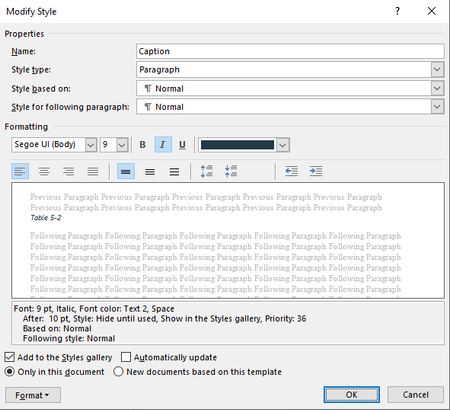
In that case, you need to truly go style by style and reset/change the style properties manually. Use the 'Modify' button in the Style pane for each style.
I still think that Stefan's suggestion or mine is less work in the end, but we all need to use what is suitable for us individually.