Forum Discussion

I got the windows 11 update but now its not showing
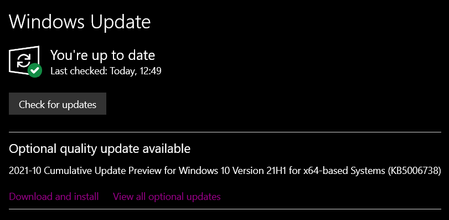

Check the Windows 11 Update history to see if you can find it here: https://support.microsoft.com/en-us/topic/windows-11-update-history-a19cd327-b57f-44b9-84e0-26ced7109ba9
2021-10 Cumulative Update for .NET Framework 3.5 and 4.8 for Windows 11 for x64 (KB5005537)
https://www.catalog.update.microsoft.com/Search.aspx?q=KB5005537
2021-10 Cumulative Update for Windows 11 for x64-based Systems (KB5006674)
https://www.catalog.update.microsoft.com/Search.aspx?q=KB5006674
2021-10 Cumulative Update Preview for .NET Framework 3.5 and 4.8 for Windows 11 for x64 (KB5006363)
https://www.catalog.update.microsoft.com/Search.aspx?q=KB5006363
2021-10 Cumulative Update for Windows 11 for x64-based Systems (KB5006746)
https://www.catalog.update.microsoft.com/Search.aspx?q=KB5006746

- MousefluffNov 02, 2021Iron Contributor
Ok so you want the updater to be functional again, not specifically downloading a patch.
1.) Start Powershell -> Start Menu -> Run -> taskmgr -> File -> Run new Task -> %SystemRoot%\System32\WindowsPowerShell\v1.0\powershell.exe -> Select "Create this task with administrative privileges." -> Click OK.
2.) Copy / Paste the script from this link into Powershell:
Alternate: 2021-10 Cumulative Update Preview for Windows 10 Version 21H1 for x64-based Systems (KB5006738)
https://www.catalog.update.microsoft.com/Search.aspx?q=KB5006738%2021H1%20x64