User Profile

RecalcOrDie
Iron Contributor
Joined Mar 18, 2020


User Widgets
Recent Discussions
Re: Convex hull Lambda > would it be impossible to build?
ExcelWizard Bo, right now I'm like a little kid with a new toy. Thank you for this! You leave me with good homework to study this mind-blowing formula. I'm attaching this updated version with pivot table slicers for switching the set of dots. Lastly, I have messaged Andy Pope about this post on this forum.2.1KViews1like0CommentsRe: Convex hull Lambda > would it be impossible to build?
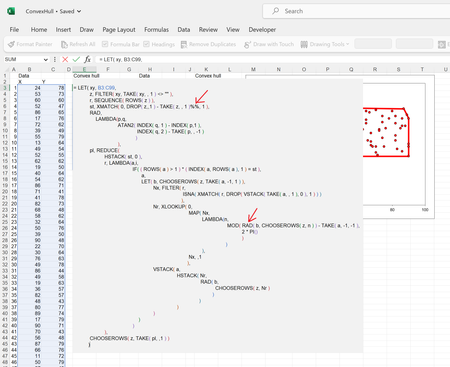
ExcelWizard I'm a hardcore ALT + ENTER + Space Bar kind of guy, so formatting formulas to be vertically is imperative for me. And in reviewing the formula, I have to ask, what´s this %% (double percentages)? And also, what's this secret function =RAD() ? note: I'm not a LAMBDA expert like the brilliant minds that have posted here. Yet, I'm always eager to learn the -- core concepts -- of interesting and complex formulas.2.2KViews1like2CommentsRe: Convex hull Lambda > would it be impossible to build?
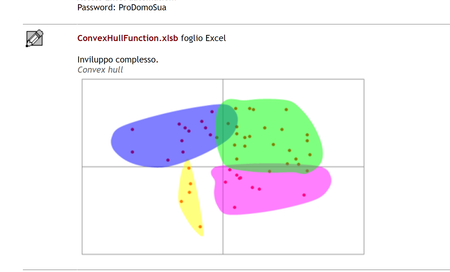
To all, Here's another person: Fernando Cinquegrani, who developed a Convex hull UDF. Very interesting stuff. It would be nice to check out his VBA back-end but its locked. Fernando's site: http://www.prodomosua.it/ppage02.html On the link above, you will be able to find the workbook with the convex hull right above the section where the graph below appears.2.4KViews0likes0CommentsRe: Convex hull Lambda > would it be impossible to build?
JKPieterse Thanks of your comments, I have tried like dozen of Lambdas out from ChatGtP but none worked. I still need to work on grasping recursiveness. Sometimes I feel like "I get it" and then in another case I lost it. 😒 But I'm making progress. Learning -- thunking -- has been fun.2.4KViews0likes0CommentsRe: Graph data label adjustment
Hi Umairatif , For this dynamic condition, you can opt for four separate series which would be the labels to be shown if series are below or above the other one. In total its 4 because you have to check for above or below from each line (Blue and yellow). Once you have set up the series, then you add them to the chart. Then you add the labels for these four series and here's comes the trick > right click on the labels and in the "Label option section", you will use the option of "Values From Cells" and there you map it to these two new series. If you can share the workbook, I can try to add them and set it for you.727Views0likes0CommentsRe: Want to shift my X-axis over by one but cannot figure out how to do that.
Hi pramenon1066, Are you using a line chart for this? If so, click on the x-axis and then go to the Format Axis options pane. On Axis options, there is a subsection, "Axis position", switch it from "On tick mark" to "Between tick marks". Hope it helps.1.4KViews1like0CommentsConvex hull Lambda > would it be impossible to build?
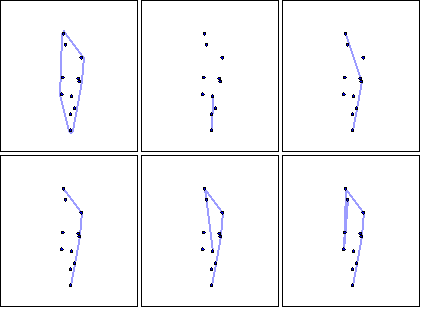
Hello everyone, Ever since visiting the site of Andy Pope, I saw a chart that fascinated me because it can be very useful for creating the bounding area of a set of points. It's known as Convex Hull. Here's Andy's post > https://andypope.info/charts/convexhull.htm In the post you can download the file, and the VBA is fascinating to say the least. I was wondering, with the LAMBDA technology and its possibility for recursiveness, is it possible with Lambda or has anyone come across a Lambda formula about it? Thanks in advance.3.1KViews0likes15CommentsRe: Lambda Example: Generate Fibonacci series
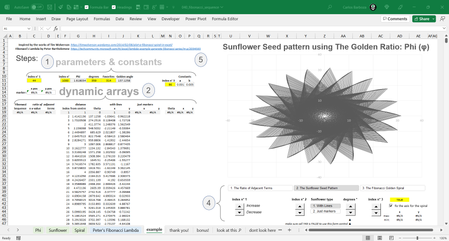
PeterBartholomew1 I don't know where to begin writing this reply but thank you for providing that mighty Lambda of yours for the Fibonacci Sequence. 👉🤯👈 Below is the result of visualizing that function combined with the works of Tim Wolverson on plotting this beautiful sequence of numbers in Excel. If interested in Tim's work go here 👉https://lnkd.in/dtYKEj34 For anyone interested in the workbook of the image below go here 👉 https://lnkd.in/dVDJCafX To all of you in this discussion, thank you! 🙏10KViews0likes0CommentsRe: Dynamic scatter chart based on a reference to an address in a cell
Maar7 I'm puzzled to why you are using INDIRECT for this. I think it could be easy if you go with the capability of spill ranges of dynamic arrays. Could you provide a sample workbook to investigate this further?2.8KViews0likes6CommentsRe: Excel Help Microsoft 365
Hi Darnell, In reading your requirement, I think the basic formula you're looking is: = IF( F6 < 250, 250, F6 ) Now I am bit confused, when you say: "...if the the total in cell F6 and B6 are less then $250, then cell B6 will automatically populate to $250." Are you requiring that F6 and B6 have to be summed up and also check if this operation is under 250 as well ?1.7KViews0likes3CommentsRe: How do we section dynamic arrays for running averages, running slopes or other functions?
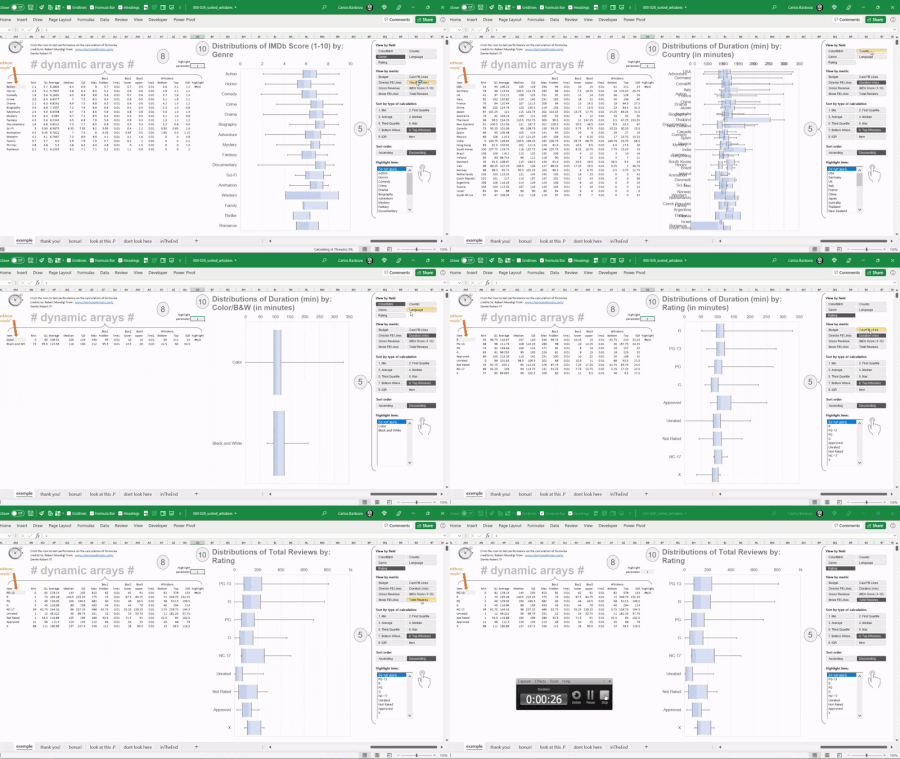
PeterBartholomew1 wow! amazing! thank you for another great contribution to this discussion. I am still amazed that the only ways for this calculation of "MEDIANIF" are only possible thru LAMBDA combined with MAP or BYROW. I needed result of this MEDIANIF calculation to be in spilled range because I am working on another "Excel Graphics" (028, coming out soon!) using Dynamic Arrays functions on which with slicers, the user can either sort the boxplots, by median calculation, quartiles (1st or 3rd), IQR, min or max, either by ascending or descending order. Sneak peak on the GIF below. Again, thank you Peter!5.5KViews1like0CommentsRe: How do we section dynamic arrays for running averages, running slopes or other functions?
Greetings Riny_van_Eekelen I asked this question to Mike Girvin from ExcelisFun YouTube channel and he replied that it´s possible with BYROW and LAMBDA functions, so all credits to him please. Here´s his response: Aggregate functions like SUM and MEDIAN can never spill. But with BYROWS and LABMDA it can be done! Data set in range B3:C14: Product Values Quad 26 Aspen 96 Carlota 60 Quad 40 Quad 30 Aspen 72 Carlota 11 Carlota 45 Carlota 97 Aspen 96 Aspen 79 Quad 69 Formula with short variables: =LET(p,B3:B14,v,C3:C14,up,SORT(UNIQUE(B3:B14)),mv,BYROW(up,LAMBDA(m,MEDIAN(FILTER(C3:C14,B3:B14=m)))),CHOOSE({1,2},up,mv)) Formula with descriptive variables: =LET(Products,B3:B14,Numbers,C3:C14,SortUniqueProducts,SORT(UNIQUE(B3:B14)),SpilledMedians,BYROW(SortUniqueProducts,LAMBDA(ProductCriteria,MEDIAN(FILTER(C3:C14,B3:B14=ProductCriteria)))),CHOOSE({1,2},SortUniqueProducts,SpilledMedians)) Bam! Boom! Go Team!!!! I am attaching the file he shared. Hope it helps.5.6KViews0likes3Comments


Recent Blog Articles
No content to show