Forum Discussion

mbs-systems
Jan 03, 2020Copper Contributor
Information management policy settings for a Sharepoint Library
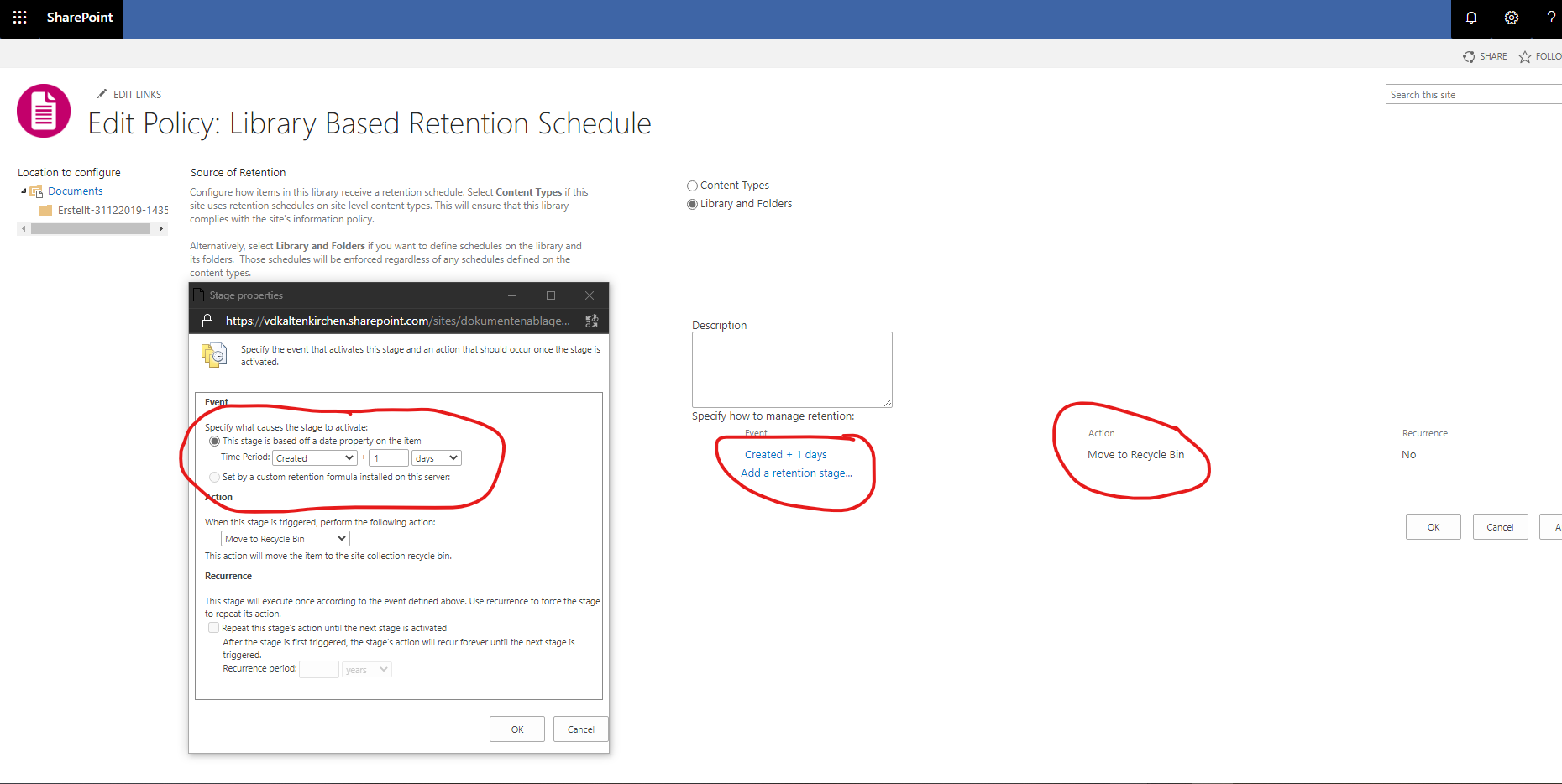
Using the https://vdkaltenkirchen.sharepoint.com/sites/dokumentenablage/_layouts/15/policycts.aspx?List={767868b8-f4b4-4197-a492-9427da984aeb} for a Document Library to configure a policy for deleting files being older than 1 day after creation date/time.
So I configured everything that it should have been deleted already after 1 day, but it didn't work.
What is wrong here? Does it work with 1 day minimum with Sharepoint Online? Or does SharePoint set a minimum of 1 week, etc. by default?
See also my screenshot attached.
Thanks.
5 Replies
- Actually found it. It runs weekly.
"Note: Information management policies are compiled by an Information Management Policy Timer Job, managed by Microsoft, which runs weekly. Therefore, your policies may not take effect immediately. The frequency and date of the Information Management Policy Timer Job cannot be changed."
Source: https://support.office.com/en-us/article/Create-and-apply-information-management-policies-EB501FE9-2EF6-4150-945A-65A6451EE9E9 mbs-systemsCopper Contributor
ChrisWebbTech Thanks a lot for your findings. But then the possibility to set 1 Day or something like that is a bit odd, when the minimum time is 1 week as due to policy restrictions from Microsoft.
- I mean it still is less than a week, it just depends when the job runs. You could have things a day old get removed, or things 6 days before they get removed. If you set it to weekly, things could go up to almost two weeks old before being removed.
So I guess technically it should read that nothing "Less than a day" old will get deleted or something. But yeah, your right, you can't pinpoint due to that.
- It runs on a timer job in the background. No idea how often that runs thou but how long has it been? I would give it at least 24 hours after configuring before thinking it didn't work.