Forum Discussion

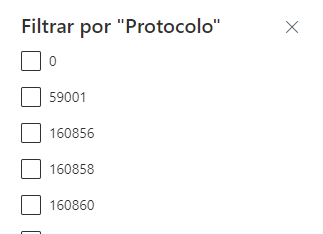
Can't Filter List with number, could I change it to "Single line of text"?
- Oct 25, 2023
- Currently there is no SharePoint out of the box way available to duplicate the existing list including the list items. You will have to use simple Power Automate flow or PowerShell or PnP Provisioning to copy data from one list to another OR you can try changing column type by manually creating 10-15 items in the new list.
- I did test by changing the column type from number to "single line of text" and all SharePoint default list forms (where you fill/update the data) are working properly without any issue.
Please click Mark as Best Response & Like if my post helped you to solve your issue. This will help others to find the correct solution easily. It also closes the item. If the post was useful in other ways, please consider giving it Like.

Hey there ganeshsanap , i've checked and it seems it has 1757 items.
That specific column they are asking me for is only normal numbers, not decimal or %.
How could I copy it in order to test it on a development site for example?
I did not find any "Duplicate" option, or copy, I've seen that is possible to create a new list using the patterns of the old one, but It copies only the columns, not the data in it.
If I could backup that list somehow so I wouldn't get any trouble after changing would be awesome.
Also is there any risk that the "Screen" where is filled the data, not work after changing the column type? Here's a screenshot of how it is now

- Currently there is no SharePoint out of the box way available to duplicate the existing list including the list items. You will have to use simple Power Automate flow or PowerShell or PnP Provisioning to copy data from one list to another OR you can try changing column type by manually creating 10-15 items in the new list.
- I did test by changing the column type from number to "single line of text" and all SharePoint default list forms (where you fill/update the data) are working properly without any issue.
Please click Mark as Best Response & Like if my post helped you to solve your issue. This will help others to find the correct solution easily. It also closes the item. If the post was useful in other ways, please consider giving it Like.
- jaironjuniorOct 25, 2023Copper ContributorI did the change on the production list, it worked.
But the Heart rate after changing was almost killing me hahahaha.
Thanks!