Forum Discussion

Issue on One Drive in desktop
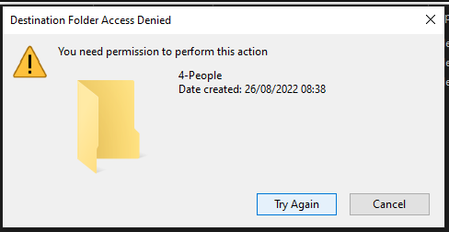


One thing you can try is to check the permissions on the SharePoint library to make sure that you and the other users have the correct permissions to perform the actions you are trying to do. You can do this by going to the library in the SharePoint online web interface and clicking on the "Shared with" option in the ribbon. This will show you a list of users and groups that have access to the library, as well as their permissions. Make sure that you and the other users have at least "Edit" permissions on the library.
If the permissions on the SharePoint library seem to be set correctly, you may want to try resetting the OneDrive sync client on your desktop. To do this, you can follow these steps:
- Close the OneDrive app on your desktop.
- Open the Command Prompt as an administrator.
- Type the following command and press Enter: %localappdata%\Microsoft\OneDrive\onedrive.exe /reset
- Wait for the reset process to complete, then close the Command Prompt.
- Reopen the OneDrive app and try to access the shared library again.
This process will reset the OneDrive sync client and may help to resolve any issues you are experiencing. If the problem persists after trying these steps, you may want to try restarting your computer or contacting Microsoft support for further assistance.
Please let me know the results 🙂