Forum Discussion

Incorrect hours of work in Teams
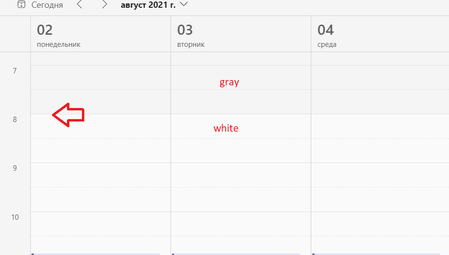

onegina have you managed this problem somehow? I live with this issue for more than a year already.

- Jan 04, 2022
onegina Mykhailo_Goncharov This shouldn't be an issue really. Just look at all settings related to date & time, such as your W10/11 settings and then go to Outlook on the web "Meeting hours". I tried changing this right now and it was updated immediately in Teams on the web and for the desktop app to apply the new working hours I simply signed out manually from the top right corner and back in.
 YuelinMar 19, 2024Copper Contributor
Thanks ChristianJBergstrom I followed the steps you provided, it worked for me. After I log in to outlook website, I had my work hours updated from 12 am- 5pm to 8 am - 5 pm and it reflected on teams immediately.
- gmaudsleyJun 21, 2023Copper Contributor
ChristianJBergstrom @onegina @Mykhailo_Goncharov
This worked for me! I went into the online version of Outlook, viewed my Settings, then calendar settings, then work hours and location (making sure I was on the correct timezone with Calendar>View>Time zones). Once my timezone was adjusted – it was set to UK time, correctly, but the meetings were listed as Pacific time – I signed out of Teams, then signed back in and my hours were adjusted on Teams to 9–5.30 rather than the incorrect 8–5. Note that my working hours had always been correct in the Outlook app.
