Forum Discussion

B_Gen
Jan 24, 2021Brass Contributor
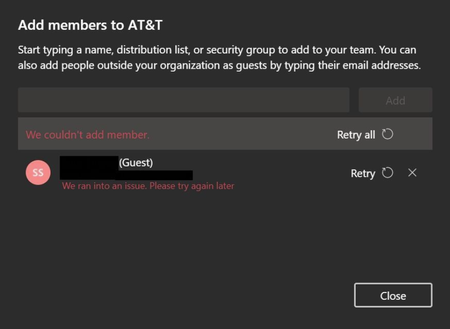
Can't invite deleted Guest User "We ran into an issue. Please try again later."
Good morning Microsoft community We have to delete an Guest-User from our AD and reinvite the Guest-User into a team - the reason is a workaround for a PowerBI problem. I have a short, but for me...
 Jan 25, 2021
Thanks very much for your answer!
I tried it using PowerShell, but it didnt work either.
Apparently i found a way on how to solve that problem:
You have to invite the Guest-User through the Azure Active Directory;
1) Navigate to the Microsoft 365 admin center
2) Open Azure Active Directory
3) Open Users
4) Choose "New Guestuser"
5) Fill out the information and invite the new guestuser
Thanks and have a nice day!

ChristianBergstrom
Jan 25, 2021Silver Contributor
Hi, any difference if using PowerShell and then InPrivate Window/clearing the Teams desktop cache?
https://docs.microsoft.com/en-us/powershell/module/msonline/remove-msoluser?view=azureadps-1.0
https://docs.microsoft.com/en-us/powershell/module/msonline/remove-msoluser?view=azureadps-1.0