outlook
751 TopicsImproving How Outlook Classic Handles Reactions
A fix due in May 2026 will make sure that the Outlook classic client will handle Outlook reactions properly if the reactions are blocked. Of course, if tenants don’t like responding to email with an emoji, they can create a transport rule to insert the x-ms-reactions header. Detecting the header is an instruction to Outlook clients to suppress reactions that Outlook classic has been ignoring up to now. https://office365itpros.com/2026/04/17/outlook-reactions-classic/15Views0likes0Comments
Office 365 no internet error
Outlook just stopped working yesterday. I have been using 356 for a couple of years now. One drive and Outlook both say I don't have internet access. Obviously I do. I can use one drive and outlook via a web browser, but not the desktop apps. I have tried most of the suggested fixes and nothing has worked. Anyone else having issues?162Views0likes3Comments
Office 365 issues
We have an end user that started with us approximately a year ago. Shortly after he started he began noticing that his status would go away on a fairly regular basis on MS Teams. We tried uninstall/reinstall, resetting, repairing and the problem persisted. Since he was a relatively new hire we were thinking it was something with his laptop so we replaced and the issue returned. Turned in a ticket with our Office 365 vendor who in turn opened a ticket with Microsoft. After some initial testing they sent a Teams install file that seemed to fix the issue. Since that time he has regularly had issues with Teams disconnecting, Outlook just stop receiving emails, while showing connected. Typically the only fix was a restart and on some occasions that did not work. Sometimes a reset or repair might fix this issue. Throughout this we did clear credential manager, caches, etc...This got a point yesterday where I created a new user profile for him, basically like a new laptop and it temporarily fixed the Teams and Outlook issue, however when attempting to sign into MS Edge it would just spin and had to use task manager to close the app. Tried a repair on the app as you cannot uninstall and same result it would hang up and have to forcibly closed. Just wondering if someone else has encountered something like this and possible fixes. Thanks107Views0likes1Comment
Outlook "Classic" issues
Without any changes being made to my system, I am suddenly getting the following error message when trying to send/receive mail. Task 'email address removed for privacy reasons: Folder:Inbox Check for new mail.' reported error (0x800CCC0E) : 'Outlook cannot download folder Inbox from the IMAP email server for account email address removed for privacy reasons. Error: Cannot connect to the server. If you continue to receive this message, contact your server administrator or Internet service provider (ISP).' I have followed all of the suggested solutions that I could find including editing the registry but nothing is working. Hope someone can help as thjis is a big problem for me.Solved85Views0likes2Comments
Disable incessant nagware popups
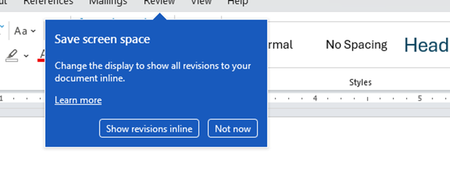
I don't know about everyone else, but I am sick and tired of the nagware pop ups in Word, Excel, PowerPoint, Outlook, etc. Every single product harasses me with pop ups trying to tell me "hey, did you know this feature was here?", "you can do this if you click that", "let me hold your hand through using products you've used for decades even though you don't want daddy Microslop to do that". This is a prime example. I keep getting the same ones again and again and again and everything I've read indicates they should only appear once. But they don't. They keep coming back like a psychotic stalker ex who wants alimony even though you were never married. How do I get this nagware to stop?!95Views0likes1Comment
I can't add an O365 email to Outlook desktop client but I can access it from the web
I can't add a O365 to Outlook desktop client but I can access from the web This a weird thing, whenever I try to add in Outlook from File > Add Account I get the message "Something went wrong and Outlook couldn't set up your account". From Control Panel > Mail > Email accounts > New > Manual Setup > here I put the email and gets stuck at "Searching for... Settings" and then " An encrypted connection to your email is not available, click Next to attempt using an unencrypted connection", so I do that and get the error "We're sorry we couldn't set up your account automatically. To try setting up the account yourself click Next" which is basically the same. Everything works fine in the browser, any ideas on this?19KViews1like12Comments
Outlook web UTF-8 charset
Outlook Web sends emails in my organization using the ISO-8859-1 character set. However, Copilot claims: "Outlook Web (Outlook on the Web, OWA) does not generate your messages in ISO-8859-1. It always uses UTF-8." My Outlook Web only switches to the UTF-8 character set if the email contains Unicode characters that cannot be displayed in ISO-8859-1. How can I enforce UTF-8 globally for my organization?110Views0likes1Comment
Assist me with Shared Mailbox Alias Configuration in Outlook 365
We have a shared mailbox with different email alias configurations for various applications. Each application needs to send emails using its respective alias. Shared Mailbox Name: email address removed for privacy reasons Application 1: From email ID – email address removed for privacy reasons Application 2: From email ID – email address removed for privacy reasons Similarly, I need to define aliases for each application. Could you please assist me with setting this up in Outlook 365? Additionally, could you explain if there are any limitations related to using aliases?342Views0likes4CommentsImport Contact List
I use Outlook for mac with a 365 email account with my domain name. I am trying to set up a "Contact List". This is not to confused with my list of contacts. The is a distribution list. This feature is only pin New Outlook. I have the names and email addressed in CSV format. I tried to import. The results say "No records imported" or "failed to import". I have tried it with and without column headers. there name format is First Last. Sugestions appreciated.69Views0likes2CommentsNew Outlook Gets Smarter DLP
The news that the new Outlook client will support custom oversharing dialogs for DLP policies might not seem very interesting, but it provoked me into looking more closely into how to build and deploy custom oversharing dialogs. All it takes is some well-structured JSON and an update to DLP rules, and the classic and Monarch Outlook clients should display custom tenant instructions to anyone who violates DLP rules. https://office365itpros.com/2026/02/12/custom-oversharing-dialog-dlp/66Views0likes0Comments