developer
1340 Topics
I want to record a VBA macro. The Record Macro button only records OfficeScript. How?
I saw another post drawing the disctinction between the Automate toolbar tab and the Developer tab, but that distinction doesn't seem to work anymore. The Record Macro button only produces script. Is there another way to get VBA recording?39Views1like1Comment
Excel Macros Spreadsheets Not Loading
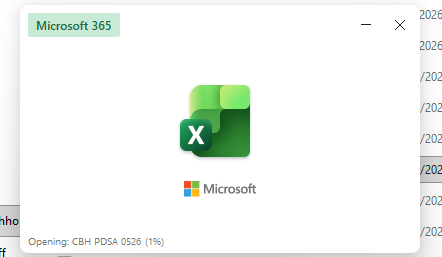
I've spent some time with Microsoft Support (almost 3 hours, including uninstalling my MS 365 and reinstalling it), but I'm having an issue with my Excel Macro spreadsheets not loading at all. This is what I get each time. Also having an issue with non-Macro spreadsheets that I'm unable to use the Bold, Italic, and Underline functions (get the spinning wheel and then Excel Not Responding), as well as not able to use the Format function (get the same spinning wheel and then Excel Not Responding). I've been using these same Excel Macro Spreadsheets for over 15 years. Please help!85Views1like0Comments
A 40,000+ VBA line Block and Stack workplace planning tool made in Excel
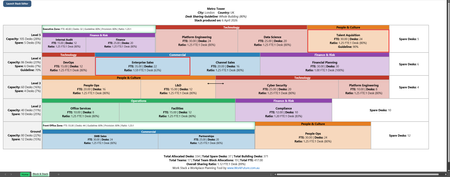
Hi all, I’ve been an Excel user for a long time, but until the last 8 months I had never really explored the full power of Excel/VBA. With AI’s help, I’ve been building a workplace Block and Stack planning tool called Work Stack. It’s a niche use case, but a very real one in my industry, supporting corporate office planners, workplace teams, and anyone trying to move and reorganise teams within an office. When I first started, I thought an AI agent would simply be able to generate the answer for me. I quickly realised that wasn’t enough, especially when it came to reliably recreating the block and stack image and handling the planning logic behind it. That was when I decided to build it properly. I have zero coding background, but 15+ years of workplace experience, so the setup became: AI as the code developer, and me as the product owner, logic lead, tester, and relentless breaker of whatever had just been built. I moved very quickly at first and had a “working model” within about 6 weeks. The problem was that it produced all sorts of crazy results and was basically unusable, untestable, and unfixable. That was where I learned some hard lessons about relying too heavily on arrays and not being disciplined enough with separation of concerns. Version 1 was a false start, but a very useful one. I scrapped it and rebuilt the tool properly from scratch. The rebuild took 6+ months rather than 6 weeks, but Work Stack is now at beta stage and is being tested and demoed by industry peers. Attached are 3 images: Image 1 — Current Stack This is a standard desk-sharing workplace stack. It shows teams grouped into functions, some placed in neighbourhood zones, some co-located with other teams (shown with the two-headed arrow), and some “breached” teams shown with a red border where they are sharing desks more aggressively than the building guideline allows (80% in this example). There are also scattered spare desks shown in white blocks at the end of floors. As teams move, the team blocks, floors, and footer totals all recalculate automatically. Image 2 — AutoStack Output This is the result of running the most complex feature in the tool: AutoStack. It assesses the current stack and then restructures it based on the user’s instructions. In this example, I asked it to fix all breached teams, reunite teams with their function groups, dissolve neighbourhood zones and co-locations, and consolidate spare desks where possible. Something that would normally take a space planner weeks of effort can now be done by VBA in Excel in seconds. That part still blows me away. Image 3 — Stack Editor This is the main parent form, called Stack Editor. It acts as the control hub for creating, editing, and customising the stack. At the moment it has 37 features and counting. Under the hood, the rebuilt version is structured far more seriously than the original. It uses an object-oriented VBA model built around core class modules for the plan, floors, and teams, with supporting classes for things like zones, functions, financials, and rendering. In other words, the stack is modelled as real objects rather than just spreadsheet rows. I also rebuilt it with much stricter boundaries between logic, persistence, rendering, and UI. That discipline is what made the second version stable enough to keep growing, and it is a big part of why the codebase has now grown to 40,000+ lines without collapsing under its own weight. I mainly wanted to share this with people who might appreciate this very specific use case in VBA. At some point I may need to port it to Python or something similar, but for now I’m honestly amazed at how far this 30-year-old language can be pushed.1.6KViews0likes0CommentsIs it really impossible to break workbook protection?
Hi, I process personal data and need strict protection (GDPR). My raw data from a survey is copied to several worksheets in a workbook and the processed anonymous data (dashboards) is in other worksheets in the same workbook. Before sending the whole workbook with the visible dashboards to my customers I delete some of the raw data worksheets and hide others. After that I protect the structure of the workbook with a code. Now only the worksheets with the dashboards are visible. Will it at all be possible for my customers to break the protection and get access to the sensitive raw personal data or am I completely safe? Thanks in advance to your reply! Best regards PerSolved5.6KViews13likes24Comments
Need a consecutive XLookup
Hello All, OK let me describe what I am trying to do: I need to create a Task List. In this list I will have let’s say 200 tasks, and 50 people to perform these tasks. i need a way to assign the first task to the first person, then the second task to the second person, then the 3rd task to the 3rd person and so on until the first 50 tasks are assigned. then I need to assign the 51st task to the first person, the 52nd to the second person, and the 53rd task to the 3rd person until that batch of tasks and People are matched. but this is not linear, I may want to choose task 52 to person 3 because the 3rd task is related to the 52nd task. i can live without this feature and fine tune the list manually but the main question is how can I look up a name and match it to a task. i hope this makes sense to you, please ask for any clarification and i shall add that bit. thanks in advance… wassimSolved185Views0likes4Comments
Using excel to prepare a detailed income and tax computation for federal taxes USA.
I am toying with the idea of preparing a comprehensive excel workbook for preparing a computation of income, adjustments, deductions, taxes and credits similar to a software helping to prepare 1040 return. My idea is not exactly to prepare a tax forms for submission but a computation summary of four to five pages which helps the tax payers to appreciate their income and taxes (as against 200+ pages of tax return). Technically it will be a full fledged software but will be also a very good review and visulation tool and mybe a tax planning tool later. Is excel a good place to do that? Will python with excel be able to handle? I am a tax professional but not a tech guy. I am only looking at Federal preparation as of now.4.7KViews1like2Comments#NAME? error in add-ins
The #NAME? error continues to be a problem when using excel add-ins. It occurs randomly and the troubleshooting steps provided by Microsoft do not always work. Does anyone know of a way to mitigate this issue, or how we can escalate further to Microsoft to address?65Views0likes1Commentmac Excel: can't select form Group Box
Hi, I'm using Excel 16.107 on a Mac. I have Developer mode enabled and placed form elements, including group boxes. What I've found is if I delete the text label for a group box, the group box then becomes impossible to select -- there's nothing to click on with my pointer. See attached. Any attempt merely selects the cell, not the group box. How can I select group boxes like this, so that I can delete it or edit its properties?Solved103Views0likes2Comments"Method 'Calculation' of object '_Application' failed" error occurs on unpredictable attempts
At random times, this save code decides to spit the "Method 'Calculation' of object '_Application' failed" error. It doesn't happen on any other userforms. Any idea why? Private Sub CommandButton2_Click() 'Save 'Initial: On Error Resume Next Dim rng As Range, cell As Range Dim first_DB_avail_row As Range Dim Highest_Version_Row As Long Dim existingVersions() As String Dim ver_find As Variant Dim ver_list As Object: Set ver_list = CreateObject("System.Collections.ArrayList") 'Use an ArrayList for version sorting Dim padded_list As Object: Set padded_list = CreateObject("System.Collections.ArrayList") 'Create a temporary list for padded versions to ensure order (e.g., 5.1.28 > 5.1.2) Dim v As Variant, parts As Variant Dim padded_v As String, leadChar As String, all_vers As String Dim i As Integer 'Validate entries: If Me.Caption = "First Version - Business Manager" Then 'Adding product - first version If Me.ComboBox1.Value = "" Or Me.TextBox1.Value = "" Or _ Me.TextBox2.Value = "" Or Me.TextBox3.Value = "" Then 'Check if version is not inputted MsgBox "You must complete all fields.", vbExclamation, "Business Manager" GoTo MEM_CLEAN End If Insert_Product.ver_val = stage_entry & Major & Minor & Patch Unload Me Insert_Product.new_product_ver_cancel = False 'Set back to false from the terminate sub setting GoTo MEM_CLEAN End If Call Find_Latest_Ver 'Get the current latest version If stage_entry & Major & Minor & Patch = Highest_Version Then 'Check if version already exists MsgBox "This version already exists (as the newest version).", vbExclamation, "Business Manager" GoTo MEM_CLEAN End If existingVersions = Split(Replace(Me.TextBox4.Value, vbCrLf, ""), "• ") For Each ver_find In existingVersions If Trim(ver_find) = Trim(stage_entry & Major & Minor & Patch) Then MsgBox "This version already exists.", vbExclamation, "Business Manager" GoTo MEM_CLEAN End If Next ver_find If Me.ComboBox1.Value = "" Or Me.TextBox1.Value = "" Or _ Me.TextBox2.Value = "" Or Me.TextBox3.Value = "" Then 'Check if version is not inputted MsgBox "You must complete all fields.", vbExclamation, "Business Manager" GoTo MEM_CLEAN End If Me.Hide 'This will preserve public variables, keeping the form loaded, while still allowing the PLZ_WAIT userForm to display (no modal error) 'Macro Enhancement - Start: Application.Calculation = xlCalculationManual ActiveWorkbook.UpdateRemoteReferences = False Application.EnableEvents = False 'This must be false Application.ScreenUpdating = False Application.Interactive = False Application.DisplayAlerts = False Application.DisplayStatusBar = False PLZ_WAIT.Show PLZ_WAIT.Label2.Caption = "Setting new version" DoEvents 'Allows the PLZ_WAIT userForm to display If Err.Number <> 0 Then 'For some unknown reason, the Excel error "Method 'Calculation' of object '_Application' failed" occurs on unpredictable/unrepeatable attempts to save (sub runs) - cause unknown MsgBox "An Excel error occured (""" & Err.Description & """: " & Err.Number & "). Please try again (until it works).", vbExclamation, "Business Manager" GoTo MEM_CLEAN End If 'Pull data from the latest version: ThisWorkbook.Sheets("Products").Unprotect Password:=ThisWorkbook.Sheets("Background Data").Range("CY39").Value For Each cell In ThisWorkbook.Sheets("Background Data").Range("E4:E7503") If cell.Value = ThisWorkbook.Sheets("Products").Range("E" & Selection.Row).Value Then If cell.Offset(0, -2).Value = Highest_Version Then ThisWorkbook.Sheets("Products").Range("B" & Selection.Row).Value = cell.Offset(0, -3).Value 'Name ThisWorkbook.Sheets("Products").Range("C" & Selection.Row).Value = stage_entry & Major & Minor & Patch 'Product Version ThisWorkbook.Sheets("Products").Range("D" & Selection.Row).Value = cell.Offset(0, -1).Value 'File ThisWorkbook.Sheets("Products").Range("E" & Selection.Row).Value = cell.Value 'ID Number ThisWorkbook.Sheets("Products").Range("F" & Selection.Row).Value = cell.Offset(0, 1).Value 'Category ThisWorkbook.Sheets("Products").Range("G" & Selection.Row).Value = cell.Offset(0, 2).Value 'Details (Description) ThisWorkbook.Sheets("Products").Range("K" & Selection.Row).Value = cell.Offset(0, 6).Value 'Release Date ThisWorkbook.Sheets("Products").Range("L" & Selection.Row).Value = cell.Offset(0, 7).Value 'Copyright Y/N button ThisWorkbook.Sheets("Products").Range("M" & Selection.Row).Value = cell.Offset(0, 8).Value 'Copyright Status ThisWorkbook.Sheets("Products").Range("N" & Selection.Row).Value = cell.Offset(0, 9).Value 'Year ThisWorkbook.Sheets("Products").Range("O" & Selection.Row).Value = cell.Offset(0, 10).Value 'Copyright Statement ThisWorkbook.Sheets("Products").Range("P" & Selection.Row).Value = cell.Offset(0, 11).Value 'Published Y/N button ThisWorkbook.Sheets("Products").Range("Q" & Selection.Row).Value = cell.Offset(0, 12).Value 'Publish Status (Date) ThisWorkbook.Sheets("Products").Range("R" & Selection.Row).Value = cell.Offset(0, 13).Value 'Web Link ThisWorkbook.Sheets("Products").Range("S" & Selection.Row).Value = cell.Offset(0, 14).Value 'Withdraw Date Highest_Version_Row = cell.Row Exit For End If End If Next cell 'Save new version to version database: Set first_DB_avail_row = ThisWorkbook.Sheets("Background Data").Range(ThisWorkbook.Sheets("Background Data").Range("C7506").End(xlUp).Offset(1, 0).Address) first_DB_avail_row.Offset(0, -1).Value = ThisWorkbook.Sheets("Products").Range("B" & Selection.Row).Value 'Name first_DB_avail_row.Value = ThisWorkbook.Sheets("Products").Range("C" & Selection.Row).Value 'Product Version first_DB_avail_row.Offset(0, 1).Value = ThisWorkbook.Sheets("Products").Range("D" & Selection.Row).Value 'File first_DB_avail_row.Offset(0, 2).Value = ThisWorkbook.Sheets("Products").Range("E" & Selection.Row).Value 'ID Number first_DB_avail_row.Offset(0, 3).Value = ThisWorkbook.Sheets("Products").Range("F" & Selection.Row).Value 'Category first_DB_avail_row.Offset(0, 4).Value = ThisWorkbook.Sheets("Products").Range("G" & Selection.Row).Value 'Details (Description) first_DB_avail_row.Offset(0, 8).Value = ThisWorkbook.Sheets("Products").Range("K" & Selection.Row).Value 'Release Date first_DB_avail_row.Offset(0, 9).Value = ThisWorkbook.Sheets("Products").Range("L" & Selection.Row).Value 'Copyright Y/N button first_DB_avail_row.Offset(0, 10).Value = ThisWorkbook.Sheets("Products").Range("M" & Selection.Row).Value 'Copyright Status first_DB_avail_row.Offset(0, 11).Value = ThisWorkbook.Sheets("Products").Range("N" & Selection.Row).Value 'Year first_DB_avail_row.Offset(0, 12).Value = ThisWorkbook.Sheets("Products").Range("O" & Selection.Row).Value 'Copyright Statement first_DB_avail_row.Offset(0, 13).Value = ThisWorkbook.Sheets("Products").Range("P" & Selection.Row).Value 'Published Y/N button first_DB_avail_row.Offset(0, 14).Value = ThisWorkbook.Sheets("Products").Range("Q" & Selection.Row).Value 'Publish Status (Date) first_DB_avail_row.Offset(0, 15).Value = ThisWorkbook.Sheets("Products").Range("R" & Selection.Row).Value 'Web Link first_DB_avail_row.Offset(0, 16).Value = ThisWorkbook.Sheets("Products").Range("S" & Selection.Row).Value 'Withdraw Date 'Save Development Status Data to new version from latest version (copy over): first_DB_avail_row.Offset(0, 17).Value = ThisWorkbook.Sheets("Background Data").Range("T" & Highest_Version_Row).Value 'Title first_DB_avail_row.Offset(0, 18).Value = ThisWorkbook.Sheets("Background Data").Range("U" & Highest_Version_Row).Value 'Tags first_DB_avail_row.Offset(0, 19).Value = ThisWorkbook.Sheets("Background Data").Range("V" & Highest_Version_Row).Value 'Content first_DB_avail_row.Offset(0, 20).Value = ThisWorkbook.Sheets("Background Data").Range("W" & Highest_Version_Row).Value 'Total Tasks first_DB_avail_row.Offset(0, 21).Value = ThisWorkbook.Sheets("Background Data").Range("X" & Highest_Version_Row).Value 'Complete Tasks first_DB_avail_row.Offset(0, 22).Value = ThisWorkbook.Sheets("Background Data").Range("Y" & Highest_Version_Row).Value 'Platform first_DB_avail_row.Offset(0, 23).Value = ThisWorkbook.Sheets("Background Data").Range("Z" & Highest_Version_Row).Value 'Medium first_DB_avail_row.Offset(0, 24).Value = ThisWorkbook.Sheets("Background Data").Range("AA" & Highest_Version_Row).Value 'Framework first_DB_avail_row.Offset(0, 25).Value = ThisWorkbook.Sheets("Background Data").Range("AB" & Highest_Version_Row).Value 'Stage first_DB_avail_row.Offset(0, 26).Value = ThisWorkbook.Sheets("Background Data").Range("AC" & Highest_Version_Row).Value 'Dev Log (1) first_DB_avail_row.Offset(0, 102).Value = ThisWorkbook.Sheets("Background Data").Range("DA" & Highest_Version_Row).Value 'Dev Log (2) first_DB_avail_row.Offset(0, 103).Value = ThisWorkbook.Sheets("Background Data").Range("DB" & Highest_Version_Row).Value 'Dev Log (3) first_DB_avail_row.Offset(0, 104).Value = ThisWorkbook.Sheets("Background Data").Range("DC" & Highest_Version_Row).Value 'Dev Log (4) first_DB_avail_row.Offset(0, 105).Value = ThisWorkbook.Sheets("Background Data").Range("DD" & Highest_Version_Row).Value 'Dev Log (5) first_DB_avail_row.Offset(0, 106).Value = ThisWorkbook.Sheets("Background Data").Range("DE" & Highest_Version_Row).Value 'Dev Log (6) first_DB_avail_row.Offset(0, 107).Value = ThisWorkbook.Sheets("Background Data").Range("DF" & Highest_Version_Row).Value 'Dev Log (7) first_DB_avail_row.Offset(0, 27).Value = ThisWorkbook.Sheets("Background Data").Range("AD" & Highest_Version_Row).Value 'Total Bugs first_DB_avail_row.Offset(0, 28).Value = ThisWorkbook.Sheets("Background Data").Range("AE" & Highest_Version_Row).Value 'Resolved Bugs first_DB_avail_row.Offset(0, 29).Value = ThisWorkbook.Sheets("Background Data").Range("AF" & Highest_Version_Row).Value 'Total Requests first_DB_avail_row.Offset(0, 30).Value = ThisWorkbook.Sheets("Background Data").Range("AG" & Highest_Version_Row).Value 'Complete Requests first_DB_avail_row.Offset(0, 31).Value = ThisWorkbook.Sheets("Background Data").Range("AH" & Highest_Version_Row).Value 'Start Date first_DB_avail_row.Offset(0, 32).Value = ThisWorkbook.Sheets("Background Data").Range("AI" & Highest_Version_Row).Value 'End Date first_DB_avail_row.Offset(0, 33).Value = ThisWorkbook.Sheets("Background Data").Range("AJ" & Highest_Version_Row).Value 'Total Work Days first_DB_avail_row.Offset(0, 34).Value = ThisWorkbook.Sheets("Background Data").Range("AK" & Highest_Version_Row).Value 'Lines of Code first_DB_avail_row.Offset(0, 35).Value = ThisWorkbook.Sheets("Background Data").Range("AL" & Highest_Version_Row).Value 'Number of Features/Amenities first_DB_avail_row.Offset(0, 36).Value = ThisWorkbook.Sheets("Background Data").Range("AM" & Highest_Version_Row).Value 'Ease of Use first_DB_avail_row.Offset(0, 37).Value = ThisWorkbook.Sheets("Background Data").Range("AN" & Highest_Version_Row).Value 'Innovation/Uniqueness first_DB_avail_row.Offset(0, 38).Value = ThisWorkbook.Sheets("Background Data").Range("AO" & Highest_Version_Row).Value 'Complexity first_DB_avail_row.Offset(0, 39).Value = ThisWorkbook.Sheets("Background Data").Range("AP" & Highest_Version_Row).Value 'Optimization first_DB_avail_row.Offset(0, 40).Value = ThisWorkbook.Sheets("Background Data").Range("AQ" & Highest_Version_Row).Value 'Customer Request/Cater 'Set version list: Set rng = ThisWorkbook.Sheets("Background Data").Range("E4:E7503") ver_list.Add stage_entry & Major & Minor & Patch 'Add initial version For Each cell In rng 'Loop to add matches - Collect all versions If cell.Value = ThisWorkbook.Sheets("Products").Range("E" & Selection.Row).Value Then ver_list.Add cell.Offset(0, -2).Value End If Next cell 'Temporarily convert each version into sortable key (000.000.000) For i = 0 To ver_list.Count - 1 v = ver_list(i) leadChar = Left(v, 1) parts = Split(Mid(v, 2), ".") padded_v = leadChar padded_v = padded_v & Right("000" & parts(0), 3) padded_v = padded_v & Right("000" & parts(1), 3) padded_v = padded_v & Right("000" & parts(2), 3) ver_list(i) = padded_v & "|" & v 'Store padded key + original version 'Note: This converts, for example, "V54.17.44" to "V054017044" in order to sort, for each version (i) Next i 'Sort (descending) then strip padded key: ver_list.Sort: ver_list.Reverse For i = 0 To ver_list.Count - 1 ver_list(i) = Split(ver_list(i), "|")(1) Next i 'Note: This sorts then reverses the sort for highest version to be on top. Since sorting is left-to-right, major number will sort first, then minor, _ then patch, in that order. For the release, order will be A then B then V, since that's the alphabet's order, then it's reversed causing the order to be V then B then A. _ Basically, it is sorted lexicographically (V > B > A) then numerically (000000000), then reversed for descending order, then converted back to versioning format. 'Set validation: all_vers = " ," & Join(ver_list.ToArray, ",") 'Join all in array into one string and add initial blank option (for adding new when selected), for setting validation With Selection.Validation .Delete .Add Type:=xlValidateList, AlertStyle:=xlValidAlertStop, Operator:= _ xlBetween, Formula1:=all_vers .IgnoreBlank = True .InCellDropdown = True .InputTitle = "" .ErrorTitle = "" .InputMessage = "" .ErrorMessage = "" .ShowInput = False .ShowError = False End With ThisWorkbook.Sheets("Products").Protect Password:=ThisWorkbook.Sheets("Background Data").Range("CY39").Value 'Macro Enhancement - End: Application.Calculation = xlCalculationAutomatic ActiveWorkbook.UpdateRemoteReferences = True Application.EnableEvents = True Application.ScreenUpdating = True Application.Interactive = True Application.DisplayAlerts = True Application.DisplayStatusBar = True 'Final: Unload Me 'This clears "Highest_Version" and all public variables ?....... Sheet2.UPDATE_DB_FORCE = True Application.Run "Sheet2.Worksheet_Change", Selection 'Necessary in order to update Pricing and CUS_PRO_RATINGS sheets with new version Sheet2.UPDATE_DB_FORCE = False 'Release variables/objects from memory: MEM_CLEAN: Unload PLZ_WAIT: Set PLZ_WAIT = Nothing Set rng = Nothing Set cell = Nothing Set first_DB_avail_row = Nothing ver_list.Clear: Set ver_list = Nothing Set padded_list = Nothing End Sub200Views0likes5Comments