Forum Discussion

IFS Function not working on newest Excel 365 and MacOS
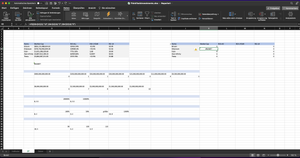

PapaJiOfficial If you go to Formulas - Show Formulas and also Trace Dependents do you see anything that could be causing a conflict in these cells? Are any of them having unexpected formatting (General instead of Number?)

allysharp SergeiBaklan The formulas look ok but when I input the IFS Function, it only shows wrong solutions. As seen in the screenshots in this message
- SergeiBaklanFeb 17, 2022Diamond Contributor
1) if possible never copy/paste formula from web or text, especially if you are not in US locale. Preferably open other file with correct formula, doesn't matter in which locale it was created - Excel automatically converts formula to your locale.
If you have no Excel file and not sure, check with this tool how formula shall be written in your locale Translator • Excel-Translator
2) I think formula shows correct result, just not one you expect. Most probably data is wrong. My guess your data is texts, not numbers. Other words "$500", not number 500 formatted as currency.
Perhaps something else, but without sample file that could be a very long discussion.
