Forum Discussion

OnTheRoad411370
Jun 25, 2022Copper Contributor
How to get total hours worked when people are not the same on each worksheet
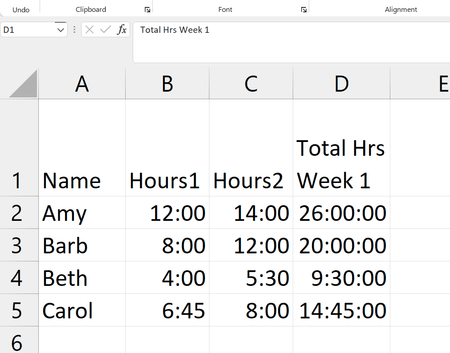
I am trying to figure the total hours that volunteers worked but some work both weeks and some don't. I have a sample workbook but can't figure out how to upload it. I am using Office 365. This is s...
- Jun 28, 2022
We need to add some to the data organization.
1) Named list of sheets which will be summed is added here
It could be at any place of your workbook. If you expand the list don't forget to update the rage in Name Manager
2) Since Total is in different column in different sheets I duplicated it in column AA for each sheet:
3) With that in Cumulative sheet we may use formula to sum sheets.
In C3 is
=SUMPRODUCT( SUMIF( INDIRECT("'" & sheets & "'!" & "A3:A40"), A3, INDIRECT( "'" & sheets & "'!" & "AA3:AA40") ))and drag it down. I used formula exactly as in https://exceljet.net/formula/3d-sumif-for-multiple-worksheets, you may check this post for the explanation how it works.


Norman_Glenn
Jun 27, 2022Brass Contributor
About uploading your work sheet I would do it like this. Click reply. Under the text box click open full text editor were you should then see files to attach.

OnTheRoad411370
Jun 27, 2022Copper Contributor
Thank you, I'm new here and did not know that!