Forum Discussion

 Microsoft
O365 Custom Templates

Julie_Huff Each of the levels in your list should be linked to a Style and then to use a level, you apply the appropriate Style.
See the article "How to create numbered headings or outline numbering in your Microsoft Word document" on the following page of the Late Shauna Kelly's website:
http://shaunakelly.com/word/numbering/numbering20072010.html?p=1768
You can create a New Table Style and add it to the Gallery (removing other Table Styles if desired to make you Table Style more prominent.
 Microsoft
- Stefan_BlomJan 18, 2023MVP
It is better to ask the PowerPoint and Excel questions in the corresponding forums for those applications:
https://answers.microsoft.com/en-us/msoffice/forum/msoffice_powerpoint?sort=LastReplyDate (the Microsoft Community forum)
https://techcommunity.microsoft.com/t5/excel/bd-p/ExcelGeneral (TechCommunity)
- Julie_HuffJan 19, 2023Thank you Stefan!
- Charles_KenyonJan 19, 2023Bronze Contributor
What you are showing in your question is not a Table Style but a Quick Table. This is a Building Block. For many purposes I prefer a Quick Table to a Table Style, but it is not the same thing. Quick Tables have content, not just formatting. Your client may want both.
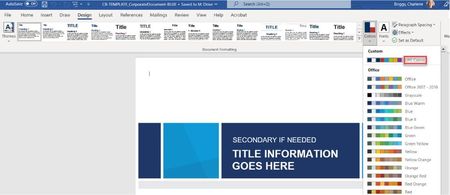
Part of what you are dealing with here is Themes. In general in Word, at least, to move a custom part up in a list, starting the name with an _underscore often helps, because many of the lists are presented in alphabetical order.
John Korchock has written extensively on PowerPoint Themes.

