Forum Discussion

New Bug in Word Word (Version 2607 Build 16.0.20228.20124): QAT is not saved in template?

If you open Normal.dotm for editing, you can save your QAT customizations explicitly to that template. Maybe that is what you are currently doing.
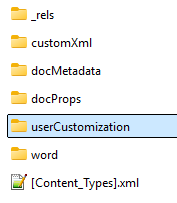
P.S. I haven't seen any inconsistencies with saving in the default location (those confusing XML files), though. I do find that saving in a template gives me more control.

Thanks Stefan,
Thanks, Stefan. I gave it a try, but unfortunately your suggestion didn't work either!
!
The QAT buttons are saved only with the “For all documents” option, and this customization is not saved in a template but here: “C:\Users\loginname\AppData\Local\Microsoft\Office\Word.officeUI”
I opened normal.dom and try to save the QAT customization in normal.dotm
Example: C:\Users\loginname\AppData\Roaming\Microsoft\Templates
These QAT customizations get lost without any furher information, that is thy are not saved in normal.dotm
By the way: normal.dotm I never touch, but I use my custom templates and want to save the QAT in these templates. And I did this for years!
Regards Dieter
- Stefan_BlomAug 08, 2026MVP
To explicitly save QAT customizations in a template, that template must be open for editing. Only then can you choose it in the drop down in the dialog box.
As Doug said, template QAT buttons are appended to the list of pre-existing buttons already on the QAT.